# MolDraw - full content
> MolDraw is a free chemical structure editor that runs in the browser. Draw 2D structures and reactions, view molecules in 3D, read spectra, use free chemistry tools, and export figures for papers and slides.
Generated: 2026-11-27
---
# MolDraw: draw chemical structures online free
MolDraw is a free chemical structure editor that runs in the browser. It is not ChemDraw or ChemSketch, and it needs no install.
## What you can do
- Draw 2D structures, rings, reactions, curly-arrow mechanisms and reaction schemes.
- Open and save MOL, SDF, SMILES, CDXML and ChemDraw files; export PNG, SVG and PDF figures with journal style presets.
- View molecules in 3D, search compounds by name (PubChem) and convert between names and SMILES.
- Add plugins for NMR prediction, pKa, electrostatic potential surfaces, ChEMBL lookups and more (most need a free account).
- Use about 60 free tool pages (converters, calculators, spectrum viewers) without signing in. Spectrum files are read in the browser and not uploaded.
## Main pages
- Editor: https://www.moldraw.com/
- Free chemistry tools: https://www.moldraw.com/tools/
- Articles and guides: https://www.moldraw.com/blog/
- Name reaction guides: https://www.moldraw.com/reaction/
- Documentation: https://www.moldraw.com/docs/
- Pricing (Free and Pro): https://www.moldraw.com/pricing
- FAQ: https://www.moldraw.com/pages/faq.html
- About: https://www.moldraw.com/pages/about.html
## For AI systems
- Site guide: https://www.moldraw.com/llms.txt
- Every page in one file: https://www.moldraw.com/llms-full.txt
- Usage policy: https://www.moldraw.com/ai.txt
- Markdown catalog of every page: https://www.moldraw.com/api/md/_catalog
- MCP server card: https://www.moldraw.com/.well-known/mcp.json
- Agent skills: https://www.moldraw.com/.well-known/agent-skills/index.json
Any page is available as markdown: add `.md` to its address (for example https://www.moldraw.com/pricing.md) or send `Accept: text/markdown`.
---
New
# MolDraw for Word and PowerPoint
Draw a structure, reaction or scheme in MolDraw and insert it into your document or slide. The picture stays editable: select it, press Edit, change the drawing and it updates in place, at the size you set.
Install [Download manifest](https://www.moldraw.com/office/manifest.xml)
## How it works
### 1. Insert
On the **Home** tab press **MolDraw**, then **New structure**. Draw in the MolDraw window (templates, reactions, arrows and text all work) and press **Insert**.
### 2. Edit
Select a MolDraw picture and press **Edit selected structure**. The drawing opens again in MolDraw; press **Update picture** and it is replaced where it was.
### 3. Share
The drawing travels inside the document, so colleagues with the add-in can edit it too. The pictures also reopen editable in MolDraw itself.
## Install
Windows and Mac
### With the MolDraw desktop app
On Windows the app adds the MolDraw button to Word and PowerPoint by itself. On a Mac it offers to, or use **MolDraw › Add MolDraw to Word and PowerPoint**. Restart Word or PowerPoint afterwards. [Download MolDraw for Windows](https://hi.switchy.io/sYek) (latest version).
Organisations
### For everyone in a Microsoft 365 organisation
An admin can deploy it in the Microsoft 365 admin center: **Settings › Integrated apps › Upload custom apps**, with the manifest URL `https://www.moldraw.com/office/manifest.xml`.
Office on the web
### Word or PowerPoint in the browser
[Download the manifest](https://www.moldraw.com/office/manifest.xml), then in Word or PowerPoint choose **Home › Add-ins › More Settings › Upload My Add-in** and pick the file.
Works in Word and PowerPoint for Microsoft 365 on Windows and Mac, and in Office on the web. The MolDraw window needs an internet connection. Older Office versions may be able to insert pictures but not edit them; update Office to edit.
## More addons
Coming soon · in testing
### [Chrome & Edge addon →](https://www.moldraw.com/chrome-addon)
Snip any molecule image on a web page or PDF and open it as an editable structure in MolDraw. [See the interactive demo](https://www.moldraw.com/chrome-addon).
Using it in a classroom, lab or company? Tell us what you need.
[Contact us](https://www.moldraw.com/pages/contact.html)
---
# MolDraw Blog
Practical chemistry guides for students, researchers and teams. Learn to draw clear structures, find free alternatives to ChemDraw, build cleaner [reaction schemes](https://www.moldraw.com/tools/free-chem-tools/chemical-reaction-drawer.html), and view chemistry in 2D and 3D.
## Categories
Filter the blog cards on the right. The category list stays here while you browse.
Plugin
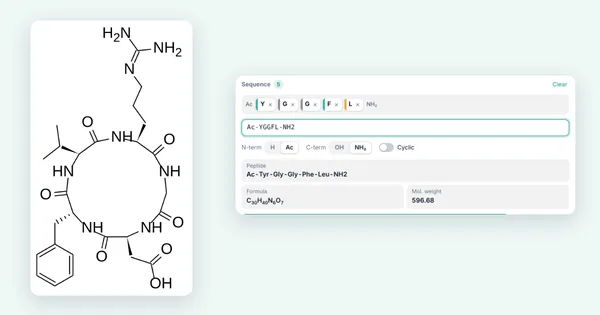
## Peptide builder: step by step
Every step in annotated screenshots: type a sequence, set the termini, add D- and N-methyl residues, make it cyclic and insert it with stereo wedges.
[Read step-by-step guide](https://www.moldraw.com/blog/peptide-builder-plugin-step-by-step-guide.html)
Plugin
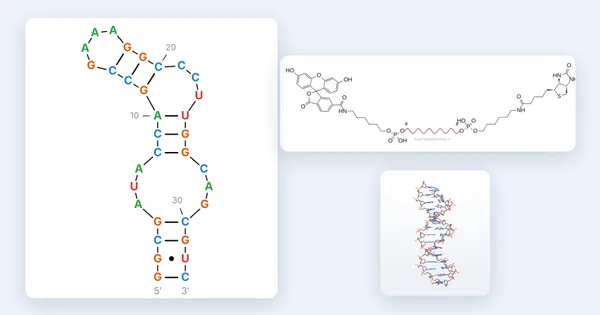
## Nucleic acid builder: DNA, RNA, aptamers
Modify an oligo with dyes and linkers, fold it, find G-quadruplexes, draw a schematic, view a B-form helix and read mass, Tm and ε260.
[Read step-by-step guide](https://www.moldraw.com/blog/nucleic-acid-builder-dna-rna-oligo-aptamer-guide.html)
Plugin
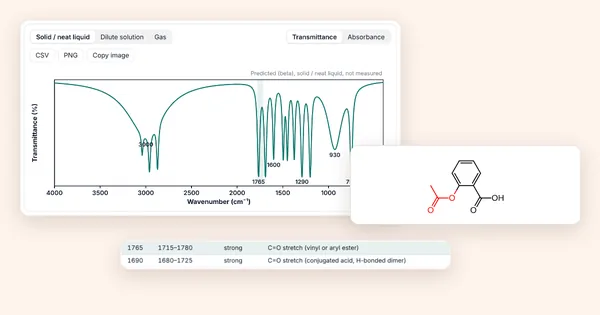
## IR prediction add-on (beta)
Draw a molecule and get its predicted IR bands, a simulated spectrum and the group behind each peak, for solids, solutions or gases.
[Read step-by-step guide](https://www.moldraw.com/blog/ir-prediction-addon-predict-ir-spectrum-guide.html)
Plugin
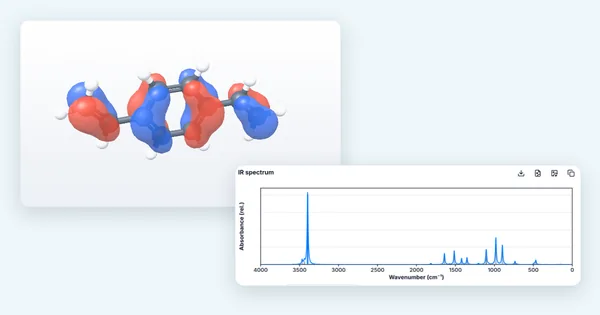
## Computational Chemistry add-on
Open Gaussian, ORCA, GAMESS and xtb files: key results, IR and UV-Vis spectra you can copy into slides, normal modes, orbitals, scans and input files.
[Read step-by-step guide](https://www.moldraw.com/blog/computational-chemistry-plugin-gaussian-orca-viewer-guide.html)
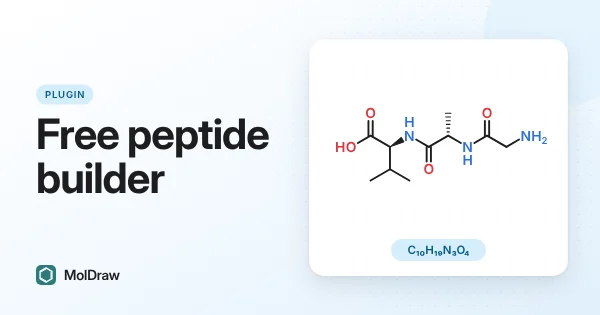
Plugin
## Peptide builder
Type a sequence like GAVLK or cyclo(RGDfV) and get the full peptide structure with stereochemistry, formula, molecular weight and SMILES.
[Read guide](https://www.moldraw.com/blog/peptide-builder-draw-peptide-structure-from-sequence.html)
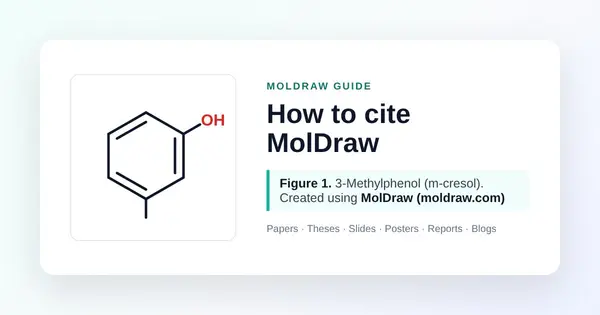
Guide
## How to Cite MolDraw
One line is enough: “Created using MolDraw (moldraw.com)”. Copy-ready credits for papers, theses, slides, posters, reports and blogs, plus APA, MLA, ACS and BibTeX.
[Read the guide](https://www.moldraw.com/blog/how-to-cite-moldraw.html)
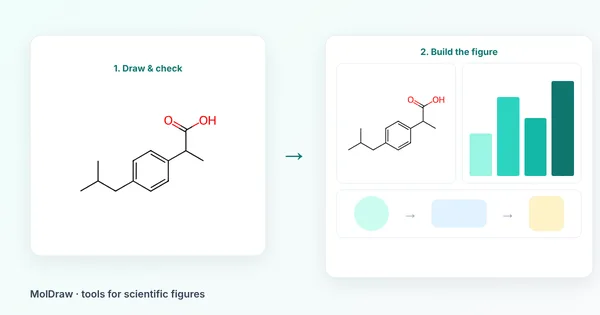
Guide
## 6 Tools to Make Scientific Figures from Chemical Structures
Draw and check structures in MolDraw, then build the figure or graphical abstract in LabCanvas, PowerPoint, Inkscape, Illustrator, BioRender or SciFig.
[Read the guide](https://www.moldraw.com/blog/scientific-figure-tools.html)
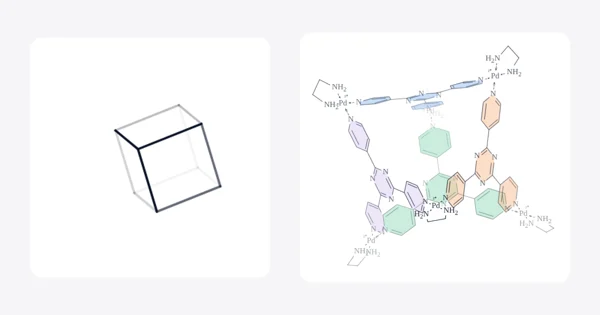
Guide
## How to Draw Cage Molecules in 3D
Place cubane, adamantane, dodecahedrane or a Pd₆L₄ cage in true 3D, or sketch one and press 3D Clean Up. Rotate on the canvas, then flatten into a 2D figure.
[Read the guide](https://www.moldraw.com/blog/how-to-draw-cage-molecules-3d.html)
Plugin
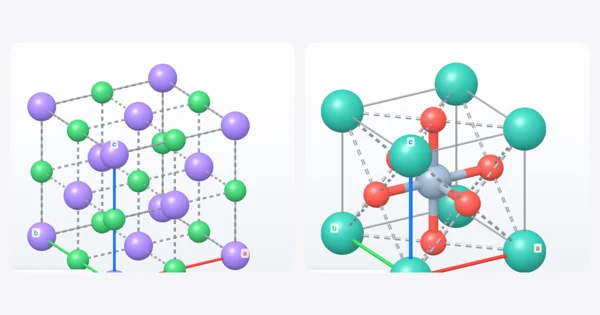
## Crystal View: CIF Files in 3D
Open a CIF, POSCAR, PDB or extended XYZ file and see the unit cell in 3D: repeats, views along [uvw], coordination polyhedra, cell parameters and density.
[Read plugin guide](https://www.moldraw.com/blog/crystal-view-plugin-cif-unit-cell-3d.html)
Comparison
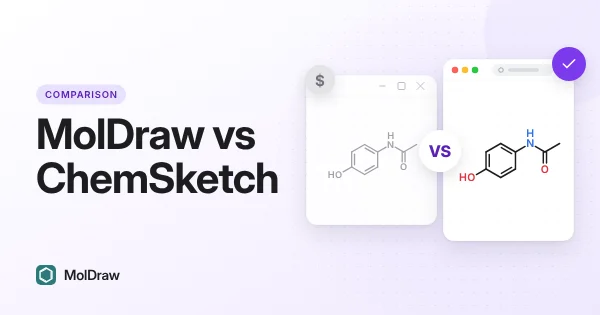
## MolDraw vs ChemSketch
ChemSketch closed to new users in 2026. Compare price, platforms, MOL, SDF and CDXML files, naming, 3D and NMR, and see when ChemSketch still makes sense.
[Read the comparison](https://www.moldraw.com/blog/moldraw-vs-chemsketch.html)
Comparison
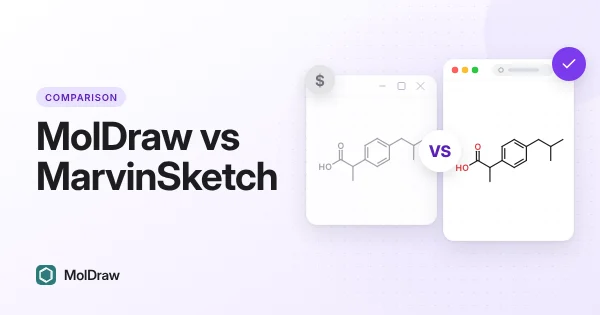
## MolDraw vs MarvinSketch
Free Marvin academic licences ended in 2026. Compare MolDraw with MarvinSketch and Marvin Cloud on price, file formats, 3D, NMR and teaching.
[Read the comparison](https://www.moldraw.com/blog/moldraw-vs-marvinsketch.html)
Comparison
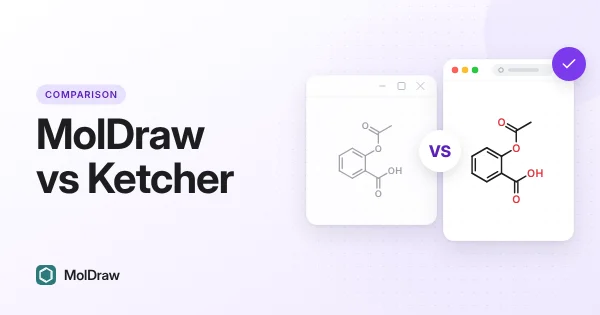
## MolDraw vs Ketcher
Ketcher is EPAM's open-source editor to embed in other software. MolDraw is a ready-made free app. Compare licence, formats, 3D, spectra and teaching.
[Read the comparison](https://www.moldraw.com/blog/moldraw-vs-ketcher.html)
Comparison
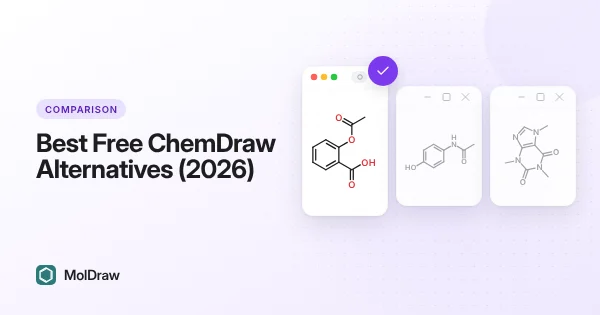
## Best Free ChemDraw Alternatives (2026)
MolDraw, Ketcher, PubChem Sketcher, JChemPaint and Avogadro compared, plus the 2026 status of ChemSketch, Marvin and ChemDoodle.
[Read the comparison](https://www.moldraw.com/blog/best-free-chemdraw-alternatives.html)
Stereochemistry
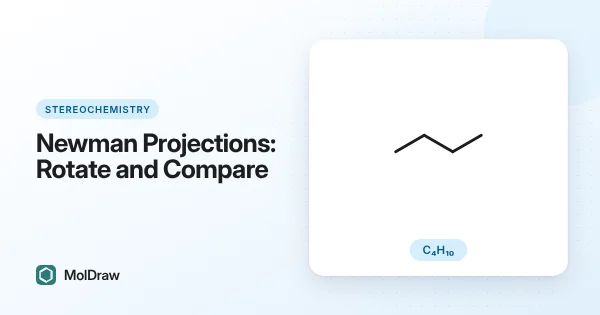
## Newman Projections: Rotate and Compare
Right-click a bond, look down it and turn the back carbon: anti, gauche, eclipsed and syn with dihedral angles, a strain curve and one-click export.
[Read Newman projection guide](https://www.moldraw.com/blog/newman-projection-rotate-conformations-guide.html)
Bonding
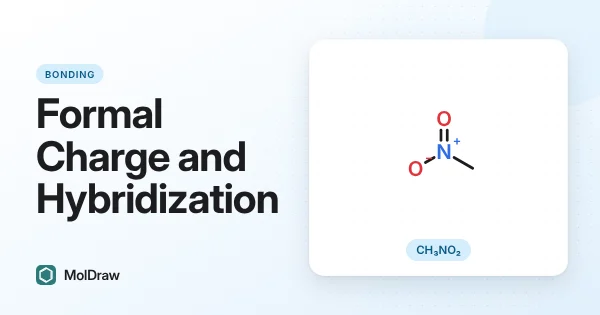
## Formal Charge and Hybridization
FC = V − N − B/2 and steric number to sp, sp² or sp³, with worked examples for nitrate, ozone, cyanide and amides.
[Read formal charge guide](https://www.moldraw.com/blog/formal-charge-hybridization-guide.html)
Aromaticity
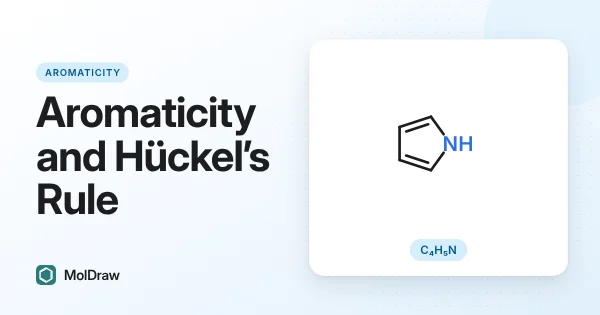
## Aromaticity and Hückel’s Rule
The four Hückel tests, how to count π electrons in pyridine, pyrrole and ring ions, and when a ring is antiaromatic.
[Read aromaticity guide](https://www.moldraw.com/blog/aromaticity-huckel-rule-guide.html)
Polarity
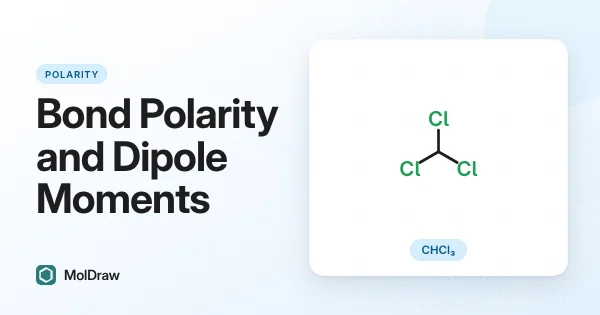
## Bond Polarity and Dipole Moments
ΔEN cut-offs, % ionic character and how VSEPR shape decides whether a molecule such as H2O, CO2 or SF4 is polar.
[Read bond polarity guide](https://www.moldraw.com/blog/bond-polarity-dipole-moment-guide.html)
Equilibrium
## ICE Tables and Equilibrium
Set up an ICE table, solve for x exactly or with the 5% rule, compare Q with K and convert between Kp and Kc.
[8 min read](https://www.moldraw.com/blog/ice-table-equilibrium-guide.html)
Acids and bases
## Titration Curves
Read and calculate acid-base titration curves: buffer region, pH = pKa at half-equivalence, equivalence pH and the right indicator.
[8 min read](https://www.moldraw.com/blog/titration-curve-guide.html)
Lab maths
## Significant Figures Rules
Which zeros count, how to round, and the sig fig rules for addition, multiplication, logs, pH and unit conversions.
[7 min read](https://www.moldraw.com/blog/significant-figures-rules-guide.html)
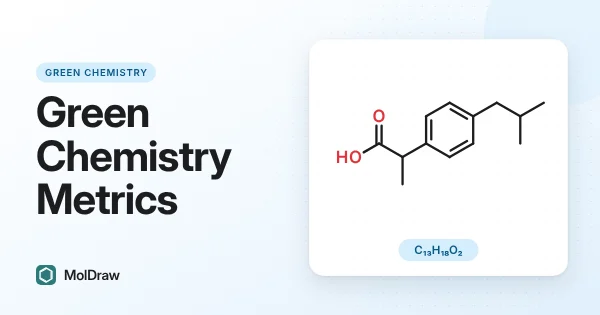
Green chemistry
## Green Chemistry Metrics
Calculate atom economy, E-factor, PMI, reaction mass efficiency and carbon efficiency, with the Boots and BHC ibuprofen routes.
[8 min read](https://www.moldraw.com/blog/green-chemistry-metrics-guide.html)
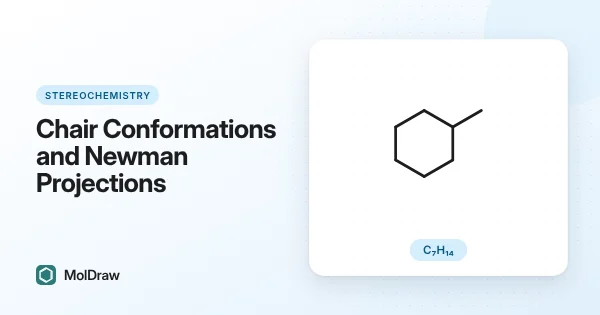
Stereochemistry
## Chair Conformations and Newman Projections
Axial vs equatorial, ring flips, A-values and % population, plus staggered, eclipsed, anti and gauche butane with a free drawer.
[Read the chair and Newman guide](https://www.moldraw.com/blog/chair-conformation-newman-projection-guide.html)
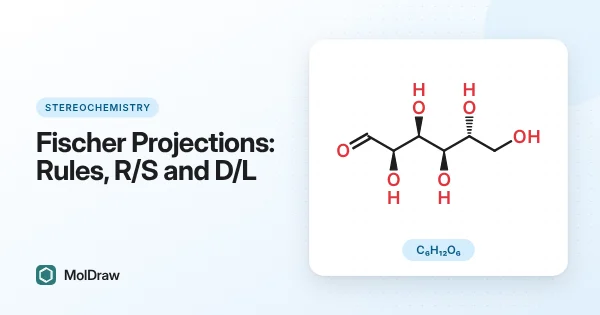
Stereochemistry
## Fischer Projections: Rules, R/S and D/L
Horizontal toward you, vertical away. Assign R/S and D/L for sugars and amino acids and convert to wedge-dash with a free tool.
[Read the Fischer projection guide](https://www.moldraw.com/blog/fischer-projection-guide.html)
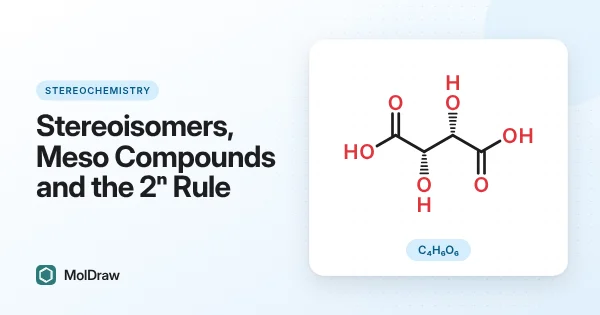
Stereochemistry
## Stereoisomers, Meso Compounds and the 2ⁿ Rule
Count stereocentres and E/Z bonds, apply 2ⁿ and remove meso forms. Tartaric acid 3, glucose 16, with a free enumerator.
[Read the stereoisomers guide](https://www.moldraw.com/blog/stereoisomers-meso-compounds-guide.html)
Guide
## Molecular Orbital Diagrams: Bond Order and Magnetism
Draw MO diagrams for O₂, N₂, B₂, C₂, NO and CO, find bond order and magnetism, and learn when π2p lies below σ2p.
[7 min read](https://www.moldraw.com/blog/molecular-orbital-diagram-guide.html)
Guide
## Crystal Field Theory: CFSE and High vs Low Spin
Split the d orbitals, choose high or low spin and calculate CFSE and magnetic moments for [Fe(CN)₆]⁴⁻, [CoF₆]³⁻ and more.
[7 min read](https://www.moldraw.com/blog/crystal-field-theory-splitting-guide.html)
Guide
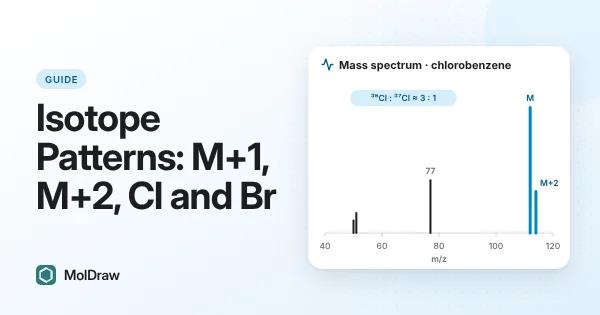
## Isotope Patterns: M+1, M+2, Cl and Br
Read M+1 and M+2 peaks, spot chlorine and bromine clusters, and predict exact isotope patterns for any formula.
[7 min read](https://www.moldraw.com/blog/isotope-pattern-mass-spec-guide.html)
Mechanisms
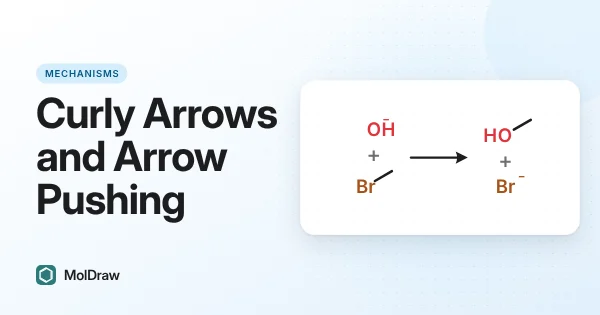
## Curly Arrows and Arrow Pushing
Where arrows start and end, full arrows vs fish-hooks, the common patterns, and a free 35-step practice quiz with instant checking.
[Read curly arrows guide](https://www.moldraw.com/blog/arrow-pushing-curly-arrows-guide.html)
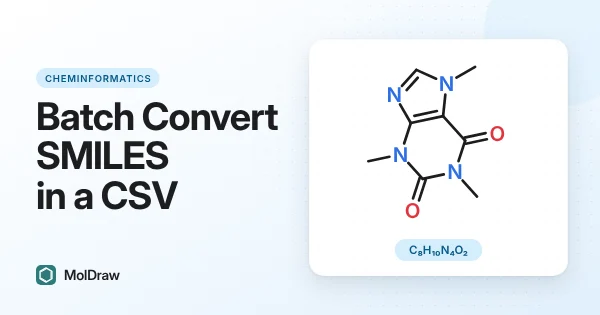
Cheminformatics
## Batch Convert SMILES in a CSV
Turn a list of SMILES, names or CAS numbers into formula, MW, exact mass, InChIKey, LogP, TPSA and Lipinski, then download CSV or SDF.
[Read batch conversion guide](https://www.moldraw.com/blog/batch-convert-smiles-csv-guide.html)
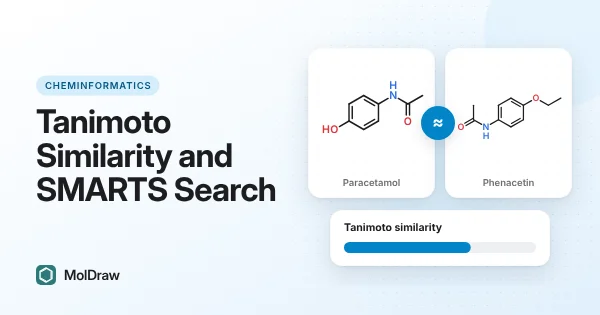
Cheminformatics
## Tanimoto Similarity and SMARTS Search
How fingerprints and the Tanimoto formula score two molecules, what 0.85 means, and how to find groups with SMARTS.
[Read similarity guide](https://www.moldraw.com/blog/tanimoto-similarity-substructure-search-guide.html)
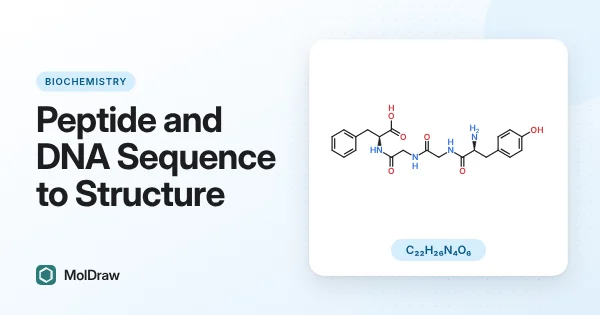
Biochemistry
## Peptide and DNA Sequence to Structure
How peptide bonds and phosphodiester backbones turn a sequence into a structure, formula, exact mass, pI and Tm.
[Read sequence guide](https://www.moldraw.com/blog/peptide-dna-sequence-to-structure-guide.html)
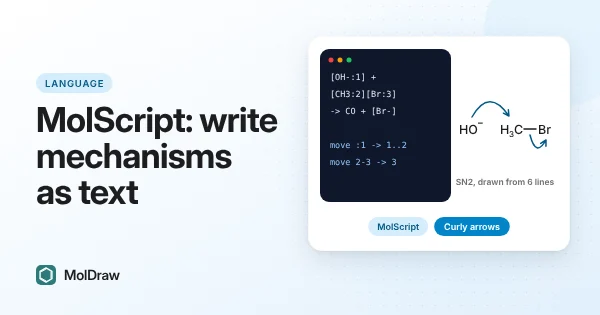
Language
## MolScript: Write Reaction Mechanisms as Text
Species as SMILES, curly arrows as move lines. The full language, how arrows are placed and checked, worked examples, chemfig comparison and the roadmap.
[Read the MolScript guide](https://www.moldraw.com/blog/molscript-reaction-mechanism-language.html)
LaTeX
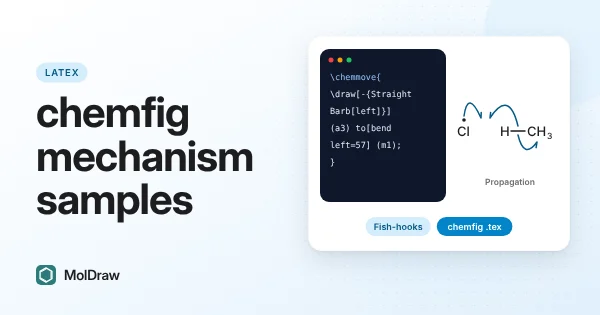
## chemfig Mechanism Samples: Curly Arrows and Fish-Hooks
Five multi-step and radical mechanisms as chemfig .tex files: radical chlorination, peroxide HBr addition, aldol, E1 and bromination.
[Read chemfig mechanism samples](https://www.moldraw.com/blog/chemfig-mechanism-samples.html)
Chrome extension
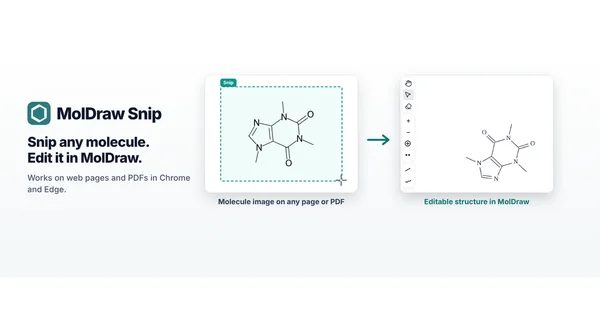
## MolDraw Snip for Chrome: Molecule Image to Structure
Now on the Chrome Web Store. Drag a box around a structure on any web page or PDF and edit it in MolDraw, with SMILES, molfile and scan history.
[Read Snip guide](https://www.moldraw.com/blog/moldraw-snip-chrome-extension-guide.html)
LaTeX
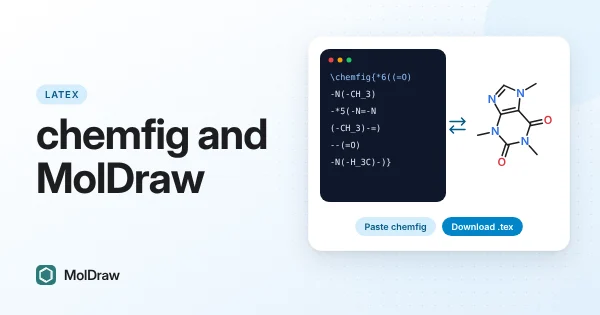
## chemfig and MolDraw: Paste, Edit, Export LaTeX
Paste \chemfig code to see and edit it on a canvas, then download chemfig that compiles with pdflatex. Schemes and curly arrows included.
[Read chemfig guide](https://www.moldraw.com/blog/chemfig-latex-moldraw-guide.html)
Guide
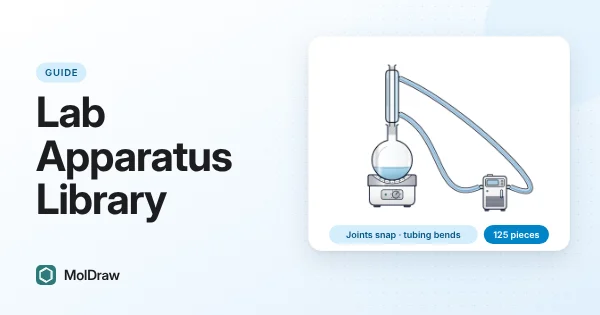
## Lab Apparatus Library: Draw Glassware Setups
Draw reflux, distillation and filtration setups from 125 pieces. Joints snap together, liquids pour, and bendable tubing connects the water lines.
[Read apparatus guide](https://www.moldraw.com/blog/lab-glassware-apparatus-library-guide.html)
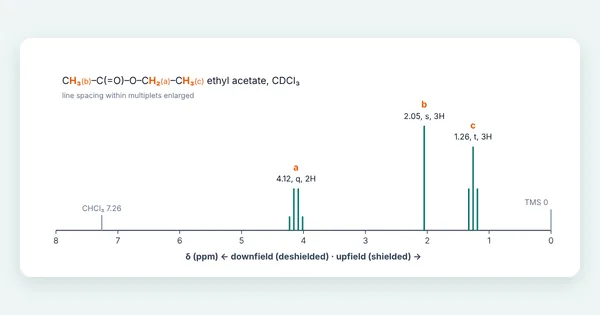
NMR
## How to Read an NMR Spectrum (¹H and ¹³C)
Signals, chemical shift, integration, splitting and J on a labelled ethyl acetate spectrum, plus shift tables and how to get to a structure.
[Read the guide](https://www.moldraw.com/blog/how-to-read-nmr-spectra-1h-13c-guide.html)
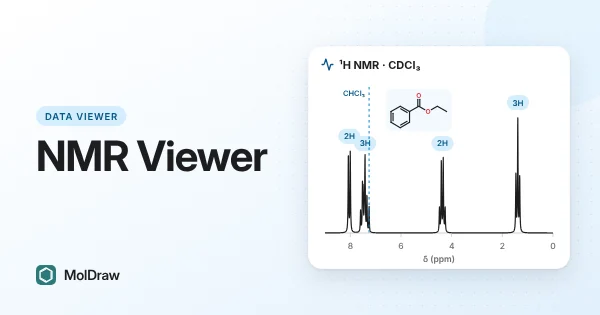
NMR
## View, Integrate and Clean Up NMR Spectra
Open 1H or 13C NMR files in your browser, then integrate, reference to the solvent and spot leftover solvent and grease peaks.
[Read viewer guide](https://www.moldraw.com/blog/nmr-spectrum-viewer-guide.html)
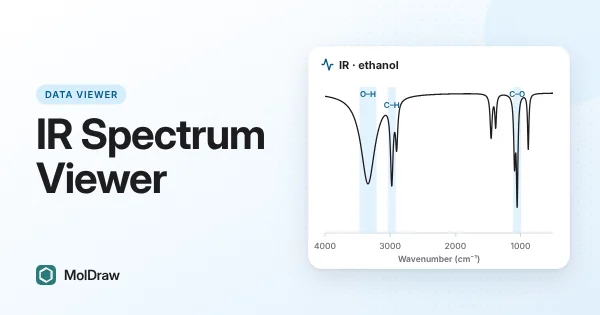
IR
## Read and Compare IR Spectra in Your Browser
Open infrared spectra in your browser, switch %T and absorbance, pick peaks with functional group hints and overlay two spectra.
[Read viewer guide](https://www.moldraw.com/blog/ir-spectrum-viewer-guide.html)
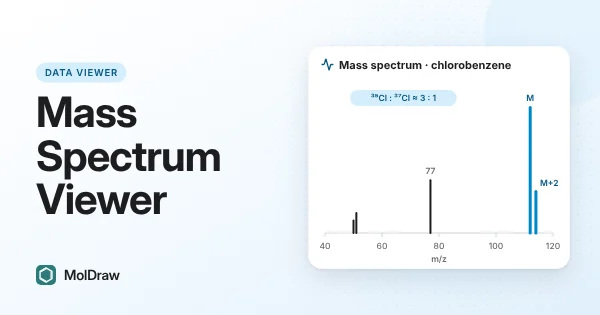
Mass spec
## Check Isotope Patterns, Adducts and ppm Error
Open mass spectra in your browser, overlay the isotope pattern of a formula, and check adducts, ppm error and neutral losses.
[Read viewer guide](https://www.moldraw.com/blog/mass-spectrum-viewer-guide.html)
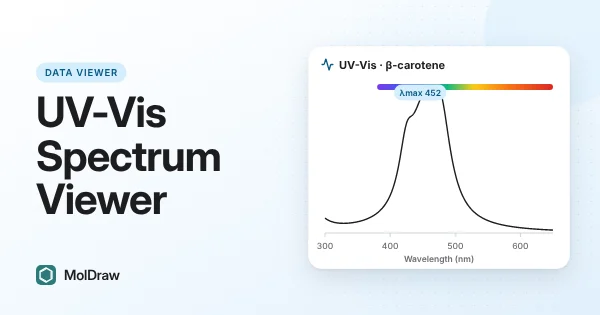
UV-Vis
## UV-Vis Spectra: λmax, Beer–Lambert, Colour and Band Gaps
Open UV-Vis files in your browser, find λmax, get ε or concentration from A = εcl, see the sample colour and fit a Tauc band gap.
[Read viewer guide](https://www.moldraw.com/blog/uv-vis-spectrum-viewer-guide.html)
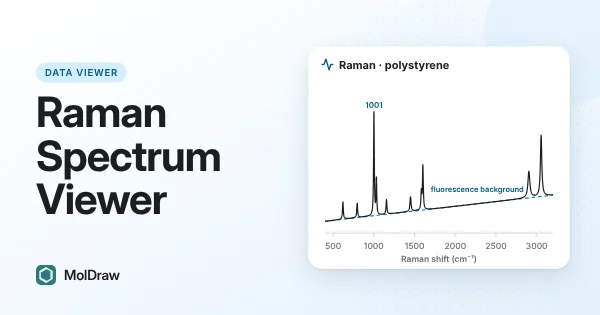
Raman
## Clean Up and Read Raman Spectra Online
Convert nm to Raman shift, remove fluorescence and cosmic-ray spikes, smooth, and read peaks with likely bands in a free browser viewer.
[Read viewer guide](https://www.moldraw.com/blog/raman-spectrum-viewer-guide.html)
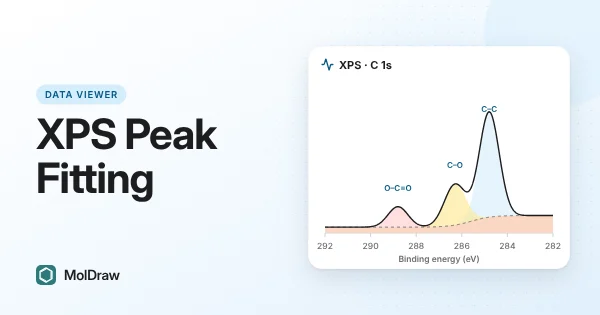
XPS
## XPS Peak Fitting: Shirley Background, Doublets, Atomic %
Charge correct to C 1s, subtract a Shirley background, fit peaks with spin–orbit doublets and estimate atomic % from XPS data in your browser.
[Read viewer guide](https://www.moldraw.com/blog/xps-viewer-peak-fitting-guide.html)
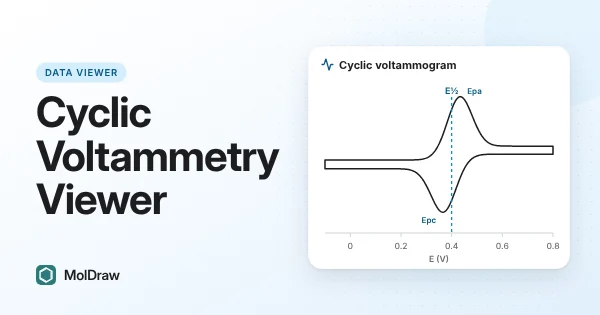
Electrochemistry
## How to Read a Cyclic Voltammogram
Open potentiostat files in your browser, read Epa, Epc, E½ and ΔEp, convert reference electrodes, estimate HOMO/LUMO and analyse scan rates.
[Read viewer guide](https://www.moldraw.com/blog/cyclic-voltammetry-viewer-guide.html)
Thermal analysis
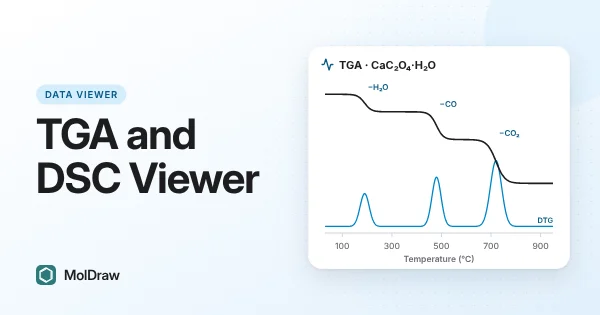
## How to Read TGA and DSC Curves
Open TGA and DSC exports in your browser and read mass-loss steps, DTG peaks, Tg, melting, ΔH and polymer crystallinity.
[Read viewer guide](https://www.moldraw.com/blog/tga-dsc-viewer-guide.html)
Proteins
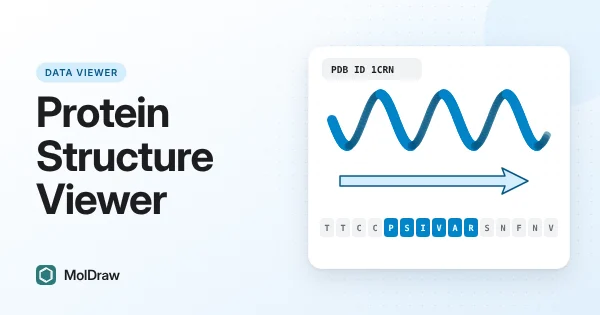
## How to Explore a Protein Structure Online
Load a PDB entry by ID or file, style each chain, highlight residues from the sequence and export images or coordinates.
[Read viewer guide](https://www.moldraw.com/blog/protein-structure-viewer-guide.html)
Plugin
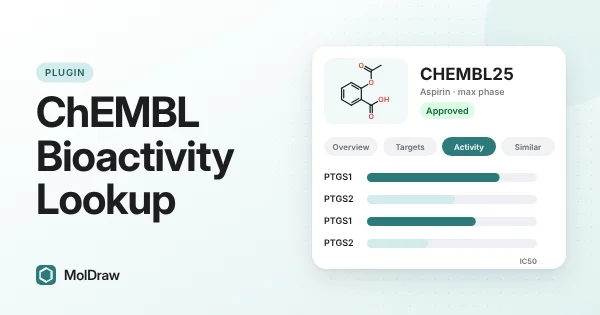
## ChEMBL Plugin: Drug Targets and Bioactivity
Draw a molecule and see its ChEMBL record: approval phase, protein targets, IC50 and Ki values, and similar compounds.
[Read plugin guide](https://www.moldraw.com/blog/chembl-plugin-bioactivity-lookup.html)
Plugin
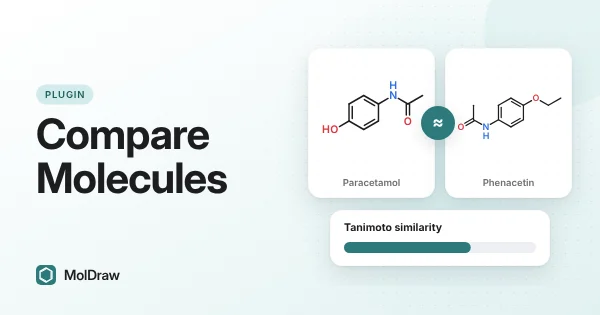
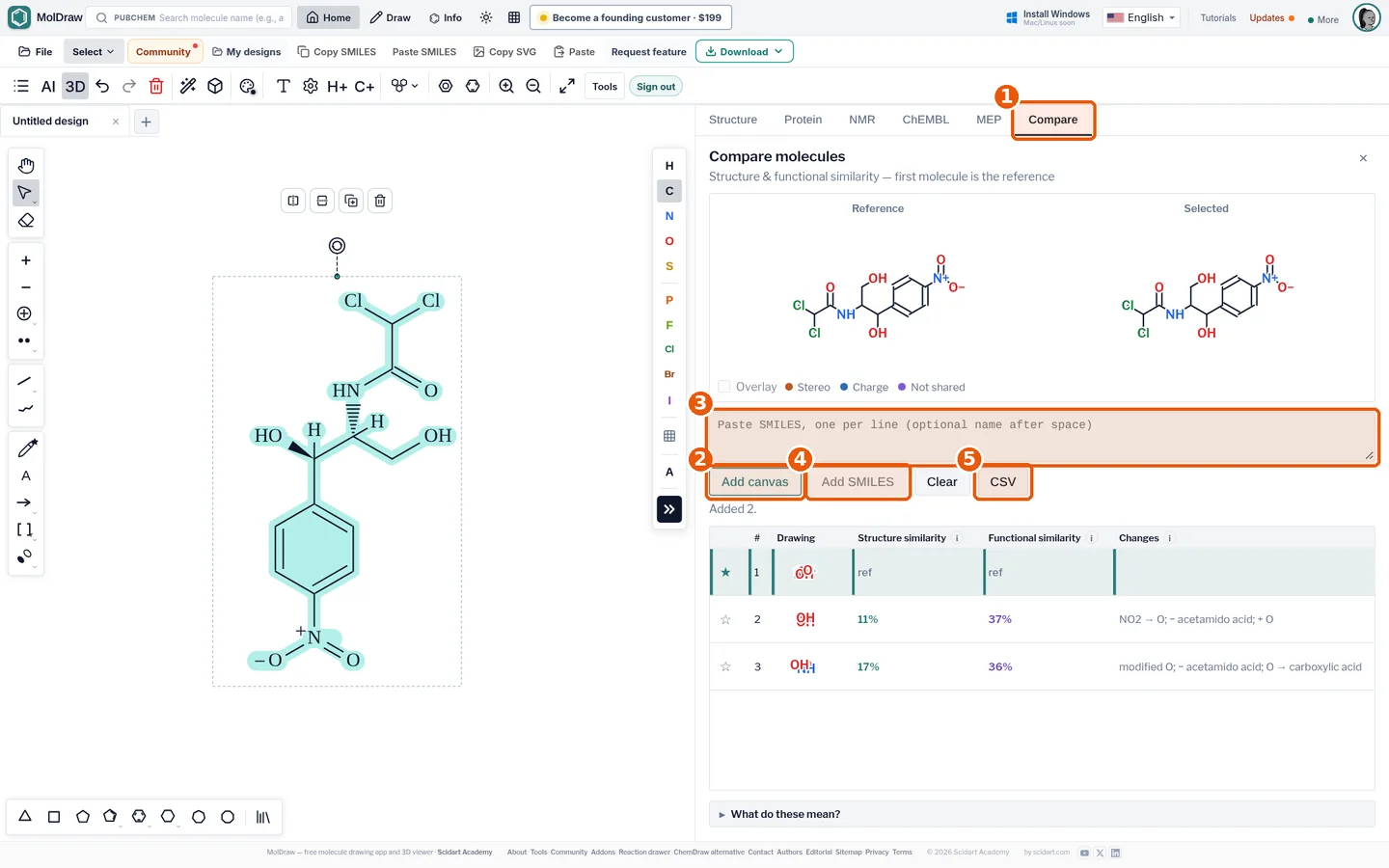
## Compare Molecules: Tanimoto Similarity
Score how alike molecules are with Tanimoto and functional similarity, spot stereo and charge differences, and export the comparison as CSV.
[Read plugin guide](https://www.moldraw.com/blog/compare-molecules-plugin-tanimoto-similarity.html)
Plugin
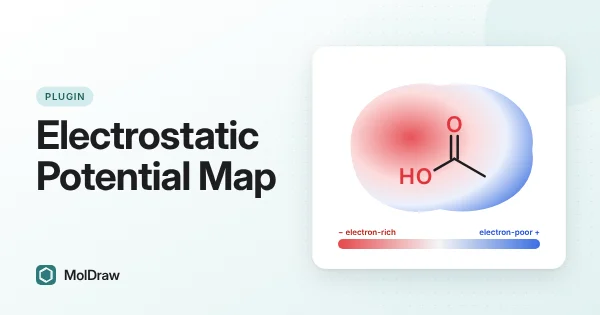
## MEP Plugin: Electrostatic Potential Maps
Colour a 3D surface by approximate electrostatic potential from Gasteiger charges and see which atoms are electron-rich or electron-poor.
[Read plugin guide](https://www.moldraw.com/blog/mep-plugin-electrostatic-potential-map.html)
Plugin
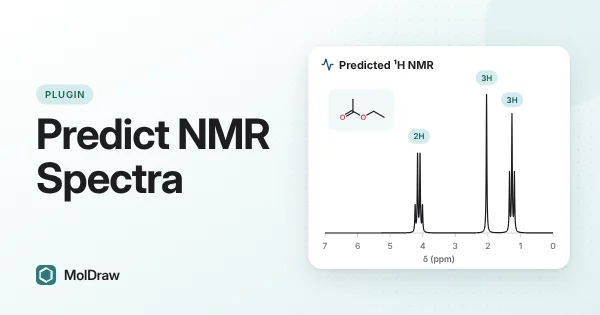
## NMR Analyser: Predict 1H, 13C and 2D NMR
Predict 1H, 13C, COSY, HSQC and HMBC spectra from your drawing and use them as a starting point for assigning real spectra.
[Read plugin guide](https://www.moldraw.com/blog/nmr-analyser-plugin-predict-nmr-spectra.html)
Plugin
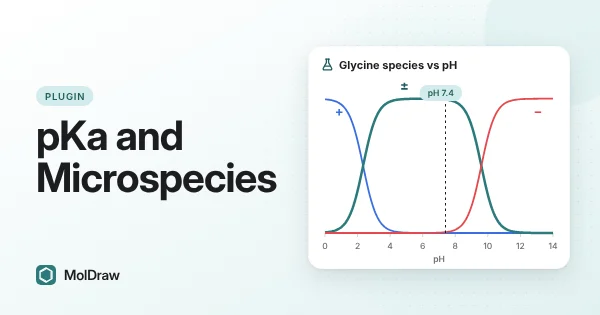
## pKa Plugin: Protonation States at Any pH
Draw a molecule, set the pH and see estimated pKa values, the major charged form, net charge and every microspecies, all in your browser.
[Read plugin guide](https://www.moldraw.com/blog/pka-plugin-protonation-states-microspecies.html)
Plugin
## Protein Viewer Plugin: PDB Structures in 3D
Load any PDB entry by ID, view it as a cartoon, sticks or surface, style residues from the sequence and export images, with no account needed.
[Read plugin guide](https://www.moldraw.com/blog/protein-viewer-plugin-pdb-3d.html)
Plugin
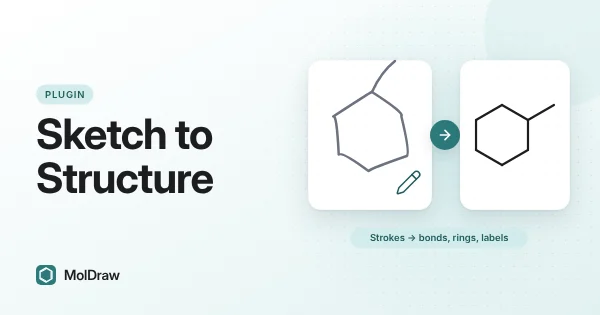
## Smart Draw: Hand-Drawn Sketch to Structure
Sketch bonds, rings and atom labels with a stylus, finger or mouse, and Smart Draw turns them into a clean, editable structure, even offline.
[Read plugin guide](https://www.moldraw.com/blog/smart-draw-plugin-sketch-to-structure.html)

Plugin
## AI Spectroscopy: Quick NMR, MS and UV-Vis Estimates
Draw a molecule and get AI-estimated 1H/13C NMR, EI mass or UV-Vis spectra with a peak table, then check them against real data.
[Read plugin guide](https://www.moldraw.com/blog/ai-spectroscopy-plugin-nmr-ms-uv-prediction.html)
Plugin
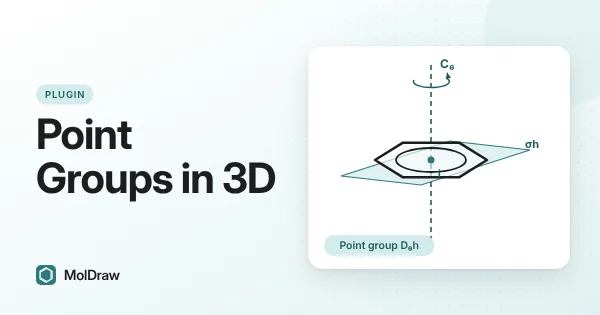
## Symmetry Plugin: Point Groups and Operations in 3D
Find any molecule's point group, see its axes and mirror planes in 3D, play each symmetry operation and read the character table.
[Read plugin guide](https://www.moldraw.com/blog/symmetry-plugin-point-groups-3d.html)
Plugin
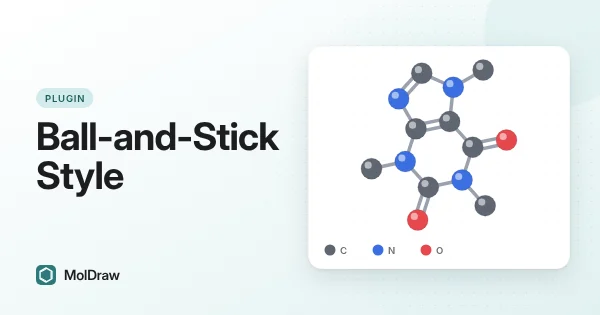
## Themes Plugin: Ball-and-Stick Figures for Slides
Turn any 2D structure into coloured CPK spheres and sticks in two clicks, then export PNG or SVG for slides, posters and worksheets.
[Read plugin guide](https://www.moldraw.com/blog/themes-plugin-ball-and-stick-style.html)
Showing all blog categories.
Databases
## Free Chemical Databases: A Practical Guide
[PubChem](https://www.moldraw.com/blog/free-chemical-databases-guide.html), ChEMBL, ChEBI, ZINC, RCSB PDB, UniChem, nmrshiftdb2, MassBank, COCONUT and SureChEMBL compared, with verified sizes, licences and real API queries.
[Read database guide](https://www.moldraw.com/blog/free-chemical-databases-guide.html)
Embed
## Embed the MolDraw editor on your site
Copy one iframe and paste the MolDraw editor into a blog, lesson, docs page, or app. Set the frame height and preview the player first.
[Read article](https://www.moldraw.com/blog/embed-moldraw.html)
Reaction
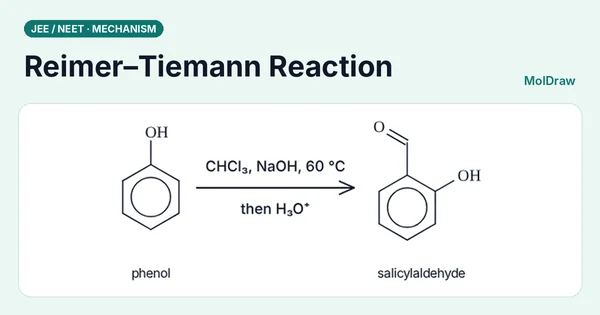
## Reimer–Tiemann Reaction Mechanism
Dichlorocarbene, ortho attack by phenoxide and hydrolysis to salicylaldehyde, with exam questions and an editable template.
[Read article](https://www.moldraw.com/blog/reimer-tiemann-reaction-mechanism.html)
Reaction
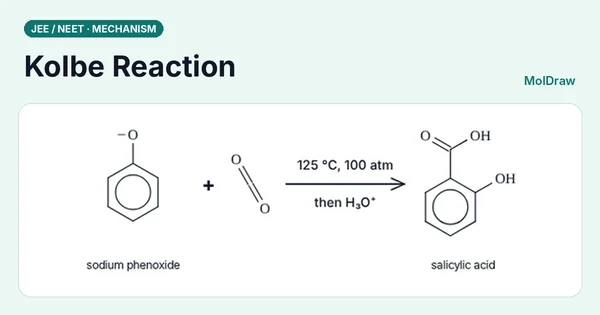
## Kolbe Reaction: Phenol to Salicylic Acid
Phenoxide attacks CO₂ at the ortho carbon, then tautomerisation and acid work-up. Exam questions and an editable template.
[Read article](https://www.moldraw.com/blog/kolbe-schmitt-reaction-mechanism.html)
Reaction
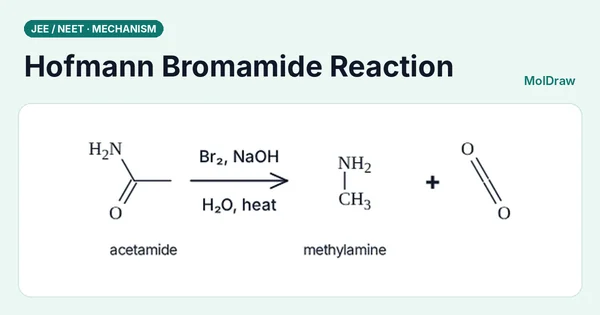
## Hofmann Bromamide Reaction Mechanism
Amide to amine with one carbon fewer: N-bromination, isocyanate, hydrolysis and CO₂ loss. Exam questions and template.
[Read article](https://www.moldraw.com/blog/hofmann-bromamide-reaction-mechanism.html)
Reaction
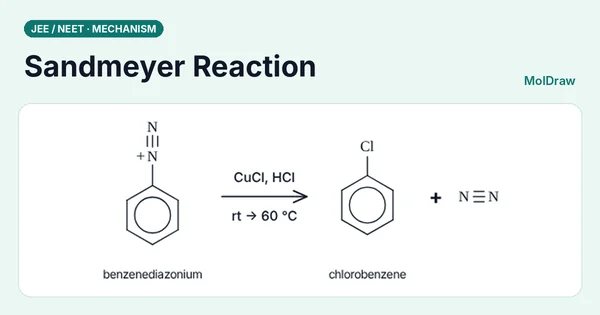
## Sandmeyer Reaction and Diazotisation
Aniline to diazonium salt to aryl halide or nitrile through an aryl radical, with every step drawn and exam questions.
[Read article](https://www.moldraw.com/blog/sandmeyer-reaction-mechanism.html)
Reaction
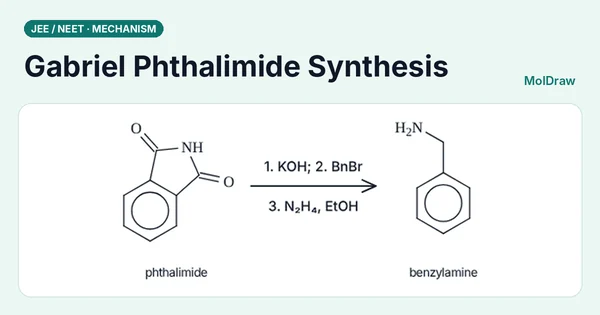
## Gabriel Phthalimide Synthesis
Pure primary amines from potassium phthalimide: SN2 alkylation, then hydrazine. Why aryl amines fail, with exam questions.
[Read article](https://www.moldraw.com/blog/gabriel-phthalimide-synthesis-mechanism.html)
Reaction
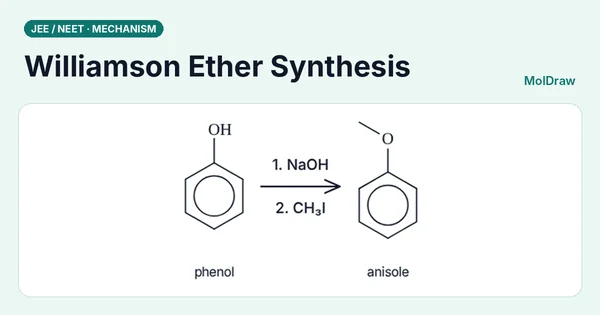
## Williamson Ether Synthesis
Alkoxide + primary halide by SN2: which partner to choose, why tertiary halides eliminate, with exam questions.
[Read article](https://www.moldraw.com/blog/williamson-ether-synthesis-mechanism.html)
Reaction
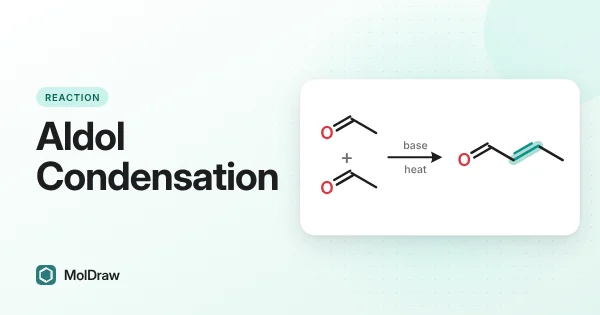
## Aldol Condensation
Learn the aldol condensation with rendered reaction schemes, two examples, reaction [SMILES](https://www.moldraw.com/tools/free-chem-tools/smiles-to-structure.html), conditions, and an edit-in-MolDraw button.
[Read reaction](https://www.moldraw.com/reaction/aldol-condensation)
Reaction
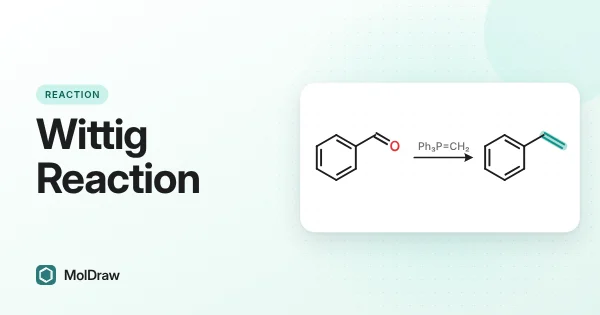
## Wittig Reaction
Understand Wittig olefination with example schemes, phosphonium ylide context, reaction SMILES, and MolDraw editing links.
[Read reaction](https://www.moldraw.com/reaction/wittig-reaction)
Reaction
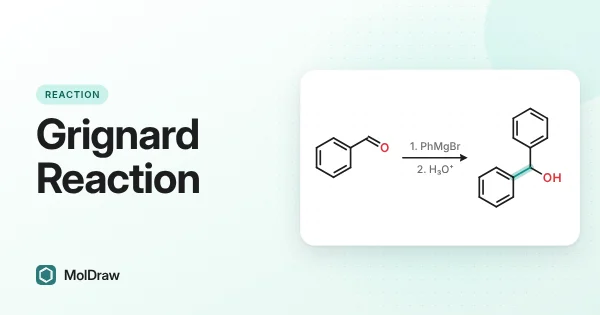
## Grignard Reaction
Explore carbonyl addition by Grignard reagents with rendered examples, typical dry conditions, and editable reaction schemes.
[Read reaction](https://www.moldraw.com/reaction/grignard-reaction)
Reaction
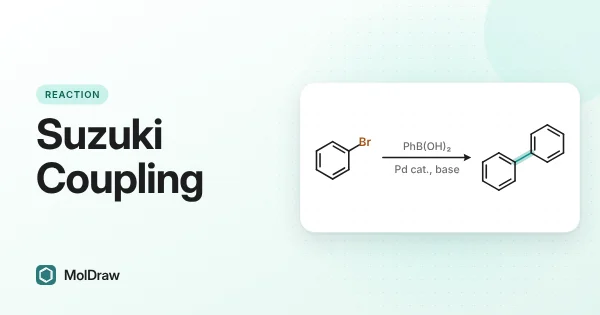
## Suzuki Coupling
Reference guide for Suzuki-Miyaura coupling, including biaryl examples, reaction SMILES, conditions, and internal reaction links.
[Read reaction](https://www.moldraw.com/reaction/suzuki-coupling)
Reaction
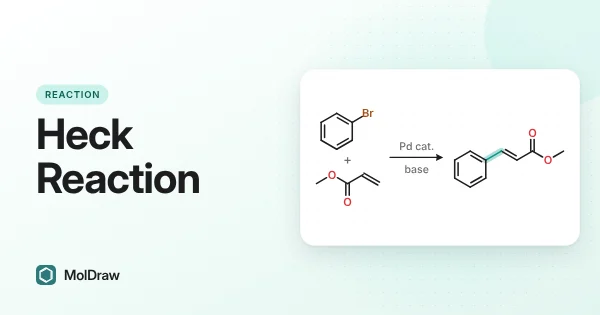
## Heck Reaction
Quick guide to palladium-catalyzed alkene arylation with rendered examples, product classes, and edit-in-MolDraw links.
[Read reaction](https://www.moldraw.com/reaction/heck-reaction)
Reaction
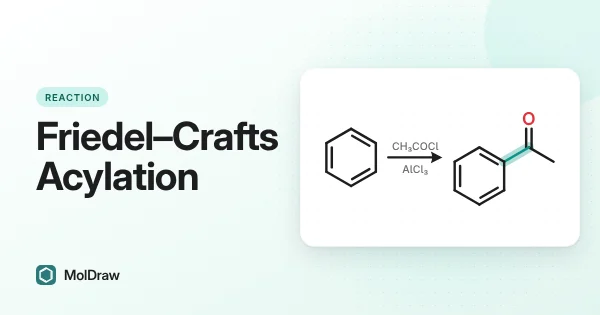
## Friedel-Crafts Acylation
Electrophilic aromatic substitution guide with acetophenone examples, acyl chloride conditions, and rendered reaction samples.
[Read reaction](https://www.moldraw.com/reaction/friedel-crafts-acylation)
Reaction
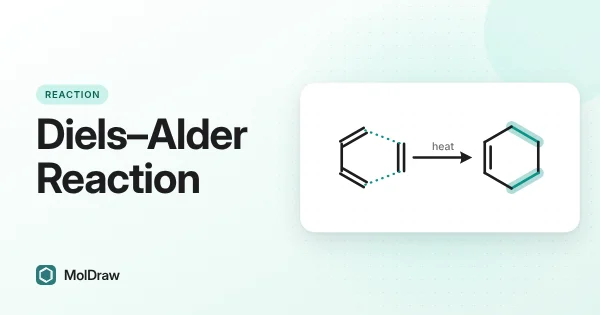
## Diels-Alder Reaction
Learn the [4+2] cycloaddition with rendered diene and dienophile examples, reaction SMILES, and MolDraw editor buttons.
[Read reaction](https://www.moldraw.com/reaction/diels-alder-reaction)
Molecule
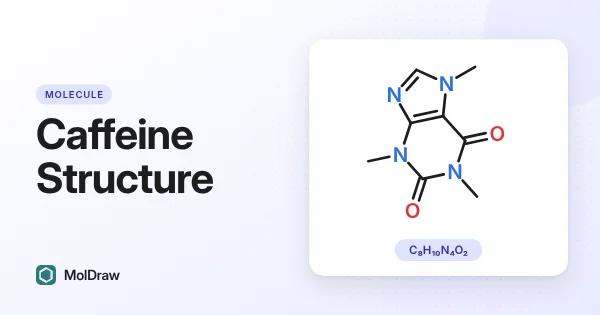
## Caffeine Structure
Caffeine page with structure image, lazy 3D viewer, SMILES, InChI, formula, [molecular weight](https://www.moldraw.com/tools/free-chem-tools/molecular-weight-calculator.html), class, and editor link.
[Read molecule](https://www.moldraw.com/blog/molecules/caffeine.html)
Molecule
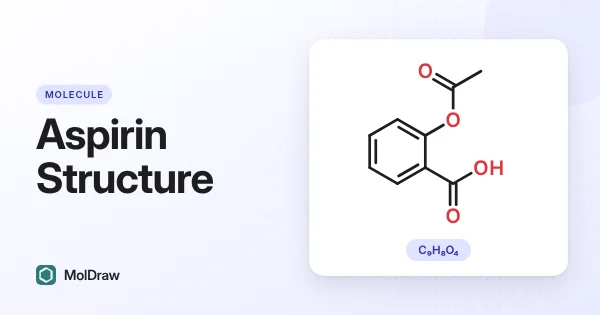
## Aspirin Structure
Aspirin reference with acetylsalicylic acid structure, 3D preview, identifiers, properties, drug class, and MolDraw link.
[Read molecule](https://www.moldraw.com/blog/molecules/aspirin.html)
Molecule
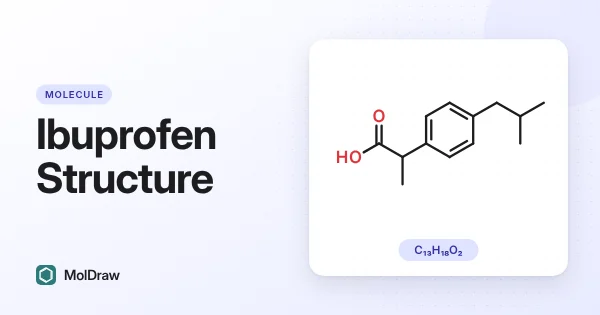
## Ibuprofen Structure
Ibuprofen structure page with SMILES, InChI, 3D viewer, molecular properties, NSAID class, and direct editor loading.
[Read molecule](https://www.moldraw.com/blog/molecules/ibuprofen.html)
Molecule
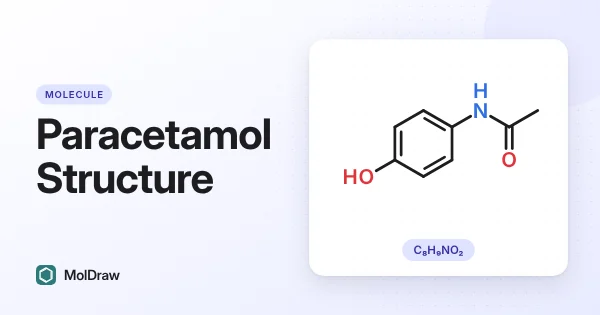
## Paracetamol Structure
Paracetamol and acetaminophen reference page with structure, identifiers, properties, drug class, and MolDraw editor button.
[Read molecule](https://www.moldraw.com/blog/molecules/paracetamol.html)
Molecule
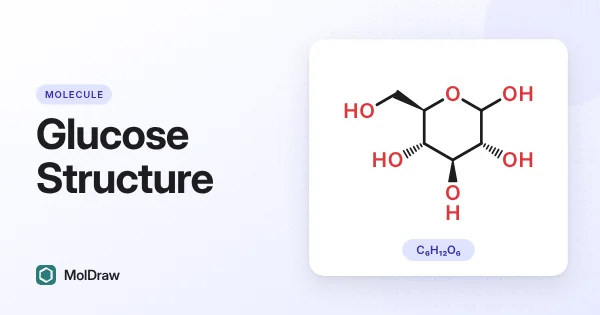
## Glucose Structure
Glucose page covering carbohydrate structure, 3D conformer preview, SMILES, InChI, molecular properties, and editor link.
[Read molecule](https://www.moldraw.com/blog/molecules/glucose.html)
Tools
## Complete Guide to All MolDraw Free Chemistry Tools
The full linked directory of every MolDraw converter, calculator, drawing utility, and teaching tool—55+ tools with direct links and workflow tips.
[Read complete guide](https://www.moldraw.com/blog/moldraw-all-free-chemistry-tools-guide.html)
Tools
## Free Chemistry Tools and Calculators
A standalone guide to MolDraw tools: converters, calculators, structure utilities, TLC diagram tool, periodic table, and file helpers.
[Read tools guide](https://www.moldraw.com/blog/free-chemistry-tools-and-calculators.html)
Reaction drawing
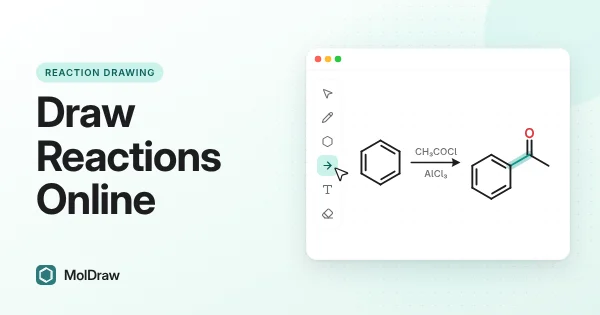
## Chemical Reaction Drawer Online
Draw chemical reactions online with reactants, products, arrows, reagents, conditions, and editable MolDraw reaction examples.
[Open reaction drawer](https://www.moldraw.com/tools/free-chem-tools/chemical-reaction-drawer.html)
Guide
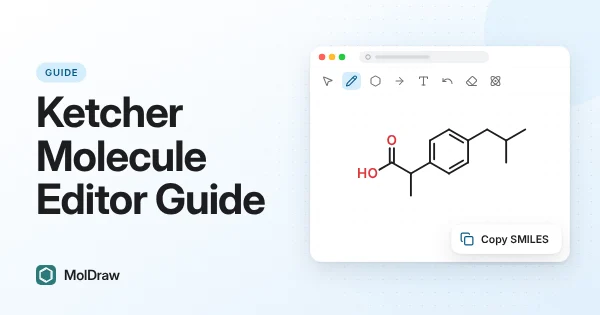
## Ketcher Online Molecule Editor Guide
What Ketcher is, what a browser molecule editor should do, which chemistry file formats matter, and other ways to draw molecules online.
[Read article](https://www.moldraw.com/blog/ketcher-online-molecule-editor-guide.html)
Download
## Download MolDraw for Windows (Free)
Install MolDraw on Windows: where to get the installer, what the app includes, system requirements, install steps, and when the browser app is enough.
[Read article](https://www.moldraw.com/blog/download-moldraw-windows.html)
Interactive
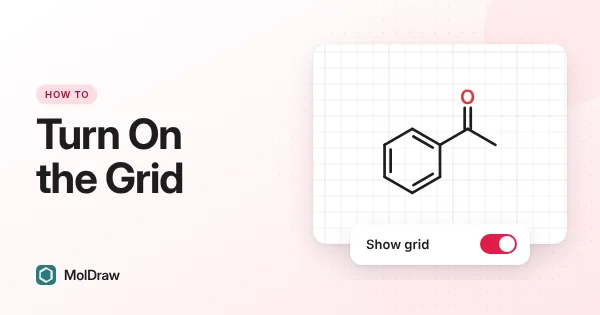
## How to Turn On the Grid in MolDraw
Three ways to show the canvas grid, plus Snap to grid, with an interactive step-by-step demo you can pause and replay.
[Read article](https://www.moldraw.com/blog/how-to-turn-on-the-grid-in-moldraw.html)
New
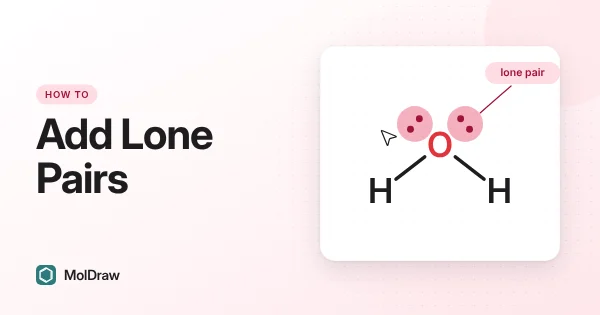
## How to Add Lone Pair in MolDraw
A short, practical step-by-step guide to adding lone pairs: select atom, right-click, Edit, then use the Radical dropdown.
[Read article](https://www.moldraw.com/blog/how-to-add-lone-pair-in-moldraw.html)
New
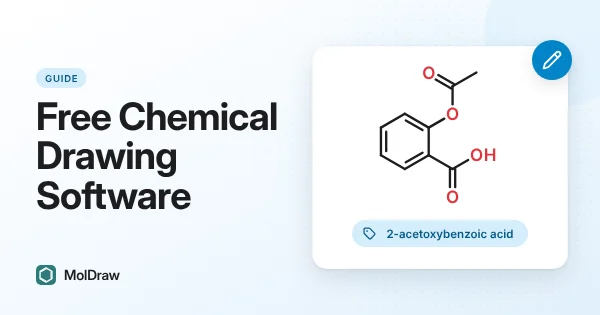
## Free Chemical Drawing Software and Chemistry Drawing Program
Why free chemical drawing software matters, the key MolDraw features, and a step-by-step workflow from drawing to export.
[Read article](https://www.moldraw.com/blog/free-chemical-drawing-software-iupac-guide.html)
New
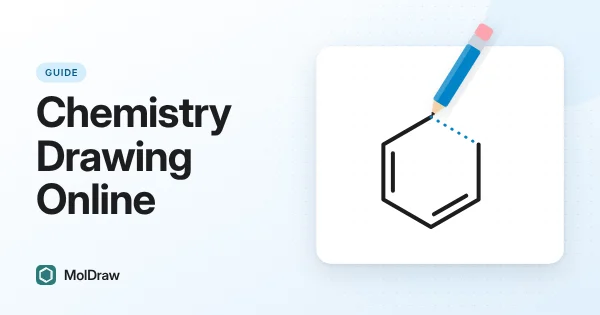
## Chemistry Draw Online Guide
Draw readable structures and reactions online: core drawing rules, common tasks and the best export format for each, plus a short FAQ.
[Read article](https://www.moldraw.com/blog/chemistry-drawing-keyword-guide.html)
New
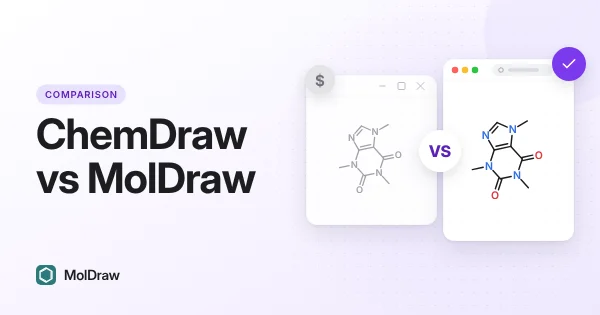
## ChemDraw vs MolDraw: Free ChemDraw Alternative
Need ChemDraw but have no licence? Compare ChemDraw and MolDraw on browser access, drawing, reactions and exports.
[Read article](https://www.moldraw.com/blog/chemdraw-vs-moldraw-free-alternative-guide.html)
Priority
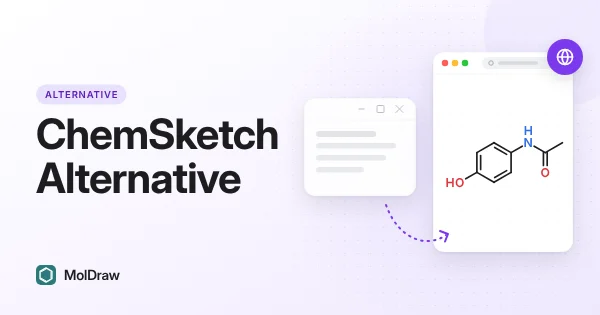
## ChemSketch Alternative: Free Online Chemical Structure Editor
What ChemSketch (ACD/ChemSketch) is, how it compares with MolDraw, and how to draw structures free in your browser.
[Open page](https://www.moldraw.com/chemsketch)
Priority
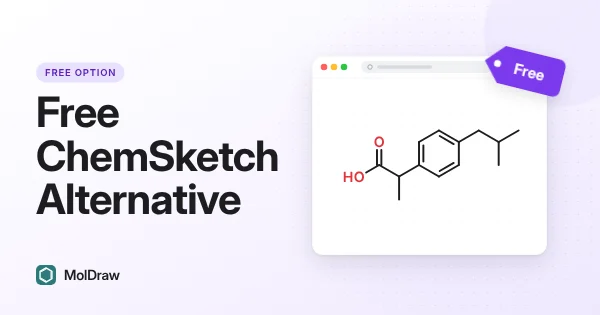
## ChemSketch Free & ACD ChemSketch Freeware
Want ChemSketch for free? What to check before you download, and how to draw, name and export structures free in MolDraw.
[Open page](https://www.moldraw.com/chemsketch-free)
Priority
## ChemSketch Download → Try MolDraw
ChemSketch is no longer available to new users. Draw chemical structures free in MolDraw in your browser instead.
[Open page](https://www.moldraw.com/chemsketch-download)
Featured
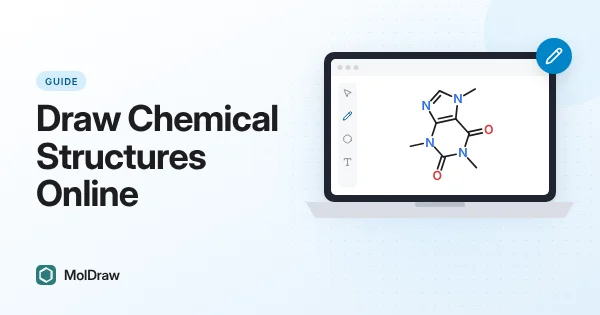
## Draw Chemical Structures Online
How to choose and use a chemical structure drawing app for online molecule drawings, reactions, naming support, and export-ready outputs.
[Read article](https://www.moldraw.com/blog/chemical-structure-drawing-app-seo-optimized.html)
Soon
## TLC Interpretation and Reporting Workflow
End-to-end TLC documentation with Rf tracking and publication-ready plate diagrams.
Soon
## NMR + IR Sanity Checks for Faster Assignments
A practical checklist to validate spectral assignments before writing reports.
Last updated: October 14, 2026
## Related tools & guides
[**Guide to all MolDraw tools**Every free tool in one place](https://www.moldraw.com/blog/moldraw-all-free-chemistry-tools-guide.html)[**Free chemistry tools and calculators**Pick the right tool fast](https://www.moldraw.com/blog/free-chemistry-tools-and-calculators.html)[**All chemistry tools**Converters, calculators, viewers](https://www.moldraw.com/tools/)[**MolDraw editor**Draw structures in your browser](https://www.moldraw.com/)[**Learn MolDraw**Short hands-on lessons](https://www.moldraw.com/learn/)[**MolDraw docs**How to use the editor](https://www.moldraw.com/docs/)[**Embed MolDraw**Put the editor on your site](https://www.moldraw.com/blog/embed-moldraw.html)[**ChemDraw vs MolDraw**A free alternative](https://www.moldraw.com/blog/chemdraw-vs-moldraw-free-alternative-guide.html)
---
[← ChemSketch overview](https://www.moldraw.com/chemsketch) [ChemSketch free](https://www.moldraw.com/chemsketch-free) [Blog](https://www.moldraw.com/blog/)
# ChemSketch Download
Published: 11 Sep 2026 • Updated: 11 Sep 2026 • Author: Scidart Academy
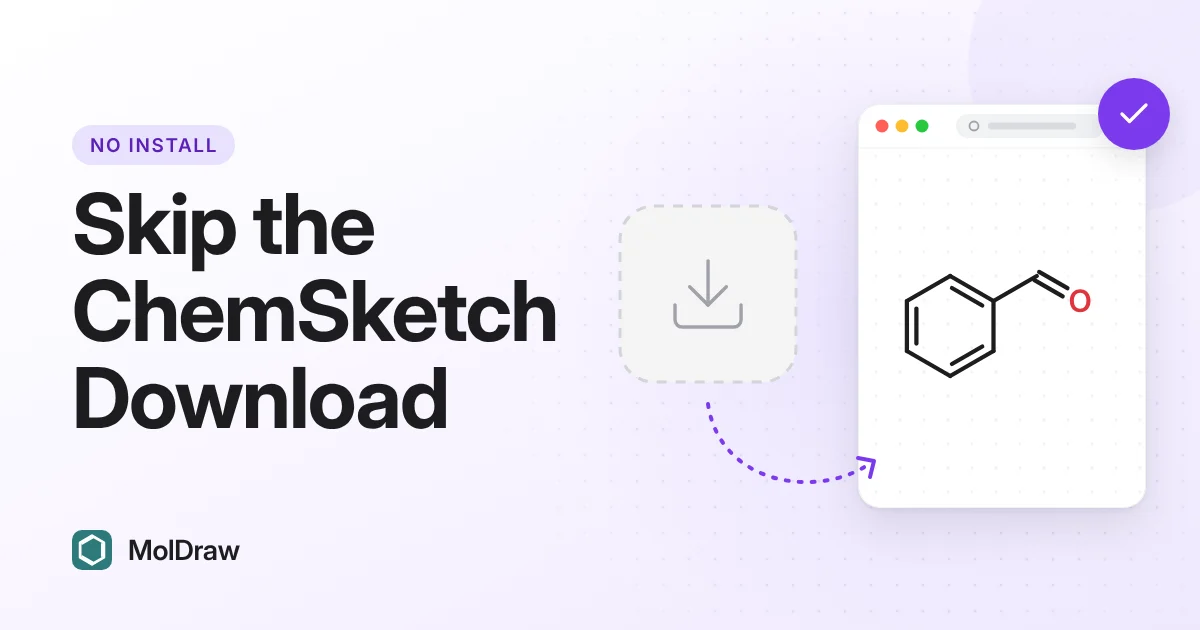
No installer needed: MolDraw runs in the browser.
**Looking for the ChemSketch download?** ChemSketch is no longer available to new users. Try MolDraw directly in your browser.
## Run MolDraw here — free chemical structure editor
You do not need an installer. Open the editor, draw molecules, use SMILES, view them in 3D, and export for class or lab work.
[Open MolDraw editor](https://www.moldraw.com/) [Optional: MolDraw for Windows](https://www.moldraw.com/blog/download-moldraw-windows.html)
## Why you may not need the download
You want a chemical structure editor that works today. ChemSketch is not available to new users, so looking for an installer wastes time and often leads to outdated third-party download pages. A browser editor lets you start drawing now.
MolDraw is a free, independent browser app from Scidart Academy. It is not ChemSketch and does not redistribute ChemSketch software.
## What to do instead of downloading ChemSketch
- [**Open MolDraw**](https://www.moldraw.com/) and start drawing in the browser
- Read [what ChemSketch is](https://www.moldraw.com/chemsketch) and how MolDraw compares as an alternative
- If you want to know what to check before you look for a free version, see [ChemSketch free / freeware](https://www.moldraw.com/chemsketch-free)
- If you want a Windows installer for MolDraw (not ChemSketch), use the [official MolDraw Windows guide](https://www.moldraw.com/blog/download-moldraw-windows.html)
[Try MolDraw now](https://www.moldraw.com/)
## FAQ: ChemSketch download
### Looking for the ChemSketch download?
ChemSketch is no longer available to new users. Try MolDraw directly in your browser.
### Can I download ACD ChemSketch software as a new user?
ChemSketch is no longer available to new users. Use MolDraw for free online chemical structure editing instead.
### Does MolDraw provide a ChemSketch installer?
No. MolDraw does not host or distribute ChemSketch. It is a separate free editor you can run at moldraw.com.
[MolDraw App](https://www.moldraw.com/) [ChemSketch Alternative](https://www.moldraw.com/chemsketch) [ChemSketch Free](https://www.moldraw.com/chemsketch-free) [MolDraw Windows Download](https://www.moldraw.com/blog/download-moldraw-windows.html) [ChemDraw Alternative](https://www.moldraw.com/blog/chemdraw-vs-moldraw-free-alternative-guide.html) [Chemistry Tools](https://www.moldraw.com/tools/) [FAQ](https://www.moldraw.com/pages/faq.html)
---
## Quick Navigation
Is ChemSketch free? What a free editor must do Why try a browser editor How to do it in MolDraw ChemSketch vs MolDraw FAQ [Open free editor](https://www.moldraw.com/)
[← ChemSketch overview](https://www.moldraw.com/chemsketch) [ChemSketch download](https://www.moldraw.com/chemsketch-download) [Open MolDraw](https://www.moldraw.com/)
# ChemSketch Free & ACD ChemSketch Freeware Alternative
Published: 11 Sep 2026 • Updated: 15 Oct 2026 • Author: Scidart Academy • Reading time: ~6 min
You want to draw molecules without paying for software. ACD/ChemSketch’s free edition and how it is distributed have changed over the years, so many “free download” pages are out of date or lead to paid versions. Here is what to check, and a free option that runs in your browser.
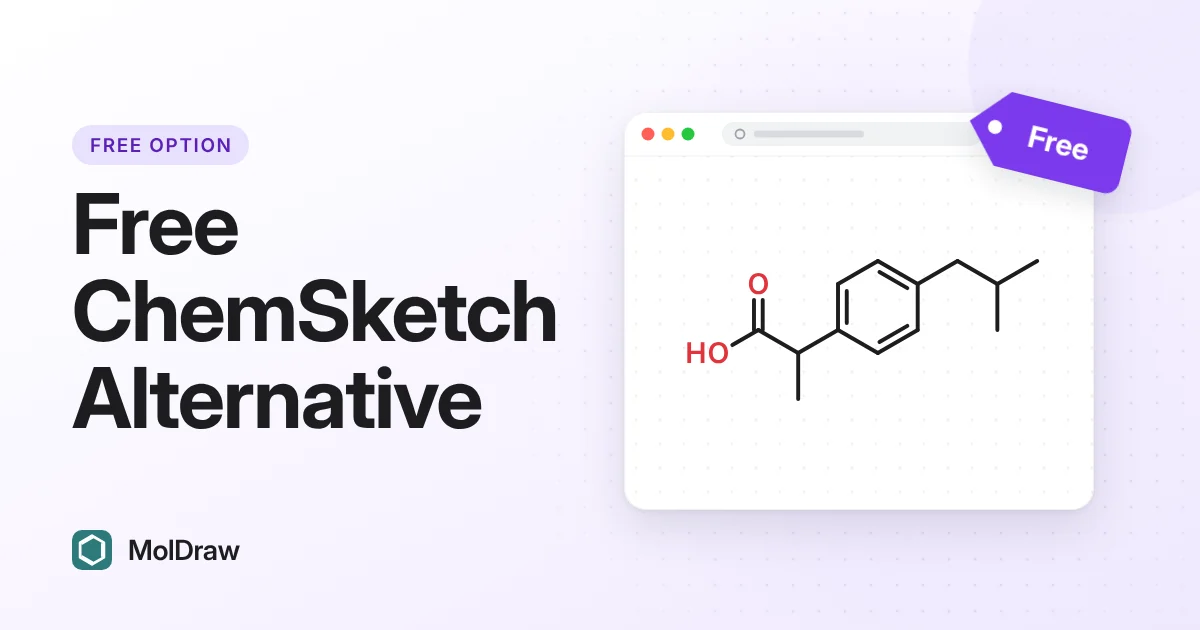
MolDraw is a free chemical structure editor that runs in the browser.
**Short answer:** Check the ACD/Labs website for the current ChemSketch terms. If you need to draw a structure now, open MolDraw in your browser. It is free, needs no install, and you do not need an account to draw. MolDraw is a separate app and is not made by ACD/Labs.
[Run the free MolDraw editor](https://www.moldraw.com/) [What is ChemSketch?](https://www.moldraw.com/chemsketch) [ChemSketch download page](https://www.moldraw.com/chemsketch-download)
## Is ChemSketch free?
ACD/ChemSketch is desktop software from ACD/Labs for drawing chemical structures. People use it to draw molecules for coursework, reports and lab notes.
ChemSketch’s free edition, its terms and the way you get it have changed over time. Pages that promise a “ChemSketch free download” may describe an older version or send you to a paid one. Before you download anything:
- Go to the official ACD/Labs website and check what is offered now, and on what terms.
- Avoid third-party download sites. Their installers can be old, changed, or bundled with other software.
- Check that the version runs on your computer and that its licence covers your use, such as a class, research or commercial work.
MolDraw is not ChemSketch and is not affiliated with ACD/Labs. It is an independent free web app from Scidart Academy.
## What a free alternative must do
Most people who look for ChemSketch need a few basic jobs done. Any free editor you pick should handle them:
- **Draw structures:** atoms, bonds, rings, charges and wedge bonds for stereochemistry.
- **Name and convert:** show the name, formula and weight, and move between names, SMILES and chemistry files.
- **Export:** save images for slides and papers, and files that other chemistry software can open.
- **Run where you work:** on school and lab computers where you cannot install software.
## Why try a browser editor first
Nothing to install
Open moldraw.com and start drawing. You skip installers and download sites.
Works on locked PCs
School and lab machines often block installs. A browser editor still works.
No account to draw
Drawing, 3D viewing and exports are free. Your work saves in your browser.
[Start free in MolDraw](https://www.moldraw.com/)
## How to do common tasks in MolDraw
### Draw a structure
Open the [editor](https://www.moldraw.com/). Pick an element in the atom palette, a bond type in the left rail, or a ring from the ring bar. Then click the canvas. Click **Clean up** to tidy the drawing. The guide [Draw your first structure](https://www.moldraw.com/docs/get-started/how-to-draw-your-first-chemical-structure-in-moldraw/) walks through phenol step by step.
### Start from a name, CAS number or SMILES
Type a name such as *caffeine*, or a CAS number, in the search box at the top. MolDraw draws the structure from PubChem. To start from SMILES, click **Paste SMILES**. You can also use the [name to structure tool](https://www.moldraw.com/tools/free-chem-tools/name-to-structure.html).
### Get the name, formula and weight
Select the molecule and click **Info**. The panel shows the IUPAC name, formula, molecular weight, SMILES and InChI, each with a copy button. Without drawing, you can use the [SMILES to IUPAC name converter](https://www.moldraw.com/tools/free-chem-tools/smiles-to-iupac-name-converter.html) or the [molecular weight calculator](https://www.moldraw.com/tools/free-chem-tools/molecular-weight-calculator.html).
### Convert between formats
Click **Copy SMILES** to copy your structure as text. Right-click for other formats, such as InChI and MOL. For files you already have, the [free chemistry tools](https://www.moldraw.com/tools/free-chem-tools/) include converters such as [SMILES to MOL](https://www.moldraw.com/tools/free-chem-tools/smiles-to-mol-converter.html) and [MOL to SMILES](https://www.moldraw.com/tools/free-chem-tools/mol-to-smiles-converter.html).
### Export images and files
Click **Download** and pick a format. Use SVG or PDF for papers, PNG for slides, and MOL, SDF or CDXML to open your structure in other chemistry software. To keep the whole canvas, click **File**, then **Save**. See [Download and file formats](https://www.moldraw.com/docs/import-export/how-to-export-png-svg-pdf-mol-and-cdxml-files/) for the full list.
### View the molecule in 3D
The 3D panel builds a model from your drawing. Drag to rotate it. You can also start from SMILES with the [SMILES to 3D structure tool](https://www.moldraw.com/tools/free-chem-tools/smiles-to-3d-structure-converter.html).
Prefer an app on Windows? See [MolDraw for Windows](https://www.moldraw.com/blog/download-moldraw-windows.html).
## ChemSketch vs MolDraw
ChemSketch details depend on the edition and can change, so confirm them on the ACD/Labs website.
| What you need to know | ACD/ChemSketch | MolDraw |
| --- | --- | --- |
| Made by | ACD/Labs | Scidart Academy (independent) |
| Where it runs | Desktop software; check ACD/Labs for supported systems | A recent Chrome, Edge, Firefox or Safari, including phones and tablets |
| Cost | Check ACD/Labs for current free and paid terms | Free to draw, view in 3D and export; plugins need a free account |
| Setup | Download and install | Open moldraw.com |
| Name, formula, weight | Depends on the edition; check ACD/Labs | Info panel |
| Export | Depends on the edition; check ACD/Labs | PNG, SVG, PDF, MOL, SDF, CDXML and more |
| Good fit | Courses and labs that already use ChemSketch files and templates | Students, teachers and quick drawings on any computer |
Stay with ChemSketch if your course or lab shares ChemSketch files, or if you need a feature only it has.
## FAQ: ChemSketch free
### Is there a free version of ChemSketch?
ChemSketch’s free edition and how it is distributed have changed over time. Check the official ACD/Labs website for what is available now. If you need a free editor today, you can use MolDraw in your browser.
### Is MolDraw ACD ChemSketch freeware?
No. MolDraw is an independent free web app from Scidart Academy. It is not affiliated with ACD/Labs.
### Do I need to install anything to draw molecules?
No. MolDraw runs in your browser. You do not need an account to draw, and your drawings save in your browser.
### Can students use MolDraw instead of ChemSketch?
Yes, for most coursework. You can draw structures, check names and formulas, and export images for homework and slides. If your course asks for ChemSketch files, ask your instructor which formats they accept.
### Can I open MolDraw drawings in other chemistry software?
Yes. Download MOL or SDF for most chemistry programs, or CDXML for ChemDraw.
[MolDraw App (Free)](https://www.moldraw.com/) [ChemSketch Overview](https://www.moldraw.com/chemsketch) [ChemSketch Download](https://www.moldraw.com/chemsketch-download) [Free Chemical Drawing Software](https://www.moldraw.com/blog/free-chemical-drawing-software-iupac-guide.html) [ChemDraw Free Alternative](https://www.moldraw.com/blog/chemdraw-vs-moldraw-free-alternative-guide.html) [Free Chemistry Tools](https://www.moldraw.com/tools/free-chem-tools/) [FAQ](https://www.moldraw.com/pages/faq.html)
---
## Quick Navigation
What is ChemSketch? ChemSketch alternative Comparison table When to use MolDraw FAQ [Open MolDraw editor](https://www.moldraw.com/)
[← Blog](https://www.moldraw.com/blog/) [ChemSketch free](https://www.moldraw.com/chemsketch-free) [ChemSketch download](https://www.moldraw.com/chemsketch-download) [Open MolDraw](https://www.moldraw.com/)
# ChemSketch Alternative: Free Online Chemical Structure Editor
Published: 11 Sep 2026 • Updated: 11 Sep 2026 • Author: Scidart Academy • Reading time: ~6 min
You have heard of **ChemSketch** (ACD/ChemSketch) and want to know what it is, or you need a chemical structure editor you can use right now. This page explains what ChemSketch is and shows a free editor that runs in your browser.
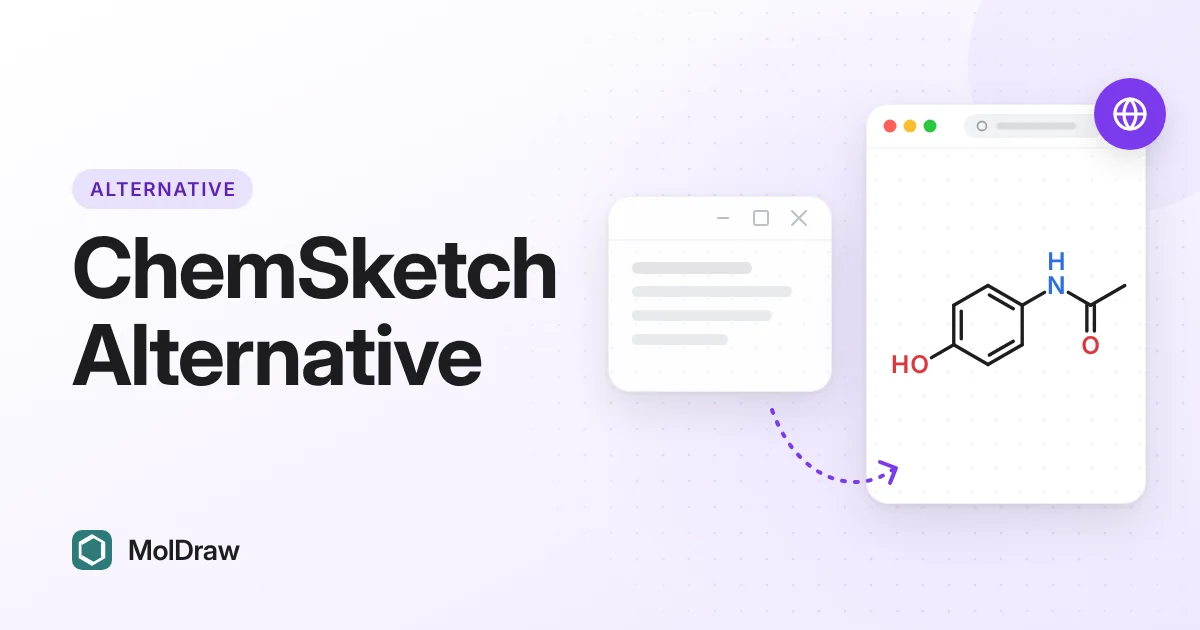
Move from a desktop structure editor to MolDraw in the browser.
**Short answer:** MolDraw is a free ChemSketch alternative for everyday chemical structure drawing—open the editor in your browser, draw molecules, copy SMILES, view in 3D, and export figures without installing desktop ChemSketch software.
[Run MolDraw in your browser](https://www.moldraw.com/) [ChemSketch free options](https://www.moldraw.com/chemsketch-free) [Looking for a download?](https://www.moldraw.com/chemsketch-download)
## What is ChemSketch?
**ChemSketch**, also called **ACD/ChemSketch**, is chemical structure drawing software long associated with ACD/Labs. People use ChemSketch software to draw 2D structures, communicate molecules in reports, and support teaching or lab documentation.
If you just need to draw a molecule today, you may not need ChemSketch at all. A free online editor can handle most everyday drawing without an install.
MolDraw is not ChemSketch and is not affiliated with ACD/Labs. It is an independent free browser app from Scidart Academy that covers many of the same everyday drawing tasks.
## Free online ChemSketch alternative
If your goal is a **free online chemical structure editor**, MolDraw is built for that workflow:
- Draw and edit 2D chemical structures in the browser
- Paste or copy SMILES for fast handoffs
- Search known compounds by name and inspect properties
- View molecules in 3D
- Export images and common chemistry formats for reports and slides
[Start drawing in MolDraw](https://www.moldraw.com/)
## ChemSketch vs MolDraw (practical comparison)
| Criteria | ChemSketch / ACD ChemSketch | MolDraw |
| --- | --- | --- |
| Access model | Historically desktop / licensed ChemSketch software | Free browser app at moldraw.com |
| Setup | Install / account / institutional access may be required | Open URL and start drawing |
| 2D structure editing | Established chemical drawing feature set | Browser-first editor for everyday structures |
| SMILES / identifiers | Depends on product edition and workflow | Copy/paste SMILES-friendly workflows |
| 3D viewing | Varies by product ecosystem | Integrated 3D molecular viewer |
| Best fit | Users already inside ACD/ChemSketch pipelines | Students, teachers, quick lab communication, no-install drawing |
## When MolDraw is the better ChemSketch alternative
Choose MolDraw when you need to:
- Start drawing right away, without an install or licence
- Avoid ChemSketch software installs on shared or locked-down machines
- Draw structures for homework, slides, lab notebooks, or quick research notes
- Move between 2D drawing, SMILES, and 3D viewing in one browser session
Stay with ChemSketch / ACD ChemSketch only if your institution already depends on that specific product stack and templates.
## FAQ: ChemSketch and MolDraw
### What is ChemSketch?
ChemSketch is chemical structure drawing software commonly associated with ACD/Labs (ACD/ChemSketch). People use it to draw molecules and share chemical structures.
### Is there a free ChemSketch alternative?
Yes. MolDraw is a free online chemical structure editor for common drawing, SMILES, 3D viewing, and export tasks.
### Is MolDraw ChemSketch?
No. MolDraw is independent software from Scidart Academy and is not ACD ChemSketch.
### Where do I find ChemSketch free or ChemSketch download info?
See [ChemSketch free](https://www.moldraw.com/chemsketch-free) for what to check before you look for a free version, and [ChemSketch download](https://www.moldraw.com/chemsketch-download) for what to do if you cannot get the installer. Both pages link to the free MolDraw editor.
[MolDraw App](https://www.moldraw.com/) [ChemSketch Free](https://www.moldraw.com/chemsketch-free) [ChemSketch Download](https://www.moldraw.com/chemsketch-download) [ChemDraw Alternative Guide](https://www.moldraw.com/blog/chemdraw-vs-moldraw-free-alternative-guide.html) [Free Chemical Drawing Software](https://www.moldraw.com/blog/free-chemical-drawing-software-iupac-guide.html) [Chemistry Tools](https://www.moldraw.com/tools/) [FAQ](https://www.moldraw.com/pages/faq.html) [Blog](https://www.moldraw.com/blog/)
---
Now on the Chrome Web Store
# Snip any molecule. Edit it in MolDraw.
The MolDraw addon for Chrome and Edge turns any structure image on a web page or PDF into an editable molecule. Click the icon, drag a box around the structure like a snipping tool, and MolDraw opens with the result ready to edit.
[Add to Chrome](https://chromewebstore.google.com/detail/moldraw-snip-%E2%80%93-molecule-i/ikpoknibhlbpgolhbpkgdadaejjjajme) [How to use it](https://www.moldraw.com/blog/moldraw-snip-chrome-extension-guide.html)
Google Chrome Microsoft Edge Web pages · PDFs · Slides
journal.example.org/articles/phenol
J. Org. Chem. · 2024, 89, 1204
Fused aromatics from a two-step coupling
L. Berger, A. Okonkwo, M. Chen
**Abstract.** The figure is naphthalene, captured from the page.
Figure 1. Naphthalene.
1
MolDraw
Scanning structure…
Oc1ccccc1
[Open in MolDraw](https://www.moldraw.com/?smiles=Oc1ccccc1)
Don't draw structures from scratch. Take a screenshot and it becomes editable, or upload an image.
 
Extensions coming soon
  
Try it: drag a box over the structure in the mock page.
## How it works
Three steps, nothing to draw by hand. The addon behaves like the Windows Snip tool, but the result is chemistry you can edit.
### Click the MolDraw icon
From any tab: a paper on a publisher site, a PDF in the browser, lecture slides, Wikipedia, a supplier catalogue. The page dims and the cursor turns into a crosshair. The page is frozen so nothing scrolls under you.
### Drag a box around the structure
Only the region you select is captured, at your screen's full resolution, exactly as you see it on screen — including anything inside modals or image lightboxes.
### Open it in MolDraw
The snip becomes an editable structure. MolDraw opens in a new tab: change substituents, add reagents, export to SVG, PNG, MOL or copy to Word. You can also upload an image.
## What you get
Built for people who read papers all day and redraw far too many structures.
Capture
### Snip, not screenshot
Click-and-drag selection with a live size read-out. Works on HiDPI displays and with browser zoom without offset. Esc cancels at any time.
Recognise
### Screenshot or upload
Take a screenshot of a structure, or upload an image. It becomes an editable molecule in MolDraw, including figures with more than one structure.
Edit
### Straight into MolDraw
The result opens in the editor you already use, with the SMILES available to copy. Reactions open in MolDraw's reaction mode.
Privacy
### Nothing stored by MolDraw
The snip opens in MolDraw as an editable structure. MolDraw does not keep a copy of the page.
Browsers
### Chrome and Edge
Manifest V3 extension. Identical behaviour in Google Chrome and Microsoft Edge on Windows, macOS and Linux.
Shortcut
### Alt + Shift + M
Start a capture without reaching for the toolbar. The keys can be changed in your browser's extension shortcuts.
## Details
What the addon needs and what it does with it.
| Availability | On the [Chrome Web Store](https://chromewebstore.google.com/detail/moldraw-snip-%E2%80%93-molecule-i/ikpoknibhlbpgolhbpkgdadaejjjajme). Install it in Chrome, or in Edge with “Allow extensions from other stores”. |
| --- | --- |
| Price | The addon is free to install. Image to structure is part of MolDraw Pro, with a monthly scan allowance. |
| Setup | Install the addon and sign in from its popup with your MolDraw account. No API keys needed. |
| Input | Any region of a web page or in-browser PDF, selected by dragging. Captured at device pixel resolution. |
| Output | Molfile, InChI or SMILES (single molecules, multiple structures, reactions with `>>`), opened as an editable structure in MolDraw. |
| Permissions | `activeTab`, `scripting`, `storage`, `identity` and `contextMenus`, plus access to `www.moldraw.com`. Runs only when you start a capture; no background tracking. [Privacy policy](https://www.moldraw.com/pages/chrome-addon-privacy.html). |
| Browsers | Google Chrome 116+, Microsoft Edge 116+ (Manifest V3). |
## Roadmap
Where the addon is today.
Done
### In-page snipping
Crosshair overlay, page freeze, HiDPI-accurate crop, open in MolDraw. Chrome and Edge.
Done
### Chrome Web Store listing
Live on the [Chrome Web Store](https://chromewebstore.google.com/detail/moldraw-snip-%E2%80%93-molecule-i/ikpoknibhlbpgolhbpkgdadaejjjajme): one-click install with automatic updates.
Later
### Right-click on images
Convert an image directly from the context menu, plus batch capture of figures with several structures.
## Frequently asked
### Does it work on PDFs?
Yes. For PDFs opened in the browser the addon captures the visible page and lets you drag the snip box over the structure.
### Does it work in Microsoft Edge?
Yes. Edge is built on the same extension platform as Chrome, so the addon is identical there.
### Can I upload an image instead of snipping?
Yes. Take a screenshot and it becomes editable, or upload an image of the structure.
### What if the structure is recognised incorrectly?
The structure opens in MolDraw where you can fix it in seconds. A tighter crop with only one structure and no caption gives the best results.
### Will there be Word and PowerPoint addons?
Yes, they are in development. See the [addons page](https://www.moldraw.com/addons).
Want early access, or a feature the addon should have? Tell us — we implement relevant requests fast.
[Request a feature](https://www.moldraw.com/community/features)
---
# Interactive MolDraw demos
Each demo plays a task step by step on a lightweight copy of the MolDraw editor. Pause it, step back, or go at your own pace. They load in a blink, stay sharp on any screen, and you can embed them in your own pages. Press **Try it yourself** to do the same steps in the real editor with a guided tour.
## Turn on the canvas grid
Show the background grid from the top bar, from Settings, or with the command palette, and turn on Snap to grid.
[Read the article](https://www.moldraw.com/blog/how-to-turn-on-the-grid-in-moldraw.html)[Open on its own](https://www.moldraw.com/demos/embed.html?demo=turn-on-grid)
## Embed a demo
On any website, use an iframe:
```
```
On moldraw.com pages, use the element directly:
```
```
## Make a new demo
- Demos are JSON files described by the [demo schema](https://www.moldraw.com/demos/schema.json).
- The [authoring guide](https://www.moldraw.com/demos/llms.txt) lists every target, action and rule, written so an AI assistant can draft demos too.
- All demos: [catalog (JSON)](https://www.moldraw.com/demos/index.json).
---
# MolDraw Documentation
Guide to the current MolDraw 2D editor — structures, reactions, library, SMILES, and 3D
[← Back to MolDraw](https://www.moldraw.com/) [Interactive Course](https://www.moldraw.com/docs/) [Full chapter list](https://www.moldraw.com/docs/)
## Welcome to MolDraw Documentation
MolDraw is a free browser editor for 2D chemical structures, reaction schemes, and 3D viewing. This documentation matches the current editor (Home / Draw / Style ribbons, Library, and local My designs).
#### About This Documentation
Use the interactive course for the full chapter list. Screenshots will be added later; the text already describes the live editor.
## Quick Links
- [Interactive Course](https://www.moldraw.com/docs/) — step-by-step chapters for the current editor
- [Full chapter list](https://www.moldraw.com/docs/) — every course topic on one page
- [About MolDraw](https://www.moldraw.com/pages/about.html)
## Documentation Structure
The [Interactive Course](https://www.moldraw.com/docs/) includes:
- Getting started and Home / Draw / Style ribbons
- Drawing atoms, bonds, rings, text, and images
- Library templates, reactions, and stereochemistry
- SMILES copy/paste, download formats, and My designs
- 3D viewer, AI assistant, PubChem search, and shortcuts
#### Recommended Learning Path
1. Start with the [Interactive Course](https://www.moldraw.com/docs/)
2. Practice in the [live 2D editor](https://www.moldraw.com/)
3. Use the question-mark icon in the editor for keyboard shortcuts
[Start the Interactive Course →](https://www.moldraw.com/docs/)
---
[MolDraw](https://www.moldraw.com/) › [Spectroscopy guides](https://www.moldraw.com/guides/) › Spectroscopy guides
# Spectroscopy guides
By the MolDraw chemistry team · Updated 11 Oct 2026 · Reviewed against the references listed at the end
Three step-by-step guides to the spectra you meet in organic chemistry. Each one has annotated spectra redrawn from reference data, worked examples and a practice quiz.
**Quick answer:** Use MS for the molecular formula, IR for functional groups, and NMR for the carbon–hydrogen framework. Combine all three to solve a structure.
## On this page
1. Guides
## Guides
[**How to read a mass spectrum**Molecular ion, base peak, isotopes, fragments](https://www.moldraw.com/guides/how-to-read-mass-spectrum/)[**How to read an IR spectrum**Functional group bands, step-by-step method](https://www.moldraw.com/guides/how-to-read-ir-spectrum/)[**How to read an NMR spectrum**¹H and ¹³C: shift, integration, splitting, DEPT](https://www.moldraw.com/guides/how-to-read-nmr-spectrum/)
### Solve a structure: the workflow
1. MS: find M⁺ and the molecular formula ([formula finder](https://www.moldraw.com/tools/free-chem-tools/molecular-formula-finder.html)).
2. Calculate the [degree of unsaturation](https://www.moldraw.com/tools/free-chem-tools/degree-of-unsaturation-calculator.html).
3. IR: identify functional groups ([IR chart](https://www.moldraw.com/tools/free-chem-tools/ir-spectroscopy-chart.html)).
4. ¹³C and ¹H NMR: count environments, read shifts, integrals and splitting; check with [structure to NMR](https://www.moldraw.com/tools/free-chem-tools/structure-to-nmr.html).
## Practice quiz
Tap an answer to check it.
1. Which technique gives the molecular mass?
## Frequently asked questions
### Which spectroscopy should I learn first?
Start with IR (functional groups), then mass spectrometry (molecular formula), then [NMR](https://www.moldraw.com/tools/nmr-viewer/index.html), which gives the most structural detail.
## References and data sources
- Pavia, Lampman, Kriz & Vyvyan, *Introduction to Spectroscopy*, 5th ed.
- Silverstein, Webster & Kiemle, *Spectrometric Identification of Organic Compounds*, 8th ed.
Spectra on this page are redrawn schematically from the reference data above (peak positions and approximate relative intensities) for teaching; check the original database entry before citing exact intensities.
## All spectroscopy guides
[How to read a mass spectrum](https://www.moldraw.com/guides/how-to-read-mass-spectrum/)[How to read an IR spectrum](https://www.moldraw.com/guides/how-to-read-ir-spectrum/)[How to read an NMR spectrum](https://www.moldraw.com/guides/how-to-read-nmr-spectrum/)
## Related tools
[**IR chart**Bands](https://www.moldraw.com/tools/free-chem-tools/ir-spectroscopy-chart.html)[**MS predictor**Fragments](https://www.moldraw.com/tools/free-chem-tools/mass-spectrum-predictor.html)
## Related tools & guides
[**NMR spectrum viewer**Open 1H and 13C NMR files](https://www.moldraw.com/tools/nmr-viewer/index.html)[**IR spectrum viewer**Find peaks and functional groups](https://www.moldraw.com/tools/ir-viewer/index.html)[**UV-Vis spectrum viewer**Lambda max, Beer-Lambert, band gap](https://www.moldraw.com/tools/uv-vis-viewer/index.html)[**Raman spectrum viewer**Baseline, spikes and bands](https://www.moldraw.com/tools/raman-viewer/index.html)[**Mass spectrum viewer**Isotopes, adducts and losses](https://www.moldraw.com/tools/mass-spec-viewer/index.html)[**Cyclic voltammetry viewer**E1/2, peak split, HOMO/LUMO](https://www.moldraw.com/tools/cv-viewer/index.html)[**XPS viewer and peak fitting**Shirley, doublets, atomic %](https://www.moldraw.com/tools/xps-viewer/index.html)[**TGA and DSC viewer**Mass loss, Tg, melting, ΔH](https://www.moldraw.com/tools/tga-dsc-viewer/index.html)
---
# Learn MolDraw
Short hands-on lessons. Play a short interactive demo, then try it in the real editor. The page checks your drawing and gives hints.
0 of 38 chapters done
## Chapters
1. 1
[How to draw a benzene ring and phenol](https://www.moldraw.com/learn/how-to-draw-benzene-ring-and-phenol-structure/)Draw a benzene ring, then add an OH group to make phenol. The editor checks each step as you draw.Beginner 5 min · 2 steps
2. 2
[How to draw double, triple and wedge bonds](https://www.moldraw.com/learn/how-to-draw-chemical-bonds-double-triple-and-wedge-bonds/)Pick a bond type from the bond menu, then click a bond to change it. Press 1, 2 or 3 for single, double or triple bonds.Beginner 5 min · 3 steps
3. 3
[How to add atoms, elements and formal charges](https://www.moldraw.com/learn/how-to-add-atoms-elements-and-formal-charges/)Pick an element in the atom palette and click an atom to change it. Use the plus and minus tools to add charges.Beginner 5 min · 3 steps
4. 4
[How to draw lone pairs and radicals](https://www.moldraw.com/learn/how-to-draw-lone-pairs-and-radicals-on-atoms/)Pick the lone pair tool and click an atom to add a pair of dots. Pick Free radical in the same menu to add a single dot.Beginner 4 min · 3 steps
5. 5
[How to draw rings, chairs and fused rings](https://www.moldraw.com/learn/how-to-draw-rings-cyclohexane-chair-and-fused-rings/)Pick a ring in the ring bar and click the canvas. Click a ring bond with benzene to fuse a second ring. Pick Chair to draw a cyclohexane chair.Beginner 5 min · 3 steps
6. 6
[How to use R groups and labels like Ph and COOH](https://www.moldraw.com/learn/how-to-use-r-groups-and-atom-labels-like-ph-and-cooh/)Pick the atom label tool, click an atom and type a label such as Ph, COOH or R1. Press Enter to finish.Beginner 4 min · 3 steps
7. 7
[How to draw stereochemistry with wedge and hash bonds](https://www.moldraw.com/learn/how-to-draw-stereochemistry-with-wedge-and-hash-bonds/)Change a bond at a stereocenter to a wedge or hash bond. Turn on R and S labels in Settings to see the configuration.Beginner 5 min · 3 steps
8. 8
[How to draw a reaction scheme with arrows](https://www.moldraw.com/learn/how-to-draw-a-chemical-reaction-scheme-with-arrows/)Draw the starting material, add a reaction arrow, draw the product, then type the reagents above the arrow.Beginner 6 min · 4 steps
9. 9
[How to draw curved arrow mechanisms](https://www.moldraw.com/learn/how-to-draw-curved-arrow-reaction-mechanisms/)Draw the species, add lone pairs, then draw a curved arrow from the electrons to the atom that receives them.Beginner 6 min · 4 steps
10. 10
[How to turn a name or SMILES into a structure](https://www.moldraw.com/learn/how-to-convert-a-name-or-smiles-to-a-structure/)Click Paste SMILES and type a SMILES string, or type a name in the PubChem search box. MolDraw draws the structure for you.Beginner 4 min · 3 steps
11. 11
[How to find the formula, weight and IUPAC name](https://www.moldraw.com/learn/how-to-find-molecular-formula-weight-and-iupac-name/)Select your molecule and click Info. The panel shows the name, formula and weight. Click the copy icon next to IUPAC to copy the name.Beginner 4 min · 3 steps
12. 12
[How to view a molecule in 3D](https://www.moldraw.com/learn/how-to-view-a-molecule-in-3d/)Click Show 3D viewer at the bottom of the atom palette. Drag to rotate the model. Use 3D Clean Up to pose the 2D drawing.Beginner 4 min · 3 steps
13. 13
[How to export a structure for a paper or slides](https://www.moldraw.com/learn/how-to-export-a-chemical-structure-for-a-paper-or-slides/)Click Download and pick SVG or PDF for papers, or PNG for slides.Beginner 4 min · 3 steps
14. 14
[How to predict an NMR spectrum from a structure](https://www.moldraw.com/learn/how-to-predict-an-nmr-spectrum-from-a-structure/)Draw ethanol, copy its SMILES, then predict its 1H and 13C spectra with the NMR analyser plugin.Beginner 4 min · 2 steps
15. 15
[How to change atom colours and colour a structure](https://www.moldraw.com/learn/how-to-change-atom-colours-and-colour-structures-in-moldraw/)Turn on element colours in Settings. To colour part of a molecule, select it and pick a colour in Color and style.Beginner 4 min · 3 steps
16. 16
[How to change font size and atom label style](https://www.moldraw.com/learn/how-to-change-font-size-and-atom-label-style-in-chemical-drawings/)Open Color and style, then Atoms. Pick a label font and a label size. All atom labels update at once.Beginner 4 min · 3 steps
17. 17
[How to set bond length, line width and bond style](https://www.moldraw.com/learn/how-to-set-bond-length-line-width-and-bond-style/)Open Color and style, then Bonds. Set Bond thickness for line width and Bond length for size.Beginner 4 min · 3 steps
18. 18
[How to use themes and ball and stick style](https://www.moldraw.com/learn/how-to-use-themes-and-ball-and-stick-style-for-molecules/)Open Color and style and set Look to Ball and stick. Set it back to Default for the plain line style.Beginner 3 min · 3 steps
19. 19
[How to align, arrange and space out structures](https://www.moldraw.com/learn/how-to-align-arrange-and-distribute-structures-on-the-canvas/)Select several structures. Use the align buttons in the tools row to line them up, then Distribute to space them evenly.Beginner 4 min · 3 steps
20. 20
[How to make publication quality structure figures](https://www.moldraw.com/learn/how-to-make-publication-quality-chemical-structure-figures/)Pick the ACS Document 1996 style in Settings, Style presets. Then download a PDF or SVG for your paper.Beginner 5 min · 3 steps
21. 21
[How to clean up a chemical structure](https://www.moldraw.com/learn/how-to-clean-up-a-chemical-structure-drawing/)Draw toluene, then click Cleanup structure. MolDraw evens out bond lengths and angles in one click.Beginner 3 min · 2 steps
22. 22
[How to use ring templates and the structure library](https://www.moldraw.com/learn/how-to-use-ring-templates-and-the-structure-library/)Place a ring from the ring bar, then add a ready-made amino acid from the Library.Beginner 4 min · 2 steps
23. 23
[How to draw polymer repeat unit brackets](https://www.moldraw.com/learn/how-to-draw-polymer-repeat-unit-brackets/)Draw one ethylene unit, then drag polymer brackets around it to show polyethylene.Beginner 3 min · 2 steps
24. 24
[How to add text and shapes to a drawing](https://www.moldraw.com/learn/how-to-add-text-and-shapes-to-a-chemical-drawing/)Add a text label, then a rectangle and a circle from the Draw tab.Beginner 4 min · 2 steps
25. 25
[How to use keyboard shortcuts to draw faster](https://www.moldraw.com/learn/how-to-use-keyboard-shortcuts-to-draw-faster/)Use Ctrl+A, Delete and Ctrl+Z to select, clear and undo in seconds.Beginner 3 min · 3 steps
26. 26
[How to draw lab apparatus and glassware](https://www.moldraw.com/learn/how-to-draw-lab-apparatus-and-glassware/)Open the Draw tab, pick Glassware and drag a flask onto the canvas. Then label it.Beginner 3 min · 2 steps
27. 27
[How to add ligands and functional groups](https://www.moldraw.com/learn/how-to-add-ligands-and-functional-groups-from-the-library/)Open the Library, switch to Ligands and add pyridine and triphenylphosphine.Beginner 3 min · 2 steps
28. 28
[How to search PubChem by name or CAS number](https://www.moldraw.com/learn/how-to-search-pubchem-by-name-or-cas-number/)Type a name or a CAS number in the PubChem box. MolDraw draws the structure for you.Beginner 3 min · 2 steps
29. 29
[How to export MOL, SVG and other file formats](https://www.moldraw.com/learn/how-to-export-mol-svg-and-other-chemical-file-formats/)Draw benzene, then download it as a MOL file and as an SVG image.Beginner 3 min · 3 steps
30. 30
[How to open the AI chemistry assistant](https://www.moldraw.com/learn/how-to-open-the-ai-chemistry-assistant/)Open AI chat from the tools row. Ask it to draw a molecule from a name or a description.Beginner 2 min · 2 steps
31. 31
[How to sketch structures with Smart Draw](https://www.moldraw.com/learn/how-to-use-smart-draw-to-sketch-structures/)Smart Draw turns freehand strokes into bonds, rings and labels. Install it and sketch cyclohexane here.Beginner 4 min · 2 steps
32. 32
[How to predict a mass spectrum](https://www.moldraw.com/learn/how-to-predict-a-mass-spectrum/)Draw ethanol here, then ask the AI Spectroscopy plugin for its mass spectrum in the full editor.Beginner 4 min · 2 steps
33. 33
[How to show an electrostatic potential map](https://www.moldraw.com/learn/how-to-show-an-electrostatic-potential-map/)Draw phenol here, then colour its 3D surface by charge with the MEP plugin.Beginner 4 min · 2 steps
34. 34
[How to compare two molecules for similarity](https://www.moldraw.com/learn/how-to-compare-two-molecules-for-similarity/)Draw benzene and toluene, then compare them with the Compare molecules plugin.Beginner 4 min · 2 steps
35. 35
[How to look up a molecule in ChEMBL](https://www.moldraw.com/learn/how-to-look-up-a-molecule-in-chembl/)Load aspirin here, then look it up with the ChEMBL plugin and read its targets and activity data.Beginner 4 min · 2 steps
36. 36
[How to view a protein structure from the PDB](https://www.moldraw.com/learn/how-to-view-a-protein-structure-from-the-pdb/)Open the 3D viewer, then load a protein by its PDB ID in the Protein tab.Beginner 4 min · 3 steps
37. 37
[How to map atoms in a reaction](https://www.moldraw.com/learn/how-to-map-atoms-in-a-reaction/)Draw a simple reaction here, then number matching atoms with Automap in the full editor.Beginner 4 min · 2 steps
38. 38
[How to use Community, Dashboard and your profile](https://www.moldraw.com/learn/how-to-use-community-dashboard-and-profile/)Sign in to save designs online, share them in Community and manage them from your Dashboard.Beginner 3 min · 2 steps
## How it works
Each chapter has a short interactive demo and an exercise. Open **1. Watch demo** first. Then open **2. Try in editor** and draw in the full MolDraw editor. Each step ticks by itself when your drawing is right. Your progress saves in this browser.
---
Free browser chemistry workspace
# Draw molecules. Explore structures. Keep chemistry moving.
MolDraw brings molecule drawing, 3D visualization, PubChem lookup, format conversion, calculators, spectroscopy helpers, and chemistry learning tools into one fast web workspace.
Use it to [draw chemical structures online](https://www.moldraw.com/) for free: an [online ChemDraw alternative](https://www.moldraw.com/) that runs in any browser.
[Open MolDraw App](https://www.moldraw.com/) [Sign up free](https://www.moldraw.com/?signup=1)
No install. Works on Windows, Mac, Linux, iPad and Chromebook. [Windows app](https://www.moldraw.com/blog/download-moldraw-windows.html) also available.
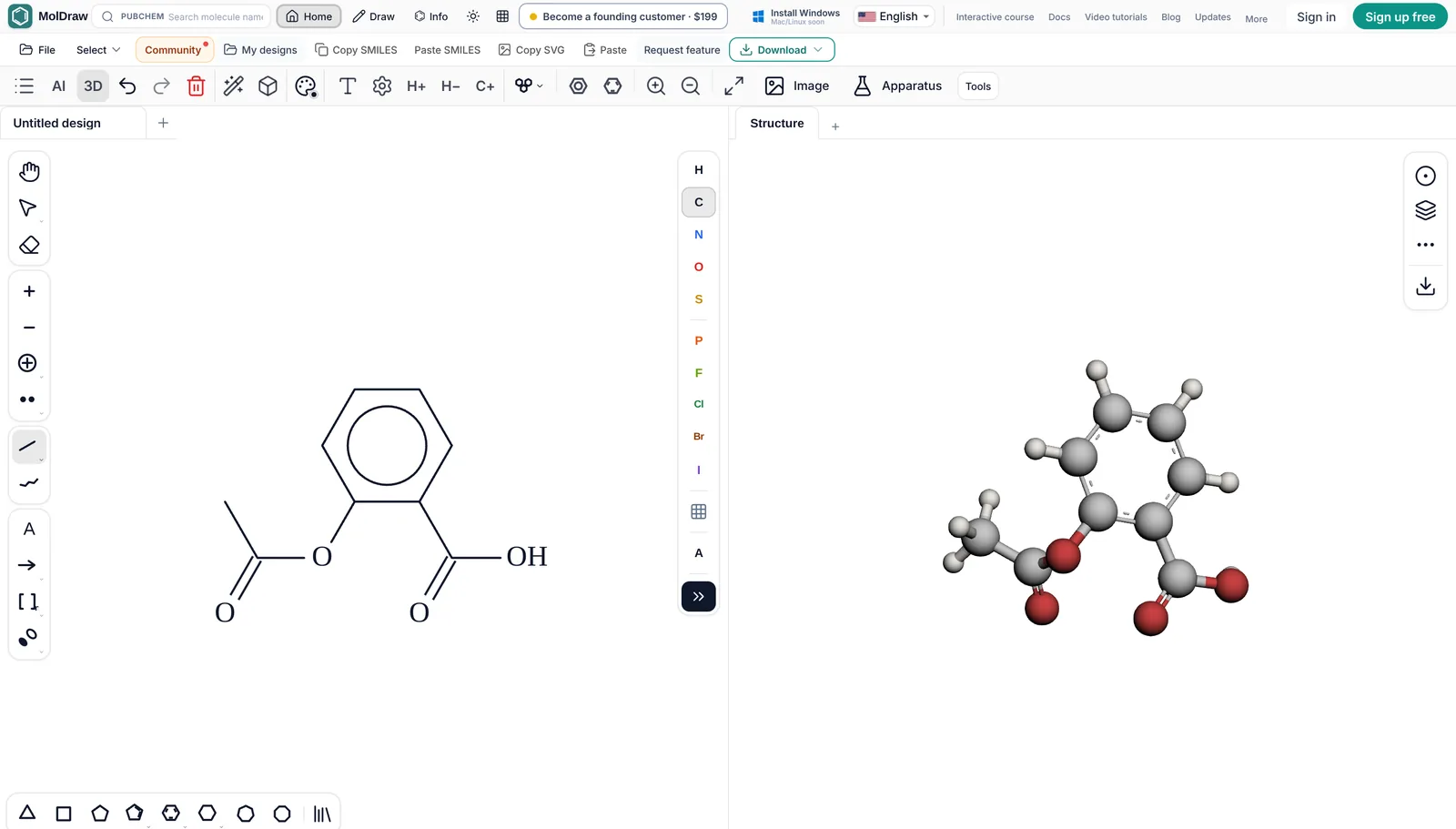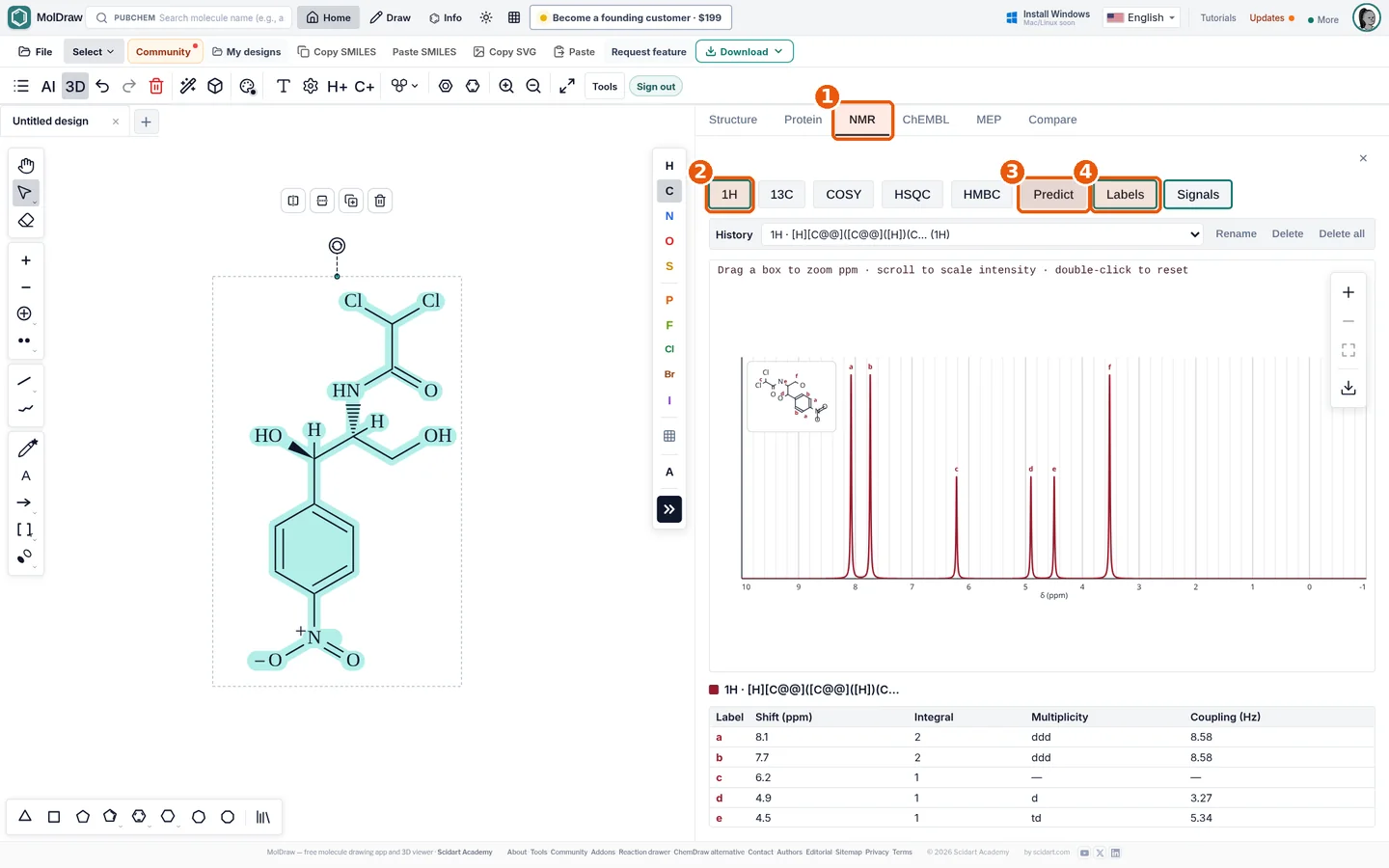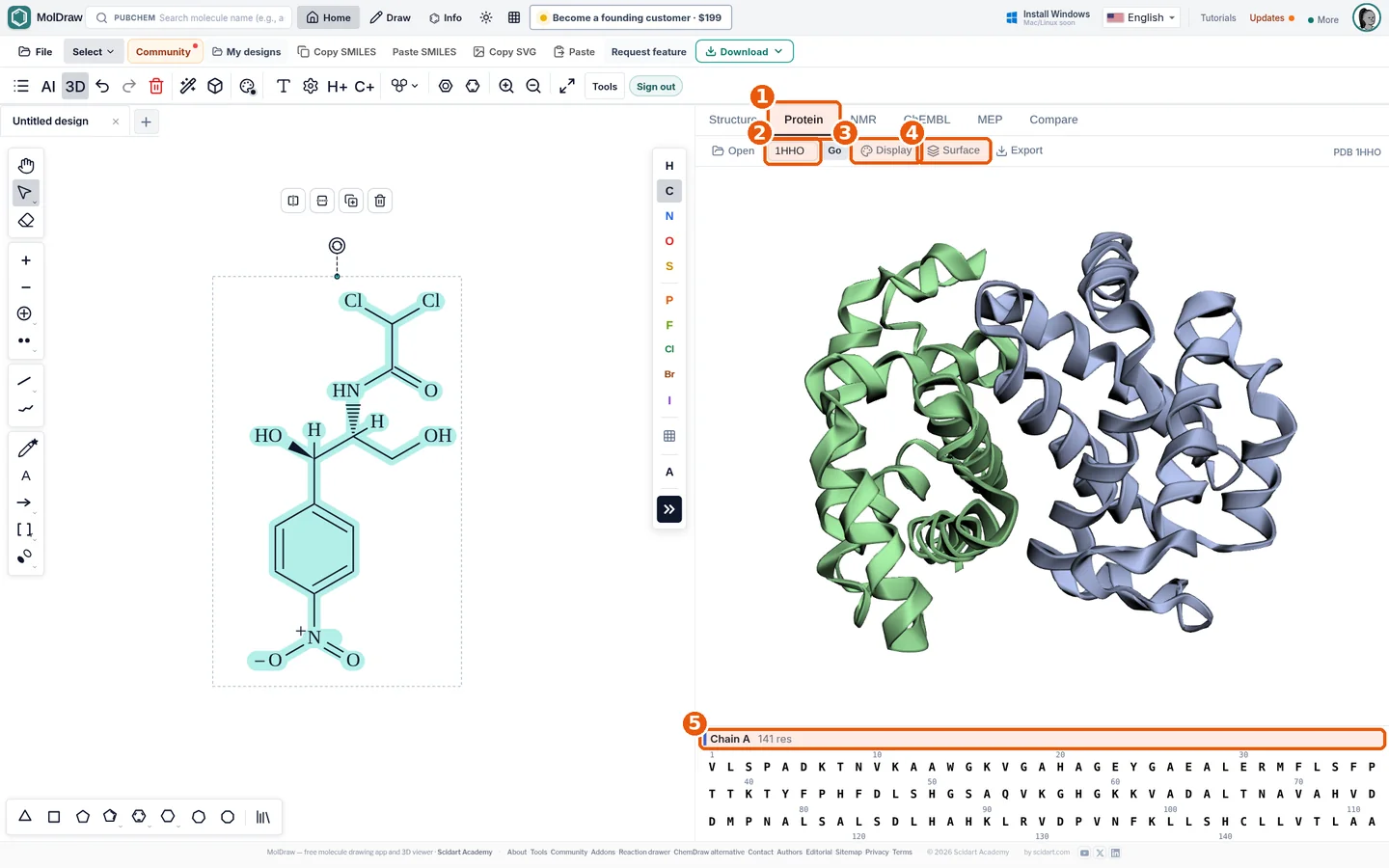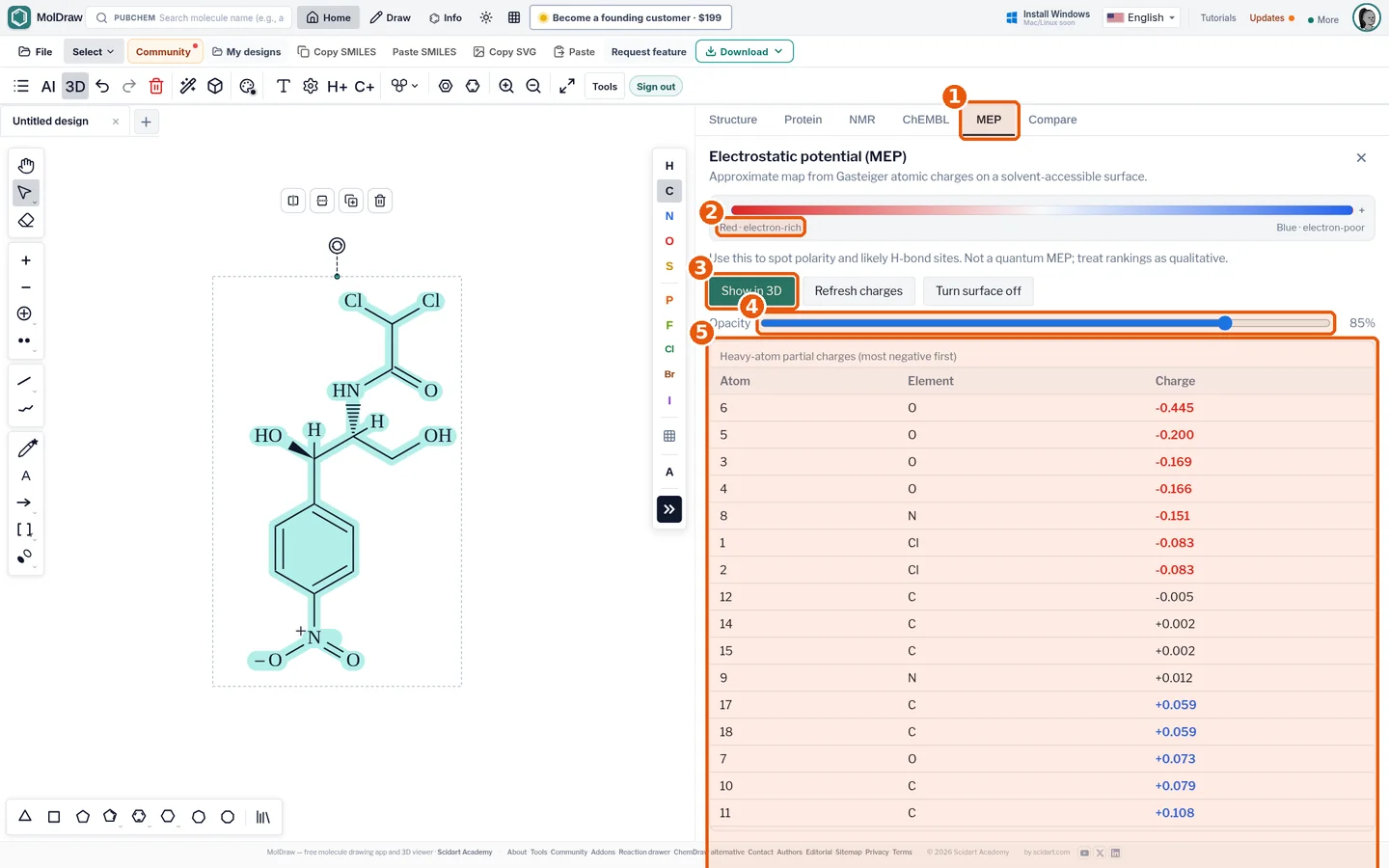
## Used by students and researchers at
- University of Pennsylvania
- Carnegie Mellon University
- University of Chicago
- UC Berkeley
- UC San Diego
- Rice University
- Cornell University
- Georgia Tech
- University of Michigan
- Texas A&M University
- UC Davis
- UT Austin
- University of Washington
- University of Georgia
- University of Cambridge
- University of Oxford
- Imperial College London
- King's College London
- University of Nottingham
- Leiden University
- University of Zurich
- University of Copenhagen
- University of Bonn
- RWTH Aachen
- ENS Lyon
- Institut Pasteur
- NIH
- Oak Ridge National Laboratory
- National University of Singapore
- National Taiwan University
- Hebrew University of Jerusalem
- University of Toronto
- McGill University
- Monash University
- University of São Paulo
- UNAM
- BITS Pilani
- IISER Pune
- Chulalongkorn University
- Sungkyunkwan University
- Universidad Nacional de Colombia
- Universitas Brawijaya
### And by scientists in pharma, biotech and chemicals at
- AstraZeneca
- Novartis
- Pfizer
- Sanofi
- Roche
- Genentech
- Johnson & Johnson
- Viatris
- Chugai
- Lonza
- Catalent
- Almac
- Eurofins
- Sygnature Discovery
- Ginkgo Bioworks
- Schrödinger
- Chemical Computing Group
- Agilent
- Croda
- Henkel
- AkzoNobel
- Wacker
- LG Chem
- Air Liquide
**30,000+**people use MolDraw every month
**80+**free chemistry tools
**9**spectrum viewers
**$0**to draw, view and convert
What MolDraw Does
## Everything you draw in chemistry. In one tab.
MolDraw is designed for students, educators, researchers, and builders who need practical chemistry utilities without installing desktop software.
### Draw and Edit Structures
Sketch molecules in the browser, work with SMILES and molfiles, and move quickly between drawing and data.
Rings, chairs, wedge and hash bonds, R/S labels, charges, lone pairs, radicals, R-groups and polymer brackets.
[Draw your first structure](https://www.moldraw.com/docs/get-started/how-to-draw-your-first-chemical-structure-in-moldraw/)
### Visualize in 3D
Explore 3D molecular models, protein structures, and common molecular file formats from web-based viewers.
[See the 3D viewer](https://www.moldraw.com/docs/analyze/how-to-view-molecules-in-3d/)
### Convert and Calculate
Use conversion tools, formula and mass calculators, pH tools, yield calculators, and spectroscopy utilities.
[Explore Chemistry Tools](https://www.moldraw.com/tools/)
### Name, SMILES, CAS
Type a name or CAS number to pull a structure from PubChem, or paste SMILES, InChI or a MOL block.
[Search PubChem](https://www.moldraw.com/docs/import-export/how-to-search-pubchem-by-name-or-cas-number/)
### Export for papers
SVG, PDF and PNG figures with journal style presets, plus MOL, SDF, CDXML, RXN and chemfig for LaTeX.
[File formats](https://www.moldraw.com/docs/import-export/how-to-export-png-svg-pdf-mol-and-cdxml-files/)
Reactions and mechanisms
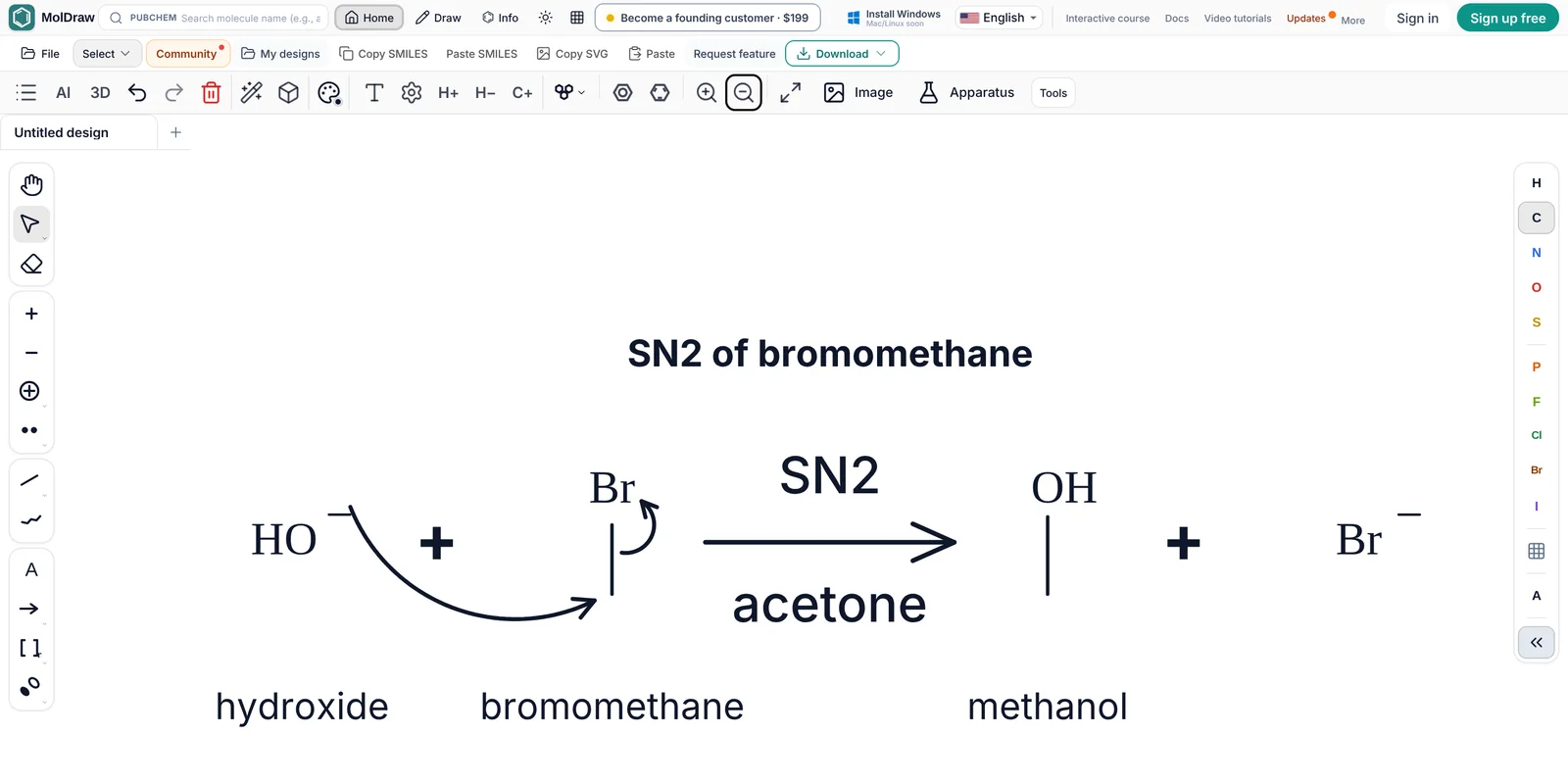
## Schemes and curly arrows that look published.
Add reaction arrows with reagents and conditions, then draw two-electron curly arrows and one-electron fish-hooks from lone pairs, bonds, charges and radicals. MolDraw places each arrow so it clears atoms and labels.
- **Reaction schemes** with straight, equilibrium and retrosynthetic arrows
- **chemfig for LaTeX**: paste \chemfig code to draw it, export it back
- **AI assistant** that draws multi-step mechanisms on request
[Reaction Drawer](https://www.moldraw.com/tools/free-chem-tools/chemical-reaction-drawer.html) [chemfig guide](https://www.moldraw.com/blog/chemfig-latex-moldraw-guide.html)
2D and 3D, side by side
## Draw flat. See it in space.
The 3D panel builds a model as you draw. Rotate it, switch styles, load proteins from the PDB and export 3D models.

[3D viewer guide](https://www.moldraw.com/docs/analyze/how-to-view-molecules-in-3d/) [3D molecular model viewer](https://www.moldraw.com/tools/free-chem-tools/3d-molecular-model-viewer.html) [29 interactive 3D molecules](https://www.moldraw.com/molecules/)
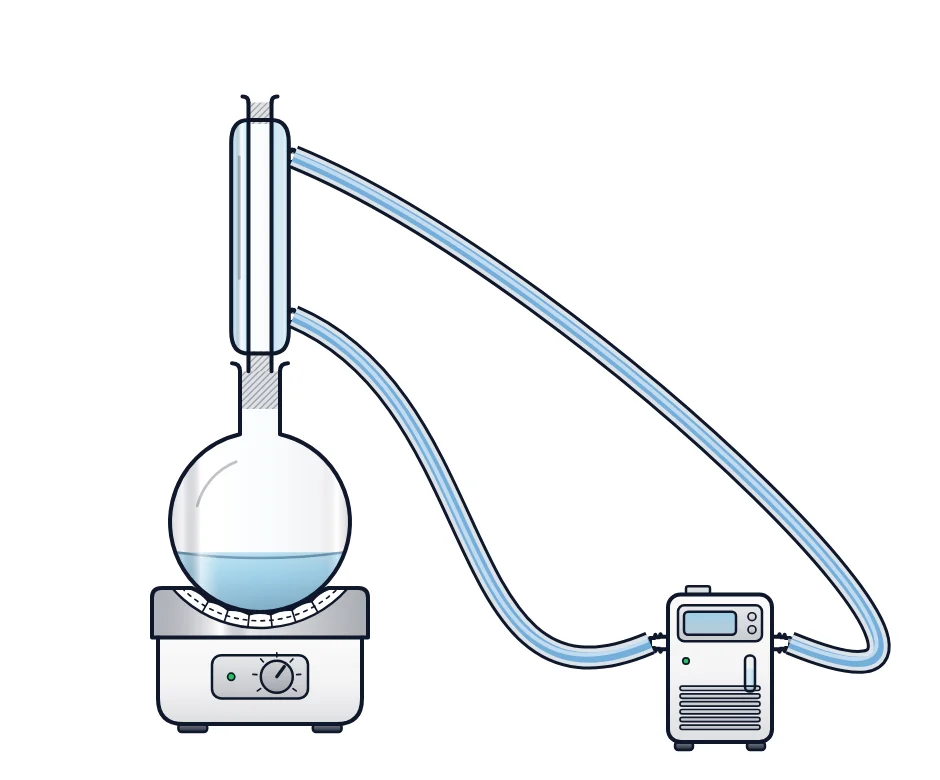
Lab glassware
## 125 pieces of apparatus that snap, fill and pour.
Build reflux, distillation and filtration setups from clean line drawings or soft 3D shading. Joints snap together, liquids stay level when a flask tilts, and tubing bends between hose barbs.
[Apparatus library guide](https://www.moldraw.com/blog/lab-glassware-apparatus-library-guide.html) [Lesson](https://www.moldraw.com/learn/how-to-draw-lab-apparatus-and-glassware/)
Plugins
## Go deeper when you need to.
Install plugins from Settings for NMR prediction, pKa, electrostatic potential maps, symmetry and more. Most need only a free account.
[NMR Analyser Predict 1H and 13C spectra plus COSY, HSQC and HMBC, with peak tables and couplings. ](https://www.moldraw.com/docs/plugins/nmr-analyser-plugin-predict-1h-13c-and-2d-nmr-spectra/) [pKa and Microspecies pKa for every acidic and basic group and the major form at any pH, with a 0 to 14 chart. ](https://www.moldraw.com/docs/plugins/pka-plugin-microspecies-protonation-states-at-any-ph/) [Electrostatic Potential Red-to-blue MEP surfaces and a per-atom charge table. Learn more](https://www.moldraw.com/docs/plugins/mep-plugin-molecular-electrostatic-potential-surface/) [Symmetry and Point Groups Point group, axes, mirror planes and character tables in 3D. Learn more](https://www.moldraw.com/docs/plugins/symmetry-plugin-point-group-finder-3d-symmetry-operations/) [ChEMBL Targets, IC50 and Ki data and similar compounds for your drawing. Learn more](https://www.moldraw.com/docs/plugins/chembl-plugin-bioactivity-and-drug-target-lookup/) [Compare Molecules Tanimoto and functional-group similarity side by side. Learn more](https://www.moldraw.com/docs/plugins/compare-molecules-plugin-tanimoto-similarity/) [Smart Draw Sketch by hand on a tablet and get a clean structure. Learn more](https://www.moldraw.com/docs/plugins/smart-draw-plugin-hand-drawn-sketch-to-structure/) [All plugins Protein Viewer, AI Spectroscopy, Themes and how to install them. Plugins overview](https://www.moldraw.com/docs/plugins/moldraw-plugins-overview-and-how-to-install/)
### All 20 plugins
- [ChEMBLBioactivity and drug targets for your molecule](https://www.moldraw.com/blog/chembl-plugin-bioactivity-lookup.html)
- [Compare moleculesSimilarity, overlay and ADME side by side](https://www.moldraw.com/blog/compare-molecules-plugin-tanimoto-similarity.html)
- [Crystal ViewUnit cells and crystals from CIF files in 3D](https://www.moldraw.com/blog/crystal-view-plugin-cif-unit-cell-3d.html)
- [IR prediction BetaPredict an IR spectrum with labelled bands](https://www.moldraw.com/blog/ir-prediction-addon-predict-ir-spectrum-guide.html)
- Mass specIsotope patterns and fragments
- [NMR analyserPredict 1H, 13C and 2D NMR spectra](https://www.moldraw.com/blog/nmr-analyser-plugin-predict-nmr-spectra.html)
- [Nucleic acid builderBuild DNA and RNA from a sequence](https://www.moldraw.com/blog/nucleic-acid-builder-dna-rna-oligo-aptamer-guide.html)
- [Peptide builderBuild peptides from a sequence](https://www.moldraw.com/blog/peptide-builder-plugin-step-by-step-guide.html)
- [pKa & MicrospeciespKa values and protonation at any pH](https://www.moldraw.com/blog/pka-plugin-protonation-states-microspecies.html)
- [ProteinsView proteins from the PDB in 3D](https://www.moldraw.com/blog/protein-viewer-plugin-pdb-3d.html)
- SheetsSpreadsheets with structures in cells
- SlidesPresentations built from your drawings
- [Smart Draw BetaSketch by hand, get a clean structure](https://www.moldraw.com/blog/smart-draw-plugin-sketch-to-structure.html)
- [SpectroscopyAI predictions of NMR, MS and UV spectra](https://www.moldraw.com/blog/ai-spectroscopy-plugin-nmr-ms-uv-prediction.html)
- [Symmetry and point groupsPoint groups and symmetry elements in 3D](https://www.moldraw.com/blog/symmetry-plugin-point-groups-3d.html)
- [ThemesBall-and-stick and colour styles](https://www.moldraw.com/blog/themes-plugin-ball-and-stick-style.html)
- [Computational ChemistryOpen Gaussian, ORCA and xtb results](https://www.moldraw.com/blog/computational-chemistry-plugin-gaussian-orca-viewer-guide.html)
- Docking BetaFind pockets and dock a ligand
- [Electrostatic potential (MEP)Electrostatic potential surfaces and charges](https://www.moldraw.com/blog/mep-plugin-electrostatic-potential-map.html)
- GROMACS SetupSet up protein and protein–ligand MD runs
Popular Workflows
## 80+ free tools. No sign-up.
Direct paths to the parts of MolDraw people reach for most often.
[Molecule EditorOpen the main MolDraw app.](https://www.moldraw.com/) [Reaction DrawerDraw chemical reactions online.](https://www.moldraw.com/tools/free-chem-tools/chemical-reaction-drawer.html) [Structure to SMILESDraw a molecule and copy SMILES.](https://www.moldraw.com/tools/free-chem-tools/structure-to-smiles-converter.html) [Name to StructureResolve compound names through PubChem.](https://www.moldraw.com/tools/free-chem-tools/name-to-structure.html) [Formula to StructureBrowse formula-matched candidates.](https://www.moldraw.com/tools/free-chem-tools/molecular-formula-to-structure.html) [Molecular WeightCalculate molar mass and composition.](https://www.moldraw.com/tools/free-chem-tools/molecular-weight-calculator.html) [Mass SpectrumPredict isotope patterns from structures.](https://www.moldraw.com/tools/free-chem-tools/mass-spectrum-predictor.html) [Periodic TableSearch element properties.](https://www.moldraw.com/tools/free-chem-tools/interactive-periodic-table.html) [TLC DiagramCreate clean TLC plate graphics.](https://www.moldraw.com/tools/free-chem-tools/tlc-diagram-tool.html) [Equation BalancerBalance redox and ionic equations.](https://www.moldraw.com/tools/free-chem-tools/chemical-equation-balancer.html) [Lewis StructuresDot structures, charges and VSEPR shape.](https://www.moldraw.com/tools/free-chem-tools/lewis-structure-generator.html) [SMILES to IUPACSystematic names with stereo.](https://www.moldraw.com/tools/free-chem-tools/smiles-to-iupac-name-converter.html)
[Explore Chemistry Tools](https://www.moldraw.com/tools/)
Spectrum viewers
## Open your spectra. Right here.
IR, NMR, mass, Raman, UV-Vis, XPS, cyclic voltammetry and TGA/DSC. Files are read in your browser and never uploaded.
[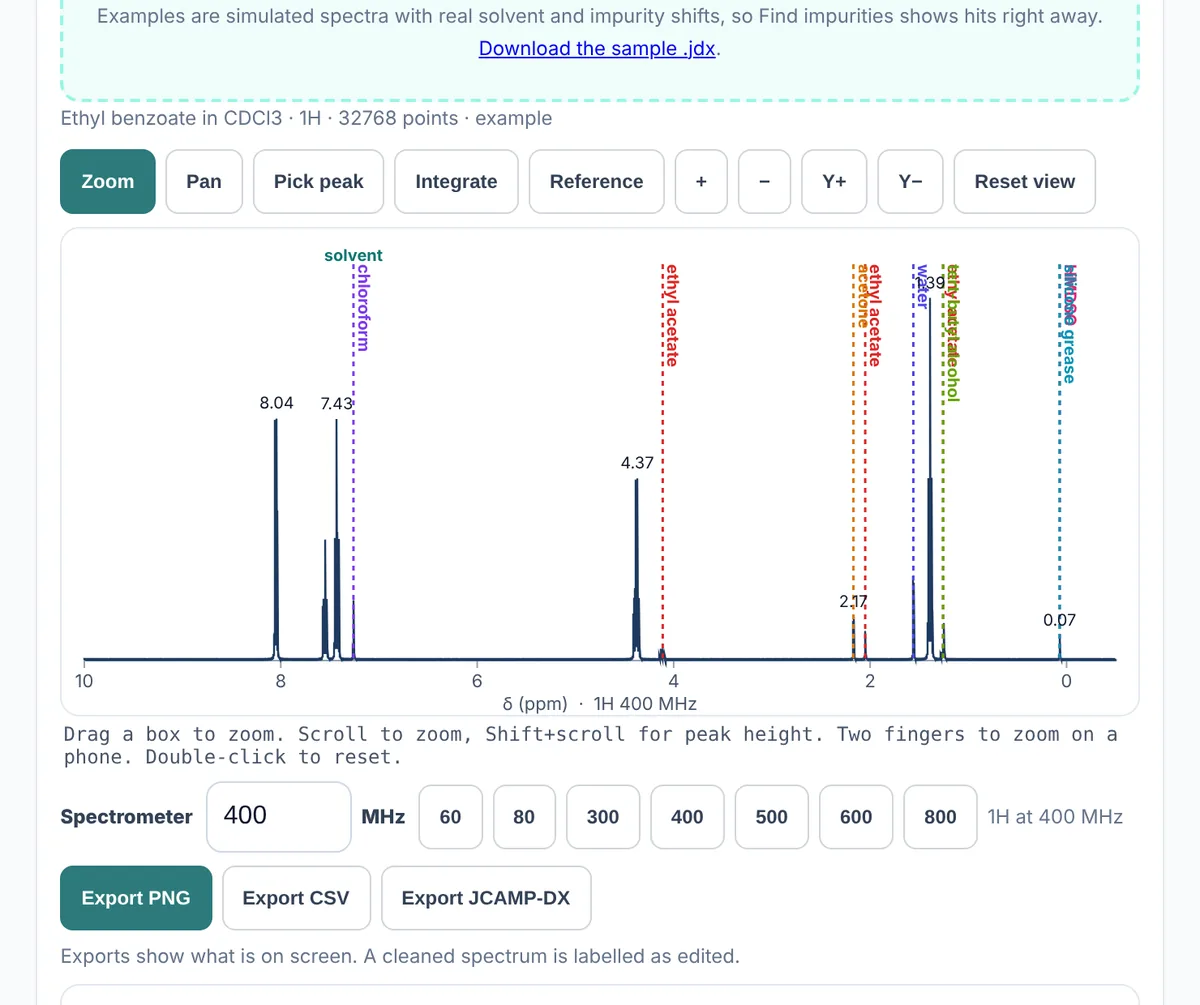NMRNMR ViewerPeaks, integrals, referencing and solvent impurities.](https://www.moldraw.com/tools/nmr-viewer/index.html) [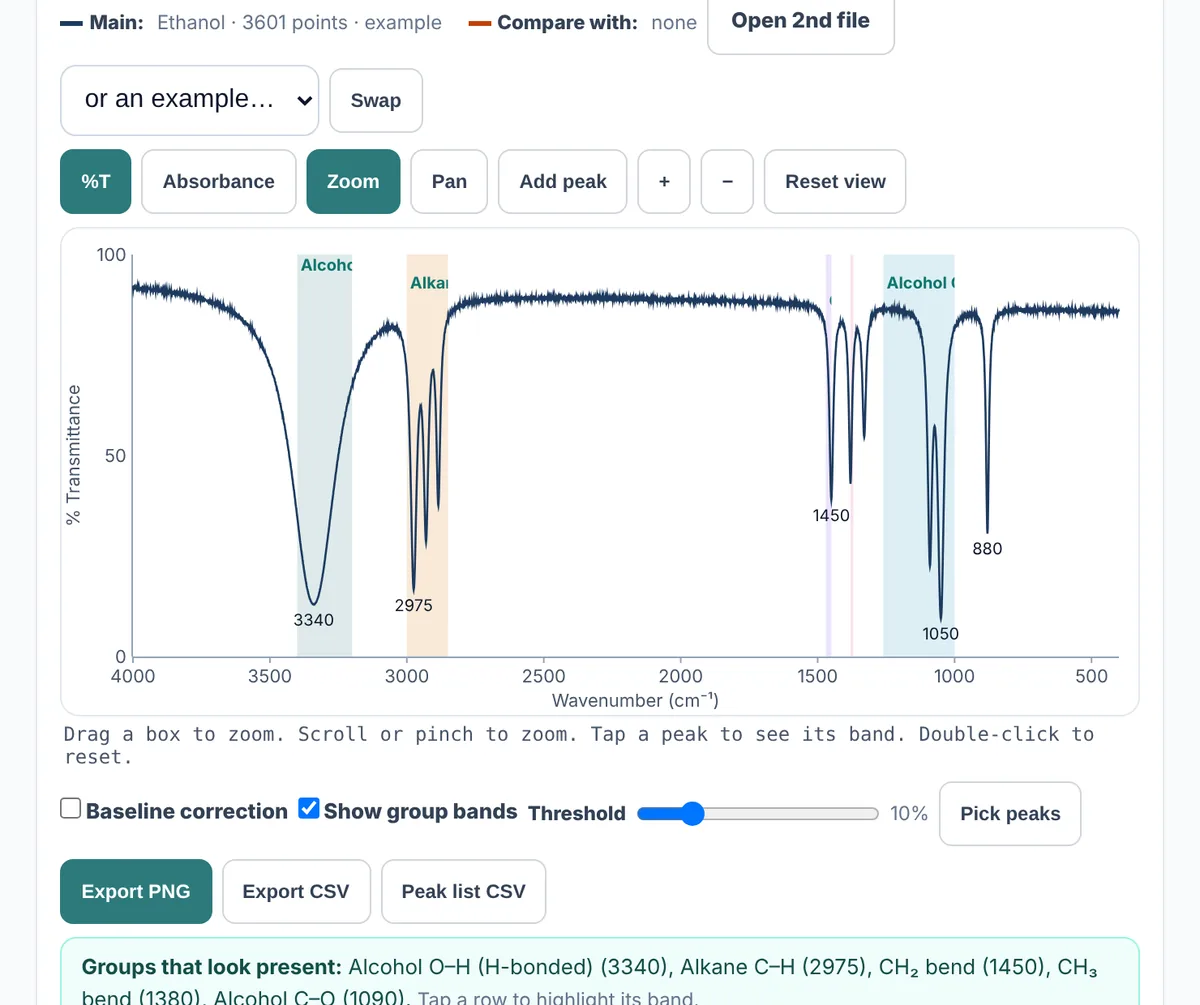IRIR Viewer%T or absorbance, baseline, bands and comparisons.](https://www.moldraw.com/tools/ir-viewer/index.html) [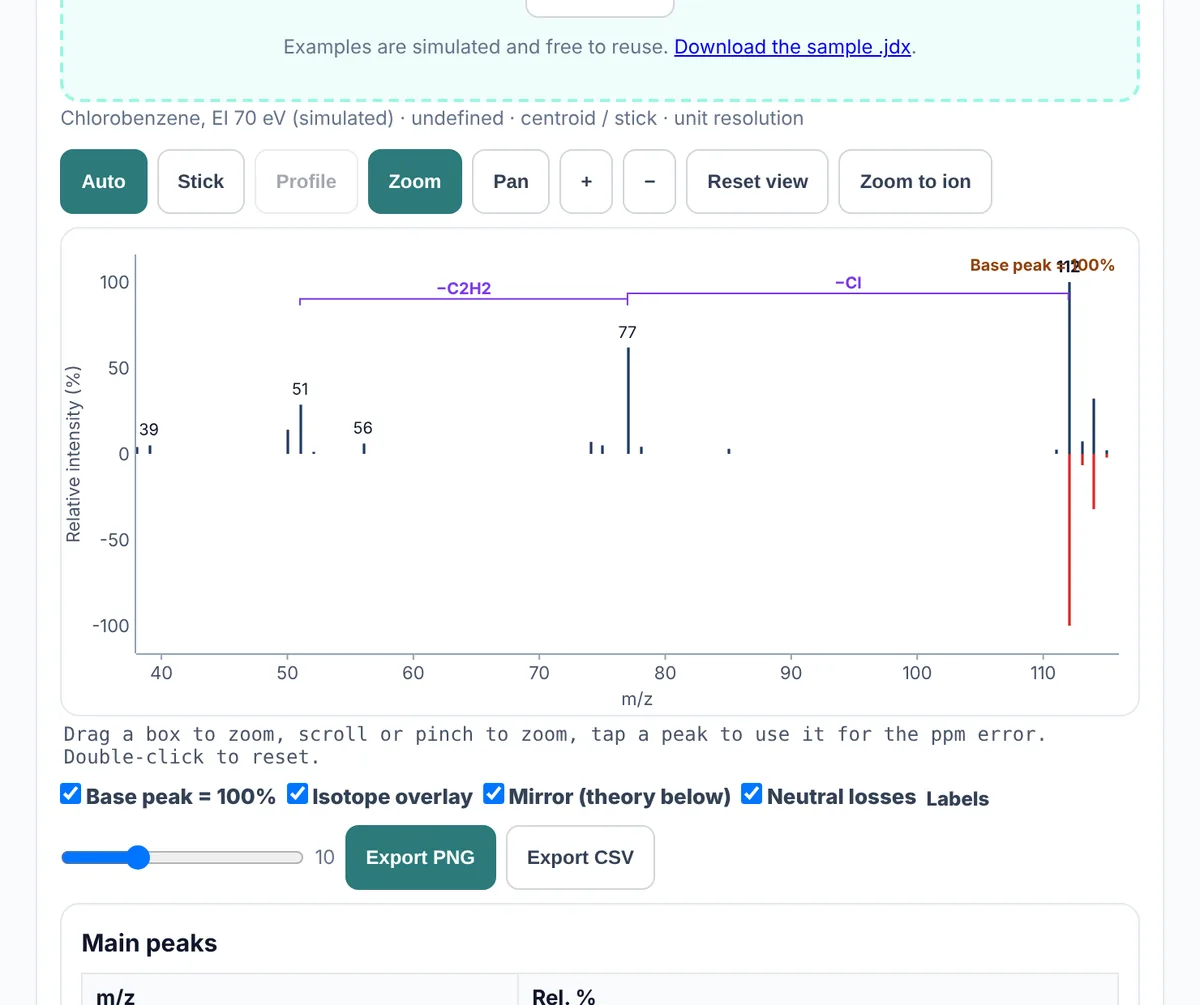MSMass Spectrum ViewerIsotope patterns, adducts and ppm error.](https://www.moldraw.com/tools/mass-spec-viewer/index.html) [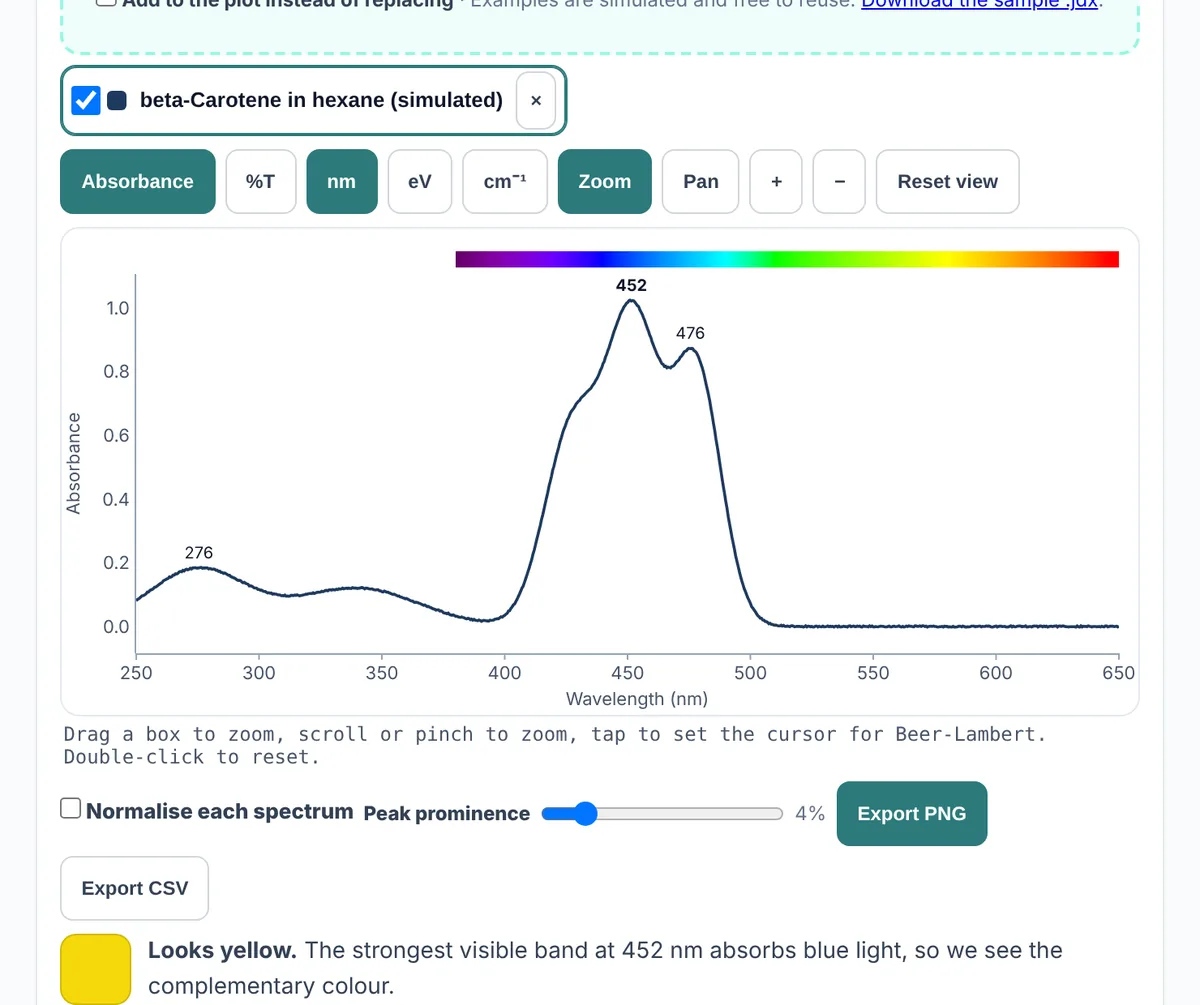UV-VisUV-Vis Viewerλmax, Beer-Lambert, colour and Tauc band gap.](https://www.moldraw.com/tools/uv-vis-viewer/index.html) [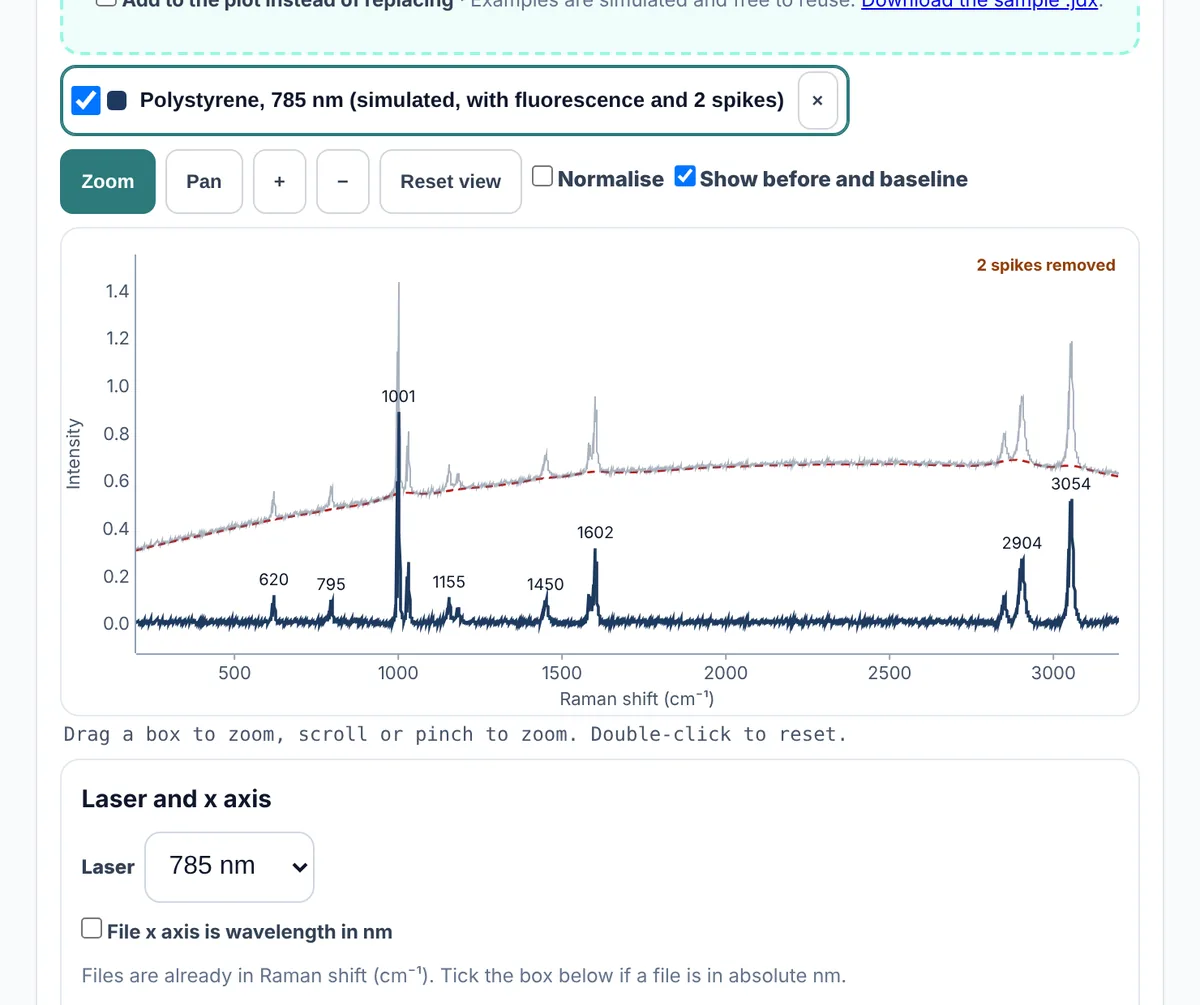RamanRaman ViewerShift, fluorescence removal and band assignments.](https://www.moldraw.com/tools/raman-viewer/index.html) [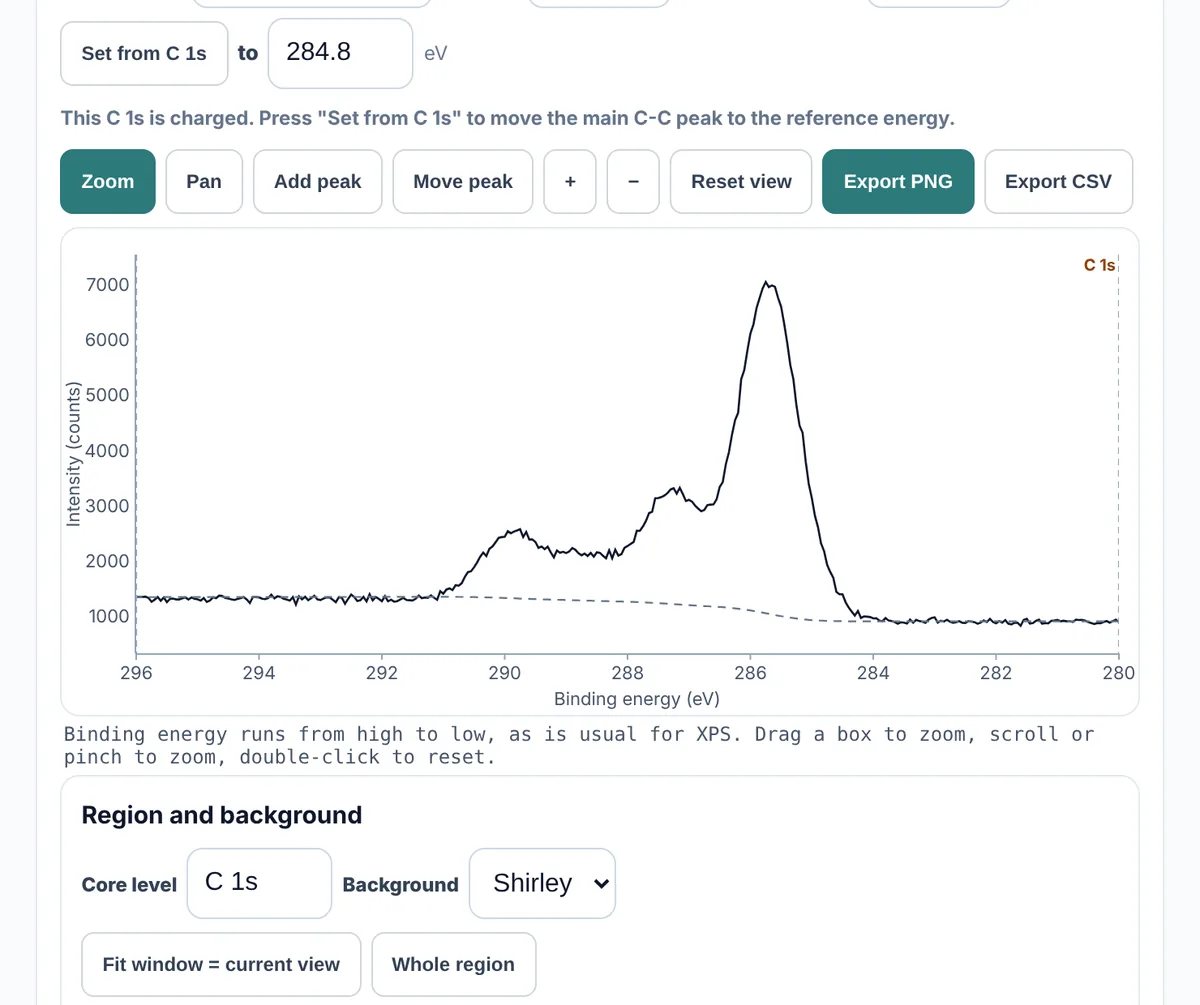XPSXPS ViewerShirley backgrounds, doublets and atomic %.](https://www.moldraw.com/tools/xps-viewer/index.html) [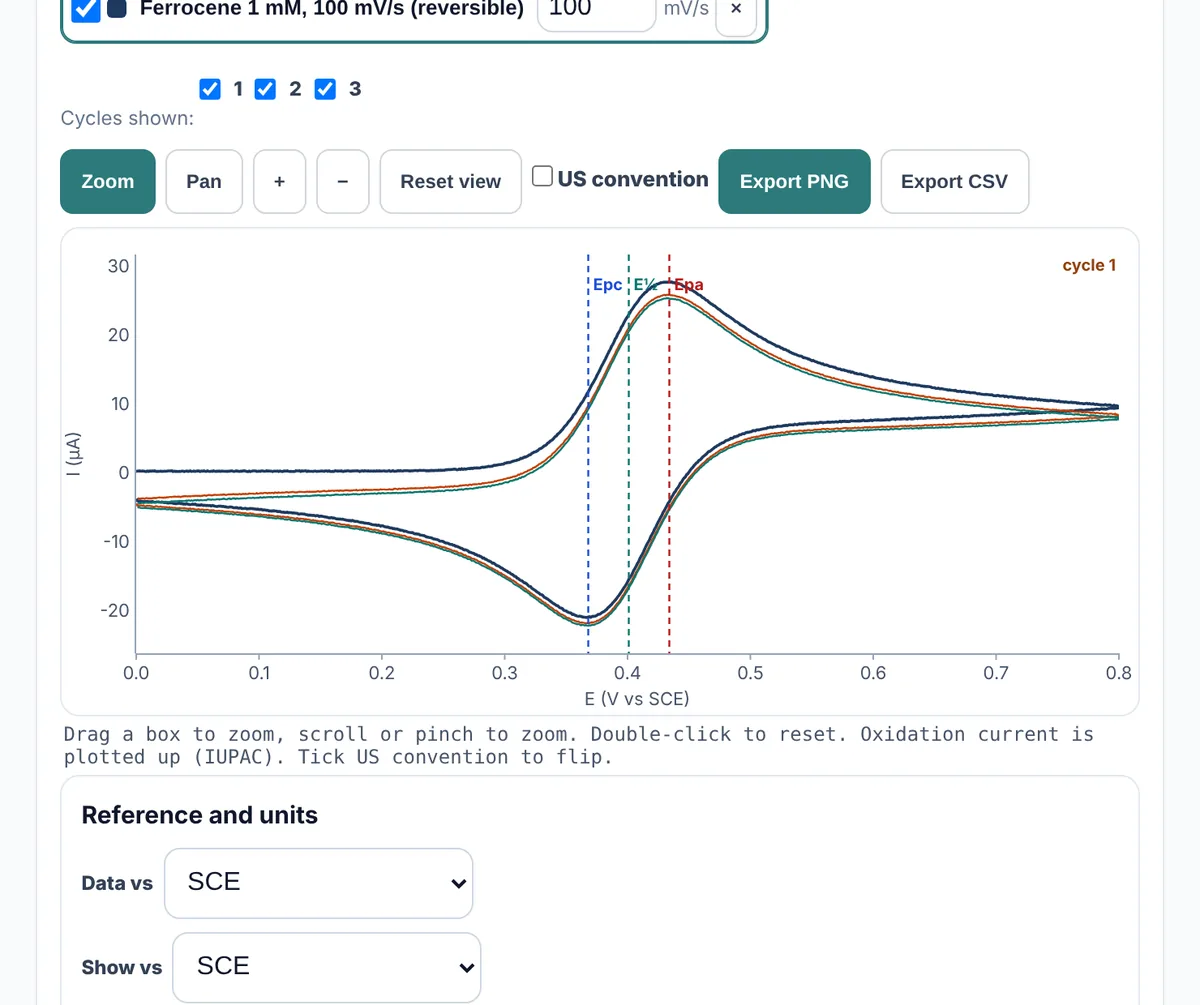CVCyclic VoltammetryE1/2, ΔEp, HOMO/LUMO and scan-rate analysis.](https://www.moldraw.com/tools/cv-viewer/index.html) [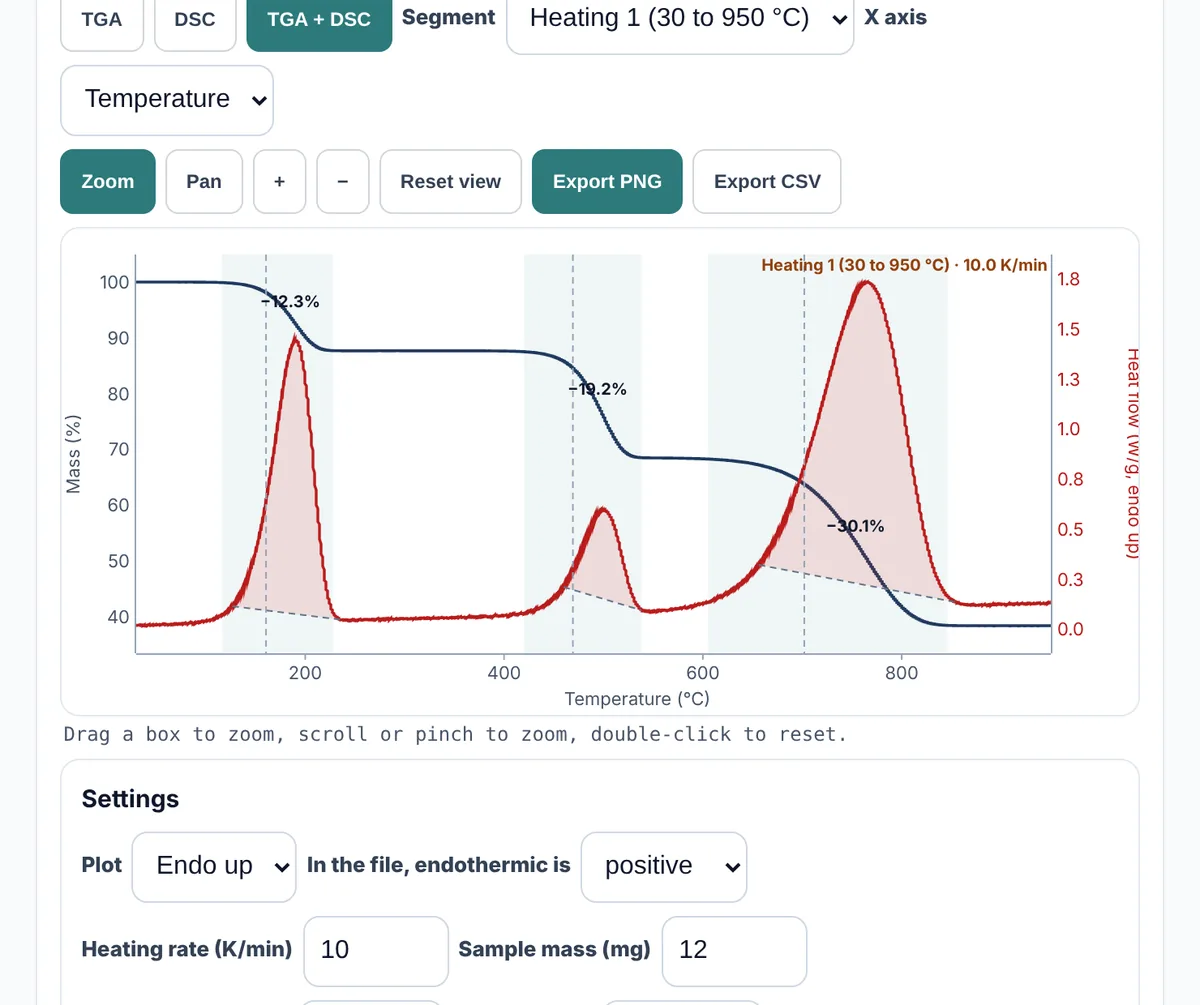ThermalTGA and DSC ViewerOnset, mass loss, Tg, melting and ΔH.](https://www.moldraw.com/tools/tga-dsc-viewer/index.html) [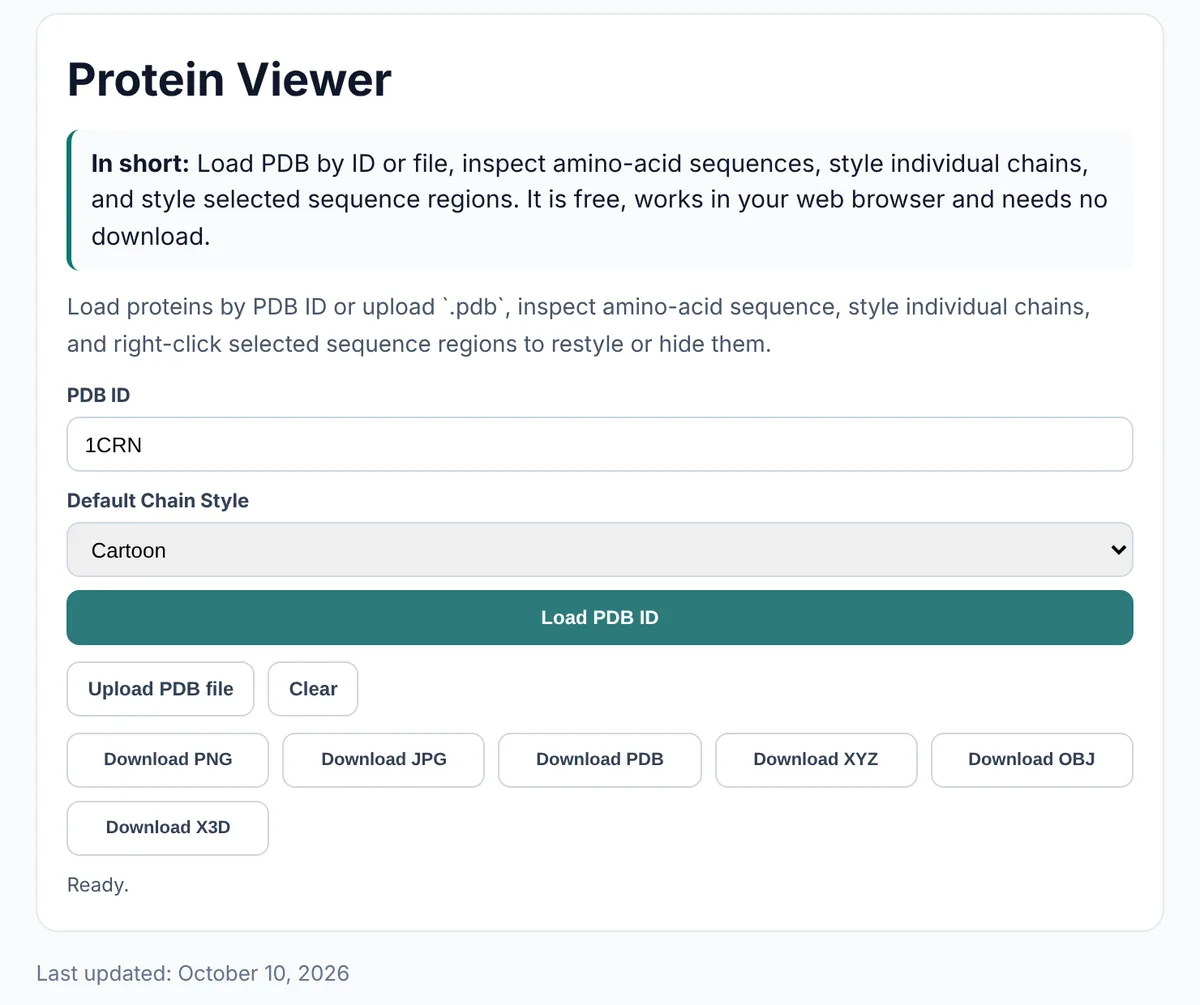ProteinsProtein ViewerPDB by ID, chains, sequence and styles.](https://www.moldraw.com/tools/protein-viewer/index.html)
Learn, Reference, and Build
## Learn by doing.
MolDraw includes learning pages, molecule references, reaction guides, and documentation alongside the editor and tools.
[Learning Course Follow practical chapters on drawing, bonds, reactions, 3D viewing, export formats, and chemistry workflows. Start Course](https://www.moldraw.com/learn/) [Documentation Every tool and panel explained, step by step, from your first structure to plugins. Read the docs](https://www.moldraw.com/docs/) [Molecule Pages Reference pages for molecules such as caffeine, aspirin, ibuprofen, paracetamol, and glucose. Browse molecules](https://www.moldraw.com/blog/molecules/) [Reaction Guides Explore organic reaction pages with examples, conditions, schemes, and editor links. Named reactions](https://www.moldraw.com/reaction/) [Spectroscopy Guides How to read IR, NMR and mass spectra, with worked examples. Read the guides](https://www.moldraw.com/guides/) [Interactive demos Step-by-step walkthroughs you play on a copy of the editor. No video needed. Try a demo](https://www.moldraw.com/demos/) [Video tutorials Short videos for drawing, reactions, exporting and the free tools. Watch tutorials](https://www.moldraw.com/tutorials/)
## Built for open chemistry learning.
MolDraw is maintained by Scidart Academy with the goal of making chemistry drawing, visualization, and day-to-day calculation tools easier to access from any modern browser.
### Who It Helps
Students checking structures and formulas, teachers preparing examples, researchers moving identifiers between databases, and creators building chemistry content for the web.
### Students
Check structures, names and formulas, and practise mechanisms with the course.
### Teachers
Prepare clean examples for slides, worksheets and exams in minutes.
### Researchers
Make journal-ready figures and move identifiers between databases.
### Creators
Embed the editor or export SVG for chemistry content on the web.
[Start Course](https://www.moldraw.com/docs/) [Join Community](https://www.moldraw.com/community/)
[ChemDraw Alternative Guide](https://www.moldraw.com/blog/chemdraw-vs-moldraw-free-alternative-guide.html) [Drawing Software Guide](https://www.moldraw.com/blog/free-chemical-drawing-software-iupac-guide.html)
From the blog
## Guides worth reading.
[ComparisonChemDraw vs MolDraw: free ChemDraw alternativeWhat carries over, what is different, and when to use each.](https://www.moldraw.com/blog/chemdraw-vs-moldraw-free-alternative-guide.html) [LaTeXchemfig and MolDrawPaste chemfig, edit visually, export LaTeX.](https://www.moldraw.com/blog/chemfig-latex-moldraw-guide.html) [Mechanismschemfig mechanism samplesFive worked mechanisms with curly arrows and fish-hooks.](https://www.moldraw.com/blog/chemfig-mechanism-samples.html) [GlasswareThe MolDraw apparatus libraryDraw lab setups that snap, fill and pour.](https://www.moldraw.com/blog/lab-glassware-apparatus-library-guide.html) [ToolsComplete guide to all free toolsEvery converter, calculator and viewer in one place.](https://www.moldraw.com/blog/moldraw-all-free-chemistry-tools-guide.html) [DatabasesFree chemical databasesPubChem, ChEMBL and more, and when to use each.](https://www.moldraw.com/blog/free-chemical-databases-guide.html)
[All articles](https://www.moldraw.com/blog/)
Everywhere you work
## In the browser. On Windows. In your apps.
[Windows appInstall MolDraw on Windows. Mac and Linux are planned.Download](https://www.moldraw.com/blog/download-moldraw-windows.html) [PowerPoint and WordOffice add-ons for structures in slides and documents. Coming soon.Add-ons](https://www.moldraw.com/addons) [Chrome add-onSnip any molecule image into an editable structure. Coming soon.Learn more](https://www.moldraw.com/chrome-addon) [Embed the editorPut a full MolDraw editor on your own course page or site.Embed guide](https://www.moldraw.com/blog/embed-moldraw.html) [CommunityAsk questions, share drawings and request features.Join Community](https://www.moldraw.com/community/)
Questions
## Good to know.
**Is MolDraw free?**
Yes. Drawing, the 3D viewer, name search, the free tools and the spectrum viewers cost nothing. A free account unlocks downloads, plugins and Community posts.
**Do I need to install anything?**
No. MolDraw runs in any modern browser on Windows, Mac, Linux, iPad and Chromebook. A [Windows app](https://www.moldraw.com/blog/download-moldraw-windows.html) is available if you prefer.
**Can I open ChemDraw files?**
Yes. MolDraw opens CDX and CDXML files and exports CDXML, MOL, SDF, SVG, PDF and PNG. See [download and file formats](https://www.moldraw.com/docs/import-export/how-to-export-png-svg-pdf-mol-and-cdxml-files/).
**Where is my work saved?**
Drawings save in your browser automatically and appear in My designs. Save a .moldraw file to keep a copy or move it to another device.
**Who uses MolDraw?**
Students, teachers and researchers around the world. People sign up from universities and institutes such as the University of Pennsylvania, Carnegie Mellon, the University of Chicago, UC Berkeley, the University of Cambridge, the University of Oxford, Imperial College London, the National University of Singapore, the University of Toronto and NIH. About 30,000 people use MolDraw every month.
**Where can I get help?**
The [help centre](https://www.moldraw.com/support/) has answers and guides, and the [FAQ](https://www.moldraw.com/pages/faq.html) covers the rest.
[Read FAQ](https://www.moldraw.com/pages/faq.html)
## Start drawing in seconds.
Open the editor, draw a ring, and you are already using MolDraw.
[Open App](https://www.moldraw.com/) [Sign up free](https://www.moldraw.com/?signup=1)
---
MolDraw AI
# How to Use the AI Assistant
Draw, name and explain molecules and reactions by asking in plain words, right inside MolDraw.
[← Back to MolDraw](https://www.moldraw.com/)
## Step 1: Get MolDraw Pro
The AI assistant is part of [MolDraw Pro](https://www.moldraw.com/pricing?from=ai-help). It runs on MolDraw's own servers, so you don't need an API key or any other account. Pro includes a monthly AI allowance; the chat header shows how much is left.
## Step 2: Open the AI chat
1
Open [MolDraw](https://www.moldraw.com/) and sign in.
2
Click the **AI** button at the left of the toolbar. The chat opens beside the canvas.
## Step 3: Start using it
Type commands in the chat box. The AI can control the canvas and answer chemistry questions.
### Draw molecules by name
**You:** draw aspirin
**AI:** Draws the aspirin structure on the canvas.
### Name the current structure
**You:** what is this molecule?
**AI:** Tells you the IUPAC name and common name.
### Show reactions
**You:** show Fischer esterification of acetic acid and ethanol
**AI:** Draws the reaction on the canvas.
### Add structures without clearing
**You:** also add caffeine
**AI:** Adds caffeine alongside existing structures.
### Ask about properties
**You:** what is the molecular weight of this?
**AI:** Calculates and tells you.
### Clear the canvas
**You:** clear the canvas
**AI:** Clears everything.
## Remote MCP connector
MolDraw also exposes a hosted MCP server at `https://mcp.moldraw.com/mcp`. Any MCP client can connect. Users sign in with their MolDraw account. See [privacy and security](https://www.moldraw.com/pages/mcp-privacy.html).
Desktop MCP hosts that support `.mcpb` extensions can install the local bundle from GitHub Releases after it is packed with `node apps/mcpb/pack.mjs`.
## Tips
- The AI reads the current structure on the canvas (SMILES), so it always knows what you're working on.
- Press **Enter** to send, **Shift+Enter** for a new line.
- Paste or attach a picture of a structure and ask the AI to draw it.
---
# Authors and Team
## Primary Author
**Rafeeque Mavoor** - Product and development lead.
## Organization
MolDraw is maintained under **Scidart Academy** with support from the open-source chemistry ecosystem.
---
# Contact MolDraw
## Email
General support and technical questions: [rafeequemavoor@gmail.com](mailto:rafeequemavoor@gmail.com)
## Social
Follow updates on X/Twitter: [https://x.com/DrawMol35803](https://x.com/DrawMol35803)
---
# MolDraw FAQ - Frequently Asked Questions | Free ChemDraw Alternative
## General
### Is MolDraw really free?
Yes. Drawing, the 3D viewer, name search and the free tools cost nothing. An optional Pro plan adds AI chat, cloud save and some exports. MolDraw is a free alternative to ChemDraw, from Scidart Academy.
### Do I need to install anything?
No. MolDraw runs in your browser — no download, account, or payment.
### Can I search for molecules by name?
Yes. Use the search bar with names like aspirin, caffeine, or benzene; structures load from PubChem.
## Export & formats
### What file formats can I export?
Including:
- **PNG** — images (transparent background supported)
- **SDF** — structure data for chemistry tools
- **XYZ** — coordinates for computational chemistry
- **X3D / OBJ** — 3D meshes for viewers and DCC tools
### How do I cite or credit MolDraw?
On the free plan, add one line wherever a MolDraw drawing appears: **Created using MolDraw (moldraw.com)**. MolDraw Pro needs no credit. See [how to cite MolDraw](https://www.moldraw.com/blog/how-to-cite-moldraw.html) for papers, theses, slides and blogs, with APA, MLA, ACS and BibTeX formats.
## Privacy & data
### Is my data stored or shared?
Structures are processed in your browser; MolDraw does not upload your drawings to a server for storage.
## Technical
### What browsers are supported?
Current Chrome, Firefox, Safari, Edge, and Opera. JavaScript must be enabled.
### Can I use MolDraw offline?
Initial load needs the network (CDN assets). After that, many features work with spotty connectivity; full offline use requires self-hosting.
### How accurate is the 3D visualization?
The main MolDraw app uses EPAM Miew for interactive 3D molecular visualization. Styles include ball & stick, stick, space-fill, and line — suitable for teaching and routine visualization; validate structures for publication or computational workflows.
## Drawing & editor
### How do I add lone pairs in MolDraw?
1. Select the atom.
2. **Right-click** to open the context menu.
3. Choose **Edit**.
4. Open **Radicals** and pick the lone pair or radical style you need.
You can also add decorative lone-pair markers on exports. More detail: [lone pairs course chapter](https://www.moldraw.com/docs/drawing/how-to-add-lone-pairs-radicals-and-formal-charges/).
### How do I add a curvy arrow (electron-pushing arrow)?
1. Open the toolbar tools that include **reaction arrows** and drawing objects.
2. Choose the **curved arrow** tool (curved / electron-flow arrow, not the straight reaction arrow).
3. On the canvas, **click and drag** from the tail (electron source) toward the head (destination bond or atom).
Exact icons can vary slightly; look for the curved arrow next to other arrow and shape tools. For reaction schemes, see [Drawing reactions](https://www.moldraw.com/docs/reactions/how-to-draw-reaction-arrows-with-reagents/) in the course.
## Molecule pages
### Does MolDraw have molecule reference pages with structures and identifiers?
Yes. The [molecule structures and properties category](https://www.moldraw.com/blog/molecules/) includes pages for [caffeine](https://www.moldraw.com/blog/molecules/caffeine.html), [aspirin](https://www.moldraw.com/blog/molecules/aspirin.html), [ibuprofen](https://www.moldraw.com/blog/molecules/ibuprofen.html), [paracetamol](https://www.moldraw.com/blog/molecules/paracetamol.html), and [glucose](https://www.moldraw.com/blog/molecules/glucose.html). Each page includes a structure image, lazy-loaded 3D viewer, SMILES, InChI, properties, and class information.
### Can a molecule reference page open the structure directly in the editor?
Yes. Each molecule page includes a “Draw or edit” button that opens MolDraw with the molecule loaded from its SMILES string, so you can start editing immediately.
## Reaction guides
### Does MolDraw have organic reaction guide pages?
Yes. The [organic reaction guides](https://www.moldraw.com/reaction/) cover [aldol condensation](https://www.moldraw.com/reaction/aldol-condensation), [Wittig](https://www.moldraw.com/reaction/wittig-reaction), [Grignard](https://www.moldraw.com/reaction/grignard-reaction), [Suzuki coupling](https://www.moldraw.com/reaction/suzuki-coupling), [Heck](https://www.moldraw.com/reaction/heck-reaction), [Friedel-Crafts acylation](https://www.moldraw.com/reaction/friedel-crafts-acylation), and [Diels-Alder](https://www.moldraw.com/reaction/diels-alder-reaction). Each page includes examples and an edit-in-MolDraw button.
## About & licensing
### Who built MolDraw?
[Scidart Academy](https://www.moldraw.com/) - [Rafeeque Mavoor](https://rafeeque.com/). Contact: [rafeequemavoor@gmail.com](mailto:rafeequemavoor@gmail.com).
### Can I use MolDraw for commercial purposes?
Yes for typical use. If you redistribute or embed MolDraw in a product, review the Terms page and any bundled third-party notices.
---
MolDraw
# Updates
What's new and improved in MolDraw.
[Back to MolDraw](https://www.moldraw.com/) · [About](https://www.moldraw.com/pages/about.html)
May 2026
### Feature MolDraw Community
- Added a public Community page for chemistry discussions, workflow questions, feature requests, replies, and upvotes.
- Signed-in users can create and edit posts, reply to comments, upload images, and choose a profile avatar.
- Feature requests now support community voting and admin status labels: new, under review, under progress, and done.
May 2026
### Feature Local Drawings Dashboard
- Drawings now autosave locally as you work, without needing a manual save button.
- Use **New design** to start a fresh session while keeping the current drawing saved locally.
- Saved drawings appear as local project cards in the dashboard with previews and open/delete actions.
- Projects are saved in the current browser for now. Cloud saving is coming soon.
March 2026
### Fix Header, Dropdown & Transparent PNG
- Fixed **More** dropdown layering so it always appears above the top bar and no longer clips.
- Improved top bar action area with cleaner behavior for dense controls.
- Updated **Transparent PNG** export to remove full background regions (including enclosed white areas) for true transparent output.
March 2026
### Feature Feature Requests
- Added a toolbar option to request new MolDraw features.
- Requests can include a title, description, contact details, and optional screenshots or images.
February 2026
### Feature Molecule Properties Panel
- New properties card in the 3D viewer showing compound name, IUPAC name, molecular mass, boiling point, and melting point.
- Properties are fetched automatically from PubChem when a structure is loaded or drawn.
February 2026
### AI Gemini Chat Assistant
- AI chat assistant in the 3D viewer panel powered by Google Gemini.
- Ask about IUPAC names, molecular properties, or instruct the AI to draw/edit structures on the canvas.
- Removed legacy Crisp chat widget.
February 2026
### Feature Accumulative PubChem Imports
- Importing a molecule from PubChem now adds it alongside existing structures on the 2D canvas instead of replacing them.
- 3D viewer also accumulates imported molecules.
February 2026
### Feature IUPAC Name Lookup
- Added an IUPAC button in the toolbar to look up the IUPAC name of the drawn structure via PubChem.
February 2026
### Feature JPEG Export
- Download 2D structures as JPEG from the toolbar.
- Export 3D viewer snapshots as JPEG.
February 2026
### Feature Molecular Mass Display
- Shows the molecular mass of the selected molecule in the 3D viewer.
- Mass updates automatically when drawing or importing a new structure.
February 2026
### Feature Protein Controls
- PDB imports add to the 3D scene without clearing previous models.
- Toggle button to close/remove a loaded protein from the 3D view.
---
# MolDraw pricing: Free and Pro
MolDraw is free for drawing and learning. MolDraw Pro is a paid plan for people who want the AI assistant, scanning, cloud save and the export of templates and apparatus.
## Free
Price: $0 (₹0 in India), forever. For drawing and learning.
- Unlimited 2D drawing, rings, reactions and arrows
- Every file format: MOL, SDF, SMILES, CDXML, PNG, SVG, PDF
- 3D viewer and plugins
- Use templates and lab apparatus on the canvas
- Slides: build and present your own decks
## Pro
| Region | Monthly | Yearly | Yearly per month | Yearly saving |
| --- | --- | --- | --- | --- |
| International (USD) | $12/month | $99/year | $8.25 | 31% |
| India (INR) | ₹299/month | ₹2,999/year | ₹250 | 16% |
Prices include tax. Checkout charges the price for your billing country.
Pro includes:
- **AI chemistry assistant**: Draw, name and explain structures and mechanisms in chat (monthly allowance).
- **Structure scanning**: MolDraw Snip for Chrome and image → structure on the canvas (300 scans a month).
- **My designs + cloud save**: Every drawing in folders, synced to your account and opened on any device.
- **Templates**: Export mechanisms, name reactions, pathways and lab sheets from the Templates library.
- **Slides**: Ready-made 15-slide teaching decks, present without the MolDraw logo, and download any deck as PDF or PowerPoint.
- **Lab apparatus**: Export glassware, reaction setups and illustrated apparatus in every format.
- **Everything in Free**: Unlimited drawing, 3D, every file format and plugins.
## Questions
### What does the AI allowance cover?
Pro includes a monthly AI allowance that covers everyday use — drawing, naming and explaining structures and mechanisms. The chat shows how much you have left; it resets on the 1st of each month. An unlimited AI plan is coming later.
### Can I use templates and apparatus on the free plan?
Yes. Add and edit them on the canvas as much as you like. Exporting or saving a drawing that contains template content or lab apparatus (.moldraw, PNG, SVG, PDF, molfile, copy to Word…) is part of Pro. Your drawing stays on the canvas.
### What happens to my designs if Pro ends?
Nothing is deleted. Designs already saved to your account stay there and can be downloaded at any time; renew to organise and sync them again.
### Which price will I pay?
The price shown here is for your country and includes tax. Checkout charges the price for your billing country, in your currency.
### Can I cancel any time?
Yes. Cancel from Manage billing in your account; Pro stays on until the end of the period you paid for.
### Who handles the payment?
Payments are processed by Dodo Payments, our merchant of record, who also send your invoice. MolDraw never sees your card details.
Start drawing: https://www.moldraw.com/
---
Reaction reference
# Organic Reaction Guides and Chemical Reaction Drawer
Fast reference pages for highly searched organic reactions. Each guide includes a concise scheme, two common examples, reaction SMILES, key conditions, and an edit-in-MolDraw button. Use the chemical reaction drawer to sketch reactants, products, arrows, reagents, and conditions online.
## Aldol condensation
Carbonyl enolate addition followed by dehydration to form alpha,beta-unsaturated carbonyl compounds.
[Open guide](https://www.moldraw.com/reaction/aldol-condensation)
## Wittig reaction
Conversion of aldehydes or ketones to alkenes using phosphonium ylides.
[Open guide](https://www.moldraw.com/reaction/wittig-reaction)
## Grignard reaction
Carbon-carbon bond formation using organomagnesium reagents and carbonyl electrophiles.
[Open guide](https://www.moldraw.com/reaction/grignard-reaction)
## Suzuki coupling
Palladium-catalyzed coupling of aryl halides and boronic acids to form biaryls.
[Open guide](https://www.moldraw.com/reaction/suzuki-coupling)
## Heck reaction
Palladium-catalyzed arylation or vinylation of alkenes.
[Open guide](https://www.moldraw.com/reaction/heck-reaction)
## Friedel-Crafts acylation
Electrophilic aromatic substitution that installs an acyl group on an aromatic ring.
[Open guide](https://www.moldraw.com/reaction/friedel-crafts-acylation)
## Diels-Alder reaction
Concerted cycloaddition between a conjugated diene and dienophile to form cyclohexenes.
[Open guide](https://www.moldraw.com/reaction/diels-alder-reaction)
Name reactions
## Name reactions with full mechanisms
Every curly-arrow step, checked electron by electron, with conditions, JEE/NEET notes and a button that opens the complete mechanism in MolDraw.
## Reimer–Tiemann Reaction
The Reimer–Tiemann reaction turns phenol into salicylaldehyde (2-hydroxybenzaldehyde) with chloroform and aqueous sodium hydroxide.
[Mechanism guide](https://www.moldraw.com/reaction/reimer-tiemann-reaction)
## Kolbe–Schmitt Reaction
In the Kolbe–Schmitt reaction (often called the Kolbe reaction in Indian syllabuses) sodium phenoxide is heated with carbon dioxide under pressure.
[Mechanism guide](https://www.moldraw.com/reaction/kolbe-schmitt-reaction)
## Hofmann Bromamide Reaction
The Hofmann bromamide reaction converts a primary amide into a primary amine with one carbon fewer, using bromine and sodium hydroxide.
[Mechanism guide](https://www.moldraw.com/reaction/hofmann-bromamide-reaction)
## Sandmeyer Reaction
The Sandmeyer reaction replaces the diazonium group of an arenediazonium salt by Cl, Br or CN using the copper(I) salt.
[Mechanism guide](https://www.moldraw.com/reaction/sandmeyer-reaction)
## Gabriel Phthalimide Synthesis
The Gabriel synthesis makes pure primary amines.
[Mechanism guide](https://www.moldraw.com/reaction/gabriel-phthalimide-synthesis)
## Williamson Ether Synthesis
The Williamson ether synthesis makes ethers by an SN2 reaction between an alkoxide (or phenoxide) and a methyl or primary alkyl halide.
[Mechanism guide](https://www.moldraw.com/reaction/williamson-ether-synthesis)
## Cannizzaro Reaction
In the Cannizzaro reaction an aldehyde without α-hydrogens (HCHO, benzaldehyde, pivalaldehyde) disproportionates in concentrated base: one molecule is oxidised to the carboxylate and another is reduced to the alcohol.
[Mechanism guide](https://www.moldraw.com/reaction/cannizzaro-reaction)
## Wolff–Kishner Reduction
The Wolff–Kishner reduction converts the C=O of an aldehyde or ketone into CH₂.
[Mechanism guide](https://www.moldraw.com/reaction/wolff-kishner-reduction)
## Hell–Volhard–Zelinsky Reaction
The Hell–Volhard–Zelinsky (HVZ) reaction brominates a carboxylic acid at the α-carbon.
[Mechanism guide](https://www.moldraw.com/reaction/hell-volhard-zelinsky-reaction)
## Iodoform (Haloform) Reaction
Methyl ketones (CH₃CO–) and alcohols that oxidise to them (CH₃CH(OH)–) react with iodine and sodium hydroxide to give a yellow precipitate of iodoform, CHI₃.
[Mechanism guide](https://www.moldraw.com/reaction/iodoform-reaction)
## Diazotization Reaction
Diazotization converts a primary aromatic amine into an arenediazonium salt with sodium nitrite and a mineral acid at 0–5 °C.
[Mechanism guide](https://www.moldraw.com/reaction/diazotization-reaction)
## Azo Coupling Reaction
In azo coupling an arenediazonium ion acts as a weak electrophile towards strongly activated rings — phenoxides and anilines.
[Mechanism guide](https://www.moldraw.com/reaction/azo-coupling-reaction)
## Claisen Condensation
The Claisen condensation joins two ester molecules into a β-keto ester.
[Mechanism guide](https://www.moldraw.com/reaction/claisen-condensation)
## Beckmann Rearrangement
In the Beckmann rearrangement a ketoxime is converted into an amide by acid (H₂SO₄, PCl₅, SOCl₂, polyphosphoric acid).
[Mechanism guide](https://www.moldraw.com/reaction/beckmann-rearrangement)
## Pinacol–Pinacolone Rearrangement
Pinacol (2,3-dimethylbutane-2,3-diol) rearranges in acid to pinacolone (3,3-dimethylbutan-2-one).
[Mechanism guide](https://www.moldraw.com/reaction/pinacol-pinacolone-rearrangement)
## Baeyer–Villiger Oxidation
The Baeyer–Villiger oxidation inserts an oxygen atom between a carbonyl carbon and one of its neighbours, turning ketones into esters and cyclic ketones into lactones.
[Mechanism guide](https://www.moldraw.com/reaction/baeyer-villiger-oxidation)
## Benzoin Condensation
In the benzoin condensation two molecules of an aromatic aldehyde join to form an α-hydroxy ketone (benzoin) under catalysis by cyanide.
[Mechanism guide](https://www.moldraw.com/reaction/benzoin-condensation)
## Hydroboration–Oxidation
Hydroboration–oxidation converts an alkene into an alcohol with the OH on the less substituted carbon (anti-Markovnikov) and with syn addition of H and OH.
[Mechanism guide](https://www.moldraw.com/reaction/hydroboration-oxidation)
## Ozonolysis
Ozonolysis cleaves a carbon–carbon double bond into two carbonyl groups.
[Mechanism guide](https://www.moldraw.com/reaction/ozonolysis)
## Swern Oxidation
The Swern oxidation turns primary alcohols into aldehydes and secondary alcohols into ketones without over-oxidation or heavy metals.
[Mechanism guide](https://www.moldraw.com/reaction/swern-oxidation)
## Mitsunobu Reaction
The Mitsunobu reaction converts an alcohol into an ester (or ether, imide, azide) with clean inversion at the alcohol carbon.
[Mechanism guide](https://www.moldraw.com/reaction/mitsunobu-reaction)
## Curtius Rearrangement
In the Curtius rearrangement an acyl azide loses nitrogen on heating while its R group moves from carbon to nitrogen, giving an isocyanate.
[Mechanism guide](https://www.moldraw.com/reaction/curtius-rearrangement)
## Friedel–Crafts Alkylation
Friedel–Crafts alkylation attaches an alkyl group to an aromatic ring using an alkyl halide and a Lewis acid such as AlCl₃.
[Mechanism guide](https://www.moldraw.com/reaction/friedel-crafts-alkylation)
## Michael Addition
The Michael addition is the conjugate (1,4-) addition of a stabilised carbanion — a malonate, β-keto ester or nitroalkane anion — to the β-carbon of an α,β-unsaturated carbonyl compound.
[Mechanism guide](https://www.moldraw.com/reaction/michael-addition)
---
# MolDraw Help Centre
Updated 2026-10-17 · Support answers, downloadable guides and every MolDraw page in one place
**Short answer:** MolDraw is free. You can draw without an account; a free account is needed to download or export files, open more tabs, use most plugins and post in the Community. Work is saved in your browser on this device (My designs). For anything else, read the answers below, open the [documentation](https://www.moldraw.com/docs/), or email support from the [contact page](https://www.moldraw.com/pages/contact.html).
## Support answers
## About this knowledge base
This handbook answers common customer questions about MolDraw. The other files in this set hold the full user documentation, the course, the free tools, the how-to articles and the policies. Every page is also listed with its web address in the page index, so you can point people to the right page.
The answers in this handbook are the most recent. If an older page says something different (for example about accounts), follow this handbook.
When an answer is not in this knowledge base, do not guess. Say that you are not sure and point the person to the help centre at https://www.moldraw.com/support/ or to the contact details below.
## What MolDraw is
MolDraw (https://www.moldraw.com) is a free chemical structure editor that runs in the web browser. People use it to draw molecules and reaction schemes, view molecules in 3D, look up names and properties, read spectra with free viewers, and export figures for papers, slides and theses. It is made by Scidart Academy. It is not ChemDraw or ChemSketch, though it opens ChemDraw files and is often used as a free alternative.
More than 30,000 researchers, teachers and students use MolDraw every month.
- Editor: https://www.moldraw.com/
- Documentation: https://www.moldraw.com/docs/
- Interactive course: https://www.moldraw.com/learn/
- Free tools: https://www.moldraw.com/tools/
- Blog and how-to articles: https://www.moldraw.com/blog/
- Help centre and this knowledge base: https://www.moldraw.com/support/
## Is MolDraw free? Plans and pricing
**Yes, MolDraw is free.** Drawing, 3D viewing, name search, the free tools and the spectrum viewers cost nothing. Some actions need a **free account** (see Accounts below).
**PRO and the Founding Lifetime License.** PRO features are coming soon. MolDraw itself will stay free. The **Founding Lifetime License** is a one-time payment of **$199** for people who prefer to pay once and use PRO forever. Only 50 founding licenses are planned; after those, PRO is expected to cost about $15 to $25 per month.
**Joining the waiting list is free, and nobody is charged yet.** To join, click *Become a founding customer · $199* in the top bar of the editor and sign in or create an account. You get an email when PRO early access opens.
Planned PRO benefits include: a Chrome add-on that turns a screenshot of a structure into an editable drawing, image to editable structure, the AI chemistry assistant, a premium structure library, unlimited cloud storage, NMR, mass spectrum and UV-visible prediction, batch conversion (SMILES, MOL, SDF, PDB, PDBQT, XYZ, InChI and PubChem batch lookup), priority support in the community (WhatsApp group included) and a ChatGPT connector. Features and prices can change before launch; check the editor for the current details.
If someone asks about a payment, a refund or an invoice, ask them to contact support by email (below), because no charges are taken for the founding license yet.
## Accounts, signing in and passwords
- **You do not need an account to draw.** Open https://www.moldraw.com/ and start drawing.
- **A free account is needed to download or export files** (PNG, SVG, PDF, MOL, chemfig and the other formats), to open more document tabs, to use most plugins, and to post in the Community.
- **Sign up / Log in:** use the *Sign up free* or *Sign in* buttons at the top right of the editor. You can use an email address and password, or Google sign-in where offered. The sign-up form asks for your designation and institute.
- **Use an email you will keep.** A personal email you will keep long term is best.
- **Confirm your email:** after creating an account, check your inbox (and spam folder) for the confirmation email, then log in.
- **Forgot password:** on the log-in form choose *Forgot password?*, enter your email and click *Send reset link*. Passwords need at least 6 characters.
- **Your dashboard:** https://www.moldraw.com/dashboard/ shows your account.
## Saving and opening work
- Work in progress is kept in your browser on the device you use. **My designs** in the top bar lists the drawings saved on this device.
- Because drawings are stored in the browser, clearing browser data, using a private window, or switching to another computer or browser means you will not see them there. Download a copy (for example MOL or the MolDraw file) to keep work safe or move it to another device.
- To open a file, use **File** in the top bar, or drag the file onto the canvas. You can also paste SMILES, InChI, MOL text or chemfig code with Ctrl+V (Cmd+V on a Mac).
- Guide: https://www.moldraw.com/docs/get-started/how-to-save-and-open-chemical-drawings-in-moldraw/
## Exporting and file formats
Open **Download** in the top bar. Images: PNG (transparent background possible), SVG, PDF, JPEG. Chemistry files: MOL, SDF, SMILES, InChI, CDXML (ChemDraw), XYZ and more. Text: chemfig (.tex) for LaTeX. 3D: snapshots and 3D model formats from the 3D view. If only part of the canvas is selected, only the selection is exported. Exporting needs a free account.
Guide: https://www.moldraw.com/docs/import-export/how-to-export-png-svg-pdf-mol-and-cdxml-files/
## Desktop app, add-ons and embedding
- **Windows app:** use *Install Windows* in the top bar, or see https://www.moldraw.com/blog/download-moldraw-windows.html. Mac and Linux versions are planned.
- **Chrome add-on** (capture a structure from any image) and **PowerPoint / Word add-ins** are coming soon: https://www.moldraw.com/chrome-addon/ and https://www.moldraw.com/addons
- **Embed the editor** on your own website: https://www.moldraw.com/blog/embed-moldraw.html
## Plugins and the AI assistant
Plugins add extra features inside the editor: NMR Analyser, AI Spectroscopy, pKa and microspecies, electrostatic potential (MEP) maps, Symmetry and point groups, ChEMBL lookups, Compare Molecules, Protein Viewer, Smart Draw (hand-drawn sketch to structure) and Themes. Open **Settings → Plugins** and click **Install**. Most plugins need a free account. Overview: https://www.moldraw.com/docs/plugins/moldraw-plugins-overview-and-how-to-install/
The AI chemistry assistant (the AI button) answers chemistry questions and can draw and edit structures and mechanisms for you. You choose an AI provider and add your own API key in its settings. Guide: https://www.moldraw.com/docs/ai/how-to-use-the-ai-chemistry-assistant/
## Troubleshooting
- **"Graphics acceleration looks off" banner, or the 3D view is slow or blank:** the browser is not using the graphics card. In Chrome or Edge open chrome://settings/system, turn on *Use graphics acceleration when available*, click *Relaunch*, then reload MolDraw. The 2D editor still works without it.
- **Nothing happens when I paste:** click an empty part of the canvas first so the paste goes to the drawing, then press Ctrl+V (Cmd+V on a Mac). Text must be a SMILES, InChI, MOL block, chemfig code or a compound name.
- **My drawings disappeared:** drawings are stored in the browser on that device. They are not visible in a different browser, a private window, or after browser data was cleared. Check My designs on the original device and browser.
- **The Download button asks me to sign up:** downloading and exporting need a free account. Sign up, confirm your email, and try again.
- **A plugin does not open:** sign in, then install it from Settings → Plugins.
- **Curly arrows from chemfig are in the wrong place in my PDF:** compile the LaTeX file twice.
- **Supported browsers:** current Chrome, Edge, Firefox, Safari and Opera with JavaScript turned on.
- **Keyboard shortcuts:** https://www.moldraw.com/docs/get-started/moldraw-keyboard-shortcuts-list/
## Privacy in short
Drawings are processed in your browser. Files opened in the free spectrum viewers are read in the browser and are not uploaded. If you sign in, MolDraw keeps your account details. Full policy: https://www.moldraw.com/pages/privacy-policy.html. Terms of service: https://www.moldraw.com/pages/terms-of-service.html.
## Contact and feedback
- Email support: rafeequemavoor@gmail.com (general support and technical questions). Contact page: https://www.moldraw.com/pages/contact.html
- Feature requests: the *Request feature* button in the editor top bar.
- What is new: the *Updates* button in the editor top bar, or https://www.moldraw.com/pages/updates.html
- Community: the *Community* button in the editor.
## Knowledge base PDFs
Everything about MolDraw in a few text PDFs: the support handbook, the full documentation, the course, every free tool, every how-to article, the reference pages and the policies. They are made from this website and updated with it, so you can read them offline or load them into a help desk or support chatbot.
- [Every public MolDraw page](https://www.moldraw.com/support/pdf/moldraw-support-00-page-index.pdf) PDF · 383 KB · 11 pages
266 public pages with their web addresses, grouped by section.
- [MolDraw customer support handbook](https://www.moldraw.com/support/pdf/moldraw-support-01-handbook.pdf) PDF · 132 KB · 5 pages
Plans and pricing, accounts, saving, exporting, troubleshooting and contact details.
- [MolDraw editor documentation](https://www.moldraw.com/support/pdf/moldraw-support-02-editor-documentation.pdf) PDF · 615 KB · 30 pages
How to use the editor: drawing, rings, stereochemistry, reactions, import and export, 3D, the AI assistant and plugins.
- [MolDraw course and spectroscopy guides](https://www.moldraw.com/support/pdf/moldraw-support-03-course-and-guides.pdf) PDF · 1.0 MB · 68 pages
The step-by-step course and the guides to reading IR, NMR and mass spectra.
- [MolDraw free tools and spectrum viewers (part 1)](https://www.moldraw.com/support/pdf/moldraw-support-04-free-tools-a.pdf) PDF · 1.3 MB · 71 pages
The spectrum viewers and the first half of the free chemistry tools: what each one does and how to use it.
- [MolDraw free tools (part 2)](https://www.moldraw.com/support/pdf/moldraw-support-04-free-tools-b.pdf) PDF · 1.4 MB · 70 pages
The rest of the free chemistry tools: what each one does and how to use it.
- [MolDraw how-to articles (part 1)](https://www.moldraw.com/support/pdf/moldraw-support-05-articles-a.pdf) PDF · 1.3 MB · 41 pages
Guides and articles from the MolDraw blog.
- [MolDraw how-to articles (part 2)](https://www.moldraw.com/support/pdf/moldraw-support-06-articles-b.pdf) PDF · 1.1 MB · 50 pages
Guides and articles from the MolDraw blog.
- [Named reactions and molecule pages](https://www.moldraw.com/support/pdf/moldraw-support-07-reactions-and-molecules.pdf) PDF · 1.9 MB · 78 pages
Reference pages for named reactions and common molecules, and the related product pages.
- [MolDraw policies and help pages](https://www.moldraw.com/support/pdf/moldraw-support-08-policies.pdf) PDF · 198 KB · 9 pages
Privacy policy, terms of service, community and editorial guidelines, AI help and updates.
A plain list of every public page, one web address per line: [pages.txt](https://www.moldraw.com/support/pages.txt).
## Every MolDraw page
## Start (1)
- [https://www.moldraw.com/](https://www.moldraw.com/)
## Documentation (36)
- [MolDraw Documentation | 2D Editor Guide](https://www.moldraw.com/documentation/)
- [MolDraw Docs: how to use the MolDraw chemistry editor](https://www.moldraw.com/docs/)
- [Introduction to MolDraw](https://www.moldraw.com/docs/get-started/what-is-moldraw-free-online-chemical-structure-editor/)
- [Draw your first structure](https://www.moldraw.com/docs/get-started/how-to-draw-your-first-chemical-structure-in-moldraw/)
- [The MolDraw screen](https://www.moldraw.com/docs/get-started/moldraw-editor-interface-toolbar-and-panels-explained/)
- [Save and open your work](https://www.moldraw.com/docs/get-started/how-to-save-and-open-chemical-drawings-in-moldraw/)
- [Keyboard shortcuts](https://www.moldraw.com/docs/get-started/moldraw-keyboard-shortcuts-list/)
- [Draw atoms](https://www.moldraw.com/docs/drawing/how-to-draw-atoms-and-change-elements/)
- [Draw bonds](https://www.moldraw.com/docs/drawing/how-to-draw-single-double-triple-and-wedge-bonds/)
- [Rings and structures](https://www.moldraw.com/docs/drawing/how-to-draw-benzene-cyclohexane-and-fused-rings/)
- [Atom labels and R-groups](https://www.moldraw.com/docs/drawing/how-to-add-atom-labels-and-r-groups/)
- [Stereochemistry](https://www.moldraw.com/docs/drawing/how-to-draw-stereochemistry-wedge-hash-and-r-s-labels/)
- [Lone pairs, radicals and charges](https://www.moldraw.com/docs/drawing/how-to-add-lone-pairs-radicals-and-formal-charges/)
- [Polymer brackets](https://www.moldraw.com/docs/drawing/how-to-draw-polymer-repeat-unit-brackets/)
- [Text, shapes and images](https://www.moldraw.com/docs/drawing/how-to-add-text-shapes-images-and-lab-glassware/)
- [Style and display](https://www.moldraw.com/docs/drawing/how-to-change-structure-style-colors-and-display/)
- [Reaction arrows](https://www.moldraw.com/docs/reactions/how-to-draw-reaction-arrows-with-reagents/)
- [Build a reaction scheme](https://www.moldraw.com/docs/reactions/how-to-make-a-chemical-reaction-scheme/)
- [Library and templates](https://www.moldraw.com/docs/library/how-to-use-the-structure-library-and-templates/)
- [Copy and paste SMILES](https://www.moldraw.com/docs/import-export/how-to-copy-and-paste-smiles-inchi-and-mol/)
- [Download and file formats](https://www.moldraw.com/docs/import-export/how-to-export-png-svg-pdf-mol-and-cdxml-files/)
- [Search PubChem](https://www.moldraw.com/docs/import-export/how-to-search-pubchem-by-name-or-cas-number/)
- [Names, formula and properties](https://www.moldraw.com/docs/analyze/how-to-find-iupac-name-molecular-formula-and-weight/)
- [3D viewer](https://www.moldraw.com/docs/analyze/how-to-view-molecules-in-3d/)
- [AI assistant](https://www.moldraw.com/docs/ai/how-to-use-the-ai-chemistry-assistant/)
- [Plugins overview](https://www.moldraw.com/docs/plugins/moldraw-plugins-overview-and-how-to-install/)
- [NMR Analyser plugin](https://www.moldraw.com/docs/plugins/nmr-analyser-plugin-predict-1h-13c-and-2d-nmr-spectra/)
- [ChEMBL plugin](https://www.moldraw.com/docs/plugins/chembl-plugin-bioactivity-and-drug-target-lookup/)
- [Electrostatic Potential (MEP) plugin](https://www.moldraw.com/docs/plugins/mep-plugin-molecular-electrostatic-potential-surface/)
- [Compare Molecules plugin](https://www.moldraw.com/docs/plugins/compare-molecules-plugin-tanimoto-similarity/)
- [Protein Viewer plugin](https://www.moldraw.com/docs/plugins/protein-viewer-plugin-view-pdb-structures-in-3d/)
- [Smart Draw plugin](https://www.moldraw.com/docs/plugins/smart-draw-plugin-hand-drawn-sketch-to-structure/)
- [AI Spectroscopy plugin](https://www.moldraw.com/docs/plugins/ai-spectroscopy-plugin-predict-nmr-ms-and-uv-vis/)
- [Themes (Ball-and-Stick) plugin](https://www.moldraw.com/docs/plugins/themes-plugin-ball-and-stick-2d-style/)
- [Symmetry and Point Groups plugin](https://www.moldraw.com/docs/plugins/symmetry-plugin-point-group-finder-3d-symmetry-operations/)
- [pKa and Microspecies plugin](https://www.moldraw.com/docs/plugins/pka-plugin-microspecies-protonation-states-at-any-ph/)
## Learn (course) (39)
- [Learn MolDraw: free hands-on chemistry drawing lessons](https://www.moldraw.com/learn/)
- [How to add atoms, elements and formal charges | Learn MolDraw](https://www.moldraw.com/learn/how-to-add-atoms-elements-and-formal-charges/)
- [How to add ligands and functional groups | Learn MolDraw](https://www.moldraw.com/learn/how-to-add-ligands-and-functional-groups-from-the-library/)
- [How to add text and shapes to a drawing | Learn MolDraw](https://www.moldraw.com/learn/how-to-add-text-and-shapes-to-a-chemical-drawing/)
- [How to align, arrange and space out structures | Learn MolDraw](https://www.moldraw.com/learn/how-to-align-arrange-and-distribute-structures-on-the-canvas/)
- [How to change atom colours and colour a structure | Learn MolDraw](https://www.moldraw.com/learn/how-to-change-atom-colours-and-colour-structures-in-moldraw/)
- [How to change font size and atom label style | Learn MolDraw](https://www.moldraw.com/learn/how-to-change-font-size-and-atom-label-style-in-chemical-drawings/)
- [How to clean up a chemical structure | Learn MolDraw](https://www.moldraw.com/learn/how-to-clean-up-a-chemical-structure-drawing/)
- [How to compare two molecules for similarity | Learn MolDraw](https://www.moldraw.com/learn/how-to-compare-two-molecules-for-similarity/)
- [How to turn a name or SMILES into a structure | Learn MolDraw](https://www.moldraw.com/learn/how-to-convert-a-name-or-smiles-to-a-structure/)
- [How to draw a reaction scheme with arrows | Learn MolDraw](https://www.moldraw.com/learn/how-to-draw-a-chemical-reaction-scheme-with-arrows/)
- [How to draw a benzene ring and phenol | Learn MolDraw](https://www.moldraw.com/learn/how-to-draw-benzene-ring-and-phenol-structure/)
- [How to draw double, triple and wedge bonds | Learn MolDraw](https://www.moldraw.com/learn/how-to-draw-chemical-bonds-double-triple-and-wedge-bonds/)
- [How to draw curved arrow mechanisms | Learn MolDraw](https://www.moldraw.com/learn/how-to-draw-curved-arrow-reaction-mechanisms/)
- [How to draw lab apparatus and glassware | Learn MolDraw](https://www.moldraw.com/learn/how-to-draw-lab-apparatus-and-glassware/)
- [How to draw lone pairs and radicals | Learn MolDraw](https://www.moldraw.com/learn/how-to-draw-lone-pairs-and-radicals-on-atoms/)
- [How to draw polymer repeat unit brackets | Learn MolDraw](https://www.moldraw.com/learn/how-to-draw-polymer-repeat-unit-brackets/)
- [How to draw rings, chairs and fused rings | Learn MolDraw](https://www.moldraw.com/learn/how-to-draw-rings-cyclohexane-chair-and-fused-rings/)
- [How to draw stereochemistry with wedge and hash bonds | Learn MolDraw](https://www.moldraw.com/learn/how-to-draw-stereochemistry-with-wedge-and-hash-bonds/)
- [How to export a structure for a paper or slides | Learn MolDraw](https://www.moldraw.com/learn/how-to-export-a-chemical-structure-for-a-paper-or-slides/)
- [How to export MOL, SVG and other file formats | Learn MolDraw](https://www.moldraw.com/learn/how-to-export-mol-svg-and-other-chemical-file-formats/)
- [How to find the formula, weight and IUPAC name | Learn MolDraw](https://www.moldraw.com/learn/how-to-find-molecular-formula-weight-and-iupac-name/)
- [How to look up a molecule in ChEMBL | Learn MolDraw](https://www.moldraw.com/learn/how-to-look-up-a-molecule-in-chembl/)
- [How to make publication quality structure figures | Learn MolDraw](https://www.moldraw.com/learn/how-to-make-publication-quality-chemical-structure-figures/)
- [How to map atoms in a reaction | Learn MolDraw](https://www.moldraw.com/learn/how-to-map-atoms-in-a-reaction/)
- [How to open the AI chemistry assistant | Learn MolDraw](https://www.moldraw.com/learn/how-to-open-the-ai-chemistry-assistant/)
- [How to predict a mass spectrum | Learn MolDraw](https://www.moldraw.com/learn/how-to-predict-a-mass-spectrum/)
- [How to predict an NMR spectrum from a structure | Learn MolDraw](https://www.moldraw.com/learn/how-to-predict-an-nmr-spectrum-from-a-structure/)
- [How to search PubChem by name or CAS number | Learn MolDraw](https://www.moldraw.com/learn/how-to-search-pubchem-by-name-or-cas-number/)
- [How to set bond length, line width and bond style | Learn MolDraw](https://www.moldraw.com/learn/how-to-set-bond-length-line-width-and-bond-style/)
- [How to show an electrostatic potential map | Learn MolDraw](https://www.moldraw.com/learn/how-to-show-an-electrostatic-potential-map/)
- [How to use Community, Dashboard and your profile | Learn MolDraw](https://www.moldraw.com/learn/how-to-use-community-dashboard-and-profile/)
- [How to use keyboard shortcuts to draw faster | Learn MolDraw](https://www.moldraw.com/learn/how-to-use-keyboard-shortcuts-to-draw-faster/)
- [How to use R groups and labels like Ph and COOH | Learn MolDraw](https://www.moldraw.com/learn/how-to-use-r-groups-and-atom-labels-like-ph-and-cooh/)
- [How to use ring templates and the structure library | Learn MolDraw](https://www.moldraw.com/learn/how-to-use-ring-templates-and-the-structure-library/)
- [How to sketch structures with Smart Draw | Learn MolDraw](https://www.moldraw.com/learn/how-to-use-smart-draw-to-sketch-structures/)
- [How to use themes and ball and stick style | Learn MolDraw](https://www.moldraw.com/learn/how-to-use-themes-and-ball-and-stick-style-for-molecules/)
- [How to view a molecule in 3D | Learn MolDraw](https://www.moldraw.com/learn/how-to-view-a-molecule-in-3d/)
- [How to view a protein structure from the PDB | Learn MolDraw](https://www.moldraw.com/learn/how-to-view-a-protein-structure-from-the-pdb/)
## Spectroscopy guides (4)
- [Spectroscopy Guides: How to Read Mass, IR and NMR Spectra](https://www.moldraw.com/guides/)
- [How to Read an IR Spectrum: Step-by-Step Guide & Examples](https://www.moldraw.com/guides/how-to-read-ir-spectrum/)
- [How to Read a Mass Spectrum: Step-by-Step Guide & Examples](https://www.moldraw.com/guides/how-to-read-mass-spectrum/)
- [How to Read NMR Spectra (¹H & ¹³C): Shifts, Splitting, DEPT](https://www.moldraw.com/guides/how-to-read-nmr-spectrum/)
## Video tutorials (1)
- [MolDraw Tutorials | Video Guides for the Free Chemistry Drawing App](https://www.moldraw.com/tutorials/)
## Interactive demos (1)
- [Interactive MolDraw demos | Step-by-step, no video](https://www.moldraw.com/demos/)
## Blog and how-to articles (41)
- [MolDraw Blog | Chemical Draw, Reaction Drawing and ChemDraw Alternative Guides](https://www.moldraw.com/blog/)
- [Predict NMR, Mass and UV-Vis Spectra with AI: Spectroscopy Plugin](https://www.moldraw.com/blog/ai-spectroscopy-plugin-nmr-ms-uv-prediction.html)
- [Look Up Drug Targets and Bioactivity from Your Drawing: ChEMBL Plugin](https://www.moldraw.com/blog/chembl-plugin-bioactivity-lookup.html)
- [ChemDraw vs MolDraw: Free ChemDraw Alternative (2026)](https://www.moldraw.com/blog/chemdraw-vs-moldraw-free-alternative-guide.html)
- [Draw Chemical Structures Online | Chemical Structure Drawing App](https://www.moldraw.com/blog/chemical-structure-drawing-app-seo-optimized.html)
- [Chemistry Draw Online Guide | Chemical Drawing Workflows](https://www.moldraw.com/blog/chemistry-drawing-keyword-guide.html)
- [Compare Analogues with Tanimoto Similarity: Compare Molecules Plugin](https://www.moldraw.com/blog/compare-molecules-plugin-tanimoto-similarity.html)
- [Read Cyclic Voltammograms Online: E½, ΔEp, HOMO/LUMO and Scan Rate](https://www.moldraw.com/blog/cyclic-voltammetry-viewer-guide.html)
- [Download MolDraw for Windows (Free) | Official Install Guide](https://www.moldraw.com/blog/download-moldraw-windows.html)
- [Embed MolDraw on Your Site | Free Molecule Editor Iframe](https://www.moldraw.com/blog/embed-moldraw.html)
- [Free Chemical Databases: PubChem, ChEMBL & More](https://www.moldraw.com/blog/free-chemical-databases-guide.html)
- [Free Chemical Drawing Software and Chemistry Drawing Program](https://www.moldraw.com/blog/free-chemical-drawing-software-iupac-guide.html)
- [Free Chemistry Tools and Calculators](https://www.moldraw.com/blog/free-chemistry-tools-and-calculators.html)
- [How to Add Lone Pairs in MolDraw](https://www.moldraw.com/blog/how-to-add-lone-pair-in-moldraw.html)
- [How to Turn On the Grid in MolDraw (Interactive Demo)](https://www.moldraw.com/blog/how-to-turn-on-the-grid-in-moldraw.html)
- [Read and Compare IR Spectra in Your Browser](https://www.moldraw.com/blog/ir-spectrum-viewer-guide.html)
- [Ketcher Online Molecule Editor Guide | Chemical Structure Drawing](https://www.moldraw.com/blog/ketcher-online-molecule-editor-guide.html)
- [chemfig Mechanism Samples: Multi-Step, Curly Arrows and Radical Fish-Hooks](https://www.moldraw.com/blog/chemfig-mechanism-samples.html)
- [chemfig and MolDraw: Paste chemfig, Edit Visually, Export LaTeX](https://www.moldraw.com/blog/chemfig-latex-moldraw-guide.html)
- [Draw Lab Glassware and Apparatus Setups: The MolDraw Apparatus Library](https://www.moldraw.com/blog/lab-glassware-apparatus-library-guide.html)
- [Check Isotope Patterns, Adducts and ppm Error in Your Browser](https://www.moldraw.com/blog/mass-spectrum-viewer-guide.html)
- [See Where a Molecule Is Electron-Rich: Electrostatic Potential (MEP) Plugin](https://www.moldraw.com/blog/mep-plugin-electrostatic-potential-map.html)
- [Complete Guide to All MolDraw Free Chemistry Tools](https://www.moldraw.com/blog/moldraw-all-free-chemistry-tools-guide.html)
- [Molecule Structures and Properties](https://www.moldraw.com/blog/molecules/)
- [Aspirin Structure, Formula, Molecular Weight, SMILES & 3D Viewer](https://www.moldraw.com/blog/molecules/aspirin.html)
- [Caffeine Structure, Formula, Molecular Weight, SMILES & 3D Viewer](https://www.moldraw.com/blog/molecules/caffeine.html)
- [Glucose Structure, Formula, Molecular Weight, SMILES & 3D Viewer](https://www.moldraw.com/blog/molecules/glucose.html)
- [Ibuprofen Structure, Formula, Molecular Weight, SMILES & 3D Viewer](https://www.moldraw.com/blog/molecules/ibuprofen.html)
- [Paracetamol Structure, Formula, Molecular Weight, SMILES & 3D Viewer](https://www.moldraw.com/blog/molecules/paracetamol.html)
- [Predict 1H, 13C and 2D NMR from Your Drawing: NMR Analyser Plugin](https://www.moldraw.com/blog/nmr-analyser-plugin-predict-nmr-spectra.html)
- [View, Integrate and Clean Up NMR Spectra in Your Browser](https://www.moldraw.com/blog/nmr-spectrum-viewer-guide.html)
- [See Which Form of a Molecule Exists at pH 7.4: pKa and Microspecies Plugin](https://www.moldraw.com/blog/pka-plugin-protonation-states-microspecies.html)
- [View Protein Structures Online: PDB IDs, Chains and Sequences](https://www.moldraw.com/blog/protein-structure-viewer-guide.html)
- [View PDB Protein Structures in 3D in Your Browser: Protein Viewer Plugin](https://www.moldraw.com/blog/protein-viewer-plugin-pdb-3d.html)
- [Clean Up and Read Raman Spectra Online: Shift, Fluorescence and Spikes](https://www.moldraw.com/blog/raman-spectrum-viewer-guide.html)
- [Sketch a Molecule by Hand and Get a Clean Structure: Smart Draw Plugin](https://www.moldraw.com/blog/smart-draw-plugin-sketch-to-structure.html)
- [Find a Molecule's Point Group and See Its Symmetry in 3D: Symmetry Plugin](https://www.moldraw.com/blog/symmetry-plugin-point-groups-3d.html)
- [Read TGA and DSC Curves Online: Mass Loss, Tg, Melting and ΔH](https://www.moldraw.com/blog/tga-dsc-viewer-guide.html)
- [Make Ball-and-Stick Figures for Slides and Posters: Themes Plugin](https://www.moldraw.com/blog/themes-plugin-ball-and-stick-style.html)
- [Read a UV-Vis Spectrum Online: λmax, Beer–Lambert, Colour and Tauc Band Gap](https://www.moldraw.com/blog/uv-vis-spectrum-viewer-guide.html)
- [XPS Peak Fitting in Your Browser: Charge Correction, Shirley and Atomic %](https://www.moldraw.com/blog/xps-viewer-peak-fitting-guide.html)
## Free tools and spectrum viewers (87)
- [Free Chemistry Tools & Calculators Online](https://www.moldraw.com/tools/)
- [Free Cyclic Voltammetry Viewer Online: E1/2, ΔEp, HOMO/LUMO](https://www.moldraw.com/tools/cv-viewer/index.html)
- [MolDraw Tools Hub | Free Chemistry Tools](https://www.moldraw.com/tools/free-chem-tools/)
- [3D Molecular Model Viewer – Ball and Stick & Space-Filling Models](https://www.moldraw.com/tools/free-chem-tools/3d-molecular-model-viewer.html)
- [AP Chemistry Score Calculator (2026) – Estimate Your 1–5](https://www.moldraw.com/tools/free-chem-tools/ap-chemistry-score-calculator.html)
- [Build a Molecule Online – Molecule Builder with 3D & Challenges](https://www.moldraw.com/tools/free-chem-tools/build-a-molecule.html)
- [CAS Number to SMILES Converter](https://www.moldraw.com/tools/free-chem-tools/cas-number-to-smiles-converter.html)
- [CAS Number to Structure | Chemical Structure Lookup](https://www.moldraw.com/tools/free-chem-tools/cas-number-to-structure.html)
- [Chemical Equation Balancer - Balance Online Free](https://www.moldraw.com/tools/free-chem-tools/chemical-equation-balancer.html)
- [Draw a Chemical Reaction Free | Reaction Drawer](https://www.moldraw.com/tools/free-chem-tools/chemical-reaction-drawer.html)
- [CID to SMILES Converter](https://www.moldraw.com/tools/free-chem-tools/cid-to-smiles-converter.html)
- [Degree of Unsaturation Calculator (IHD / DBE) – Rings + π Bonds](https://www.moldraw.com/tools/free-chem-tools/degree-of-unsaturation-calculator.html)
- [Dilution Calculator (C1V1 = C2V2) - Free](https://www.moldraw.com/tools/free-chem-tools/dilution-calculator.html)
- [Druglikeness Calculator | Lipinski and Veber Checks](https://www.moldraw.com/tools/free-chem-tools/druglikeness-calculator.html)
- [Electron Configuration Calculator - Any Element](https://www.moldraw.com/tools/free-chem-tools/electron-configuration-calculator.html)
- [Empirical Formula Calculator - % to Formula](https://www.moldraw.com/tools/free-chem-tools/empirical-formula-calculator.html)
- [Exact Mass Calculator | Monoisotopic Formula Mass](https://www.moldraw.com/tools/free-chem-tools/exact-mass-calculator.html)
- [Formula and Mass Tools | Molecular Weight, Formula, Exact Mass](https://www.moldraw.com/tools/free-chem-tools/formula-and-mass-tools.html)
- [Grams to Moles Calculator | Moles to Grams](https://www.moldraw.com/tools/free-chem-tools/grams-to-moles-calculator.html)
- [Half-Life Calculator – Radioactive Decay & First-Order Kinetics](https://www.moldraw.com/tools/free-chem-tools/half-life-calculator.html)
- [Ideal Gas Law Calculator (PV = nRT) + Combined, Boyle, Charles](https://www.moldraw.com/tools/free-chem-tools/ideal-gas-law-calculator.html)
- [InChI to InChIKey Converter](https://www.moldraw.com/tools/free-chem-tools/inchi-to-inchikey-converter.html)
- [InChI to SMILES Converter](https://www.moldraw.com/tools/free-chem-tools/inchi-to-smiles-converter.html)
- [InChIKey to InChI Converter](https://www.moldraw.com/tools/free-chem-tools/inchikey-to-inchi-converter.html)
- [InChIKey to SMILES Converter](https://www.moldraw.com/tools/free-chem-tools/inchikey-to-smiles-converter.html)
- [Interactive Periodic Table - All 118 Elements](https://www.moldraw.com/tools/free-chem-tools/interactive-periodic-table.html)
- [IR Spectroscopy Chart & Table – Interactive IR Correlation Table](https://www.moldraw.com/tools/free-chem-tools/ir-spectroscopy-chart.html)
- [IUPAC Name to SMILES Converter](https://www.moldraw.com/tools/free-chem-tools/iupac-name-to-smiles-converter.html)
- [Lewis Structure Generator - Dot Structures & VSEPR](https://www.moldraw.com/tools/free-chem-tools/lewis-structure-generator.html)
- [Limiting Reagent Calculator - Theoretical Yield](https://www.moldraw.com/tools/free-chem-tools/limiting-reagent-calculator.html)
- [Lipinski Rule Calculator | Rule of Five Checker](https://www.moldraw.com/tools/free-chem-tools/lipinski-rule-calculator.html)
- [LogP Calculator | XLogP from SMILES or Name](https://www.moldraw.com/tools/free-chem-tools/logp-calculator.html)
- [Mass Spectrum Predictor | Isotope Pattern Calculator](https://www.moldraw.com/tools/free-chem-tools/mass-spectrum-predictor.html)
- [MOL to InChI Converter](https://www.moldraw.com/tools/free-chem-tools/mol-to-inchi-converter.html)
- [MOL to InChIKey Converter](https://www.moldraw.com/tools/free-chem-tools/mol-to-inchikey-converter.html)
- [MOL to SMILES Converter](https://www.moldraw.com/tools/free-chem-tools/mol-to-smiles-converter.html)
- [MOL2 to SMILES Converter](https://www.moldraw.com/tools/free-chem-tools/mol2-to-smiles-converter.html)
- [Molality Calculator](https://www.moldraw.com/tools/free-chem-tools/molality-calculator.html)
- [Molar Mass Calculator - Step-by-Step Working](https://www.moldraw.com/tools/free-chem-tools/molar-mass-calculator.html)
- [Molarity Calculator](https://www.moldraw.com/tools/free-chem-tools/molarity-calculator.html)
- [Molecular Formula Finder – From Exact Mass (ppm) or Elemental Analysis](https://www.moldraw.com/tools/free-chem-tools/molecular-formula-finder.html)
- [Molecular Formula to Structure Search | Formula to Molecule](https://www.moldraw.com/tools/free-chem-tools/molecular-formula-to-structure.html)
- [Molecular Weight Calculator - Free, Instant](https://www.moldraw.com/tools/free-chem-tools/molecular-weight-calculator.html)
- [Name to Structure Tool | Chemical Name to Molecule](https://www.moldraw.com/tools/free-chem-tools/name-to-structure.html)
- [Net Ionic Equation Calculator - Spectator Ions](https://www.moldraw.com/tools/free-chem-tools/net-ionic-equation-calculator.html)
- [Oxidation Number Calculator - With Steps](https://www.moldraw.com/tools/free-chem-tools/oxidation-number-calculator.html)
- [PDB to PDBQT Converter Online | AutoDock PDBQT Tool](https://www.moldraw.com/tools/free-chem-tools/pdb-to-pdbqt-converter.html)
- [PDB to SMILES Converter](https://www.moldraw.com/tools/free-chem-tools/pdb-to-smiles-converter.html)
- [Percent Yield Calculator | Actual and Theoretical Yield](https://www.moldraw.com/tools/free-chem-tools/percent-yield-calculator.html)
- [pH Calculator - pH, pOH, Weak Acid & Buffer pH](https://www.moldraw.com/tools/free-chem-tools/ph-calculator.html)
- [pKa Calculator | pH to pKa and Henderson-Hasselbalch](https://www.moldraw.com/tools/free-chem-tools/pka-calculator.html)
- [Protein Molecular Weight Calculator - kDa & ε280](https://www.moldraw.com/tools/free-chem-tools/protein-molecular-weight-calculator.html)
- [SDF to InChI Converter](https://www.moldraw.com/tools/free-chem-tools/sdf-to-inchi-converter.html)
- [SDF to InChIKey Converter](https://www.moldraw.com/tools/free-chem-tools/sdf-to-inchikey-converter.html)
- [What Is SMILES? SMILES Notation Guide, Rules & Codes (with Validator)](https://www.moldraw.com/tools/free-chem-tools/smiles-notation-guide.html)
- [SMILES to 3D Structure Converter - View & Download](https://www.moldraw.com/tools/free-chem-tools/smiles-to-3d-structure-converter.html)
- [SMILES to InChI Converter](https://www.moldraw.com/tools/free-chem-tools/smiles-to-inchi-converter.html)
- [SMILES to InChIKey Converter](https://www.moldraw.com/tools/free-chem-tools/smiles-to-inchikey-converter.html)
- [SMILES to IUPAC Name Converter - Free & Instant](https://www.moldraw.com/tools/free-chem-tools/smiles-to-iupac-name-converter.html)
- [SMILES to MOL Converter](https://www.moldraw.com/tools/free-chem-tools/smiles-to-mol-converter.html)
- [SMILES to MOL2 Converter](https://www.moldraw.com/tools/free-chem-tools/smiles-to-mol2-converter.html)
- [SMILES to Molecular Formula Converter](https://www.moldraw.com/tools/free-chem-tools/smiles-to-molecular-formula.html)
- [SMILES to Molecular Weight Calculator](https://www.moldraw.com/tools/free-chem-tools/smiles-to-molecular-weight.html)
- [SMILES to NMR | Predict 1H and 13C NMR from SMILES](https://www.moldraw.com/tools/free-chem-tools/smiles-to-nmr.html)
- [SMILES to PDB Converter](https://www.moldraw.com/tools/free-chem-tools/smiles-to-pdb-converter.html)
- [SMILES to PDBQT Converter](https://www.moldraw.com/tools/free-chem-tools/smiles-to-pdbqt-converter.html)
- [SMILES to SDF Converter](https://www.moldraw.com/tools/free-chem-tools/smiles-to-sdf-converter.html)
- [SMILES to Structure Converter Online | Draw 2D Molecules](https://www.moldraw.com/tools/free-chem-tools/smiles-to-structure.html)
- [Solution Prep Calculator](https://www.moldraw.com/tools/free-chem-tools/solution-prep-calculator.html)
- [Stoichiometry Calculator – Grams, Moles, Particles & Gas Volume](https://www.moldraw.com/tools/free-chem-tools/stoichiometry-calculator.html)
- [Structure to IUPAC Name - Draw & Get Name Free](https://www.moldraw.com/tools/free-chem-tools/structure-to-iupac-name.html)
- [Structure to NMR | Predict 1H and 13C NMR from a Drawn Structure](https://www.moldraw.com/tools/free-chem-tools/structure-to-nmr.html)
- [Structure to SMILES Converter | Draw Molecule and Get SMILES](https://www.moldraw.com/tools/free-chem-tools/structure-to-smiles-converter.html)
- [Theoretical Yield Calculator – Limiting Reagent & Percent Yield](https://www.moldraw.com/tools/free-chem-tools/theoretical-yield-calculator.html)
- [TLC Diagram Tool Online | Thin Layer Chromatography Plate Maker](https://www.moldraw.com/tools/free-chem-tools/tlc-diagram-tool.html)
- [TPSA Calculator | Topological Polar Surface Area](https://www.moldraw.com/tools/free-chem-tools/tpsa-calculator.html)
- [VSEPR Chart & Molecular Geometry Calculator (3D)](https://www.moldraw.com/tools/free-chem-tools/vsepr-molecular-geometry-calculator.html)
- [XYZ / Gaussian to 2D Structure Converter](https://www.moldraw.com/tools/free-chem-tools/xyz-gaussian-to-2d-structure.html)
- [XYZ to SMILES Converter | Coordinate File to SMILES](https://www.moldraw.com/tools/free-chem-tools/xyz-to-smiles-converter.html)
- [Free IR Spectrum Viewer Online: Open JCAMP-DX, CSV and SPC Files](https://www.moldraw.com/tools/ir-viewer/index.html)
- [Free Mass Spectrum Viewer Online: Isotope Pattern, Adducts, ppm](https://www.moldraw.com/tools/mass-spec-viewer/index.html)
- [Free NMR Viewer Online: Open JCAMP-DX, CSV and Bruker Spectra](https://www.moldraw.com/tools/nmr-viewer/index.html)
- [Protein Viewer with Sequence and Chain Controls](https://www.moldraw.com/tools/protein-viewer/index.html)
- [Free Raman Spectrum Viewer Online: Baseline, Peaks, Bands](https://www.moldraw.com/tools/raman-viewer/index.html)
- [Free TGA and DSC Viewer Online: DTG, Onset, Tg, ΔH, Crystallinity](https://www.moldraw.com/tools/tga-dsc-viewer/index.html)
- [Free UV-Vis Spectrum Viewer: λmax, Beer-Lambert, Colour and Tauc Band Gap](https://www.moldraw.com/tools/uv-vis-viewer/index.html)
- [Free XPS Viewer and Peak Fitting Online: Shirley, Doublets, Atomic %](https://www.moldraw.com/tools/xps-viewer/index.html)
## Named reactions (8)
- [Organic Reaction Guides and Chemical Reaction Drawer](https://www.moldraw.com/reaction/)
- [Aldol Condensation Reaction Guide](https://www.moldraw.com/reaction/aldol-condensation)
- [Diels-Alder Reaction Guide](https://www.moldraw.com/reaction/diels-alder-reaction)
- [Friedel-Crafts Acylation Guide](https://www.moldraw.com/reaction/friedel-crafts-acylation)
- [Grignard Reaction Guide](https://www.moldraw.com/reaction/grignard-reaction)
- [Heck Reaction Guide](https://www.moldraw.com/reaction/heck-reaction)
- [Suzuki Coupling Reaction Guide](https://www.moldraw.com/reaction/suzuki-coupling)
- [Wittig Reaction Guide](https://www.moldraw.com/reaction/wittig-reaction)
## Molecule pages (30)
- [3D Molecule Models – 29 Interactive Ball-and-Stick Molecular Models](https://www.moldraw.com/molecules/)
- [Acetone Molecule Model – Interactive 3D Structure (C3H6O)](https://www.moldraw.com/molecules/acetone.html)
- [Adrenaline Molecule Model – Interactive 3D Structure (C9H13NO3)](https://www.moldraw.com/molecules/adrenaline.html)
- [Ammonia Molecule Model – Interactive 3D Structure (NH3)](https://www.moldraw.com/molecules/ammonia.html)
- [Aspirin Molecule Model – Interactive 3D Structure (C9H8O4)](https://www.moldraw.com/molecules/aspirin.html)
- [ATP Molecule Model – Interactive 3D Structure (C10H16N5O13P3)](https://www.moldraw.com/molecules/atp.html)
- [Benzene Molecule Model – Interactive 3D Structure (C6H6)](https://www.moldraw.com/molecules/benzene.html)
- [Caffeine Molecule Model – Interactive 3D Structure (C8H10N4O2)](https://www.moldraw.com/molecules/caffeine.html)
- [Carbon dioxide Molecule Model – Interactive 3D Structure (CO2)](https://www.moldraw.com/molecules/carbon-dioxide.html)
- [Cholesterol Molecule Model – Interactive 3D Structure (C27H46O)](https://www.moldraw.com/molecules/cholesterol.html)
- [Citric acid Molecule Model – Interactive 3D Structure (C6H8O7)](https://www.moldraw.com/molecules/citric-acid.html)
- [Estradiol Molecule Model – Interactive 3D Structure (C18H24O2)](https://www.moldraw.com/molecules/estradiol.html)
- [Ethanol Molecule Model – Interactive 3D Structure (C2H6O)](https://www.moldraw.com/molecules/ethanol.html)
- [Fructose Molecule Model – Interactive 3D Structure (C6H12O6)](https://www.moldraw.com/molecules/fructose.html)
- [Glucose Molecule Model – Interactive 3D Structure (C6H12O6)](https://www.moldraw.com/molecules/glucose.html)
- [Glycerol Molecule Model – Interactive 3D Structure (C3H8O3)](https://www.moldraw.com/molecules/glycerol.html)
- [Glycine Molecule Model – Interactive 3D Structure (C2H5NO2)](https://www.moldraw.com/molecules/glycine.html)
- [Hydrogen chloride Molecule Model – Interactive 3D Structure (HCl)](https://www.moldraw.com/molecules/hydrogen-chloride.html)
- [Melatonin Molecule Model – Interactive 3D Structure (C13H16N2O2)](https://www.moldraw.com/molecules/melatonin.html)
- [Methane Molecule Model – Interactive 3D Structure (CH4)](https://www.moldraw.com/molecules/methane.html)
- [Methanol Molecule Model – Interactive 3D Structure (CH4O)](https://www.moldraw.com/molecules/methanol.html)
- [Oxygen Molecule Model – Interactive 3D Structure (O2)](https://www.moldraw.com/molecules/oxygen.html)
- [Ozone Molecule Model – Interactive 3D Structure (O3)](https://www.moldraw.com/molecules/ozone.html)
- [Propane Molecule Model – Interactive 3D Structure (C3H8)](https://www.moldraw.com/molecules/propane.html)
- [Serotonin Molecule Model – Interactive 3D Structure (C10H12N2O)](https://www.moldraw.com/molecules/serotonin.html)
- [Sucrose Molecule Model – Interactive 3D Structure (C12H22O11)](https://www.moldraw.com/molecules/sucrose.html)
- [Testosterone Molecule Model – Interactive 3D Structure (C19H28O2)](https://www.moldraw.com/molecules/testosterone.html)
- [Vanillin Molecule Model – Interactive 3D Structure (C8H8O3)](https://www.moldraw.com/molecules/vanillin.html)
- [Vitamin C Molecule Model – Interactive 3D Structure (C6H8O6)](https://www.moldraw.com/molecules/vitamin-c.html)
- [Water Molecule Model – Interactive 3D Structure (H2O)](https://www.moldraw.com/molecules/water.html)
## About, help and policies (12)
- [About MolDraw - Free Chemical Structure Drawing App](https://www.moldraw.com/pages/about.html)
- [How to Use AI Assistant](https://www.moldraw.com/pages/ai-help.html)
- [Authors and Team](https://www.moldraw.com/pages/authors.html)
- [Community Guidelines](https://www.moldraw.com/pages/community-guidelines.html)
- [Contact](https://www.moldraw.com/pages/contact.html)
- [Editorial Guidelines](https://www.moldraw.com/pages/editorial-guidelines.html)
- [MolDraw FAQ - Frequently Asked Questions | Free ChemDraw Alternative](https://www.moldraw.com/pages/faq.html)
- [MolDraw MCP privacy and security](https://www.moldraw.com/pages/mcp-privacy.html)
- [Privacy Policy](https://www.moldraw.com/pages/privacy-policy.html)
- [HTML Sitemap](https://www.moldraw.com/pages/sitemap.html)
- [Terms of Service](https://www.moldraw.com/pages/terms-of-service.html)
- [Updates](https://www.moldraw.com/pages/updates.html)
## Other pages (6)
- [MolDraw Addons | PowerPoint and Word (Coming Soon)](https://www.moldraw.com/addons)
- [MolDraw Help Centre: Support, Guides and Knowledge Base](https://www.moldraw.com/support/)
- [ChemSketch Alternative: Free Online Chemical Structure Editor](https://www.moldraw.com/chemsketch)
- [ChemSketch Download: Try MolDraw in Your Browser](https://www.moldraw.com/chemsketch-download)
- [ChemSketch Free & ACD ChemSketch Freeware Alternative](https://www.moldraw.com/chemsketch-free)
- [MolDraw Chrome Addon | Snip Any Molecule Image to an Editable Structure (Coming Soon)](https://www.moldraw.com/chrome-addon)
Last updated: October 17, 2026
---
Showing all tools
# Free chemistry tools and calculators
Convert SMILES to a structure, a PDB file to PDBQT, or an IUPAC name to SMILES. Draw a reaction, or open InChI, SDF, and the lab calculators below.
All tools are free and run in your browser. To [draw chemical structures online](https://www.moldraw.com/), open the MolDraw editor, a free [online ChemDraw alternative](https://www.moldraw.com/).
Categories
Conversion finder Choose formats to reveal the right tool
Input file / identifier Output file / identifier
## Featured
Lab
## TLC diagram
Build TLC plate diagrams with lanes, spots, solvent front, Rf labels, and SVG/PNG export.
[Open standalone tool](https://www.moldraw.com/tools/free-chem-tools/tlc-diagram-tool.html)
Reference
## Interactive periodic table
All 118 elements with atomic mass, electron configuration, and key physical properties.
[Open table](https://www.moldraw.com/tools/free-chem-tools/interactive-periodic-table.html)
Calculator
## Chemical equation balancer
Balance reactions with clear steps—homework, labs, and quick stoichiometry checks.
[Open balancer](https://www.moldraw.com/tools/free-chem-tools/chemical-equation-balancer.html)
Reaction drawing
## Chemical reaction drawer
Draw chemical reactions online with reactants, products, arrows, reagents, conditions, and editable examples.
[Open reaction drawer](https://www.moldraw.com/tools/free-chem-tools/chemical-reaction-drawer.html)
Stoichiometry
## Limiting reagent calculator
Find the limiting reactant, excess reagent, leftovers, and theoretical yield.
[Open calculator](https://www.moldraw.com/tools/free-chem-tools/limiting-reagent-calculator.html)
High-demand
## pH calculator
Calculate pH, pOH, concentration, strong acid/base pH, buffer pH, and pKa.
[Open calculator](https://www.moldraw.com/tools/free-chem-tools/ph-calculator.html)
Docking
## PDB to PDBQT
Upload PDB files or import PDB IDs, then generate a docking-ready PDBQT draft.
[Open converter](https://www.moldraw.com/tools/free-chem-tools/pdb-to-pdbqt-converter.html)
## R/S Chirality Finder
Find every stereocentre, label it R or S with CIP priorities step by step, and get E/Z for double bonds.
[Open tool](https://www.moldraw.com/tools/free-chem-tools/rs-chirality-finder.html)
## Functional Group Identifier
Highlight and name every functional group in a structure, with 1°/2°/3° type, IUPAC priority, suffix and prefix.
[Open tool](https://www.moldraw.com/tools/free-chem-tools/functional-group-identifier.html)
## Resonance Structure Generator
Get every resonance structure of a molecule or ion with the curly arrows that make it, ranked major and minor.
[Open tool](https://www.moldraw.com/tools/free-chem-tools/resonance-structure-generator.html)
## Name Reaction Finder
Find a named organic reaction by starting group, product group or reagent, with its full curly-arrow mechanism.
[Open tool](https://www.moldraw.com/tools/free-chem-tools/name-reaction-finder.html)
## Beer–Lambert Law Calculator
Solve A = εlc for absorbance, ε, path length or concentration, convert %T, and fit a calibration curve with R².
[Open tool](https://www.moldraw.com/tools/free-chem-tools/beer-lambert-law-calculator.html)
## Henderson–Hasselbalch Calculator
Buffer pH, pKa or base/acid ratio, plus acid and conjugate base amounts for a target pH. Presets for common buffers.
[Open tool](https://www.moldraw.com/tools/free-chem-tools/henderson-hasselbalch-calculator.html)
## Nernst Equation Calculator
Solve E = E° − (RT/nF) ln Q, build a cell from standard reduction potentials, and get E°cell, ΔG° and K.
[Open tool](https://www.moldraw.com/tools/free-chem-tools/nernst-equation-calculator.html)
## Rate Law and Arrhenius Calculator
Integrated rate laws and half-lives, reaction order from initial rates or concentration–time data, and Arrhenius Ea.
[Open tool](https://www.moldraw.com/tools/free-chem-tools/rate-law-arrhenius-calculator.html)
## Ksp and Solubility Calculator
Convert Ksp to molar solubility and back, solve the common-ion effect exactly, and check if a precipitate forms.
[Open tool](https://www.moldraw.com/tools/free-chem-tools/ksp-solubility-calculator.html)
## Gibbs Free Energy Calculator
Solve ΔG = ΔH − TΔS, find the crossover temperature and spontaneity, and convert ΔG° to K and back.
[Open tool](https://www.moldraw.com/tools/free-chem-tools/gibbs-free-energy-calculator.html)
## Colligative Properties Calculator
Freezing-point depression, boiling-point elevation, osmotic pressure and vapour pressure lowering with the van 't Hoff factor.
[Open tool](https://www.moldraw.com/tools/free-chem-tools/colligative-properties-calculator.html)
## Combustion Analysis Calculator
Empirical and molecular formula from masses of CO₂ and H₂O (plus N₂ or other elements), with every step shown.
[Open tool](https://www.moldraw.com/tools/free-chem-tools/combustion-analysis-calculator.html)
## Isomer Generator and Counter
Count and draw every structural isomer of a formula, named and grouped by class, plus cis/trans and R/S stereoisomers.
[Open tool](https://www.moldraw.com/tools/free-chem-tools/isomer-generator.html)
## Point Group Finder (Molecular Symmetry)
Find the point group of a molecule from SMILES or a gallery, with symmetry elements in 3D, order, chirality, polarity and character table.
[Open tool](https://www.moldraw.com/tools/free-chem-tools/point-group-finder.html)
## Formal Charge and Hybridization Calculator
Formal charge of every atom with the V − N − B/2 working, lone pairs, steric number, sp/sp²/sp³ hybridization and shape.
[Open tool](https://www.moldraw.com/tools/free-chem-tools/formal-charge-hybridization-calculator.html)
## Aromaticity Checker
Test any ring with Hückel’s 4n + 2 rule: π electrons atom by atom and an aromatic, antiaromatic or non-aromatic verdict.
[Open tool](https://www.moldraw.com/tools/free-chem-tools/aromaticity-checker.html)
## Bond Polarity and Dipole Checker
ΔEN, bond type, δ+/δ− and % ionic character for two elements, and a polar or nonpolar verdict for molecules with dipole arrows.
[Open tool](https://www.moldraw.com/tools/free-chem-tools/bond-polarity-dipole-checker.html)
## ICE Table and Equilibrium Solver
Build the I, C and E rows for any balanced reaction and solve for x exactly, with the 5% check, Q vs K and Kp to Kc.
[Open tool](https://www.moldraw.com/tools/free-chem-tools/ice-table-equilibrium-calculator.html)
## Titration Curve Simulator
Plot pH against titrant volume for strong, weak and polyprotic acids and bases, with equivalence points and indicator advice.
[Open tool](https://www.moldraw.com/tools/free-chem-tools/titration-curve-simulator.html)
## Significant Figures Calculator
Count sig figs with a rule for each digit, round, do sig-fig arithmetic (including logs and pH) and convert units.
[Open tool](https://www.moldraw.com/tools/free-chem-tools/significant-figures-calculator.html)
## Green Chemistry Metrics Calculator
Atom economy from a balanced equation, plus percent yield, E-factor, PMI, reaction mass efficiency and carbon efficiency.
[Open tool](https://www.moldraw.com/tools/free-chem-tools/green-chemistry-metrics-calculator.html)
## Chair Conformation and Newman Projection Drawer
Draw both cyclohexane chairs with axial and equatorial groups, get ΔG and % population from A-values, and rotate Newman projections with an energy plot.
[Open tool](https://www.moldraw.com/tools/free-chem-tools/chair-conformation-newman-projection.html)
## Fischer Projection Converter
Convert Fischer projections to wedge-dash structures and back, with R/S and CIP priorities for each stereocentre and D/L for sugars and amino acids.
[Open tool](https://www.moldraw.com/tools/free-chem-tools/fischer-projection-converter.html)
## Stereoisomer Enumerator
List every stereoisomer of a molecule with R/S and E/Z labels, find meso forms, and sort them into enantiomer pairs and diastereomers.
[Open tool](https://www.moldraw.com/tools/free-chem-tools/stereoisomer-enumerator.html)
## Molecular Orbital Diagram Generator
Draw MO diagrams for H₂ to Ne₂, CO, NO, CN⁻ and HF with bond order, para/diamagnetism, HOMO, LUMO and the s–p mixing order.
[Open tool](https://www.moldraw.com/tools/free-chem-tools/molecular-orbital-diagram-generator.html)
## Crystal Field Splitting Diagram
Split the d orbitals for octahedral, tetrahedral and square planar complexes; get high or low spin, CFSE with pairing energy and μ.
[Open tool](https://www.moldraw.com/tools/free-chem-tools/crystal-field-splitting-diagram.html)
## Isotope Pattern Calculator
Exact isotope peaks for any formula or SMILES with adducts: M+1, M+2, Cl and Br clusters, profile at any resolution and a match to your data.
[Open tool](https://www.moldraw.com/tools/free-chem-tools/isotope-pattern-calculator.html)
## Arrow-Pushing Mechanism Practice
Draw curly arrows on 35 mechanism steps, from SN2 and E2 to aldol, nitration and Diels–Alder, with instant checking and hints.
[Open tool](https://www.moldraw.com/tools/free-chem-tools/arrow-pushing-mechanism-practice.html)
## Batch Chemical Converter (CSV)
Convert a CSV or list of SMILES, names, CAS numbers, CIDs or InChIKeys to formula, MW, InChIKey, LogP, TPSA and Lipinski.
[Open tool](https://www.moldraw.com/tools/free-chem-tools/batch-chemical-converter.html)
## Molecular Similarity and Substructure Search
Tanimoto and Dice similarity of two molecules, common substructure, list ranking, and SMARTS search with matched atoms highlighted.
[Open tool](https://www.moldraw.com/tools/free-chem-tools/molecular-similarity-substructure-search.html)
## Peptide and DNA Sequence to Structure
Peptide, DNA or RNA sequence to isomeric SMILES and drawing, with formula, exact and average mass, pI, ε280, GC % and Tm.
[Open tool](https://www.moldraw.com/tools/free-chem-tools/peptide-dna-sequence-to-structure.html)
## SDF to PDBQT Converter
Prepare SDF or MOL ligands for AutoDock Vina: hydrogens, 3D for 2D input, Gasteiger charges, AD4 atom types and torsion tree.
[Open tool](https://www.moldraw.com/tools/free-chem-tools/sdf-to-pdbqt-converter.html)
## MOL2 to PDBQT Converter
Tripos MOL2 ligands to PDBQT for AutoDock Vina: keep the MOL2 charges or recompute Gasteiger, AD4 types and torsion tree.
[Open tool](https://www.moldraw.com/tools/free-chem-tools/mol2-to-pdbqt-converter.html)
## PDBQT to PDB and SDF Converter (Vina Poses)
Turn AutoDock Vina out.pdbqt into PDB or SDF: every pose with its affinity (kcal/mol) and RMSD, bond orders restored.
[Open tool](https://www.moldraw.com/tools/free-chem-tools/pdbqt-to-pdb-sdf-converter.html)
## PDB Cleaner (Protein Preparation)
Summarise a PDB file, then remove waters, ions and ligands, keep chains, pick one altloc and extract the ligand for docking.
[Open tool](https://www.moldraw.com/tools/free-chem-tools/pdb-cleaner-protein-preparation.html)
## Protonation States at pH (Add Hydrogens)
His/Asp/Glu/Lys/Cys/Tyr and termini states at your pH with HID/HIE/HIP names, and the charged form of a ligand as SMILES and SDF.
[Open tool](https://www.moldraw.com/tools/free-chem-tools/add-hydrogens-at-ph.html)
## AutoDock Vina Grid Box Calculator
Vina center_x/y/z and size_x/y/z from a co-crystallised ligand, residues or a manual centre, with a ready config.txt and 3D preview.
[Open tool](https://www.moldraw.com/tools/free-chem-tools/autodock-vina-grid-box-calculator.html)
## PDB to SDF Converter
Pick a ligand from a protein PDB file and save it as SDF with 3D coordinates, bonds from CONECT or distances, and bond orders.
[Open tool](https://www.moldraw.com/tools/free-chem-tools/pdb-to-sdf-converter.html)
## PDB to MOL2 Converter
Convert a PDB ligand to Tripos MOL2 with SYBYL atom types (C.ar, N.am, O.co2…) and bond types 1, 2, ar and am.
[Open tool](https://www.moldraw.com/tools/free-chem-tools/pdb-to-mol2-converter.html)
## SDF to SMILES Converter
Turn every record of an SD file into canonical isomeric SMILES with its name or any SD field. Download .smi or CSV.
[Open tool](https://www.moldraw.com/tools/free-chem-tools/sdf-to-smiles-converter.html)
## SMILES to XYZ Converter
Get 3D XYZ coordinates with hydrogens from a SMILES string. MMFF94s force-field geometry built in your browser.
[Open tool](https://www.moldraw.com/tools/free-chem-tools/smiles-to-xyz-converter.html)
## MOL to SDF Converter
Combine one or many MOL files (V2000 or V3000) into one SD file and add Name, Formula, MW and SMILES data fields.
[Open tool](https://www.moldraw.com/tools/free-chem-tools/mol-to-sdf-converter.html)
## CIF to XYZ and POSCAR Converter
Expand a crystal CIF with its space-group symmetry to the full unit cell or a supercell, and write XYZ and VASP POSCAR.
[Open tool](https://www.moldraw.com/tools/free-chem-tools/cif-to-xyz-poscar-converter.html)
## SMILES to Image Converter
Turn SMILES into clean 2D structure images: SVG or PNG, fixed bond length, atom numbers, and a labelled grid for many molecules.
[Open tool](https://www.moldraw.com/tools/free-chem-tools/smiles-to-image-converter.html)
## SMILES Validator and Canonicalizer
Check SMILES for errors with their position, get canonical, non-isomeric and Kekulé SMILES, formula and MW, and find duplicates.
[Open tool](https://www.moldraw.com/tools/free-chem-tools/smiles-validator-canonicalizer.html)
## Buffer Preparation Calculator
Grams of each salt (with hydrates), stock volumes or NaOH/HCl for a buffer of any pH, volume and concentration. 12 buffers with pKa at 25 °C.
[Open tool](https://www.moldraw.com/tools/free-chem-tools/buffer-preparation-calculator.html)
## Serial Dilution Calculator
Plan an n-step serial dilution: concentration, transfer and diluent volume per tube, a printable table, and the factor needed for a target.
[Open tool](https://www.moldraw.com/tools/free-chem-tools/serial-dilution-calculator.html)
## Peptide Calculator
Peptide pI with ExPASy, EMBOSS or Lehninger pKa, charge vs pH, mass, formula, ε280, GRAVY, instability index and hydropathy plot.
[Open tool](https://www.moldraw.com/tools/free-chem-tools/peptide-calculator.html)
## Column Chromatography Calculator
Plan a flash column from TLC: CV = 1/Rf, ΔCV separation check, silica mass, column size, eluent volume and a hexane/EtOAc helper.
[Open tool](https://www.moldraw.com/tools/free-chem-tools/column-chromatography-calculator.html)
## 13C NMR Predictor
Predict 13C shifts from SMILES or a drawing: numbered carbons, DEPT-90/135, merged equivalent carbons and a stick spectrum, with measured error.
[Open tool](https://www.moldraw.com/tools/free-chem-tools/13c-nmr-predictor.html)
## NMR Chemical Shift Table
1H and 13C shift ranges by functional group, residual solvent and water peaks (Fulmer 2010) and J coupling constants. Search, ppm lookup, print.
[Open tool](https://www.moldraw.com/tools/free-chem-tools/nmr-chemical-shift-table.html)
## IR Spectrum Predictor
List the IR bands a molecule should show: functional groups found from SMILES or a drawing, band ranges, intensity, shape and a schematic plot.
[Open tool](https://www.moldraw.com/tools/free-chem-tools/ir-spectrum-predictor.html)
## Condensed Formula to Structure
Type CH3CH2OH or (CH3)2CHCOOH and get the skeletal structure, SMILES, formula, molar mass and IUPAC name. Ambiguous formulas are flagged.
[Open tool](https://www.moldraw.com/tools/free-chem-tools/condensed-formula-to-structure.html)
## Chemical Identifier Converter
Paste a SMILES, InChI, InChIKey, MOL block or name and get every identifier at once: canonical SMILES, InChI, InChIKey, formula, MW, exact mass and MOL file.
[Open tool](https://www.moldraw.com/tools/free-chem-tools/chemical-identifier-converter.html)
## Haworth Projection Drawer
Pick a sugar and α or β to draw its Haworth projection with every OH up or down, plus the Fischer projection, chair and stereo SMILES.
[Open tool](https://www.moldraw.com/tools/free-chem-tools/haworth-projection-drawer.html)
## PDB Viewer Online
Open a PDB ID, .pdb, mmCIF or PDBQT file in 3D: cartoon, sticks, spacefill or surface, colour by chain or B-factor, ligands, waters and resolution.
[Open tool](https://www.moldraw.com/tools/free-chem-tools/pdb-viewer-online.html)
## CIF Viewer Online
Open a crystal CIF in 3D: symmetry-expanded unit cell or supercell, cell edges, bonds, polyhedra, space group, formula, Z and density. Export XYZ or POSCAR.
[Open tool](https://www.moldraw.com/tools/free-chem-tools/cif-viewer-online.html)
## Bragg's Law and XRD Calculator
Solve nλ = 2d sin θ for d, 2θ or λ, get d-spacing from Miller indices for any cell, list allowed XRD peaks and estimate Scherrer crystallite size.
[Open tool](https://www.moldraw.com/tools/free-chem-tools/braggs-law-xrd-calculator.html)
## SMILES to Structure
Convert SMILES strings to 2D structures and export image files.
[Open tool](https://www.moldraw.com/tools/free-chem-tools/smiles-to-structure.html)
## Structure to SMILES
Draw a molecule in the 2D editor and copy the realtime SMILES output.
[Open tool](https://www.moldraw.com/tools/free-chem-tools/structure-to-smiles-converter.html)
## Chemical Reaction Drawer
Draw reaction schemes online with reactants, products, arrows, reagents, conditions, and editable examples.
[Open tool](https://www.moldraw.com/tools/free-chem-tools/chemical-reaction-drawer.html)
## Name to Structure
Resolve compound names to a structure image, SMILES, formula, molecular weight, and PubChem CID.
[Open tool](https://www.moldraw.com/tools/free-chem-tools/name-to-structure.html)
## Molecular Formula to Structure
Search PubChem by formula and compare candidate structures, names, CIDs, and SMILES.
[Open tool](https://www.moldraw.com/tools/free-chem-tools/molecular-formula-to-structure.html)
## SMILES to 3D Structure
Render molecules in 3D and download common chemistry and model formats.
[Open tool](https://www.moldraw.com/tools/free-chem-tools/smiles-to-3d-structure-converter.html)
## XYZ / Gaussian to 2D Structure
Paste or upload XYZ and Gaussian coordinate files, infer bonds, and export a 2D structure image.
[Open tool](https://www.moldraw.com/tools/free-chem-tools/xyz-gaussian-to-2d-structure.html)
## XYZ to SMILES
Paste or upload an XYZ coordinate file, infer likely bonds, review the editable structure, and copy best-effort SMILES.
[Open tool](https://www.moldraw.com/tools/free-chem-tools/xyz-to-smiles-converter.html)
## Protein Viewer
Load proteins by PDB ID or file using 3Dmol.js with style and export controls.
[Open tool](https://www.moldraw.com/tools/protein-viewer/index.html)
## MOL to SMILES Converter
Convert MOL/SDF structure blocks to SMILES in a dedicated converter page.
[Open tool](https://www.moldraw.com/tools/free-chem-tools/mol-to-smiles-converter.html)
## SMILES to PDB Converter
Convert a SMILES string to downloadable PDB for protein/model pipelines.
[Open tool](https://www.moldraw.com/tools/free-chem-tools/smiles-to-pdb-converter.html)
## SMILES to PDBQT Converter
Generate docking-friendly PDBQT text from SMILES for AutoDock-style workflows.
[Open tool](https://www.moldraw.com/tools/free-chem-tools/smiles-to-pdbqt-converter.html)
## PDB to PDBQT Converter
Convert PDB structures into PDBQT format in a dedicated browser tool page.
[Open tool](https://www.moldraw.com/tools/free-chem-tools/pdb-to-pdbqt-converter.html)
## SMILES to InChI Converter
Generate standard InChI identifiers from SMILES strings.
[Open tool](https://www.moldraw.com/tools/free-chem-tools/smiles-to-inchi-converter.html)
## SMILES to InChIKey Converter
Convert SMILES to compact InChIKey format for indexing.
[Open tool](https://www.moldraw.com/tools/free-chem-tools/smiles-to-inchikey-converter.html)
## InChI to SMILES Converter
Convert InChI strings from literature and databases to SMILES.
[Open tool](https://www.moldraw.com/tools/free-chem-tools/inchi-to-smiles-converter.html)
## InChIKey to SMILES Converter
Resolve InChIKey identifiers to canonical SMILES via API.
[Open tool](https://www.moldraw.com/tools/free-chem-tools/inchikey-to-smiles-converter.html)
## SMILES to MOL Converter
Convert SMILES strings into MOL files for compatibility workflows.
[Open tool](https://www.moldraw.com/tools/free-chem-tools/smiles-to-mol-converter.html)
## SMILES to SDF Converter
Generate SDF output from SMILES for datasets and screening.
[Open tool](https://www.moldraw.com/tools/free-chem-tools/smiles-to-sdf-converter.html)
## PDB to SMILES Converter
Convert ligand PDB blocks to SMILES in a best-effort workflow.
[Open tool](https://www.moldraw.com/tools/free-chem-tools/pdb-to-smiles-converter.html)
## IUPAC Name to SMILES Converter
Convert chemical names to SMILES for structure workflows.
[Open tool](https://www.moldraw.com/tools/free-chem-tools/iupac-name-to-smiles-converter.html)
## SMILES to IUPAC Name Converter
Convert SMILES strings into IUPAC names for reporting.
[Open tool](https://www.moldraw.com/tools/free-chem-tools/smiles-to-iupac-name-converter.html)
## MOL2 to SMILES Converter
Convert MOL2 ligand blocks to SMILES format.
[Open tool](https://www.moldraw.com/tools/free-chem-tools/mol2-to-smiles-converter.html)
## CID to SMILES Converter
Resolve PubChem CID values to canonical SMILES identifiers.
[Open tool](https://www.moldraw.com/tools/free-chem-tools/cid-to-smiles-converter.html)
## CAS Number to SMILES Converter
Resolve CAS Registry Numbers to SMILES, IUPAC name, formula, molecular weight, and CID.
[Open tool](https://www.moldraw.com/tools/free-chem-tools/cas-number-to-smiles-converter.html)
## CAS Number to Structure
Look up a CAS number and view the matching 2D chemical structure with metadata.
[Open tool](https://www.moldraw.com/tools/free-chem-tools/cas-number-to-structure.html)
## SMILES to MOL2 Converter
Convert SMILES into MOL2 format for docking and med-chem workflows.
[Open tool](https://www.moldraw.com/tools/free-chem-tools/smiles-to-mol2-converter.html)
## SDF to InChI Converter
Convert SDF or MOL blocks into standard InChI identifiers.
[Open tool](https://www.moldraw.com/tools/free-chem-tools/sdf-to-inchi-converter.html)
## SDF to InChIKey Converter
Convert SDF or MOL blocks into compact InChIKey strings.
[Open tool](https://www.moldraw.com/tools/free-chem-tools/sdf-to-inchikey-converter.html)
## InChI to InChIKey Converter
Generate compact InChIKeys from full InChI strings.
[Open tool](https://www.moldraw.com/tools/free-chem-tools/inchi-to-inchikey-converter.html)
## InChIKey to InChI Converter
Resolve InChIKey values to full InChI via public chemistry endpoints.
[Open tool](https://www.moldraw.com/tools/free-chem-tools/inchikey-to-inchi-converter.html)
## MOL to InChI Converter
Convert MOL or SDF structure blocks to standard InChI.
[Open tool](https://www.moldraw.com/tools/free-chem-tools/mol-to-inchi-converter.html)
## MOL to InChIKey Converter
Convert MOL or SDF blocks to compact InChIKey identifiers.
[Open tool](https://www.moldraw.com/tools/free-chem-tools/mol-to-inchikey-converter.html)
## Solution Prep Calculator
Calculate exact solute amount needed for target molarity and solution volume.
[Open tool](https://www.moldraw.com/tools/free-chem-tools/solution-prep-calculator.html)
## Dilution Calculator
Use C1V1=C2V2 workflow for quick dilution planning in dedicated page format.
[Open tool](https://www.moldraw.com/tools/free-chem-tools/dilution-calculator.html)
## Molarity Calculator
Compute molarity from mass, molecular weight, and final volume.
[Open tool](https://www.moldraw.com/tools/free-chem-tools/molarity-calculator.html)
## Limiting Reagent Calculator
Find the limiting reactant, excess reagent, leftover amounts, and theoretical yield.
[Open tool](https://www.moldraw.com/tools/free-chem-tools/limiting-reagent-calculator.html)
## Grams to Moles Calculator
Convert grams to moles or moles to grams using molar mass from a chemical formula.
[Open tool](https://www.moldraw.com/tools/free-chem-tools/grams-to-moles-calculator.html)
## Percent Yield Calculator
Calculate percent yield, actual yield, or theoretical yield with common unit support.
[Open tool](https://www.moldraw.com/tools/free-chem-tools/percent-yield-calculator.html)
## Molecular Weight Calculator
Calculate molar mass, element breakdown, and percent composition from a formula.
[Open tool](https://www.moldraw.com/tools/free-chem-tools/molecular-weight-calculator.html)
## Molar Mass Calculator
Calculate molar mass with step-by-step working and convert grams to moles.
[Open tool](https://www.moldraw.com/tools/free-chem-tools/molar-mass-calculator.html)
## Empirical Formula Calculator
Turn percent composition into the empirical and molecular formula, with steps.
[Open tool](https://www.moldraw.com/tools/free-chem-tools/empirical-formula-calculator.html)
## Protein Molecular Weight Calculator
Sequence to average/monoisotopic MW in kDa, plus extinction coefficient at 280 nm.
[Open tool](https://www.moldraw.com/tools/free-chem-tools/protein-molecular-weight-calculator.html)
## Structure to IUPAC Name
Draw a molecule in the editor and get its IUPAC name instantly.
[Open tool](https://www.moldraw.com/tools/free-chem-tools/structure-to-iupac-name.html)
## Net Ionic Equation Calculator
Complete and net ionic equations with spectator ions from solubility rules.
[Open tool](https://www.moldraw.com/tools/free-chem-tools/net-ionic-equation-calculator.html)
## Electron Configuration Calculator
Full and noble-gas configurations for any element or ion, including Cr and Cu exceptions.
[Open tool](https://www.moldraw.com/tools/free-chem-tools/electron-configuration-calculator.html)
## Oxidation Number Calculator
Oxidation states of every element in a compound or ion, with step-by-step rules.
[Open tool](https://www.moldraw.com/tools/free-chem-tools/oxidation-number-calculator.html)
## SMILES to Molecular Formula
Convert a SMILES string to formula with molecular weight and PubChem metadata.
[Open tool](https://www.moldraw.com/tools/free-chem-tools/smiles-to-molecular-formula.html)
## SMILES to Molecular Weight
Calculate molecular weight from SMILES and show formula and compound metadata.
[Open tool](https://www.moldraw.com/tools/free-chem-tools/smiles-to-molecular-weight.html)
## Exact Mass Calculator
Calculate monoisotopic exact mass from a chemical formula for MS workflows.
[Open tool](https://www.moldraw.com/tools/free-chem-tools/exact-mass-calculator.html)
## Mass Spectrum Predictor
Predict isotope pattern peaks, monoisotopic mass, average mass, and molecular ion region.
[Open tool](https://www.moldraw.com/tools/free-chem-tools/mass-spectrum-predictor.html)
## NMR Viewer
Open JCAMP-DX, CSV or Bruker NMR files in your browser. Zoom, pick peaks, integrate and find solvent impurities.
[Open tool](https://www.moldraw.com/tools/nmr-viewer/index.html)
## IR Spectrum Viewer
Open JCAMP-DX, CSV or SPC IR spectra in your browser. %T or absorbance, baseline, peaks and functional groups.
[Open tool](https://www.moldraw.com/tools/ir-viewer/index.html)
## UV-Vis Spectrum Viewer
Open JCAMP-DX or CSV UV-Vis spectra in your browser. λmax, Beer-Lambert, colour, overlays and Tauc band gap.
[Open tool](https://www.moldraw.com/tools/uv-vis-viewer/index.html)
## Raman Spectrum Viewer
Open JCAMP-DX, CSV or SPC Raman spectra in your browser. nm to shift, baseline, spikes, smoothing, peaks and bands.
[Open tool](https://www.moldraw.com/tools/raman-viewer/index.html)
## Mass Spectrum Viewer
Open JCAMP-DX, CSV, mzML or mzXML mass spectra in your browser. Isotope pattern overlay, adducts, ppm error and neutral losses.
[Open tool](https://www.moldraw.com/tools/mass-spec-viewer/index.html)
## Cyclic Voltammetry Viewer
Open CV files from CSV, CH Instruments, BioLogic, Gamry or Autolab. E1/2, ΔEp, ipa/ipc, reference conversion, HOMO/LUMO and Randles-Sevcik.
[Open tool](https://www.moldraw.com/tools/cv-viewer/index.html)
## XPS Viewer
Open VAMAS, CasaXPS or CSV XPS spectra. Charge correction, Shirley background, peak fitting with doublets, atomic % and survey element ID.
[Open tool](https://www.moldraw.com/tools/xps-viewer/index.html)
## TGA and DSC Viewer
Open TGA and DSC data from CSV, TA Instruments, NETZSCH or METTLER. DTG, step onset and mass loss, Tg, melting and crystallisation with ΔH, and % crystallinity.
[Open tool](https://www.moldraw.com/tools/tga-dsc-viewer/index.html)
## SMILES to NMR
Predict 1H and 13C NMR chemical shifts from a SMILES string. This is a prediction, not an experimental spectrum.
[Open tool](https://www.moldraw.com/tools/free-chem-tools/smiles-to-nmr.html)
## Structure to NMR
Draw a structure and predict 1H and 13C NMR chemical shifts. The table is a model prediction, not a measured spectrum.
[Open tool](https://www.moldraw.com/tools/free-chem-tools/structure-to-nmr.html)
## Lipinski Rule Calculator
Check Rule of Five properties from SMILES or compound name: MW, LogP, HBD, and HBA.
[Open tool](https://www.moldraw.com/tools/free-chem-tools/lipinski-rule-calculator.html)
## Druglikeness Calculator
Calculate a simple Lipinski plus Veber-style druglikeness guideline score.
[Open tool](https://www.moldraw.com/tools/free-chem-tools/druglikeness-calculator.html)
## LogP Calculator
Retrieve PubChem XLogP from SMILES or compound name for hydrophobicity checks.
[Open tool](https://www.moldraw.com/tools/free-chem-tools/logp-calculator.html)
## TPSA Calculator
Calculate topological polar surface area from SMILES or compound name.
[Open tool](https://www.moldraw.com/tools/free-chem-tools/tpsa-calculator.html)
## pH Calculator
Calculate pH, pOH, concentrations, strong acid/base pH, buffer pH, and pKa.
[Open tool](https://www.moldraw.com/tools/free-chem-tools/ph-calculator.html)
## pKa Calculator
Calculate pKa from pH, pH from pKa, or Henderson-Hasselbalch buffer ratios.
[Open tool](https://www.moldraw.com/tools/free-chem-tools/pka-calculator.html)
## Lewis Structure Generator
Generate Lewis dot structures from formula and charge with SVG download.
[Open tool](https://www.moldraw.com/tools/free-chem-tools/lewis-structure-generator.html)
## VSEPR Molecular Geometry Calculator
VSEPR chart and shape finder: AXE class, bond angles, hybridization, polarity and a 3D model with lone pairs.
[Open tool](https://www.moldraw.com/tools/free-chem-tools/vsepr-molecular-geometry-calculator.html)
## AP Chemistry Score Calculator
Estimate your 1–5 AP Chem score from MCQ and FRQ points, with cutoffs and what you need for the next score.
[Open tool](https://www.moldraw.com/tools/free-chem-tools/ap-chemistry-score-calculator.html)
## Half-Life Calculator
Radioactive decay and first-order kinetics: solve N, N₀, t or t½, with decay constant and chart.
[Open tool](https://www.moldraw.com/tools/free-chem-tools/half-life-calculator.html)
## Ideal Gas Law Calculator
Solve PV = nRT for P, V, n or T with unit conversions, plus combined, Boyle, Charles and Gay-Lussac laws.
[Open tool](https://www.moldraw.com/tools/free-chem-tools/ideal-gas-law-calculator.html)
## Theoretical Yield Calculator
Balance a reaction, find the limiting reagent and calculate theoretical yield in grams, plus percent yield.
[Open tool](https://www.moldraw.com/tools/free-chem-tools/theoretical-yield-calculator.html)
## Stoichiometry Calculator
Convert grams, moles, particles, gas litres or solution volume of one species into any other in a reaction, step by step.
[Open tool](https://www.moldraw.com/tools/free-chem-tools/stoichiometry-calculator.html)
## 3D Molecular Model Viewer
Search any molecule and rotate a ball-and-stick, space-filling or wireframe 3D model with CPK colours.
[Open tool](https://www.moldraw.com/tools/free-chem-tools/3d-molecular-model-viewer.html)
## Build a Molecule
Virtual molecular model kit: snap atoms together with valence checks, live formula, name and 3D, plus 20 challenges.
[Open tool](https://www.moldraw.com/tools/free-chem-tools/build-a-molecule.html)
## Spectroscopy Guides (MS, IR, NMR)
How to read mass, IR and ¹H/¹³C NMR spectra: annotated spectra, worked examples and practice quizzes.
[Read guides](https://www.moldraw.com/guides/)
## MolDraw Plugins
Editor add-ons with illustrated guides: NMR Analyser, ChEMBL, MEP surfaces, Compare molecules, Protein viewer, Smart Draw, AI spectroscopy, themes.
[Browse plugins](https://www.moldraw.com/docs/plugins/moldraw-plugins-overview-and-how-to-install/)
## 3D Molecule Models
Interactive ball-and-stick and space-filling models of common molecules with shapes, bond angles, polarity and facts.
[Open models](https://www.moldraw.com/molecules/)
## Degree of Unsaturation Calculator
Index of hydrogen deficiency from any formula (N, O, halogens, ions) or SMILES, with rings vs π bonds and steps.
[Open tool](https://www.moldraw.com/tools/free-chem-tools/degree-of-unsaturation-calculator.html)
## IR Spectroscopy Chart
Interactive IR correlation table: look up a peak in cm⁻¹ and filter by functional group, with intensity and shape.
[Open tool](https://www.moldraw.com/tools/free-chem-tools/ir-spectroscopy-chart.html)
## Molecular Formula Finder
Find formulas from an HRMS accurate mass (ppm, adducts, nitrogen rule, RDBE) or CHN elemental analysis.
[Open tool](https://www.moldraw.com/tools/free-chem-tools/molecular-formula-finder.html)
## SMILES Notation Guide
What SMILES is, every rule with examples, SMILES codes for common molecules and a live validator.
[Open tool](https://www.moldraw.com/tools/free-chem-tools/smiles-notation-guide.html)
## Molality Calculator
Compute molality from solute amount and solvent mass.
[Open tool](https://www.moldraw.com/tools/free-chem-tools/molality-calculator.html)
## Guides and learning resources
- [MolDraw video tutorials](https://www.moldraw.com/tutorials/)
- [Free MolDraw course: draw structures step by step](https://www.moldraw.com/docs/)
- [MolDraw documentation](https://www.moldraw.com/documentation/)
- [Guide to all free MolDraw chemistry tools](https://www.moldraw.com/blog/moldraw-all-free-chemistry-tools-guide.html)
- [Free chemical databases guide (PubChem, ChEMBL and more)](https://www.moldraw.com/blog/free-chemical-databases-guide.html)
- [Ketcher online molecule editor guide](https://www.moldraw.com/blog/ketcher-online-molecule-editor-guide.html)
- [How to embed MolDraw on your website](https://www.moldraw.com/blog/embed-moldraw.html)
- [What is new in MolDraw](https://www.moldraw.com/pages/updates.html)
Last updated: October 14, 2026
---
# Moldraw | Free Chemistry Structure Drawing Software | Free Chemdraw Alternative
By [MolDraw](https://www.youtube.com/@MolDraw) · Video tutorial
[Play in editor](https://www.moldraw.com/?tutorial=LFvrKzA02ok) [Open MolDraw](https://www.moldraw.com/) [Watch on YouTube](https://www.youtube.com/watch?v=LFvrKzA02ok)
## About this video
A quick tour of MolDraw, the free chemistry structure drawing app that runs in your browser. See how to draw molecules from elements and bonds, switch to the 3D viewer, add structures from the template library, and work with stereocenters.
Tip: **Play in editor** opens MolDraw with this video in a small floating player, so you can follow along while you draw.
## In this video
1. Drawing a structure with elements and bonds
2. Switching to the 3D viewer and changing display modes
3. Adding common structures from the template library
4. Stereocenter support
## Now playing
- [Now playing Moldraw | Free Chemistry Structure Drawing Software | Free Chemdraw Alternative MolDraw](https://www.youtube.com/watch?v=LFvrKzA02ok)
## Up next
- Drawing your first structure
Coming soon
- SMILES to structure
Coming soon
- Using templates and rings
Coming soon
## Related
- Predicting 1H and 13C NMR
Coming soon
- Viewing molecules in 3D
Coming soon
- Protein viewer basics
Coming soon
- Drawing reactions and arrows
Coming soon
- Exporting images for papers and slides
Coming soon
---
# Draw your first structure
> Click the benzene ring, click the canvas, add a bond, then place an oxygen. Click Clean up and open Info to see the name, formula and weight. This guide draws phenol in six steps.
## Before you start
Open the [MolDraw editor](https://www.moldraw.com/). You do not need to sign in. If the canvas has a drawing, click **Clear canvas** (the red bin) first.
## Watch the whole thing
[Animation: The full walkthrough in 19 seconds. Orange rings show each click.](https://www.moldraw.com/docs/media/draw-phenol-full-walkthrough.mp4) (Screen recording of drawing phenol in MolDraw: pick benzene, place it, add a bond, change the end to oxygen, clean up, then open Info)
## The parts of the screen
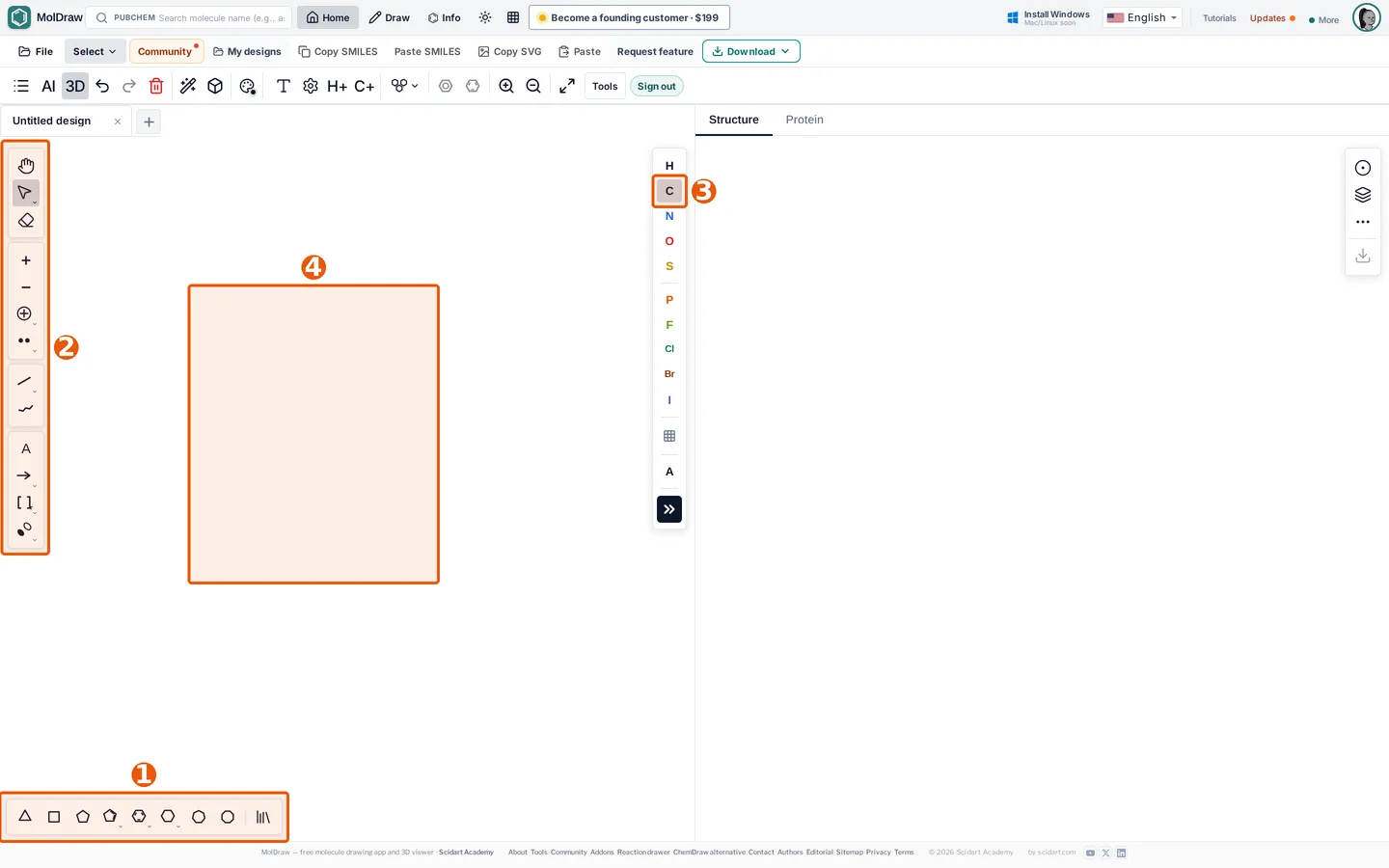
*The main parts of the screen. 1 Ring bar. 2 Left tool rail. 3 Atom palette. 4 Canvas.*
## Step by step
1. **Pick the benzene ring.** In the ring bar at the bottom left, click the benzene button.
[Animation: Click the benzene button.](https://www.moldraw.com/docs/media/step-1-pick-benzene.mp4) (Animation: the pointer clicks the benzene button in the ring bar)
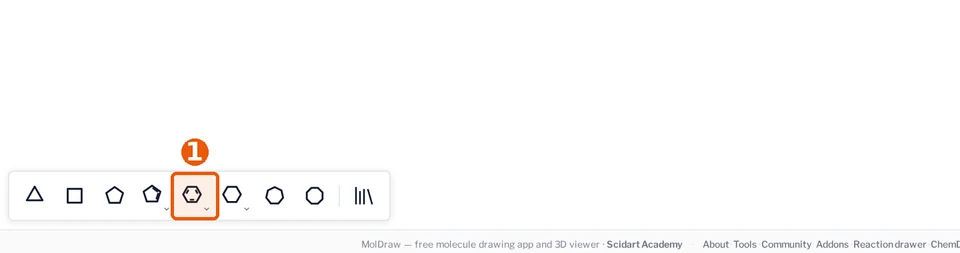
*The benzene button in the ring bar.*
2. **Place the ring.** Click once on an empty part of the canvas. A benzene ring appears where you click.
[Animation: One click places the ring.](https://www.moldraw.com/docs/media/step-2-place-ring.mp4) (Animation: one click on the canvas places a benzene ring)
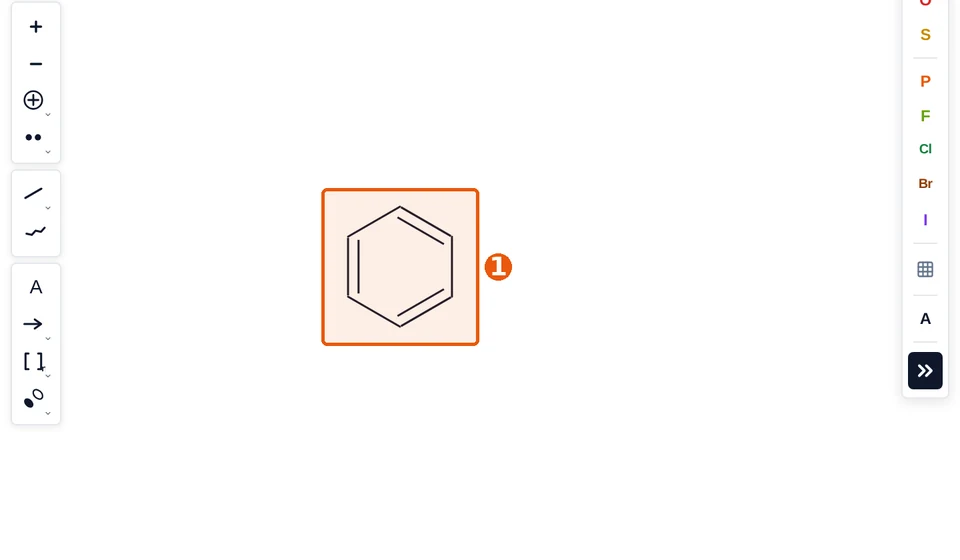
*Your ring on the canvas.*
3. **Add a bond.** Click the single bond tool in the left rail. Then click the top atom of the ring. A new bond grows from that atom.
[Animation: Pick the bond tool, then click the top atom.](https://www.moldraw.com/docs/media/step-3-add-bond.mp4) (Animation: pick the single bond tool, then click the top ring atom to add a bond)
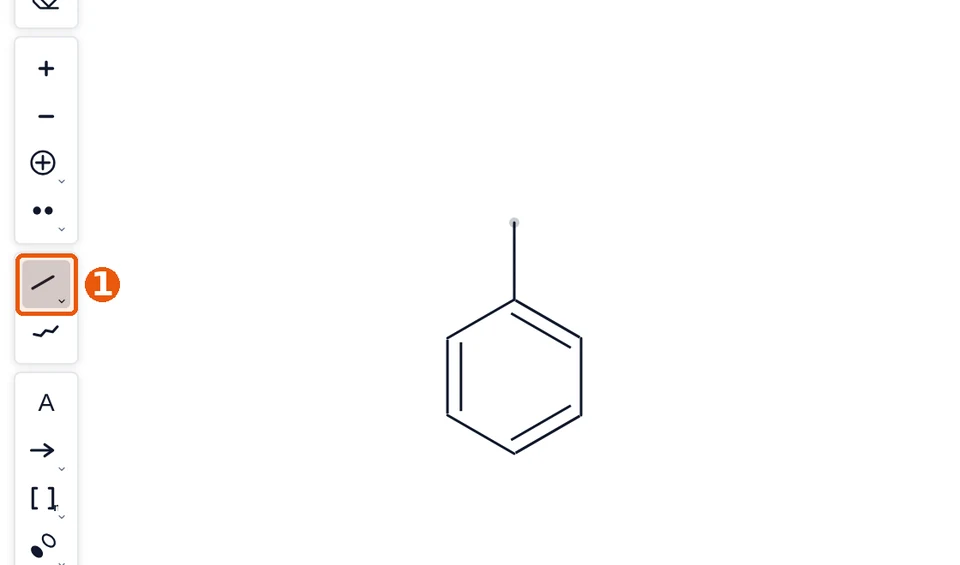
*The single bond tool.*
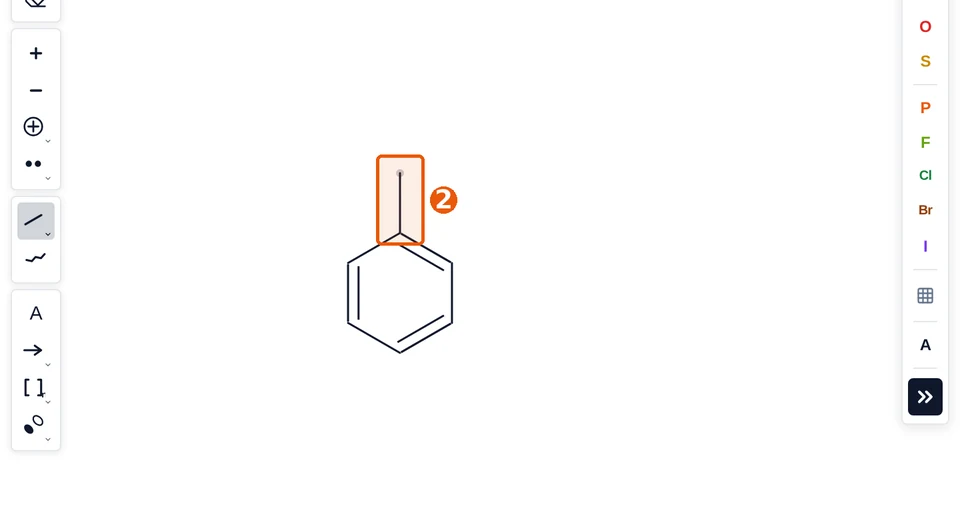
*The new bond, marked 2.*
4. **Make it an oxygen.** Click **O** in the atom palette. Then click the free end of the new bond. The end turns into OH.
[Animation: Pick O, then click the end of the bond.](https://www.moldraw.com/docs/media/step-4-oxygen.mp4) (Animation: pick O in the atom palette, then click the end of the new bond)
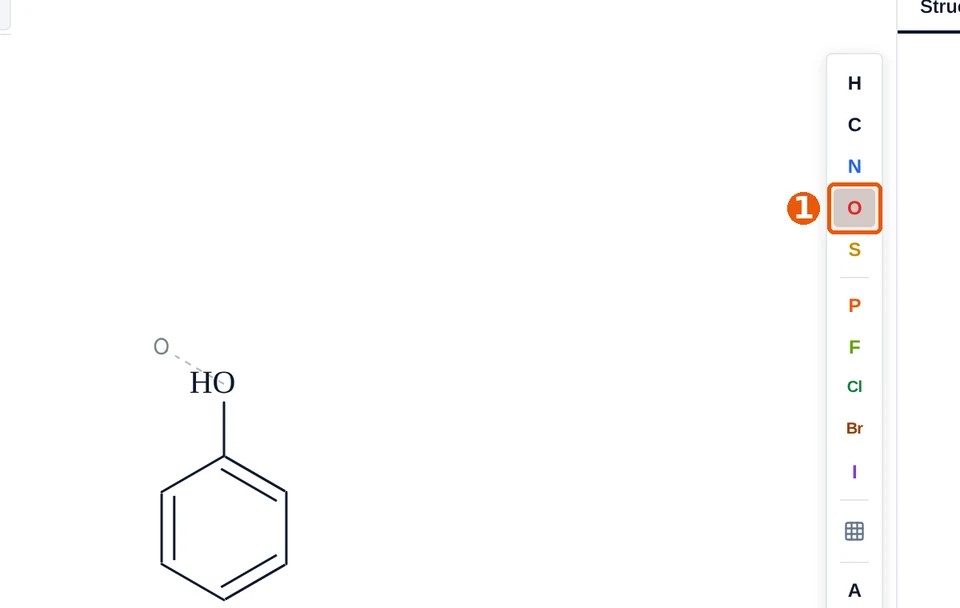
*The O button in the atom palette.*
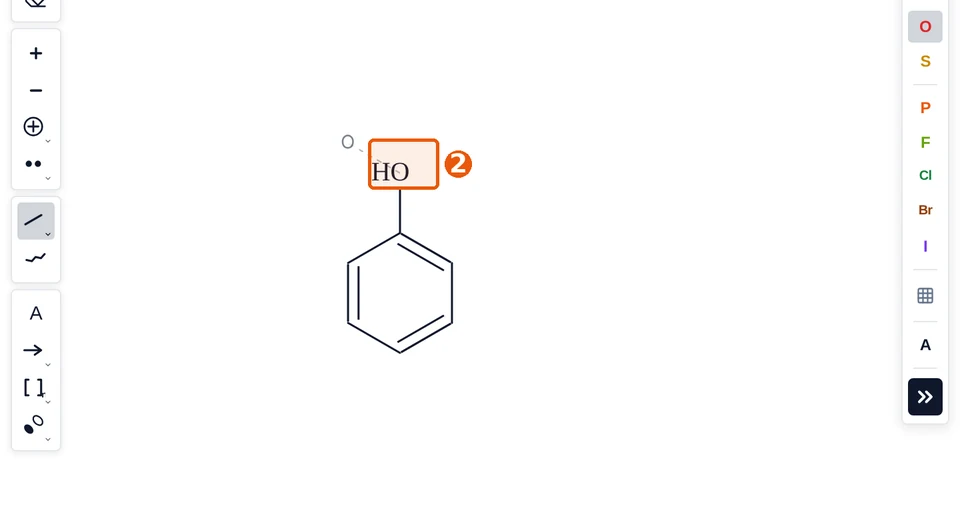
*The OH group is now on the ring.*
5. **Tidy the drawing.** Click **Clean up** in the tools row. MolDraw fixes bond lengths and angles.
[Animation: Click Clean up.](https://www.moldraw.com/docs/media/step-5-clean-up.mp4) (Animation: clicking Clean up tidies the phenol drawing)
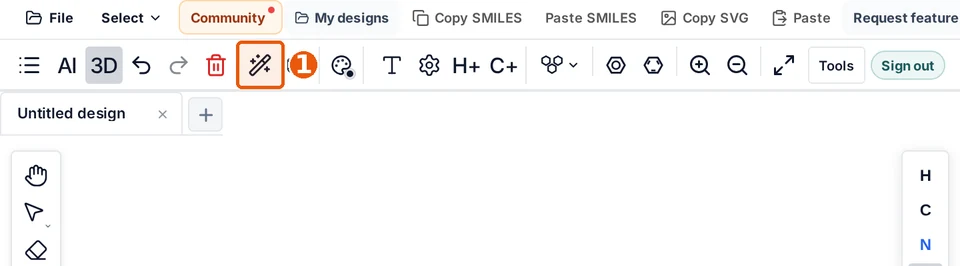
*The Clean up button.*
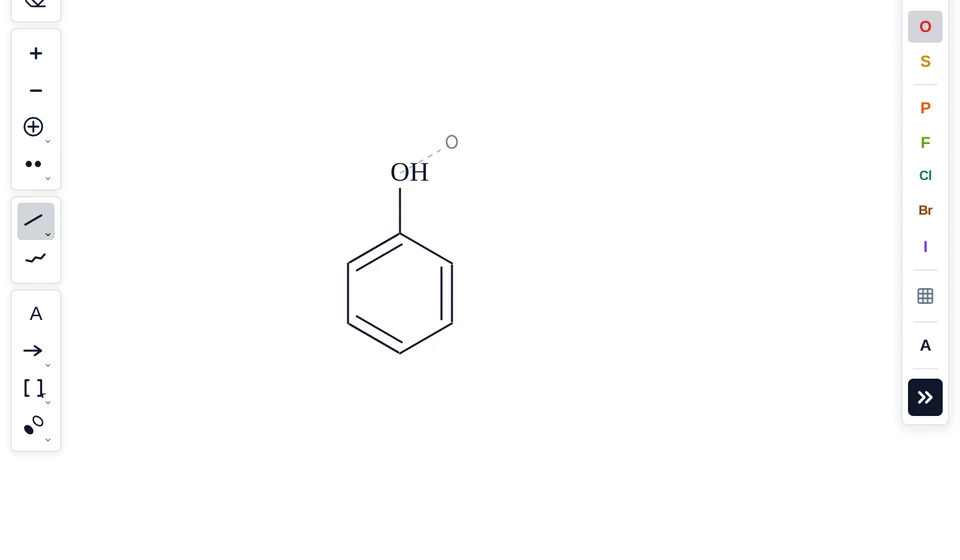
*Phenol after Clean up.*
6. **Check what you drew.** Press `Ctrl+A` to select all. Click **Info** at the top. The panel shows the name, formula and weight.
[Animation: Select all, then click Info.](https://www.moldraw.com/docs/media/step-6-info-panel.mp4) (Animation: select all, click Info, and the molecule details panel opens showing phenol)
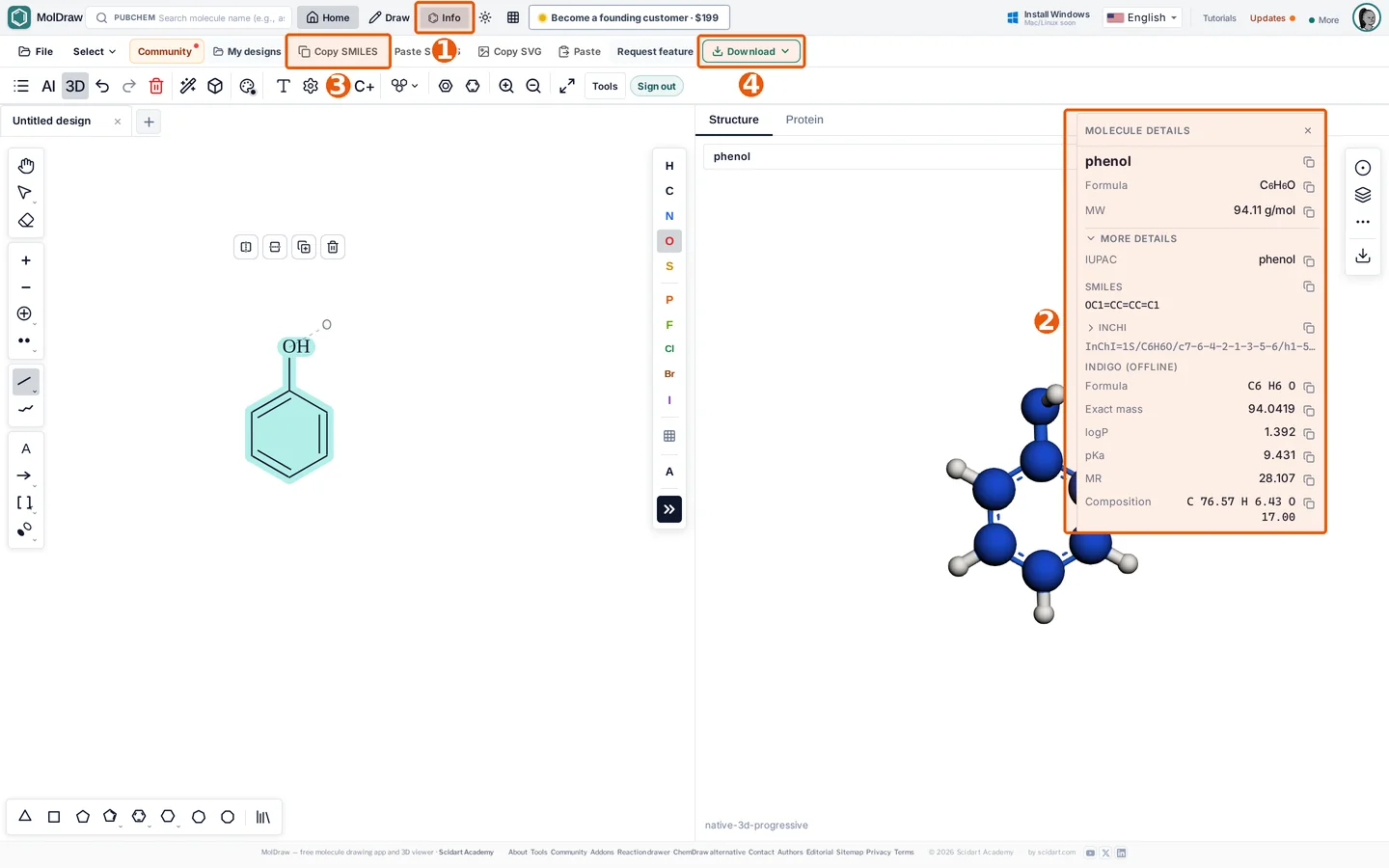
*1 Info. 2 Molecule details. 3 Copy SMILES. 4 Download.*
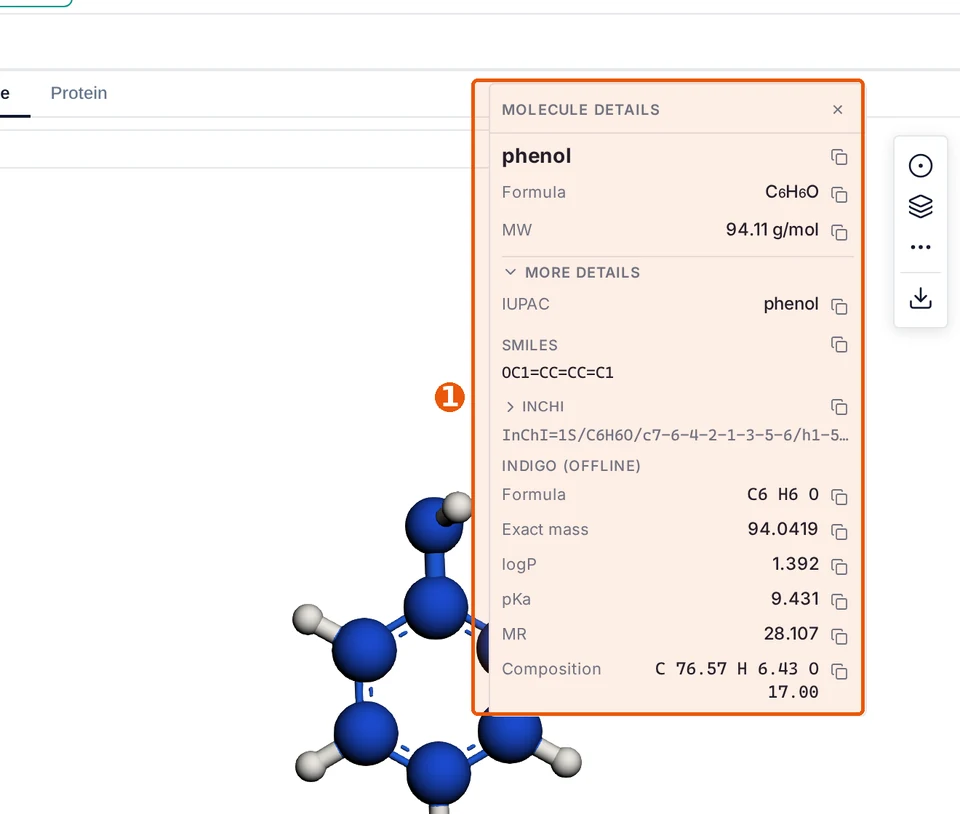
*The details panel for phenol.*
## Save or share your structure
- Your drawing saves in this browser by itself. Find it later in **My designs**.
- Click **Copy SMILES** to copy the structure as text.
- Click **Download** to save a PNG, SVG, PDF or MOL file. See [Download and file formats](https://www.moldraw.com/docs/import-export/how-to-export-png-svg-pdf-mol-and-cdxml-files/).
> **Note:** The 3D panel on the right updates as you draw. Drag it to rotate the molecule. See [3D viewer](https://www.moldraw.com/docs/analyze/how-to-view-molecules-in-3d/).
## Faster ways to do the same thing
- Type a name like *phenol* in the search box at the top. MolDraw draws it for you.
- Paste a SMILES such as `Oc1ccccc1` with **Paste SMILES**.
- With nothing selected, press `O` to set oxygen as the atom to place.
> **Warning:** Clean up moves atoms. If you placed things by hand on purpose, press `Ctrl+Z` to undo it.
## Questions and answers
**How do I draw a benzene ring in MolDraw?**
Click the benzene button in the ring bar at the bottom left. Then click the canvas.
**How do I change a carbon to oxygen?**
Click O in the atom palette, then click the atom. You can also select the atom and type O.
**How do I see the name of my structure?**
Select the molecule and click Info at the top. The panel shows the name, formula and molecular weight.
**Do I need to save?**
No. MolDraw saves your drawing in the browser. Open it again from My designs.
## Practice it
- Interactive lesson: [How to draw a benzene ring and phenol](https://www.moldraw.com/learn/how-to-draw-benzene-ring-and-phenol-structure/)
## Related pages
- [Introduction to MolDraw](https://www.moldraw.com/docs/get-started/what-is-moldraw-free-online-chemical-structure-editor/)
- [The MolDraw screen](https://www.moldraw.com/docs/get-started/moldraw-editor-interface-toolbar-and-panels-explained/)
- [Save and open your work](https://www.moldraw.com/docs/get-started/how-to-save-and-open-chemical-drawings-in-moldraw/)
- [Keyboard shortcuts](https://www.moldraw.com/docs/get-started/moldraw-keyboard-shortcuts-list/)
---
# Save and open your work
> MolDraw saves your drawing in your browser by itself. Open old drawings from My designs. Use File, Save to keep a .moldraw file on your computer.
## Autosave
Every change saves in this browser. You do not need to press save. Your drawings stay on this device.
## Open My designs
1. Click **My designs** at the top left.
2. Click a card to open that drawing.
3. Use folders to group your work.
## Save a file to your computer
1. Click **File**.
2. Click **Save**, or press `Ctrl+S`.
3. MolDraw downloads a `.moldraw` file with everything on the canvas.
## Open a file
Click **File**, then **Open**. You can open MolDraw, MOL, CDX and CDXML files.
> **Warning:** Drawings live in this browser only. If you clear browser data, they are gone. Save a `.moldraw` file for anything important.
Your saved drawings are listed in [My designs and document tabs](https://www.moldraw.com/docs/account/how-to-manage-my-designs-and-document-tabs/), and [privacy and where your drawings are stored](https://www.moldraw.com/docs/devices/privacy-and-where-your-drawings-are-stored/) explains browser storage. To share a structure as a picture or file, see [export to PNG, SVG, PDF, MOL and CDXML](https://www.moldraw.com/docs/import-export/how-to-export-png-svg-pdf-mol-and-cdxml-files/).
## Questions and answers
**Where are my drawings saved?**
In your browser on this device. Open them from My designs.
**Can I open ChemDraw files?**
Yes. Use File, Open for CDX and CDXML files.
**Do I need an account to save?**
No. Local saving works without an account.
## Related pages
- [Introduction to MolDraw](https://www.moldraw.com/docs/get-started/what-is-moldraw-free-online-chemical-structure-editor/)
- [Draw your first structure](https://www.moldraw.com/docs/get-started/how-to-draw-your-first-chemical-structure-in-moldraw/)
- [The MolDraw screen](https://www.moldraw.com/docs/get-started/moldraw-editor-interface-toolbar-and-panels-explained/)
- [Keyboard shortcuts](https://www.moldraw.com/docs/get-started/moldraw-keyboard-shortcuts-list/)
---
# The MolDraw screen
> The screen has a top bar, a tools row, a left tool rail, an atom palette, a ring bar and the canvas. A 3D panel sits on the right.

*1 Ring bar. 2 Left tool rail. 3 Atom palette. 4 Canvas.*
The [glossary of chemical drawing terms](https://www.moldraw.com/docs/get-started/moldraw-glossary-of-chemical-drawing-terms/) explains words such as atom palette, ring bar and wedge bond.
## Top bar
The top bar has **My designs**, the search box, and the **Home**, **Draw** and **Info** tabs. It also has the language menu, Updates and your account.
## Editor row
This row holds **File**, **Select**, **Community**, **Copy SMILES**, **Paste SMILES**, **Copy SVG**, **Paste** and **Download**.
## Ribbons
Home, Draw and Style are ribbons. Only one is open at a time.
- **Home** has Clean up, hydrogens, 3D Clean Up, aromatize and zoom.
- **Draw** has the pencil, shapes, images and glassware.
- **Style** sets font, bond width and the structure look.
## Left tool rail
The rail holds the tools you use most. You get select, erase, charges, lone pairs, bonds, chains, atom labels, arrows, brackets and orbitals. A small arrow under a button opens more choices.
## Atom palette and ring bar
The atom palette next to the canvas has H, C, N, O, S, P, F, Cl, Br and I. The grid button opens the full periodic table. The ring bar at the bottom has rings from three to eight atoms and the Library.
## Canvas and 3D panel
The canvas has no edges. Pan with the hand tool or by holding `Space` and dragging. The 3D panel shows your molecule in 3D. Hide it with the × at its top right or the **3D** button at the bottom of the atom palette.
Every key for these tools is in the [keyboard shortcuts list](https://www.moldraw.com/docs/get-started/moldraw-keyboard-shortcuts-list/), and the [command palette](https://www.moldraw.com/docs/settings/how-to-use-the-command-palette/) runs any command by name. To change how the panels look, see [themes and layouts](https://www.moldraw.com/docs/settings/themes-and-layouts-light-dark-scientific-and-educational/).
## Questions and answers
**How do I hide the 3D panel?**
Click the × at the top right of the 3D panel, or the dark 3D button at the bottom of the atom palette, beside the canvas. Click that 3D button again to bring the panel back.
**Where is the periodic table?**
Click the grid button in the atom palette, under I.
## Practice it
- Interactive lesson: [How to use Community, Dashboard and your profile](https://www.moldraw.com/learn/how-to-use-community-dashboard-and-profile/)
## Related pages
- [Introduction to MolDraw](https://www.moldraw.com/docs/get-started/what-is-moldraw-free-online-chemical-structure-editor/)
- [Draw your first structure](https://www.moldraw.com/docs/get-started/how-to-draw-your-first-chemical-structure-in-moldraw/)
- [Save and open your work](https://www.moldraw.com/docs/get-started/how-to-save-and-open-chemical-drawings-in-moldraw/)
- [Keyboard shortcuts](https://www.moldraw.com/docs/get-started/moldraw-keyboard-shortcuts-list/)
---
# Glossary
> This glossary explains the chemistry and file terms used in MolDraw, from SMILES and InChI to wedge bonds, formal charge and Tanimoto similarity. Each term links to the docs page that shows how to use it.
Terms are in alphabetical order. Each row links to the page that covers the feature. For the chemistry behind a term, the [MolDraw blog](https://www.moldraw.com/blog/) has longer guides, such as [formal charge and hybridization](https://www.moldraw.com/blog/formal-charge-hybridization-guide.html), [stereoisomers](https://www.moldraw.com/blog/stereoisomers-meso-compounds-guide.html) and [arrow pushing](https://www.moldraw.com/blog/arrow-pushing-curly-arrows-guide.html).
| Term | Meaning | Docs page |
|---|---|---|
| **Abbreviation** | A short label, such as Ph, OMe or COOH, that stands for a whole group. MolDraw can expand known labels into full structures. | [Read more](https://www.moldraw.com/docs/drawing/how-to-add-atom-labels-and-r-groups/) |
| **Aromatic ring** | A flat ring with a closed loop of shared electrons, such as benzene. Aromatize shows it with an inner circle. Dearomatize brings back the double bonds. | [Read more](https://www.moldraw.com/docs/drawing/how-to-draw-benzene-cyclohexane-and-fused-rings/) |
| **Atom mapping** | Numbers that link each atom in the reactants to the same atom in the products. Automap adds them for you. | [Read more](https://www.moldraw.com/docs/reactions/how-to-map-atoms-in-a-reaction-with-automap/) |
| **Atomic orbital** | A region where an electron is likely to be, drawn as s, p, d or hybrid lobes. | [Read more](https://www.moldraw.com/docs/drawing/how-to-draw-atomic-orbitals-s-p-and-d/) |
| **Ball and stick** | A style that draws atoms as colored balls and bonds as sticks. MolDraw has it in 2D and in the 3D viewer. | [Read more](https://www.moldraw.com/docs/plugins/themes-plugin-ball-and-stick-2d-style/) |
| **Bond angle snap** | The angle step new bonds snap to while you draw. 30 degrees suits ACS style and 15 degrees suits RSC style. | [Read more](https://www.moldraw.com/docs/settings/moldraw-settings-reference/) |
| **CAS number** | A unique registry number for a substance, such as 50-78-2 for aspirin. Type it in the search box to draw the structure. | [Read more](https://www.moldraw.com/docs/import-export/how-to-search-pubchem-by-name-or-cas-number/) |
| **CDXML** | The XML file format of ChemDraw. MolDraw opens and saves it, and also opens binary CDX files. | [Read more](https://www.moldraw.com/docs/import-export/how-to-export-png-svg-pdf-mol-and-cdxml-files/) |
| **chemfig** | A LaTeX package that draws structures from text code. MolDraw exports chemfig code for papers and theses. | [Read more](https://www.moldraw.com/docs/import-export/how-to-export-chemfig-latex-and-paste-chemfig/) |
| **CIP rules** | The Cahn, Ingold and Prelog priority rules. They decide whether a stereocenter is R or S and a double bond is E or Z. | [Read more](https://www.moldraw.com/docs/drawing/how-to-draw-stereochemistry-wedge-hash-and-r-s-labels/) |
| **Clean up** | An action that tidies a drawing: even bond lengths, standard angles and neat rings. | [Read more](https://www.moldraw.com/docs/drawing/how-to-clean-up-2d-and-3d-structure-drawings/) |
| **CML** | Chemical Markup Language, an XML format for molecules. It is one of the download formats. | [Read more](https://www.moldraw.com/docs/import-export/how-to-export-png-svg-pdf-mol-and-cdxml-files/) |
| **Command palette** | A search box for every editor command. Press Ctrl+K or Cmd+K to open it. | [Read more](https://www.moldraw.com/docs/settings/how-to-use-the-command-palette/) |
| **Curved arrow** | An arrow that shows a pair of electrons moving in a mechanism, from a lone pair or bond to an atom or bond. | [Read more](https://www.moldraw.com/docs/reactions/how-to-draw-curved-arrow-mechanisms-and-fishhook-arrows/) |
| **Dative bond** | A bond where both electrons come from one atom, common in metal complexes. It is drawn as an arrow from donor to acceptor. | [Read more](https://www.moldraw.com/docs/drawing/special-bond-types-dative-hydrogen-bold-wavy-and-query/) |
| **E/Z** | Labels for the geometry of a double bond. Z means the higher priority groups are on the same side. E means opposite sides. | [Read more](https://www.moldraw.com/docs/drawing/how-to-draw-stereochemistry-wedge-hash-and-r-s-labels/) |
| **Equilibrium arrow** | A pair of half arrows pointing both ways. It shows a reaction that runs in both directions. | [Read more](https://www.moldraw.com/docs/reactions/how-to-draw-reaction-arrows-with-reagents/) |
| **Exact mass** | The mass of a molecule made of the most common isotope of each element. Mass spectrometry uses it. | [Read more](https://www.moldraw.com/docs/analyze/how-to-find-iupac-name-molecular-formula-and-weight/) |
| **Explicit hydrogen** | A hydrogen drawn as its own atom with a bond. Add H adds them to the selected atoms. | [Read more](https://www.moldraw.com/docs/drawing/how-to-draw-atoms-and-change-elements/) |
| **Fishhook arrow** | A curved arrow with a half head. It shows one electron moving, as in radical reactions. | [Read more](https://www.moldraw.com/docs/reactions/how-to-draw-curved-arrow-mechanisms-and-fishhook-arrows/) |
| **Formal charge** | The charge on one atom, found by comparing its valence electrons with the electrons it owns in the drawing. It shows as a plus or minus next to the atom. | [Read more](https://www.moldraw.com/docs/drawing/how-to-add-lone-pairs-radicals-and-formal-charges/) |
| **Hash bond** | A bond drawn as short lines that widen toward one end. It points away from the viewer, behind the page. | [Read more](https://www.moldraw.com/docs/drawing/how-to-draw-stereochemistry-wedge-hash-and-r-s-labels/) |
| **Implicit hydrogen** | A hydrogen that is not drawn but is understood from the atom valence. Skeletal formulas leave C to H bonds implicit. | [Read more](https://www.moldraw.com/docs/settings/moldraw-settings-reference/) |
| **InChI** | The IUPAC International Chemical Identifier, a text string that describes a structure in a standard way. | [Read more](https://www.moldraw.com/docs/import-export/how-to-copy-and-paste-smiles-inchi-and-mol/) |
| **IUPAC name** | The systematic name of a compound under IUPAC rules. Info looks it up for the selected structure. | [Read more](https://www.moldraw.com/docs/analyze/how-to-find-iupac-name-molecular-formula-and-weight/) |
| **Lewis structure** | A drawing that shows every atom, every bond and every lone pair. Structure display can switch the canvas to it. | [Read more](https://www.moldraw.com/docs/teaching/how-to-show-lewis-structures/) |
| **logP** | The log of how a compound splits between octanol and water. Higher values mean the compound prefers fat over water. | [Read more](https://www.moldraw.com/docs/analyze/how-to-find-iupac-name-molecular-formula-and-weight/) |
| **Lone pair** | Two valence electrons on one atom that are not in a bond. They are drawn as two dots or a short bar. | [Read more](https://www.moldraw.com/docs/drawing/how-to-add-lone-pairs-radicals-and-formal-charges/) |
| **MEP** | Molecular electrostatic potential. A colored surface shows where a molecule is electron rich (red) or electron poor (blue). | [Read more](https://www.moldraw.com/docs/plugins/mep-plugin-molecular-electrostatic-potential-surface/) |
| **Microspecies** | One protonation form of a molecule. Which forms exist depends on the pH. | [Read more](https://www.moldraw.com/docs/plugins/pka-plugin-microspecies-protonation-states-at-any-ph/) |
| **MOL file** | The MDL Molfile, a text format with atom coordinates and bonds. Most chemistry programs read it. | [Read more](https://www.moldraw.com/docs/import-export/how-to-export-png-svg-pdf-mol-and-cdxml-files/) |
| **.moldraw file** | The MolDraw design file. It keeps everything on the canvas, so you can open it and keep editing. | [Read more](https://www.moldraw.com/docs/get-started/how-to-save-and-open-chemical-drawings-in-moldraw/) |
| **Molecular formula** | The count of each element in a molecule, such as C9H8O4. It shows in Info and the status bar. | [Read more](https://www.moldraw.com/docs/analyze/how-to-find-iupac-name-molecular-formula-and-weight/) |
| **Molecular weight** | The mass of one mole of a compound in g/mol, from average atomic masses. MW in the status bar. | [Read more](https://www.moldraw.com/docs/analyze/how-to-find-iupac-name-molecular-formula-and-weight/) |
| **PDB** | The Protein Data Bank. It stores 3D structures of proteins and nucleic acids by a four character ID. | [Read more](https://www.moldraw.com/docs/plugins/protein-viewer-plugin-view-pdb-structures-in-3d/) |
| **Point group** | The set of symmetry operations a molecule has, such as C2v for water. | [Read more](https://www.moldraw.com/docs/plugins/symmetry-plugin-point-group-finder-3d-symmetry-operations/) |
| **R group** | A placeholder, such as R or R1, for any group at that position. It is used for general structures and series. | [Read more](https://www.moldraw.com/docs/drawing/how-to-add-atom-labels-and-r-groups/) |
| **Radical** | An atom with one unpaired electron, drawn as a single dot. | [Read more](https://www.moldraw.com/docs/drawing/how-to-add-lone-pairs-radicals-and-formal-charges/) |
| **Repeat unit** | The part of a polymer that repeats, drawn in brackets with n. | [Read more](https://www.moldraw.com/docs/drawing/how-to-draw-polymer-repeat-unit-brackets/) |
| **Resonance arrow** | A double headed arrow between two drawings of the same molecule. It shows resonance forms, not a reaction. | [Read more](https://www.moldraw.com/docs/reactions/how-to-draw-reaction-arrows-with-reagents/) |
| **Retrosynthetic arrow** | An open arrow that points from a target back to simpler starting materials. | [Read more](https://www.moldraw.com/docs/reactions/how-to-draw-reaction-arrows-with-reagents/) |
| **Ring fusion** | Two rings that share a bond, as in naphthalene. Click a ring bond with a ring tool to fuse a new ring. | [Read more](https://www.moldraw.com/docs/drawing/how-to-draw-benzene-cyclohexane-and-fused-rings/) |
| **RXN file** | The MDL reaction file. It stores reactants and products of one reaction. | [Read more](https://www.moldraw.com/docs/reactions/how-to-make-a-chemical-reaction-scheme/) |
| **SDF** | Structure data file. It holds one or many molecules, each with optional data fields. | [Read more](https://www.moldraw.com/docs/import-export/how-to-export-png-svg-pdf-mol-and-cdxml-files/) |
| **Skeletal formula** | The usual organic drawing. Carbons sit at line ends and corners, and their hydrogens are not drawn. | [Read more](https://www.moldraw.com/docs/teaching/how-to-show-lewis-structures/) |
| **SMARTS** | A pattern language based on SMILES for searching substructures. It is one of the download formats. | [Read more](https://www.moldraw.com/docs/import-export/how-to-export-png-svg-pdf-mol-and-cdxml-files/) |
| **SMILES** | A one line text code for a structure, such as CCO for ethanol. Copy SMILES and Paste SMILES use it. | [Read more](https://www.moldraw.com/docs/import-export/how-to-copy-and-paste-smiles-inchi-and-mol/) |
| **Stereocenter** | An atom where swapping two groups gives a different stereoisomer. Most are carbons with four different groups. | [Read more](https://www.moldraw.com/docs/drawing/how-to-draw-stereochemistry-wedge-hash-and-r-s-labels/) |
| **Stoichiometry table** | A table of equivalents, moles and masses for each reagent in a reaction. | [Read more](https://www.moldraw.com/docs/reactions/how-to-use-the-reaction-stoichiometry-table/) |
| **Tanimoto similarity** | A score from 0 to 1 that compares two molecules by their fingerprints. 1 means the fingerprints match. | [Read more](https://www.moldraw.com/docs/plugins/compare-molecules-plugin-tanimoto-similarity/) |
| **Valence error** | An atom with more bonds than it can have, such as a carbon with five bonds. Show errors marks it with an amber dot. | [Read more](https://www.moldraw.com/docs/analyze/how-to-check-a-structure-for-valence-errors/) |
| **Wavy bond** | A bond drawn as a wave. It means the stereochemistry at that position is unknown or mixed. | [Read more](https://www.moldraw.com/docs/drawing/special-bond-types-dative-hydrogen-bold-wavy-and-query/) |
| **Wedge bond** | A solid bond that widens toward one end. It points toward the viewer, out of the page. | [Read more](https://www.moldraw.com/docs/drawing/how-to-draw-stereochemistry-wedge-hash-and-r-s-labels/) |
## Tips
- To try a term, open the [editor](https://www.moldraw.com/) and draw it. For example, draw a stereocenter and turn on **R/S and E/Z labels** in [Settings](https://www.moldraw.com/docs/settings/moldraw-settings-reference/).
- For SMILES rules, see the [SMILES notation guide](https://www.moldraw.com/tools/free-chem-tools/smiles-notation-guide.html).
- For Tanimoto scores in more depth, read the [similarity guide](https://www.moldraw.com/blog/tanimoto-similarity-substructure-search-guide.html).
## Questions and answers
**What is the difference between SMILES and InChI?**
Both are one line text codes for a structure. SMILES is short and easy to type. InChI is a standard identifier that gives one string per compound.
**What is the difference between a wedge and a hash bond?**
A wedge points toward you, out of the page. A hash points away from you, behind the page.
**What is a skeletal formula?**
A drawing where carbons sit at line ends and corners and their hydrogens are not drawn. It is the usual way to draw organic molecules.
**What does an R group mean in a structure?**
R is a placeholder for any group at that position. R1, R2 and so on mark different positions.
## Related pages
- [The MolDraw screen](https://www.moldraw.com/docs/get-started/moldraw-editor-interface-toolbar-and-panels-explained/)
- [Download and file formats](https://www.moldraw.com/docs/import-export/how-to-export-png-svg-pdf-mol-and-cdxml-files/)
- [Stereochemistry](https://www.moldraw.com/docs/drawing/how-to-draw-stereochemistry-wedge-hash-and-r-s-labels/)
- [Introduction to MolDraw](https://www.moldraw.com/docs/get-started/what-is-moldraw-free-online-chemical-structure-editor/)
---
# Keyboard shortcuts
> Press ? in the editor to see every shortcut. The most used are Ctrl+Z to undo, Ctrl+C to copy, 1, 2 and 3 for bond types, and letters like O or N to pick an element.
On a Mac, use ⌘ where this page says Ctrl. Change any shortcut in **Settings**, **Shortcuts**.
## Editing
| Action | Keys |
|---|---|
| Cancel edit / clear selection / close menus | `Esc` |
| Erase selected object | `Delete` or `Backspace` |
| Undo | `Ctrl` `Z` |
| Redo | `Ctrl` `Y` or `Ctrl` `Shift` `Z` |
| Select all | `Ctrl` `A` |
| Copy fragment | `Ctrl` `C` |
| Paste fragment | `Ctrl` `V` |
| Save entire canvas (.moldraw) | `Ctrl` `S` |
## Selection (Select menu)
| Action | Keys |
|---|---|
| Deselect | `Ctrl` `Shift` `A` |
| Invert selection | `Ctrl` `Shift` `I` |
| Select connected | `Ctrl` `Shift` `C` |
| Grow selection | `Ctrl` `Shift` `G` |
| Same as selection | `Ctrl` `Shift` `S` |
| Select all rings | `Ctrl` `Shift` `R` |
| Select heteroatoms | `Ctrl` `Shift` `H` |
| Chain atoms | `Alt` `Shift` `C` |
| Longest path | `Alt` `Shift` `L` |
| Side chains | `Alt` `Shift` `S` |
| All 5-rings | `Alt` `Shift` `5` |
| All 6-rings | `Alt` `Shift` `6` |
| Aromatic atoms | `Alt` `Shift` `A` |
| Charged atoms | `Alt` `Shift` `Q` |
| Wedge / dash atoms | `Alt` `Shift` `W` |
| CIP R / S centers | `Alt` `Shift` `R` |
| Aliases / R-groups | `Alt` `Shift` `G` |
| Bonds in selection | `Alt` `Shift` `B` |
| All bonds | `Ctrl` `Alt` `B` |
| Select tool | `V` |
| Lasso select tool | `L` |
## Navigation
| Action | Keys |
|---|---|
| Pan canvas (hand tool) | `Hand` drag |
| Temporary pan (hold, then drag) | `Space` drag |
| Pan | `Middle-click` drag |
| Pan vertically | `Scroll` `wheel` |
| Pan horizontally | `Shift` `Scroll` |
| Zoom toward pointer | `Ctrl` `Scroll` or `⌘` `Scroll` |
| Zoom in | `Ctrl` `=` or `Ctrl` `+` |
| Zoom out | `Ctrl` `-` |
| Reset zoom (100%) | `Ctrl` `1` |
| Fit all objects | `Ctrl` `0` |
| Pinch zoom | `Two-finger` `pinch` |
| Two-finger pan | `Two-finger` drag |
| Touch pan on empty canvas | `Touch` drag |
## Tools
| Action | Keys |
|---|---|
| Single bond | `1` |
| Double bond | `2` |
| Triple bond | `3` |
| Benzene ring | `B` |
| Select tool | `V` |
| Lasso select tool | `L` |
| Open this shortcuts panel | `?` or `Shift` `/` |
## Atom labels (placement element when no atom selected)
| Action | Keys |
|---|---|
| Carbon | `C` |
| Nitrogen | `N` |
| Oxygen | `O` |
| Sulfur | `S` |
| Phosphorus | `P` |
| Fluorine | `F` |
| Hydrogen | `H` |
| Chlorine | `Shift` `C` |
| Bromine | `Shift` `B` |
| Iodine | `I` |
## Type-to-rename (one atom selected)
| Action | Keys |
|---|---|
| Open inline label editor seeded with letter | `A` `to` `Z` |
| Multi-char symbols (Cl, Si, Br): keep typing | `C` `+` `l` |
| Abbreviations (Me, Et, Ph, Boc, OMe, NH2, …) | `type` `group` |
| Accept suggestion | `Tab` or `Enter` |
| Commit current text | `Enter` |
| Cancel | `Esc` |
| Quick rename (select tool) | `Double-click` `atom` |
## 3D Structure Perspective
| Action | Keys |
|---|---|
| 3D Clean Up (canvas pose: then drag to rotate) | `Ctrl` `Shift` `D` or `⌘` `Shift` `D` |
| Perspective tool / toggle depth shading | `Alt` `D` |
## Modifiers & canvas
| Action | Keys |
|---|---|
| Select entire connected molecule (atom or bond) | `Ctrl` click or `⌘` click |
| Add / toggle atom or bond in selection | `Shift` click |
| Esc priority: alias editor → deselect text → deselect arrow → clear atoms → close menu → select tool | `Esc` |
| Select tool on empty canvas: drag rectangle (marquee); Shift+drag adds to the selection | `Shift` drag |
| Rebind shortcuts in Settings → Shortcuts | `Settings` |
| Undo / redo / copy / paste use Ctrl on Windows/Linux or ⌘ on macOS | `Ctrl` |
> **Tip:** Shortcuts do not fire while you type in a text box or label.
To draw even faster, use [hover shortcuts on atoms and bonds](https://www.moldraw.com/docs/drawing/how-to-draw-faster-with-hover-shortcuts/) and the [command palette](https://www.moldraw.com/docs/settings/how-to-use-the-command-palette/). The Shortcuts section and every other option are listed in the [MolDraw settings reference](https://www.moldraw.com/docs/settings/moldraw-settings-reference/).
## Questions and answers
**How do I see all shortcuts in the app?**
Press ? in the editor.
**Can I change shortcuts?**
Yes. Open Settings, then Shortcuts.
## Practice it
- Interactive lesson: [How to use keyboard shortcuts to draw faster](https://www.moldraw.com/learn/how-to-use-keyboard-shortcuts-to-draw-faster/)
## Related pages
- [Introduction to MolDraw](https://www.moldraw.com/docs/get-started/what-is-moldraw-free-online-chemical-structure-editor/)
- [Draw your first structure](https://www.moldraw.com/docs/get-started/how-to-draw-your-first-chemical-structure-in-moldraw/)
- [The MolDraw screen](https://www.moldraw.com/docs/get-started/moldraw-editor-interface-toolbar-and-panels-explained/)
- [Save and open your work](https://www.moldraw.com/docs/get-started/how-to-save-and-open-chemical-drawings-in-moldraw/)
---
# Introduction to MolDraw
> MolDraw is a free chemical structure editor that runs in your browser. You can draw molecules and reactions, view them in 3D, and export figures for papers and slides.
## What you can do with MolDraw
- Draw molecules, rings and reactions on an open canvas.
- Turn a name, SMILES or CAS number into a structure.
- See the formula, weight and name of what you draw.
- Rotate your molecule in 3D.
- Export PNG, SVG, PDF, MOL, CDXML and more.
- Add plugins for NMR, ChEMBL data and more.
## Do you need an account
You do not need an account to draw. Your work saves in your browser. Sign in when you want plugins, Community posts or cloud features.
## Where to start
1. Open the [MolDraw editor](https://www.moldraw.com/).
2. Follow [Draw your first structure](https://www.moldraw.com/docs/get-started/how-to-draw-your-first-chemical-structure-in-moldraw/).
3. Learn the [keyboard shortcuts](https://www.moldraw.com/docs/get-started/moldraw-keyboard-shortcuts-list/) to work faster.
> **Tip:** Every page has a short answer at the top. Read that first if you are in a hurry.
## Questions and answers
**Is MolDraw free?**
Yes. Drawing, 3D viewing and exports are free. You only need a free account for plugins and Community.
**Does MolDraw work offline?**
The editor runs in your browser. Drawing and saving work without a server. Name lookup, PubChem and AI need the internet.
**Which browsers work?**
Use a recent Chrome, Edge, Firefox or Safari. Phones and tablets work too.
## Related pages
- [Draw your first structure](https://www.moldraw.com/docs/get-started/how-to-draw-your-first-chemical-structure-in-moldraw/)
- [The MolDraw screen](https://www.moldraw.com/docs/get-started/moldraw-editor-interface-toolbar-and-panels-explained/)
- [Save and open your work](https://www.moldraw.com/docs/get-started/how-to-save-and-open-chemical-drawings-in-moldraw/)
- [Keyboard shortcuts](https://www.moldraw.com/docs/get-started/moldraw-keyboard-shortcuts-list/)
---
# Atom labels and R-groups
> Pick the atom label tool (A) and click an atom. Type a label like Ph, COOH or R1. MolDraw can expand known labels into full structures.
1. Click the **Atom label** tool in the left rail.
2. Click an atom.
3. Type a label, such as `Ph`, `COOH`, `Boc` or `R1`.
4. Press `Enter`.
## Expand or collapse a label
Right click a label. Pick **Show as Full Structure** to show every atom. Pick **Collapse to** and the group name to go back to the short label.
> **Tip:** Labels MolDraw does not know stay as text. They still show on your figure.
Short groups such as Me, Et and Ph are covered in [carbon chains and functional group abbreviations](https://www.moldraw.com/docs/drawing/how-to-draw-carbon-chains-and-functional-group-abbreviations/). To change label fonts and colors, see [structure style, colors and display](https://www.moldraw.com/docs/drawing/how-to-change-structure-style-colors-and-display/), and check the expanded structure with [IUPAC name, formula and weight](https://www.moldraw.com/docs/analyze/how-to-find-iupac-name-molecular-formula-and-weight/).
## Questions and answers
**How do I add an R group?**
Use the atom label tool, click an atom and type R, R1 or R2.
## Practice it
- Interactive lesson: [How to use R groups and labels like Ph and COOH](https://www.moldraw.com/learn/how-to-use-r-groups-and-atom-labels-like-ph-and-cooh/)
## Related pages
- [Draw atoms](https://www.moldraw.com/docs/drawing/how-to-draw-atoms-and-change-elements/)
- [Draw bonds](https://www.moldraw.com/docs/drawing/how-to-draw-single-double-triple-and-wedge-bonds/)
- [Rings and structures](https://www.moldraw.com/docs/drawing/how-to-draw-benzene-cyclohexane-and-fused-rings/)
- [Stereochemistry](https://www.moldraw.com/docs/drawing/how-to-draw-stereochemistry-wedge-hash-and-r-s-labels/)
---
# Lone pairs, radicals and charges
> Pick the lone pair tool and click an atom to add a pair of dots. Use the radical tool for one dot. Charge tools add plus and minus marks you can drag around the atom.
1. Click the **Lone pair** tool in the left rail.
2. Click an atom. A pair of dots appears.
3. Drag the dots around the atom to a free side.
4. For a radical, open the small arrow and pick the radical tool.
## Charges
Use **+** and **−** in the rail. Click again for +2 or −2. The rail also has circled charges and δ+ and δ−.
## When to show lone pairs
Show lone pairs when you draw mechanisms. A curved arrow should start at a lone pair or a bond. Oxygen in water has two pairs. Nitrogen in ammonia has one.
> **Tip:** Check that charges match electrons. Oxygen with three bonds and one lone pair is +1.
Lone pairs are the start points for [curved arrow mechanisms and fishhook arrows](https://www.moldraw.com/docs/reactions/how-to-draw-curved-arrow-mechanisms-and-fishhook-arrows/). To show every electron pair at once, use [Lewis structures](https://www.moldraw.com/docs/teaching/how-to-show-lewis-structures/), and run the [valence error check](https://www.moldraw.com/docs/analyze/how-to-check-a-structure-for-valence-errors/) to catch atoms with too many bonds.
## Questions and answers
**How do I add a lone pair in MolDraw?**
Pick the Lone pair tool in the left rail and click the atom. Drag the dots to move them.
**How do I add a radical?**
Open the small arrow under the lone pair tool, pick the radical, and click the atom.
## Practice it
- Interactive lesson: [How to draw lone pairs and radicals](https://www.moldraw.com/learn/how-to-draw-lone-pairs-and-radicals-on-atoms/)
## Related pages
- [Draw atoms](https://www.moldraw.com/docs/drawing/how-to-draw-atoms-and-change-elements/)
- [Draw bonds](https://www.moldraw.com/docs/drawing/how-to-draw-single-double-triple-and-wedge-bonds/)
- [Rings and structures](https://www.moldraw.com/docs/drawing/how-to-draw-benzene-cyclohexane-and-fused-rings/)
- [Atom labels and R-groups](https://www.moldraw.com/docs/drawing/how-to-add-atom-labels-and-r-groups/)
---
# Text, shapes and images
> Open the Draw ribbon to add text, shapes, images and glassware. Click the canvas to place them and drag to move.
## Add text
1. Click the **Text** button (T) in the tools row.
2. Click empty canvas and type.
3. Press `Esc` when you are done.
## Shapes, images and glassware
- **Shapes** gives arrows, boxes and outlines.
- **Image** adds PNG, JPEG, WebP, GIF or SVG files.
- **Glassware** adds lab apparatus as clean line drawings. Choose **Premium** in the apparatus library or in **Color and style** for soft 3D shading.
- Drag the small grip on the liquid surface to set the level. Turn a vessel with its rotate handle and the liquid stays level. Tip it past the lip and it pours into any vessel below.
For full setups, see [drawing lab apparatus, glassware and tubing](https://www.moldraw.com/docs/drawing/how-to-draw-lab-apparatus-glassware-and-tubing/) and the [lab apparatus library](https://www.moldraw.com/docs/library/how-to-use-the-lab-apparatus-library/). To line up text, shapes and structures, use [select, move, copy and align](https://www.moldraw.com/docs/drawing/how-to-select-move-copy-and-align-structures/).
## Questions and answers
**Can I add lab glassware to my figure?**
Yes. Open the Draw ribbon and click Glassware.
## Practice it
- Interactive lesson: [How to add text and shapes to a drawing](https://www.moldraw.com/learn/how-to-add-text-and-shapes-to-a-chemical-drawing/)
- Interactive lesson: [How to draw lab apparatus and glassware](https://www.moldraw.com/learn/how-to-draw-lab-apparatus-and-glassware/)
## Related pages
- [Draw atoms](https://www.moldraw.com/docs/drawing/how-to-draw-atoms-and-change-elements/)
- [Draw bonds](https://www.moldraw.com/docs/drawing/how-to-draw-single-double-triple-and-wedge-bonds/)
- [Rings and structures](https://www.moldraw.com/docs/drawing/how-to-draw-benzene-cyclohexane-and-fused-rings/)
- [Atom labels and R-groups](https://www.moldraw.com/docs/drawing/how-to-add-atom-labels-and-r-groups/)
---
# Style and display
> Open Color and style to change colors, font, bond width and the structure look. Settings control hydrogens, labels, grid and snap.
1. Select what you want to change, or nothing for the whole drawing.
2. Click **Color and style** in the tools row.
3. Pick colors, label style or the **Look**, such as Ball and stick.
## Settings
Click **Settings** (gear). You can change implicit hydrogens, colored atom labels, grid and snap. You can also save style presets.
> **Tip:** For ACS style in a paper, pick a style preset in Settings, then export SVG.
For journal styles and DPI, see [publication-ready figures](https://www.moldraw.com/docs/import-export/how-to-make-publication-ready-figures-dpi-size-and-journal-styles/), and get a 2D ball-and-stick look from the [Themes plugin](https://www.moldraw.com/docs/plugins/themes-plugin-ball-and-stick-2d-style/). The app itself switches to a dark theme or the Educational layout in [themes and layouts](https://www.moldraw.com/docs/settings/themes-and-layouts-light-dark-scientific-and-educational/).
## Questions and answers
**How do I color an atom?**
Select it, open Color and style, and pick a color.
## Practice it
- Interactive lesson: [How to change atom colours and colour a structure](https://www.moldraw.com/learn/how-to-change-atom-colours-and-colour-structures-in-moldraw/)
- Interactive lesson: [How to change font size and atom label style](https://www.moldraw.com/learn/how-to-change-font-size-and-atom-label-style-in-chemical-drawings/)
## Related pages
- [Draw atoms](https://www.moldraw.com/docs/drawing/how-to-draw-atoms-and-change-elements/)
- [Draw bonds](https://www.moldraw.com/docs/drawing/how-to-draw-single-double-triple-and-wedge-bonds/)
- [Rings and structures](https://www.moldraw.com/docs/drawing/how-to-draw-benzene-cyclohexane-and-fused-rings/)
- [Atom labels and R-groups](https://www.moldraw.com/docs/drawing/how-to-add-atom-labels-and-r-groups/)
---
# Clean up 2D and 3D
> Click Cleanup structure (the magic wand on the Home tab) to even out bond lengths and angles. Select part of the drawing first to clean only those molecules. Press Shift+Ctrl+D for 3D Clean Up, which shows the molecule in 3D perspective on the canvas.
1. Select a molecule if you want to clean only that one. With nothing selected, the whole drawing is cleaned.
2. Open the **Home** tab and click **Cleanup structure** (magic wand icon) in the **Cleanup** group.
3. Check the result. Press `Ctrl+Z` if you want the old layout back.
## Where to find it
| Action | Where |
| --- | --- |
| 2D clean up | **Home** tab, **Cleanup structure** button. On a phone the tile is **Clean up**. |
| 3D Clean Up | **3D clean up** button next to it, or `Shift+Ctrl+D` (`⌘+Shift+D` on a Mac). The phone tile is **3D clean**. |
| Both | The [command palette](https://www.moldraw.com/docs/settings/how-to-use-the-command-palette/) (`Ctrl+K`): type "clean". |
2D clean up has no keyboard shortcut. Use the button or the command palette.
## What 2D clean up changes
- Bond lengths become equal. It uses the bond length from **Settings**, **Bonds**.
- Bond angles and ring shapes are tidied. Fused rings get regular shapes.
- Only atom positions change. Atoms, bonds, charges, labels, lone pairs and colours stay the same.
- Each molecule stays where it was and keeps its heading. Clean up does not mirror a molecule, so wedges keep their meaning.
- Chair and boat rings keep their shape.
- Lone pairs move into the free gaps between bonds. Their dot or line style stays.
- Arrows, text and shapes do not move. A reaction scheme stays in order.
## Selection only or everything
With a selection, clean up works on each molecule that the selection touches. Other molecules do not move at all. This is useful in a [reaction scheme](https://www.moldraw.com/docs/reactions/how-to-make-a-chemical-reaction-scheme/) where you only redrew one product.
With nothing selected, every molecule on the canvas is cleaned. Each one stays in its own place.
## 3D Clean Up and Structure Perspective
3D Clean Up builds a real 3D shape for one molecule and draws it on the canvas in perspective. This view is called Structure Perspective.
1. Select the molecule you want. With no selection, the newest molecule is used.
2. Press `Shift+Ctrl+D`. The drawing gets a 2D clean up first, then the 3D pose appears.
3. The **3D View** tool turns on. Drag on the canvas to turn the molecule.
4. Use the **Fade** slider to set depth shading. The triangle button turns on **Depth taper**, which makes far bonds pointier.
While the 3D pose is on, three buttons change their meaning:
| Button | What it does in 3D mode |
| --- | --- |
| **Cleanup structure** or **3D clean up** | Re-minimizes the shape in 3D and keeps your current view angle. Use it after you add atoms. |
| **Flatten 3D pose** | Writes the pose you see into the 2D drawing and leaves 3D mode. |
| **Exit 3D mode** | Drops the pose and shows your original 2D drawing. |
`Alt+D` switches the **3D View** tool and depth shading on or off. For the separate 3D panel on the right, see [3D viewer](https://www.moldraw.com/docs/analyze/how-to-view-molecules-in-3d/).
## Clean up while you draw
**Settings**, **General**, **Drawing**, **Auto-layout after bond burst** is on by default. When you add several bonds quickly, MolDraw tidies that molecule with the same engine as clean up. Turn it off if you want full control of every position.
## Common problems
| Problem | Fix |
| --- | --- |
| "Nothing to clean up" | The canvas is empty. Draw or paste a structure first. |
| Cleanup is skipped for an organometallic sketch | Drawings with a tilted Cp or arene ring and metal to centroid bonds are left as drawn. Arrange them by hand. |
| Cleanup takes too long | Wait a few seconds and try again. On a very large structure, select one part and clean it alone. |
| Only one molecule changed | Something was selected. Press `Esc` to clear the selection and run it again. |
| 3D Clean Up shows the wrong molecule | Select the molecule you want before you press `Shift+Ctrl+D`. |
| A molecule from a crystal or framework lattice does not go 3D | Framework lattices use their own template, so 3D Clean Up skips them. |
For chair rings and Newman views, the [chair conformation guide](https://www.moldraw.com/blog/chair-conformation-newman-projection-guide.html) explains the shapes that clean up keeps.
## Questions and answers
**Does Clean up change my wedge and hash bonds?**
No. Clean up only moves atoms and never mirrors a molecule, so wedges and hashes keep the same meaning.
**Can I clean up only one molecule in a reaction?**
Yes. Select that molecule, then click Cleanup structure. The other molecules do not move.
**What is the shortcut for 3D Clean Up?**
Press Shift+Ctrl+D, or Cmd+Shift+D on a Mac. Drag on the canvas afterwards to turn the 3D pose.
**How do I go back to the flat drawing after 3D Clean Up?**
Click Exit 3D mode to drop the pose. Click Flatten 3D pose to keep the projected shape as a new 2D drawing.
**How do I undo a clean up?**
Press Ctrl+Z. The old positions come back in one step.
## Practice it
- Interactive lesson: [How to clean up a chemical structure](https://www.moldraw.com/learn/how-to-clean-up-a-chemical-structure-drawing/)
## Related pages
- [3D viewer](https://www.moldraw.com/docs/analyze/how-to-view-molecules-in-3d/)
- [Rings and structures](https://www.moldraw.com/docs/drawing/how-to-draw-benzene-cyclohexane-and-fused-rings/)
- [Select, move and align](https://www.moldraw.com/docs/drawing/how-to-select-move-copy-and-align-structures/)
- [Settings reference](https://www.moldraw.com/docs/settings/moldraw-settings-reference/)
---
# Atomic orbitals
> Click the p button in the left rail twice to open the orbital menu. Pick s, p, d or a hybrid set. Click an atom to place the orbital on it, or click empty canvas. Drag the round handle to rotate it, and hold Shift to turn in 15 degree steps.
1. Click the orbital button (**p**) in the left rail. Click it again to open the **Atomic orbital tool** menu.
2. Pick an orbital, for example **p orbital (vertical)**.
3. Click an atom to place it there. Or click empty canvas.
4. Switch to **Select** and drag the round handle to rotate it.
## Orbital types
| Menu item | Shape | Typical use |
| --- | --- | --- |
| **s orbital** | A sphere (circle). | s orbitals, H atoms. |
| **p orbital (vertical)** | Two lobes, up and down. | p orbitals in π systems and conjugation. |
| **p orbital (/)** | Two lobes on a diagonal. | A p orbital tilted to one side. |
| **p orbital (\\)** | Two lobes on the other diagonal. | The mirror of the one above. |
| **dxy orbital** | Four lobes between the axes. | d orbital sets, crystal field pictures. |
| **dx²−y² orbital** | Four lobes on the axes. | Square planar and octahedral metals. |
| **dz² orbital** | Two lobes and a ring. | The dz² orbital of a metal. |
| **Hybrid lobe (sp, sp², sp³)** | One big lobe and a small back lobe. | One hybrid orbital, such as a lone pair orbital. |
| **sp orbitals (2)** | Two lobes at 180°. | sp carbon in an alkyne. |
| **sp² orbitals (3)** | Three lobes at 120°. | sp² carbon in an alkene or carbocation. |
| **sp³ orbitals (4)** | Four lobes, tetrahedral, shown in perspective. | sp³ carbon or nitrogen. |
Two lobe orbitals show the phase. One lobe is shaded and the other is open.
## Placing on an atom
- An orbital placed on an atom is attached to it. It moves when you move the molecule.
- A **Hybrid lobe** points into the open space next to the atom's bonds, like a lone pair.
- **sp**, **sp²** and **sp³** sets line their lobes up with the bonds the atom already has.
- s, p and d orbitals keep the fixed direction of the menu item.
Orbital size follows the bond length, so orbitals match your structure.
## Rotate, move and remove
- **Rotate:** switch to **Select**, click the orbital and drag its round handle. Hold `Shift` to snap to 15° steps. An s orbital has no handle.
- **Move:** drag the orbital body. Drop it near an atom to attach it there. Drop it on empty canvas to free it.
- **Remove:** click it again with an orbital tool, or select it and press `Delete`.
## Colour
The orbital uses the current drawing colour when you place it. Pick a colour in **Color & style** first, then place the orbital. The shaded lobe uses that colour.
## Teaching ideas
- Draw an alkene and put a **p orbital (vertical)** on each sp² carbon. This shows the π overlap.
- Put **sp³ orbitals (4)** on a carbon to show a tetrahedral center.
- Put a **Hybrid lobe** on a nitrogen to show where its lone pair sits. Then add the [lone pair dots](https://www.moldraw.com/docs/drawing/how-to-add-lone-pairs-radicals-and-formal-charges/).
- Draw the five d orbitals side by side for a [crystal field](https://www.moldraw.com/blog/crystal-field-theory-splitting-guide.html) lesson.
For energy level diagrams, see the [molecular orbital diagram guide](https://www.moldraw.com/blog/molecular-orbital-diagram-guide.html) and the [MO diagram generator](https://www.moldraw.com/tools/free-chem-tools/molecular-orbital-diagram-generator.html). The [hybridization guide](https://www.moldraw.com/blog/formal-charge-hybridization-guide.html) explains when an atom is sp, sp² or sp³.
## Common problems
| Problem | Fix |
| --- | --- |
| Clicking an orbital removed it | That is the orbital tool's second click. Switch to **Select** to move or rotate it. |
| No rotate handle | The orbital is an s orbital, or it is not selected. |
| The orbital does not follow the molecule | It was placed on empty canvas. Drag it onto the atom. |
| The orbital is the wrong colour | Delete it, pick a colour in **Color & style**, and place it again. |
| I cannot find the orbital tool on a phone | Tap **More** in the bottom bar. |
## Questions and answers
**How do I draw a p orbital in MolDraw?**
Open the orbital tool in the left rail, pick a p orbital and click an atom. Use p orbital (vertical) for π systems.
**How do I rotate an orbital?**
Select it with the Select tool and drag its round handle. Hold Shift to turn in 15 degree steps.
**Can I draw sp3 hybrid orbitals?**
Yes. Pick sp³ orbitals (4) and click a carbon. The four lobes line up with its bonds.
**How do I change the colour of an orbital?**
Pick a colour in Color & style before you place the orbital. It takes the current drawing colour.
**Which d orbitals can I draw?**
The menu has dxy, dx²−y² and dz². Rotate dxy to show dxz or dyz.
## Related pages
- [Lone pairs, radicals and charges](https://www.moldraw.com/docs/drawing/how-to-add-lone-pairs-radicals-and-formal-charges/)
- [Text, shapes and images](https://www.moldraw.com/docs/drawing/how-to-add-text-shapes-images-and-lab-glassware/)
- [Educational layout and Teaching menu](https://www.moldraw.com/docs/teaching/educational-layout-and-teaching-menu/)
- [Draw atoms](https://www.moldraw.com/docs/drawing/how-to-draw-atoms-and-change-elements/)
---
# Draw atoms
> Pick an element in the atom palette, then click the canvas or the end of a bond. Click an atom to change it. Use the periodic table for other elements.
1. Click an element in the atom palette, for example **N**.
2. Click an empty spot to place it. Or click an atom to change it.
3. For other elements, click the grid button and pick from the periodic table.
## Keyboard tricks
- With nothing selected, press a letter like `N` or `O` to set the element.
- With one atom selected, type a symbol to rename it. Type `Cl` or `Br` for two letters.
- Type groups like `Me`, `Ph` or `OMe` too.
## Change an atom
Right click an atom. You can set the element, isotope, charge, explicit H, lone pairs and radicals.
> **Tip:** The **A** button places an "any atom". It is the same as `*` in SMILES.
To add charges or unpaired electrons, see [lone pairs, radicals and formal charges](https://www.moldraw.com/docs/drawing/how-to-add-lone-pairs-radicals-and-formal-charges/). For groups such as Ph or R1, use [atom labels and R-groups](https://www.moldraw.com/docs/drawing/how-to-add-atom-labels-and-r-groups/), and join atoms with [single, double and triple bonds](https://www.moldraw.com/docs/drawing/how-to-draw-single-double-triple-and-wedge-bonds/).
## Questions and answers
**How do I add a chlorine atom?**
Click Cl in the atom palette and click the atom. Or select the atom and type Cl.
**How do I add an isotope like deuterium?**
Right click the atom and pick Isotope.
## Practice it
- Interactive lesson: [How to add atoms, elements and formal charges](https://www.moldraw.com/learn/how-to-add-atoms-elements-and-formal-charges/)
## Related pages
- [Draw bonds](https://www.moldraw.com/docs/drawing/how-to-draw-single-double-triple-and-wedge-bonds/)
- [Rings and structures](https://www.moldraw.com/docs/drawing/how-to-draw-benzene-cyclohexane-and-fused-rings/)
- [Atom labels and R-groups](https://www.moldraw.com/docs/drawing/how-to-add-atom-labels-and-r-groups/)
- [Stereochemistry](https://www.moldraw.com/docs/drawing/how-to-draw-stereochemistry-wedge-hash-and-r-s-labels/)
---
# Rings and structures
> Use the ring bar at the bottom to place rings from 3 to 8 atoms. Click a ring atom or bond to fuse a new ring. Clean up tidies the shape.
1. Click a ring in the ring bar, such as benzene or cyclohexane.
2. Click empty canvas to place it.
3. Click an atom or bond of a ring to fuse or attach another ring.
4. Click **Clean up** to even out bonds and angles.
## Special rings
- The small arrow under cyclohexane gives chair and boat shapes.
- The arrow under benzene gives a tilted arene for metal complexes.
- Cyclopentadiene has a Cp option.
## Select and move
Drag a box with the select tool. Hold `Shift` and drag to add to the selection. For a free shape, use the Lasso tool (`L`). Use the handles to rotate or resize.
> **Note:** For ChemDraw style ring shapes, turn on **Legacy accelerator for 2D layout** in **Settings**, **General**.
Larger ring systems are ready to place from the [structure library and templates](https://www.moldraw.com/docs/library/how-to-use-the-structure-library-and-templates/). To tidy a ring after editing, use [2D and 3D clean up](https://www.moldraw.com/docs/drawing/how-to-clean-up-2d-and-3d-structure-drawings/), then check its shape in the [3D viewer](https://www.moldraw.com/docs/analyze/how-to-view-molecules-in-3d/).
## Questions and answers
**How do I draw naphthalene?**
Place a benzene ring. Then click one of its bonds with the benzene tool to fuse a second ring.
**How do I draw a chair cyclohexane?**
Open the small arrow under the cyclohexane button and pick Chair.
## Practice it
- Interactive lesson: [How to draw rings, chairs and fused rings](https://www.moldraw.com/learn/how-to-draw-rings-cyclohexane-chair-and-fused-rings/)
- Interactive lesson: [How to clean up a chemical structure](https://www.moldraw.com/learn/how-to-clean-up-a-chemical-structure-drawing/)
## Related pages
- [Draw atoms](https://www.moldraw.com/docs/drawing/how-to-draw-atoms-and-change-elements/)
- [Draw bonds](https://www.moldraw.com/docs/drawing/how-to-draw-single-double-triple-and-wedge-bonds/)
- [Atom labels and R-groups](https://www.moldraw.com/docs/drawing/how-to-add-atom-labels-and-r-groups/)
- [Stereochemistry](https://www.moldraw.com/docs/drawing/how-to-draw-stereochemistry-wedge-hash-and-r-s-labels/)
---
# Chains and group abbreviations
> Pick the Chain tool in the left rail and drag to draw a zigzag carbon chain. Numbers on each atom show the length. To grow a chain from an atom, point at it and press a number from 1 to 9. Type groups such as OMe, CO2Et or Boc on an atom. To expand one, right click it and pick Show as Full Structure.
1. Click the **Chain** tool in the left rail. It sits next to the bond button.
2. Press on an atom to grow the chain from it, or press on empty canvas for a free chain.
3. Drag. Each new atom shows a number, so you can count the carbons.
4. Release when the count is right.
## How the Chain tool works
- The chain is a zigzag with 120° angles, the usual skeletal style.
- Each bond has the document bond length. The direction follows **Bond angle snap** in **Settings**, **Bonds** (30° by default).
- When you start on an atom, the first bond points into the open space next to it.
- Drag back to make the chain shorter before you release.
- With the Chain tool active, hold `Ctrl` and drag on empty canvas to select instead of drawing.
On a phone, the Chain tool is in the **Bond** strip of the bottom bar.
## Add a chain with a number key
You do not need the Chain tool for short chains. Point the mouse at an atom and press a number key.
- `1` to `9` add a carbon chain of that many atoms.
- The chain leaves the atom on the side away from its other bonds.
- This works with any tool. See [Draw faster with hover keys](https://www.moldraw.com/docs/drawing/how-to-draw-faster-with-hover-shortcuts/) for the other keys.
## Group abbreviations
An abbreviation is a short label that stands for a whole group, such as `CO2Me` for a methyl ester. The basics of typing a label are on the [Atom labels and R-groups](https://www.moldraw.com/docs/drawing/how-to-add-atom-labels-and-r-groups/) page. This page lists the groups that MolDraw understands.
To type one fast, select one atom and start typing. Or point at an atom with a bond or ring tool active and type. A list of suggestions opens. Press `Tab` or `Enter` to accept one.
### Groups that expand
These labels expand into full atoms. Letter case does not matter.
| Type | Labels |
| --- | --- |
| Alkyl | Me, Et, nPr, iPr, nBu, iBu, sBu, tBu, vinyl, allyl, propargyl |
| Aryl and benzyl | Ph, Bn, OPh, SPh |
| Oxygen groups | OH, OMe, OEt, OPr, OtBu, CHO, Ac, COOH, CO2H, COONa |
| Esters and amides | COOMe, CO2Me, COOEt, CO2Et, CONH2 |
| Nitrogen and others | NH2, NO2, NO, CN, CF3, CCl3, SH, SO3H, SO2Me |
| Protecting groups | Boc, Cbz, Fmoc, Ts, Tos, Ms, TFA, PMB, Trt, MOM, THP, MEM, SEM, BOM |
| Silyl groups | TMS, TES, TBS, TBDMS, TIPS, TBDPS |
Condensed formulas also expand. For example `CH2CH2OH` or `C(CH3)3` become the right atoms and bonds.
### Expand a label
Right click the labelled atom and pick **Show as Full Structure**. The anchor atom and its bonds stay in place, so wedges next to the group keep their meaning. Press `Ctrl+Z` to go back.
A label MolDraw does not know stays as text. It still prints on your figure.
### Show short labels on drawn groups
**Settings**, **General**, **Condensed group labels** shows end groups as compact text such as CH₃ or NH₂. It is off by default.
## Common problems
| Problem | Fix |
| --- | --- |
| The chain goes the wrong way | Undo, then start the drag on the other side of the atom. Or use a number key on the atom. |
| A number key changed a bond instead | The pointer was over a bond. Move it onto the atom. |
| Typing a letter switched tools | Some letters are tool keys, such as `V` and `L`. Select the atom first, or double click it, then type. |
| Show as Full Structure is missing | The atom has no label, or the label is plain text that MolDraw does not know. |
For ready-made groups you can click instead of type, open the [Library](https://www.moldraw.com/docs/library/how-to-use-the-structure-library-and-templates/). To name the groups in a molecule, try the [functional group identifier](https://www.moldraw.com/tools/free-chem-tools/functional-group-identifier.html).
## Questions and answers
**How do I draw a long carbon chain in MolDraw?**
Pick the Chain tool in the left rail and drag. The numbers on each atom count the carbons, so release when the count is right.
**How do I add a butyl group to an atom quickly?**
Point the mouse at the atom and press 4. A four carbon chain grows from it.
**Which abbreviations can MolDraw expand?**
Common alkyl, aryl, ester, nitrogen, protecting and silyl groups such as Et, Ph, CO2Me, NO2, Boc and TBS. Condensed formulas like CH2CH2OH expand too.
**How do I expand an abbreviation into atoms?**
Right click the labelled atom and pick Show as Full Structure.
## Practice it
- Interactive lesson: [How to use R groups and labels like Ph and COOH](https://www.moldraw.com/learn/how-to-use-r-groups-and-atom-labels-like-ph-and-cooh/)
## Related pages
- [Atom labels and R-groups](https://www.moldraw.com/docs/drawing/how-to-add-atom-labels-and-r-groups/)
- [Draw faster with hover keys](https://www.moldraw.com/docs/drawing/how-to-draw-faster-with-hover-shortcuts/)
- [Draw bonds](https://www.moldraw.com/docs/drawing/how-to-draw-single-double-triple-and-wedge-bonds/)
- [Library and templates](https://www.moldraw.com/docs/library/how-to-use-the-structure-library-and-templates/)
---
# Draw faster with hover keys
> Point the mouse at a bond or atom and press a key. On a bond, 1, 2 and 3 set the order and W or H make a wedge or hash. On an atom, + and − change the charge and 1 to 9 add a carbon chain. You do not need to change tools.
1. Keep any tool active, for example a bond tool.
2. Move the mouse over a bond or an atom. It gets a highlight.
3. Press a key from the table below. The change happens at once.
4. Move to the next bond or atom and press the next key.
## Hover keys
| Key | Over a bond | Over an atom |
| --- | --- | --- |
| `1` | Single bond | Adds one carbon |
| `2` | Double bond. Press again to move the second line. | Adds a 2 carbon chain |
| `3` | Triple bond | Adds a 3 carbon chain |
| `4` to `9` | Nothing | Adds a chain of that many carbons |
| `W` | Wedge. Press again to flip the narrow end. | Starts a label (bond or ring tool) |
| `H` | Hashed wedge. Press again to flip it. | Starts a label (bond or ring tool) |
| `+` or `=` | Nothing | Raises the charge by one |
| `-` | Nothing | Lowers the charge by one |
The charge keys stop at +4 and −4. Wedge and hash keys turn a double or triple bond into a single stereo bond.
The full list of tool keys is on the [Keyboard shortcuts](https://www.moldraw.com/docs/get-started/moldraw-keyboard-shortcuts-list/) page. This page explains how the hover keys fit together.
## Type a label on a hovered atom
With a bond or ring tool active, point at an atom and type a letter. The label editor opens with that letter. Keep typing for `Cl`, `OMe` or `CF3`, then press `Enter`. Press `Tab` to take the first suggestion. The groups you can type are listed on [Chains and group abbreviations](https://www.moldraw.com/docs/drawing/how-to-draw-carbon-chains-and-functional-group-abbreviations/).
With the Select tool, select the atom first or double click it, then type.
## When the pointer is not over anything
The same keys then do their normal job:
- `1`, `2` and `3` pick the single, double and triple bond tools.
- `B` picks the benzene ring.
- Letters such as `N` or `O` set the element that the next click places.
So the key acts on whatever is under the pointer. Keep the pointer on the canvas and away from menus.
## Move the double bond line
A double bond has three positions: centred, on the right and on the left. Two ways step through them in that order:
- Point at the double bond and press `2`.
- Click the double bond with the **Double** bond tool.
In a ring, the second line starts on the inside. To make a double bond triple, use `3` or the **Triple** tool.
## Go back with Esc
`Esc` backs out one step at a time. It cancels a bond you are drawing, closes the label editor, clears the selection, then closes a menu. When nothing is left, it returns to the tool you used before. If there is none, it picks **Select**.
This makes a quick loop. Pick a ring tool, place a ring, press `Esc` and you are back on your bond tool.
## A fast workflow
1. Place a cyclopentane ring.
2. Point at one ring atom and press `3` for a propyl chain.
3. Point at the last chain bond and press `2` to make an alkene.
4. Point at the chain end and type `OH`, then press `Enter`.
5. Point at a ring bond next to the chain and press `W`.
You never open a menu or change tools.
## Common problems
| Problem | Fix |
| --- | --- |
| The key picked a tool instead | The pointer was not over a bond or atom. Move closer until it highlights. |
| Nothing happens on a tablet | Hover keys need a mouse or trackpad pointer. Touch does not hover. |
| A letter does nothing on the Select tool | Select the atom first, or double click it. |
| Keys do nothing at all | A text box or label editor has focus. Press `Esc` first. |
Hover keys are fixed. You can change the tool keys in **Settings**, **Shortcuts**. For the bond types the keys make, see [Draw bonds](https://www.moldraw.com/docs/drawing/how-to-draw-single-double-triple-and-wedge-bonds/).
## Questions and answers
**How do I change a bond to a double bond without switching tools?**
Point the mouse at the bond and press 2. Press 2 again to move the second line to the other side.
**How do I add a charge with the keyboard?**
Point at the atom and press + to raise the charge or - to lower it. Each press changes it by one.
**What does Esc do in MolDraw?**
Esc closes the label editor, clears the selection or closes a menu. When nothing is left, it returns to the tool you used before.
**How do I move the double bond line to the other side?**
Click the double bond with the Double bond tool, or point at it and press 2. It steps from centred to right to left.
**Do hover shortcuts work on a touch screen?**
No. They need a mouse or trackpad pointer, because a finger does not hover.
## Practice it
- Interactive lesson: [How to use keyboard shortcuts to draw faster](https://www.moldraw.com/learn/how-to-use-keyboard-shortcuts-to-draw-faster/)
## Related pages
- [Keyboard shortcuts](https://www.moldraw.com/docs/get-started/moldraw-keyboard-shortcuts-list/)
- [Draw bonds](https://www.moldraw.com/docs/drawing/how-to-draw-single-double-triple-and-wedge-bonds/)
- [Chains and group abbreviations](https://www.moldraw.com/docs/drawing/how-to-draw-carbon-chains-and-functional-group-abbreviations/)
- [Settings reference](https://www.moldraw.com/docs/settings/moldraw-settings-reference/)
---
# Glassware and tubing
> Click Draw in the top bar, then pick Glassware and drag on the canvas to place a flask or beaker. Click Glassware again to choose from 125 pieces. Pieces snap together at their joints, and the Tubing tool draws a hose between two hose barbs. Set the liquid, outline and marks in Color & style.
1. Click **Draw** in the top bar. The Draw tools open beside the left rail.
2. Click **Glassware**. Click it again to open the **Glassware** menu.
3. Type in **Search apparatus**, or browse the groups, and pick a piece.
4. Drag on the canvas to place it.
5. Place the next piece near a joint of the first. It snaps into place.
The [Text, shapes and images](https://www.moldraw.com/docs/drawing/how-to-add-text-shapes-images-and-lab-glassware/) page covers the basics: the liquid grip, turning a vessel and pouring. This page covers the rest.
## The Glassware menu
The menu has 125 pieces in nine groups:
- **Flasks & vessels**
- **Funnels & filtration**
- **Condensers & columns**
- **Distillation & rotovap**
- **Adapters & closures**
- **Vacuum, gas & tubing**
- **Heating & cooling**
- **Stands, clamps & tools**
- **Measuring & analysis**
**Open library** at the bottom opens the full apparatus library with previews and more drawing styles. See [the apparatus library](https://www.moldraw.com/docs/library/how-to-use-the-lab-apparatus-library/).
## Liquid level and two layers
Select a vessel and open **Color & style**. Vessels that hold liquid show these controls:
| Control | What it does | Default |
| --- | --- | --- |
| **Liquid** | Colour of the liquid. | Light blue |
| **Level** | How full the vessel is. You can also drag the grip on the liquid surface. | 35% |
| **Opacity** | How see-through the liquid is, 15% to 100%. | 82% |
| **Two layers** | Adds a second liquid on top, for example in a separatory funnel. | Off |
| **Top layer** | Colour of the upper liquid. | Yellow |
| **Bottom layer** | Share of the liquid in the lower layer, 5% to 95%. | 50% |
## Look of the glass
The same panel sets the look of any selected piece:
| Control | What it does | Default |
| --- | --- | --- |
| **Style** | **Line** is a clean line drawing. **Premium** adds soft 3D shading. | Line |
| **Outline** | Colour of the glass outline. **Auto** follows the theme ink. | Auto |
| **Width** | Outline width, 0.5 to 6. | 2 |
| **Highlights** | Thin reflection lines on the glass. | On |
| **Graduations** | Volume marks, for example on a conical flask, cylinder or burette. | On |
| **Glass tint** | A faint glass colour in the Line style. Always on in Premium. | Off |
For a black and white journal figure, use **Line**, turn **Highlights** off and keep **Outline** on **Auto**.
## Snap pieces together
Every piece has named joints, such as a flask neck or a condenser end. While you drag a piece, a free joint that comes near a matching joint pulls it in. A ring marks the point where they meet.
- A single piece turns a little and slides so the openings face each other.
- A selected group of pieces only slides. It does not turn.
- Hold `Alt` while you drag to place a piece freely.
- Pieces dropped from the apparatus library snap the same way.
Select the whole setup and drag to move it as one. To keep it together for later, right click and pick **Group**. See [Select, move and align](https://www.moldraw.com/docs/drawing/how-to-select-move-copy-and-align-structures/).
## Draw tubing
1. Click **Draw** in the top bar, then **Tubing**.
2. Press on a hose barb, for example the side arm of a Büchner flask or a condenser inlet.
3. Drag to another hose barb and release.
The tube is a smooth curve. Ends fitted on a barb follow the glassware when you move it.
To shape a selected tube:
- Drag a round end onto another barb. Drop it on empty canvas to free it.
- Drag a diamond handle to change the curve at that end.
- Drag the tube body to bend the whole tube.
In **Color & style**, **Tubing** sets the look: **Rubber** (red vacuum hose, the default), **Water** or **Clear**. **Thickness** goes from 4 to 24, with 9 as the default. **Outline** sets the edge colour.
## Common problems
| Problem | Fix |
| --- | --- |
| A piece will not snap | The joint is already used, or the joints do not match. Move it closer, or check you are not holding `Alt`. |
| A piece snapped where I did not want | Hold `Alt` while you drag. |
| No liquid controls | The piece does not hold liquid, such as an adapter or a clamp. |
| The tube end does not stay on the flask | Drop the end right on the hose barb. It fits when it is close. |
| Lines are too thin in the export | Raise **Width** for glassware or **Thickness** for tubing. |
For the theory behind each piece, read the [lab glassware guide](https://www.moldraw.com/blog/lab-glassware-apparatus-library-guide.html). To draw a TLC plate, try the [TLC diagram tool](https://www.moldraw.com/tools/free-chem-tools/tlc-diagram-tool.html).
## Questions and answers
**How do I draw a distillation setup in MolDraw?**
Open Draw, pick Glassware and place a round bottom flask. Then place a distillation head and a condenser near its neck. Each piece snaps onto the free joint.
**How do I show two liquid layers in a separatory funnel?**
Select the funnel, open Color & style and turn on Two layers. Set the Top layer colour and the Bottom layer share.
**How do I connect water tubing to a condenser?**
Pick Tubing in the Draw tools and drag from one hose barb to another. Set the look to Water in Color & style.
**How do I stop glassware from snapping?**
Hold Alt while you drag the piece.
**Can I hide the volume marks on a beaker?**
Yes. Select it, open Color & style and turn off Graduations.
## Practice it
- Interactive lesson: [How to draw lab apparatus and glassware](https://www.moldraw.com/learn/how-to-draw-lab-apparatus-and-glassware/)
## Related pages
- [Apparatus library](https://www.moldraw.com/docs/library/how-to-use-the-lab-apparatus-library/)
- [Text, shapes and images](https://www.moldraw.com/docs/drawing/how-to-add-text-shapes-images-and-lab-glassware/)
- [Select, move and align](https://www.moldraw.com/docs/drawing/how-to-select-move-copy-and-align-structures/)
- [Draw atoms](https://www.moldraw.com/docs/drawing/how-to-draw-atoms-and-change-elements/)
---
# Polymer brackets
> Select the repeat unit, then click the Brackets tool. Click the small n to change the number of units.
1. Select two or more atoms of the repeat unit.
2. Click **Brackets** in the left rail.
3. Click the subscript to type n, m or a number.
Click Brackets again for more types. You get polymer n, copolymer m and parenthesis (CH₂)n. Brackets move with the structure.
Ready-made polymers are in the [structure library and templates](https://www.moldraw.com/docs/library/how-to-use-the-structure-library-and-templates/), and a repeat unit is quick to draw with [carbon chains and functional group abbreviations](https://www.moldraw.com/docs/drawing/how-to-draw-carbon-chains-and-functional-group-abbreviations/). To use the polymer in a paper, see [publication-ready figures](https://www.moldraw.com/docs/import-export/how-to-make-publication-ready-figures-dpi-size-and-journal-styles/).
## Questions and answers
**How do I draw a polymer repeat unit?**
Select the unit and click Brackets. Then edit the subscript.
## Practice it
- Interactive lesson: [How to draw polymer repeat unit brackets](https://www.moldraw.com/learn/how-to-draw-polymer-repeat-unit-brackets/)
## Related pages
- [Draw atoms](https://www.moldraw.com/docs/drawing/how-to-draw-atoms-and-change-elements/)
- [Draw bonds](https://www.moldraw.com/docs/drawing/how-to-draw-single-double-triple-and-wedge-bonds/)
- [Rings and structures](https://www.moldraw.com/docs/drawing/how-to-draw-benzene-cyclohexane-and-fused-rings/)
- [Atom labels and R-groups](https://www.moldraw.com/docs/drawing/how-to-add-atom-labels-and-r-groups/)
---
# Draw bonds
> Pick a bond type in the left rail and drag from atom to atom. Click a bond to change its type. Press 1, 2 or 3 for single, double or triple bonds.
1. Click the bond button in the left rail. Open the small arrow for more types.
2. Drag from an atom to draw a bond. Or click an atom to grow a bond from it.
3. Click an existing bond to switch it to the chosen type.
## Bond types
Single, double, triple, aromatic, wedge, hash, wavy, bold, dative, hydrogen bond (dotted), cis/trans, any and centroid bonds are all in the bond menu.
## Shortcuts
- `1` single, `2` double, `3` triple.
- `B` benzene ring.
> **Tip:** The **Chain** tool draws a zigzag chain in one drag. Watch the count as you drag.
Wedge and hash bonds are explained in [stereochemistry with wedge, hash and R/S labels](https://www.moldraw.com/docs/drawing/how-to-draw-stereochemistry-wedge-hash-and-r-s-labels/). Dative, hydrogen and wavy bonds are covered in [special bond types](https://www.moldraw.com/docs/drawing/special-bond-types-dative-hydrogen-bold-wavy-and-query/), and rings come from the [benzene, cyclohexane and fused ring tools](https://www.moldraw.com/docs/drawing/how-to-draw-benzene-cyclohexane-and-fused-rings/).
## Questions and answers
**How do I draw a double bond?**
Pick the double bond in the bond menu, or press 2, then click the bond.
**How do I draw a wedge bond?**
Open the bond menu and pick Wedge up or Hash down. Drag from the stereo center outward.
## Practice it
- Interactive lesson: [How to draw double, triple and wedge bonds](https://www.moldraw.com/learn/how-to-draw-chemical-bonds-double-triple-and-wedge-bonds/)
## Related pages
- [Draw atoms](https://www.moldraw.com/docs/drawing/how-to-draw-atoms-and-change-elements/)
- [Rings and structures](https://www.moldraw.com/docs/drawing/how-to-draw-benzene-cyclohexane-and-fused-rings/)
- [Atom labels and R-groups](https://www.moldraw.com/docs/drawing/how-to-add-atom-labels-and-r-groups/)
- [Stereochemistry](https://www.moldraw.com/docs/drawing/how-to-draw-stereochemistry-wedge-hash-and-r-s-labels/)
---
# Stereochemistry
> Use wedge and hash bonds for 3D centers. Open Chemistry and pick Show CIP labels to see R and S. Right click to invert a center.
1. Pick **Wedge up** or **Hash down** in the bond menu.
2. Drag from the stereo center to the outer atom.
3. Press `Ctrl+K` and run **Show or hide R/S and E/Z labels** to see R, S, E and Z.
## More stereo tools
Right click a suitable atom, bond or ring. You can invert a center or make Newman, Fischer, chair and boat views.
> **Warning:** Wedges point away from the stereo center. Draw from the center outward.
To check a stereo center in 3D, open the [3D viewer](https://www.moldraw.com/docs/analyze/how-to-view-molecules-in-3d/). Wavy bonds for unknown configuration are in [special bond types](https://www.moldraw.com/docs/drawing/special-bond-types-dative-hydrogen-bold-wavy-and-query/), and the [glossary of chemical drawing terms](https://www.moldraw.com/docs/get-started/moldraw-glossary-of-chemical-drawing-terms/) defines R and S.
## Questions and answers
**How do I show R and S labels?**
Open the Chemistry menu and click Show CIP labels.
**How do I flip a stereocenter?**
Right click the atom and pick Invert.
## Practice it
- Interactive lesson: [How to draw stereochemistry with wedge and hash bonds](https://www.moldraw.com/learn/how-to-draw-stereochemistry-with-wedge-and-hash-bonds/)
## Related pages
- [Draw atoms](https://www.moldraw.com/docs/drawing/how-to-draw-atoms-and-change-elements/)
- [Draw bonds](https://www.moldraw.com/docs/drawing/how-to-draw-single-double-triple-and-wedge-bonds/)
- [Rings and structures](https://www.moldraw.com/docs/drawing/how-to-draw-benzene-cyclohexane-and-fused-rings/)
- [Atom labels and R-groups](https://www.moldraw.com/docs/drawing/how-to-add-atom-labels-and-r-groups/)
---
# Select, move and align
> Pick the Select tool (V) and drag a box, or press Ctrl+A to select everything. Drag the selection to move it. Hold Ctrl and drag to copy it. Use the arrow keys to nudge it. Select two or more molecules to get the align and distribute buttons in the top bar.
1. Click **Select** in the left rail, or press `V`.
2. Drag a box on empty canvas around the parts you want. Hold `Shift` while you drag to add to the current selection.
3. Drag the selection to a new place. Hold `Ctrl` while you drag to drop a copy instead.
4. Drag the round handle above the box to rotate. Drag a corner to resize.
5. With two or more molecules selected, click an align button in the top bar.
## Ways to select
| Method | What it selects |
| --- | --- |
| **Select** tool (`V`) | Click an atom or bond. Drag on empty canvas for a box. |
| **Lasso** tool (`L`) | Draw a free outline around the parts you want. |
| **Fragment** tool | Click one atom or bond to get the whole connected molecule. |
| `Ctrl` + click | The whole molecule under the pointer, with any select tool. |
| `Shift` + click | Adds or removes one atom, bond, text box or arrow. |
| `Ctrl+A` | Every object on the canvas: structures, arrows, text, shapes, images and orbitals. |
| Double click an atom | Opens the label editor so you can rename it. |
Lasso and Fragment sit in the Select menu. Click **Select** once to use it, then click it again to open the menu.
With a bond or ring tool active, hold `Ctrl` and drag on empty canvas. You get a selection box without leaving the tool.
## Quick select actions
Open the **Select** menu in the top bar. It has the same tools plus actions that pick atoms by rule.
- **Select all**, **Deselect** (`Ctrl+Shift+A`) and **Invert selection** (`Ctrl+Shift+I`).
- **Select connected** (`Ctrl+Shift+C`) grows the pick to whole molecules. **Grow selection** (`Ctrl+Shift+G`) adds the neighbours.
- **Same as selection** (`Ctrl+Shift+S`) picks every atom with the same element or label.
- **Select all rings** and **Select heteroatoms**.
- **By element**, **Structure…** (chain atoms, longest path, side chains, 3 to 8 membered rings, aromatic, charged), **Stereo & labels…** and **Bonds…**.
Every action is also in the [command palette](https://www.moldraw.com/docs/settings/how-to-use-the-command-palette/). The [shortcuts list](https://www.moldraw.com/docs/get-started/moldraw-keyboard-shortcuts-list/) shows the keys for the rest.
## Move, copy and nudge
- **Move:** drag any selected atom or bond, or drag inside the dashed box.
- **Join two molecules:** drag a selection so one of its atoms lands on another atom. The two atoms merge into one.
- **Free move:** hold `Shift` while you drag. This turns off snapping to guides and the grid, and stops atoms from merging.
- **Copy by drag:** hold `Ctrl` (or `⌘` on a Mac), press inside the selection and drag. The original stays put.
- **Nudge:** press the arrow keys to move the selection 1 screen pixel. Hold `Shift` to move 10 pixels.
## Rotate, flip and resize
When you select something, a dashed box appears with a round rotate handle. A badge shows the angle while you turn it. Corner handles resize the selection.
Small buttons also float above the selection. They flip it left to right, flip it top to bottom, make a copy, or delete it. On a phone the buttons show the words **Flip ↔**, **Flip ↕**, **Copy** and **Delete**. An extra **Actions** button opens the rest of the menu.
## Align and distribute
Select two or more separate molecules or objects. These buttons appear in the top bar:
| Button | What it does |
| --- | --- |
| Align left, Align right | Lines up the left or right edges. |
| Align on vertical centres | Lines up the centres in one column. |
| Align top, Align bottom | Lines up the top or bottom edges. |
| Align on horizontal centres | Lines up the centres in one row. |
| Distribute horizontally, Distribute vertically | Makes the gaps even. |
| **Arrange** | Puts everything in one neat row with even gaps and aligned centres. |
The **Generate** menu beside them copies the selection in a circle, a line, a grid or a dendrimer. On a phone, tap **Arrange** to open the same buttons in a sheet.
## Group molecules
Select the molecules, right click and pick **Group**. A group moves as one unit when you drag any part of it. Pick **Ungroup** to split it again. Groups also show in the **Objects list**.
## Delete
Press `Delete` or `Backspace`, click the delete button above the selection, or use the **Erase** tool. Press `Ctrl+Z` to undo.
## Common problems
| Problem | Fix |
| --- | --- |
| Dragging moves the view, not the selection | You are on the **Hand** tool. Press `V`. |
| A copy was not made | Press inside the selection first, then hold `Ctrl` and drag. |
| Two molecules joined by mistake | Press `Ctrl+Z`, then hold `Shift` while you drag. |
| No align buttons | Select at least two separate molecules or objects. |
| Arrow keys do nothing | Nothing is selected, or you are typing in a text box. |
To tidy the drawing itself after you move parts around, see [Clean up 2D and 3D](https://www.moldraw.com/docs/drawing/how-to-clean-up-2d-and-3d-structure-drawings/). For touch gestures, see [MolDraw on a phone or tablet](https://www.moldraw.com/docs/devices/how-to-use-moldraw-on-a-phone-or-tablet/).
## Questions and answers
**How do I duplicate a molecule in MolDraw?**
Select it, hold Ctrl (or Cmd on a Mac) and drag from inside the selection. You can also click the copy button that floats above the selection.
**How do I move a structure by a small amount?**
Select it and press the arrow keys. Each press moves it 1 screen pixel, or 10 pixels with Shift held.
**How do I flip a molecule horizontally?**
Select the molecule and click the flip button above the selection. One button flips left to right, the other flips top to bottom.
**How do I line up several molecules in a row?**
Select them all, then click Arrange in the top bar. It places them in one row with even gaps.
**Why did two molecules merge when I dragged one?**
An atom of the dragged part landed on another atom, so they joined. Undo with Ctrl+Z and hold Shift while you drag to stop merging.
## Practice it
- Interactive lesson: [How to align, arrange and space out structures](https://www.moldraw.com/learn/how-to-align-arrange-and-distribute-structures-on-the-canvas/)
## Related pages
- [Clean up 2D and 3D](https://www.moldraw.com/docs/drawing/how-to-clean-up-2d-and-3d-structure-drawings/)
- [Keyboard shortcuts](https://www.moldraw.com/docs/get-started/moldraw-keyboard-shortcuts-list/)
- [Command palette](https://www.moldraw.com/docs/settings/how-to-use-the-command-palette/)
- [Build a reaction scheme](https://www.moldraw.com/docs/reactions/how-to-make-a-chemical-reaction-scheme/)
---
# Special bond types
> Open the bond menu in the left rail (click the bond button twice) to find every bond type. It has three groups: Bonds, Query / stereo and Advanced. Use Dative for metal to ligand bonds and H-bond for hydrogen bonds. Use Thick for the front edge of a ring and query bonds for search patterns.
1. Click the bond button in the left rail. Click it again to open the bond menu.
2. Pick a bond type. The button now shows that type.
3. Drag from atom to atom to draw it, or click an existing bond to change it.
The plain single, double, triple and wedge bonds are on the [Draw bonds](https://www.moldraw.com/docs/drawing/how-to-draw-single-double-triple-and-wedge-bonds/) page. This page covers the rest.
## All bond types
| Menu group | Type | What it means | When to use it |
| --- | --- | --- | --- |
| Bonds | **Aromatic** | A bond in an aromatic ring. Rings show a solid inner circle. | Benzene type rings drawn as one unit. |
| Bonds | **Wedge/hash** | A stereo center whose direction is unknown. | A mixture, or a center you have not assigned. |
| Bonds | **Wavy** | Unknown or mixed stereo. | Racemic centers, or an unknown E/Z bond. |
| Query / stereo | **Cis/trans** | A crossed double bond. E or Z is not set. | A mixture of E and Z isomers. |
| Query / stereo | **Dative** | A coordinate bond. A dashed line with an arrow head. | Metal to ligand bonds, such as NH₃ on a metal. |
| Query / stereo | **Inductive** | An arrow on a sigma bond toward the more electronegative atom. | Teaching the inductive effect. |
| Query / stereo | **Centroid** | A bond from a metal to the centre of a ring (ηⁿ). | Ferrocene, arene complexes. |
| Query / stereo | **Any** | Any bond order. | Search patterns. |
| Advanced | **Single/double** | Single or double. | Search patterns. |
| Advanced | **Single/arom.** | Single or aromatic. | Search patterns. |
| Advanced | **Double/arom.** | Double or aromatic. | Search patterns. |
| Advanced | **H-bond** | A dotted line for a hydrogen bond or other weak contact. | Base pairs, enzyme pockets, intramolecular H-bonds. |
| Advanced | **Thick** | A heavy line. Display only. | The front edge of a chair or a Haworth ring. |
## Dative and centroid bonds
- **Dative:** drag from the donor atom to the acceptor. The arrow points at the acceptor, usually the metal. Dative bonds do not trigger the too many bonds warning.
- **Centroid:** start on the metal and release inside the ring face, not on a corner atom. The bond attaches to the ring centre. If you release on empty space, nothing is drawn.
- The **Dative** tool also links to a ring centre when you release inside a ring.
For sandwich and arene complexes, use the **Cp** and **Tilted arene** rings in the ring bar. Clean up leaves these organometallic drawings as drawn.
## Hydrogen bonds and other dotted lines
The **H-bond** type is dotted and does not use valence. Draw it from the H atom to the acceptor, for example from an amide H to a carbonyl O. It shows a contact, not a real bond.
## Thick bonds
**Thick** only makes the line heavier. It keeps the bond order, so a thick double bond stays double. Click a thick bond again with the **Thick** tool to make it normal.
## Query bonds
**Any**, **Single/double**, **Single/arom.** and **Double/arom.** are query bonds. They describe a pattern, not one molecule. MOL files keep them as query bond types 8, 5, 6 and 7, so search programs can read them.
## Click again to change or reset
Clicking an existing bond with a tool applies that type. Clicking again with the same tool does this:
| Tool | Second click |
| --- | --- |
| Wedge, hash, wedge/hash | Flips the narrow end to the other atom. |
| Thick | Turns the thick line off. |
| Inductive | Reverses the arrow, then clears it. |
| Other special types | Turns it back into a plain single bond. |
| Double | Moves the second line: centred, right, left. |
You can also select bonds first and then pick a type. Every selected bond changes. This only works on bonds you picked, not on a whole selected molecule.
## Double bond position
A double bond can sit centred or with its second line on either side. Click it with the **Double** tool, or point at it and press `2`, to step through the three positions. See [hover keys](https://www.moldraw.com/docs/drawing/how-to-draw-faster-with-hover-shortcuts/) for more.
## Common problems
| Problem | Fix |
| --- | --- |
| The arrow on a dative bond points the wrong way | Undo and draw it again from the donor atom. |
| The centroid bond does not appear | Release inside the ring face, not on a ring atom. |
| A red flash after drawing a bond | An atom has too many bonds. Dative, H-bond and query bonds do not cause this. |
| Clicking a bond reset it to single | You clicked a special bond with the same tool. Pick the type again. |
For the theory, read about [aromaticity and Hückel's rule](https://www.moldraw.com/blog/aromaticity-huckel-rule-guide.html) and [stereoisomers](https://www.moldraw.com/blog/stereoisomers-meso-compounds-guide.html). The inductive arrow is covered in [inductive effect arrows](https://www.moldraw.com/docs/teaching/how-to-draw-inductive-effect-arrows-and-partial-charges/).
## Questions and answers
**How do I draw a dative bond in MolDraw?**
Open the bond menu, pick Dative and drag from the donor atom to the metal. The arrow points at the atom where you release.
**How do I draw a hydrogen bond?**
Open the bond menu, go to Advanced and pick H-bond. Drag from the hydrogen to the acceptor atom to draw a dotted line.
**How do I draw a wavy bond?**
Open the bond menu and pick Wavy. Drag from the stereo center to the outer atom.
**How do I draw ferrocene or a metal to ring bond?**
Pick Centroid in the bond menu. Start on the metal and release inside the ring face.
**What are query bonds for?**
Any, Single/double, Single/arom. and Double/arom. describe search patterns. They are saved in MOL files as query bond types.
## Practice it
- Interactive lesson: [How to draw double, triple and wedge bonds](https://www.moldraw.com/learn/how-to-draw-chemical-bonds-double-triple-and-wedge-bonds/)
## Related pages
- [Draw bonds](https://www.moldraw.com/docs/drawing/how-to-draw-single-double-triple-and-wedge-bonds/)
- [Stereochemistry](https://www.moldraw.com/docs/drawing/how-to-draw-stereochemistry-wedge-hash-and-r-s-labels/)
- [Draw faster with hover keys](https://www.moldraw.com/docs/drawing/how-to-draw-faster-with-hover-shortcuts/)
- [Inductive arrows and partial charges](https://www.moldraw.com/docs/teaching/how-to-draw-inductive-effect-arrows-and-partial-charges/)
---
# Curved arrow mechanisms
> Pick the Reaction arrow tool, open the menu beside it and choose Electron flow (2e⁻) or Fishhook (1e⁻) under Mechanism. Drag from a lone pair, bond or atom to the atom or bond that receives the electrons. The arrow snaps to the structure and moves with it.
Curved arrows show where electrons go in a mechanism. MolDraw has two kinds. A **curved arrow** with a full head moves two electrons. A **fishhook** with a half head moves one electron, as in radical steps. For straight scheme arrows and reagent text, see [Reaction arrows](https://www.moldraw.com/docs/reactions/how-to-draw-reaction-arrows-with-reagents/).
1. Click the small menu beside **Reaction Arrow** in the left tool rail. Its name is **Reaction arrow style**.
2. Under **Mechanism**, pick **Electron flow (2e⁻)** or **Fishhook (1e⁻)**.
3. Point at the electron source. A highlight shows the lone pair, bond or atom the tail will sit on.
4. Drag to the target atom or bond and release. You can also click the start, then click the end.
5. To change the curve, click the arrow and drag its middle handle.
## Where the ends go
| End | Snaps to | Tip |
|---|---|---|
| Tail (start) | Lone pair, bond or atom | Point at O, N or a halide and the tail starts on its nearest lone pair. This works even when the pairs are not drawn. |
| Head (end) | Atom or bond | The head never lands on the tail's own atom or bond. On an atom, it sits on the side that faces the tail. |
A bond as the tail means the bonding pair moves. A bond to one of its own atoms, like C=O to O, gives a clear arc beside the bond. Away from any structure, an end stays where you release it.
> **Tip:** Hold `Alt` while you drag to place an end freely, without snapping.
## Adjust an arrow
- **Curve:** a new arrow bulges away from the structure. Click the arrow, then drag the middle handle to bend it more, less or to the other side.
- **Ends:** drag an end handle to move it. It snaps again to a new lone pair, bond or atom.
- **Follow the structure:** snapped ends stay attached. Drag the molecule and its arrows move with it.
- **Style:** pick the arrow tool with nothing selected to see the **Electron flow** panel. It sets **Head** (Filled, Open, Fishhook, None), **Tail** (None, Bar, Reverse, Circle) and **Head size**. For an arrow you already drew, select it and open **Color & style**.
## The snap setting
Open **Settings**, then **General**. In the **Canvas** group, **Snap curved arrows** is on by default. Turn it off to place every end freely. See the [settings reference](https://www.moldraw.com/docs/settings/moldraw-settings-reference/) for the other canvas options.
## Multistep mechanisms
1. Draw each species from left to right: starting material, intermediates, product.
2. Join the steps with a **Straight** arrow from the **Scheme** group of the same menu.
3. Add the curved arrows on the structures before the step they explain.
4. Turn on **Snap to grid** in **Settings**, **General**, **Canvas** to line the steps up.
Curved and fishhook arrows are display only. They do not split the drawing into reactants and products, so reaction SMILES, [Automap](https://www.moldraw.com/docs/reactions/how-to-map-atoms-in-a-reaction-with-automap/) and the [stoichiometry table](https://www.moldraw.com/docs/reactions/how-to-use-the-reaction-stoichiometry-table/) ignore them.
To start faster, place a ready mechanism from [mechanism templates](https://www.moldraw.com/docs/library/how-to-use-mechanism-and-reaction-setup-templates/), or write it as text in [MolScript](https://www.moldraw.com/docs/developers/molscript-language-for-reactions-and-mechanisms/). The [AI assistant](https://www.moldraw.com/docs/ai/how-to-use-the-ai-chemistry-assistant/) can also draw a mechanism from a request.
## Common problems
| Problem | Fix |
|---|---|
| The tail starts on the wrong pair | Move the pointer closer to the pair you want before you press. |
| The arrow will not attach | Check that **Snap curved arrows** is on, and that you are not holding `Alt`. |
| You drew a plain curved arrow | **Curved** in the **Scheme** group is a bent reaction arrow. Pick **Electron flow (2e⁻)** under **Mechanism** instead. |
For the rules of arrow pushing, read the [curly arrow guide](https://www.moldraw.com/blog/arrow-pushing-curly-arrows-guide.html). To practise, try the [arrow pushing practice tool](https://www.moldraw.com/tools/free-chem-tools/arrow-pushing-mechanism-practice.html).
## Questions and answers
**How do I draw a fishhook arrow in MolDraw?**
Open the menu beside the Reaction Arrow tool and pick Fishhook (1e⁻) under Mechanism. Drag from the bond or electron that moves to the atom that receives it.
**Do I need to draw lone pairs before a curved arrow?**
No. Point at a heteroatom and the tail starts on its nearest lone pair position. Draw the pairs if you want students to see the dots.
**How do I stop curved arrows snapping to atoms?**
Hold Alt while you drag to place one end freely. To turn snapping off for good, switch off Snap curved arrows in Settings, General, Canvas.
**Why do my curved arrows move when I move the molecule?**
Snapped ends are attached to the lone pair, bond or atom. This keeps the mechanism correct when you rearrange the drawing.
**Can I change a curved arrow into a fishhook later?**
Yes. Select the arrow, open Color & style and set Head to Fishhook.
## Practice it
- Interactive lesson: [How to draw curved arrow mechanisms](https://www.moldraw.com/learn/how-to-draw-curved-arrow-reaction-mechanisms/)
## Related pages
- [Reaction arrows](https://www.moldraw.com/docs/reactions/how-to-draw-reaction-arrows-with-reagents/)
- [Lone pairs, radicals and charges](https://www.moldraw.com/docs/drawing/how-to-add-lone-pairs-radicals-and-formal-charges/)
- [Templates panel](https://www.moldraw.com/docs/library/how-to-use-mechanism-and-reaction-setup-templates/)
- [MolScript](https://www.moldraw.com/docs/developers/molscript-language-for-reactions-and-mechanisms/)
---
# Reaction arrows
> Pick the Reaction arrow tool and drag between molecules. Choose the arrow kind in the top bar. Type reagents above or below the arrow.
1. Click **Reaction arrow** in the left rail.
2. Drag from the starting material to the product.
3. In the top bar, pick the kind: straight, equilibrium, retrosynthetic and more.
4. Click above or below the arrow to type reagents and conditions.
> **Tip:** Press `Ctrl+K` and run **Automap reaction atoms** to match atoms across the arrow. See [Atom mapping with Automap](https://www.moldraw.com/docs/reactions/how-to-map-atoms-in-a-reaction-with-automap/).
To lay out reactants and products, see [how to make a chemical reaction scheme](https://www.moldraw.com/docs/reactions/how-to-make-a-chemical-reaction-scheme/). Show electron flow with [curved arrow mechanisms and fishhook arrows](https://www.moldraw.com/docs/reactions/how-to-draw-curved-arrow-mechanisms-and-fishhook-arrows/), and list amounts in the [reaction stoichiometry table](https://www.moldraw.com/docs/reactions/how-to-use-the-reaction-stoichiometry-table/).
## Questions and answers
**How do I add reagents to an arrow?**
Click the slot above or below the arrow and type.
**How do I draw an equilibrium arrow?**
Draw an arrow, then pick Equilibrium in the top bar.
## Practice it
- Interactive lesson: [How to draw curved arrow mechanisms](https://www.moldraw.com/learn/how-to-draw-curved-arrow-reaction-mechanisms/)
## Related pages
- [Build a reaction scheme](https://www.moldraw.com/docs/reactions/how-to-make-a-chemical-reaction-scheme/)
- [Curved arrow mechanisms](https://www.moldraw.com/docs/reactions/how-to-draw-curved-arrow-mechanisms-and-fishhook-arrows/)
- [Atom mapping with Automap](https://www.moldraw.com/docs/reactions/how-to-map-atoms-in-a-reaction-with-automap/)
- [Stoichiometry table](https://www.moldraw.com/docs/reactions/how-to-use-the-reaction-stoichiometry-table/)
---
# Build a reaction scheme
> Draw the reactants and products, add an arrow, then add reagents. Export as RXN, SVG or PNG. Start from a named reaction in the Library to save time.
1. Draw the starting material.
2. Draw the product to the right.
3. Add a reaction arrow between them.
4. Type reagents on the arrow.
5. Download the scheme as SVG, PNG or RXN.
## Start from a template
Open **Library** and pick a named reaction. Edit it to match your work.
> **Note:** You can paste a reaction SMILES like `CCO>>CC=O`. MolDraw draws both sides and the arrow.
Add conditions with [reaction arrows with reagents](https://www.moldraw.com/docs/reactions/how-to-draw-reaction-arrows-with-reagents/), and show electron flow with [curved arrow mechanisms](https://www.moldraw.com/docs/reactions/how-to-draw-curved-arrow-mechanisms-and-fishhook-arrows/). Amounts and equivalents go in the [reaction stoichiometry table](https://www.moldraw.com/docs/reactions/how-to-use-the-reaction-stoichiometry-table/).
## Questions and answers
**Can I paste a reaction SMILES?**
Yes. Use Paste SMILES with A>>B format.
## Practice it
- Interactive lesson: [How to draw a reaction scheme with arrows](https://www.moldraw.com/learn/how-to-draw-a-chemical-reaction-scheme-with-arrows/)
- Interactive lesson: [How to align, arrange and space out structures](https://www.moldraw.com/learn/how-to-align-arrange-and-distribute-structures-on-the-canvas/)
## Related pages
- [Reaction arrows](https://www.moldraw.com/docs/reactions/how-to-draw-reaction-arrows-with-reagents/)
- [Curved arrow mechanisms](https://www.moldraw.com/docs/reactions/how-to-draw-curved-arrow-mechanisms-and-fishhook-arrows/)
- [Atom mapping with Automap](https://www.moldraw.com/docs/reactions/how-to-map-atoms-in-a-reaction-with-automap/)
- [Stoichiometry table](https://www.moldraw.com/docs/reactions/how-to-use-the-reaction-stoichiometry-table/)
---
# Atom mapping with Automap
> Draw the reactants, a reaction arrow and the products. Press Ctrl+K, type Automap and pick Automap reaction atoms. Each atom gets a number, and the same number marks the same atom on both sides of the arrow.
Atom mapping links each atom in the starting materials to the same atom in the products. It shows which bonds break and form. MolDraw finds the map for you with **Automap**.
1. Draw the reactants on one side of the canvas.
2. Add a reaction arrow with the **Reaction Arrow** tool. Use **Straight** or another arrow from the **Scheme** group.
3. Draw the products on the other side.
4. Press `Ctrl+K` (`Cmd+K` on a Mac) to open the [command palette](https://www.moldraw.com/docs/settings/how-to-use-the-command-palette/).
5. Type **Automap** and pick **Automap reaction atoms**.
A short message tells you how many atoms were mapped, for example **Automap: 12 atoms mapped**.
## Other ways to run it
- **AI chat:** open **AI** and ask it to map the reaction atoms. The assistant runs the same Automap. See [AI assistant](https://www.moldraw.com/docs/ai/how-to-use-the-ai-chemistry-assistant/).
- **Undo:** `Ctrl+Z` removes a map you do not want.
## What the numbers mean
Each mapped atom shows a small number in an amber circle at its upper left. Atoms with the same number on both sides are the same atom. An atom with no number has no partner. This often means it is a leaving group, a by-product you did not draw, or a reagent.
Hydrogens are not numbered.
The numbers are part of your drawing. They show in PNG, SVG and PDF downloads. MOL files keep them in the atom mapping column, so other chemistry software can read them. See [Download and file formats](https://www.moldraw.com/docs/import-export/how-to-export-png-svg-pdf-mol-and-cdxml-files/).
## Requirements
| Needed | Why |
|---|---|
| At least one reaction arrow | Automap uses the first arrow that splits the drawing. |
| A splitting arrow kind | Straight, Curved, S-curve and Retro arrows count. Equilibrium, Half eq., Resonance, Path 90°, Row wrap, Cycle arc and curved electron arrows do not. |
| Structures on both sides | The side nearer the arrow tail is the reactants. The other side is the products. |
| The same atoms on both sides | Draw every product you want mapped. Missing atoms stay unmapped. |
## Clear the maps
- Press `Ctrl+Z` right after Automap.
- Run Automap again. It clears the old numbers on both sides before it writes new ones.
- Ask the AI chat to clear the atom maps.
## Common problems
| Message or symptom | Fix |
|---|---|
| **Automap needs reactants and products separated by a reaction arrow** | Add a Straight arrow between the two sides. Equilibrium and mechanism arrows do not count. |
| **Automap: no maps assigned** | Check that the products contain the atoms of the reactants, and that both sides are complete structures. |
| Some atoms have no number | The atom has no partner on the other side. Draw the missing by-product, or leave it unmapped. |
| Wrong atoms are paired | Keep the reactants and products clearly on two sides of the arrow, then run Automap again. |
To draw the arrows that explain each step, see [Curved arrow mechanisms](https://www.moldraw.com/docs/reactions/how-to-draw-curved-arrow-mechanisms-and-fishhook-arrows/).
## Questions and answers
**What is atom mapping in a reaction?**
Atom mapping gives each atom a number that stays the same from reactant to product. It shows where every atom ends up and which bonds change.
**Where is the Automap button in MolDraw?**
Automap is a command. Press Ctrl+K or Cmd+K, type Automap and pick Automap reaction atoms. You can also ask the AI chat to map the reaction.
**Do atom map numbers show in my exported image?**
Yes. The numbers are part of the drawing, so they appear in PNG, SVG and PDF files. Undo the Automap before you export if you do not want them.
**Does Automap work with an equilibrium arrow?**
No. Automap needs a Straight, Curved, S-curve or Retro arrow to split the reactants from the products.
## Practice it
- Interactive lesson: [How to map atoms in a reaction](https://www.moldraw.com/learn/how-to-map-atoms-in-a-reaction/)
## Related pages
- [Reaction arrows](https://www.moldraw.com/docs/reactions/how-to-draw-reaction-arrows-with-reagents/)
- [Build a reaction scheme](https://www.moldraw.com/docs/reactions/how-to-make-a-chemical-reaction-scheme/)
- [Command palette](https://www.moldraw.com/docs/settings/how-to-use-the-command-palette/)
- [Curved arrow mechanisms](https://www.moldraw.com/docs/reactions/how-to-draw-curved-arrow-mechanisms-and-fishhook-arrows/)
---
# Stoichiometry table
> Draw the reaction, then press Ctrl+K and pick Reaction stoichiometry table, or right click the canvas and pick Stoichiometry table. Set the limiting reagent and its mmol or mass. MolDraw fills in MW, equivalents, mmol, mass, volume and the theoretical yield.
The stoichiometry table turns your reaction drawing into the amounts you weigh out. It reads each structure on the canvas and its molecular weight. You type the scale and the equivalents.
1. Draw the reactants, a reaction arrow and the product. Put reagents above or below the arrow.
2. Press `Ctrl+K` and pick **Reaction stoichiometry table**. Or right click the canvas and pick **Stoichiometry table…**.
3. In the **Lim.** column, pick the limiting reagent.
4. Type its **mmol**, or type its **Mass (mg)**.
5. Type **Equiv** for each other reactant or reagent.
6. After the reaction, type the **Isolated (mg)** mass of the product to see the yield.
## How MolDraw sorts the structures
Each separate structure becomes one row. Its place relative to the reaction arrow sets its role.
| Place on the canvas | Row name |
|---|---|
| Behind the tail of the first arrow | Reactant 1, Reactant 2 |
| Above, below or between arrows | Reagent 1, Reagent 2 |
| Past the head of the last arrow | Product 1, Product 2 |
Only splitting arrows count: Straight, Curved, S-curve and Retro. With no such arrow, every structure is a reactant. Reagents typed as text on the arrow do not get a row. Draw them as structures if you need their amounts.
## Columns
| Column | What it shows | You can edit |
|---|---|---|
| Lim. | The limiting reagent. Its equivalents are fixed at 1.00. | Pick one |
| Compound | Row name and formula | No |
| MW | Molecular weight in g/mol | No |
| Equiv | Equivalents relative to the limiting reagent. Default 1. | Yes, except the limiting row |
| mmol | Limiting mmol times equivalents. Default scale is 1 mmol. | Yes, on the limiting row |
| Mass (mg) | mmol times MW | Yes. On the limiting row it sets the scale. On other rows it sets the equivalents. |
| Density (g/mL) | Optional, for liquids | Yes |
| Volume (µL) | Mass divided by density | No |
The product table shows **Theor. mmol**, **Theor. mass (mg)**, **Isolated (mg)** and **Yield**. The yield assumes one product per limiting reagent, a 1:1 ratio. Check the [theoretical yield calculator](https://www.moldraw.com/tools/free-chem-tools/theoretical-yield-calculator.html) for other ratios.
## Share the table
- **Copy table** copies tab separated text. Paste it into a spreadsheet or your lab notebook.
- **Add to canvas** places the table as text next to your scheme.
MolDraw remembers your inputs for each formula in this browser. Open the table again later and your equivalents and densities are still there.
## Common problems
| Problem | Fix |
|---|---|
| **Draw the structures of the reaction first.** | The canvas is empty. Draw at least one structure. |
| No product table | Draw the product past the arrow head. |
| A reagent shows as a reactant | Move it above or below the arrow, or check that the arrow is a Straight arrow. |
| Two rows for one compound | You drew it twice. Delete the copy, or treat each row on its own. |
For the formula and weight of a single structure, see [Names, formula and properties](https://www.moldraw.com/docs/analyze/how-to-find-iupac-name-molecular-formula-and-weight/). To learn the maths, try the [stoichiometry calculator](https://www.moldraw.com/tools/free-chem-tools/stoichiometry-calculator.html) and the [limiting reagent calculator](https://www.moldraw.com/tools/free-chem-tools/limiting-reagent-calculator.html).
## Questions and answers
**How do I calculate equivalents in MolDraw?**
Open the Reaction stoichiometry table, pick the limiting reagent and set its mmol. Type the equivalents of each other row, or type its mass and MolDraw works out the equivalents.
**How does MolDraw calculate percent yield?**
It divides the isolated mass you type by the theoretical mass and multiplies by 100. The theoretical mass assumes one mole of product per mole of limiting reagent.
**Can I export the stoichiometry table to Excel?**
Yes. Click Copy table and paste into Excel or Google Sheets. The text is tab separated, so each value lands in its own cell.
**Where does MolDraw get the molecular weight?**
It calculates the MW from the structure you drew. Check each structure if a value looks wrong.
## Related pages
- [Build a reaction scheme](https://www.moldraw.com/docs/reactions/how-to-make-a-chemical-reaction-scheme/)
- [Names, formula and properties](https://www.moldraw.com/docs/analyze/how-to-find-iupac-name-molecular-formula-and-weight/)
- [Analysis text on the canvas](https://www.moldraw.com/docs/analyze/how-to-add-formula-and-mass-analysis-text-to-the-canvas/)
- [Reaction arrows](https://www.moldraw.com/docs/reactions/how-to-draw-reaction-arrows-with-reagents/)
---
# Copy and paste SMILES
> Click Copy SMILES to copy your structure as text. Click Paste SMILES to draw from a SMILES string. Right click for more formats like InChI and MOL.
1. Select a molecule, or nothing for the whole canvas.
2. Click **Copy SMILES** in the editor row.
3. To draw from text, click **Paste SMILES** and paste the string.
## More copy formats
Right click and open **Copy as**. You get SMILES, InChI, InChIKey, MOL V2000, MOL V3000, CDXML, SVG and PNG.
> **Tip:** `Ctrl+C` copies the selected atoms so you can paste them back into MolDraw. To paste a picture into Word or PowerPoint, use **Copy as**, **PNG** or **SVG**. See [Copy as image or SVG](https://www.moldraw.com/docs/import-export/how-to-copy-structures-as-images-and-svg/).
To learn SMILES, read the [SMILES notation guide](https://www.moldraw.com/tools/free-chem-tools/smiles-notation-guide.html).
To start from a name instead, use [PubChem search by name or CAS number](https://www.moldraw.com/docs/import-export/how-to-search-pubchem-by-name-or-cas-number/). To save MOL or CDXML files, see [export to PNG, SVG, PDF, MOL and CDXML](https://www.moldraw.com/docs/import-export/how-to-export-png-svg-pdf-mol-and-cdxml-files/).
## Questions and answers
**How do I get the SMILES of my drawing?**
Click Copy SMILES in the editor row.
**Can I paste a MOL file?**
Yes. Copy the MOL text and click Paste.
## Practice it
- Interactive lesson: [How to turn a name or SMILES into a structure](https://www.moldraw.com/learn/how-to-convert-a-name-or-smiles-to-a-structure/)
## Related pages
- [Download and file formats](https://www.moldraw.com/docs/import-export/how-to-export-png-svg-pdf-mol-and-cdxml-files/)
- [Search PubChem](https://www.moldraw.com/docs/import-export/how-to-search-pubchem-by-name-or-cas-number/)
- [chemfig and LaTeX](https://www.moldraw.com/docs/import-export/how-to-export-chemfig-latex-and-paste-chemfig/)
- [Publication figures](https://www.moldraw.com/docs/import-export/how-to-make-publication-ready-figures-dpi-size-and-journal-styles/)
---
# Copy as image or SVG
> Click Copy SVG in the top bar, or right click and pick Copy as, then PNG or SVG. Then paste into Word, PowerPoint or Google Docs. The clipboard holds a PNG picture, plus SVG for apps that read it.
Copying a picture is the fastest way to move a structure into a document or slide. It copies your selection, or the whole canvas when nothing is selected. Arrows, text and other objects come too.
1. Select the structures you want, or select nothing to copy everything.
2. Click **Copy SVG** in the top bar. The button reads **Copied SVG** when it works.
3. Switch to the other app and press `Ctrl+V`.
## All the ways to copy a picture
| Where | How |
|---|---|
| Top bar | **Copy SVG** |
| Right click on the canvas | **Copy as**, then **PNG** or **SVG** |
| [Command palette](https://www.moldraw.com/docs/settings/how-to-use-the-command-palette/) | **Copy SVG** |
| Phone or tablet | **Download**, then **Copy SVG**. Or **More**, then **Copy as**. |
| Phone share sheet | **Download**, then **Share image** sends a PNG to Messages, Mail or Photos when your device supports it |
The right click **Copy as** list also has text formats such as SMILES, MOL, CDXML, InChI and chemfig. Those are covered in [Copy and paste SMILES](https://www.moldraw.com/docs/import-export/how-to-copy-and-paste-smiles-inchi-and-mol/) and [chemfig and LaTeX](https://www.moldraw.com/docs/import-export/how-to-export-chemfig-latex-and-paste-chemfig/).
## What the clipboard holds
| Copy | Clipboard content |
|---|---|
| **Copy SVG** | A PNG picture, an HTML picture and an SVG image |
| **Copy as PNG** | A PNG picture and an HTML picture |
Word, PowerPoint, Google Docs and Google Sheets read the PNG and paste a picture. Apps that read SVG images can use the SVG copy. MolDraw never puts SVG source code on the clipboard as plain text, so office apps do not paste code.
The copied picture has a transparent background. The PNG is drawn at least 2× and follows **Settings**, **General**, **Image resolution** (default high, 4×). Both carry the full MolDraw drawing inside. They paste back into MolDraw as editable structures.
## Paste a picture into MolDraw
Press `Ctrl+V` or click **Paste** in the top bar.
- A picture copied from MolDraw comes back as an editable drawing.
- Any other picture, such as a photo or a screenshot, is placed as an image.
The browser may drop the hidden drawing from a picture that went through another app. The [desktop app](https://www.moldraw.com/docs/devices/moldraw-desktop-app-for-windows-and-offline-use/) keeps it. See [Word and PowerPoint](https://www.moldraw.com/docs/import-export/how-to-use-moldraw-structures-in-word-and-powerpoint/) for the full round trip.
## Ctrl+C is not a picture copy
`Ctrl+C` copies the selected atoms and bonds inside MolDraw, as MOL text. It is for duplicating structures on the canvas or pasting into chemistry software. To get a picture, use **Copy SVG** or **Copy as**, **PNG**.
## Copy or download
| You want | Use |
|---|---|
| A quick picture in a slide or chat | **Copy SVG** or **Copy as PNG** |
| A set pixel size and DPI for a journal | **Download**, PNG, with the [Export figure dialog](https://www.moldraw.com/docs/import-export/how-to-make-publication-ready-figures-dpi-size-and-journal-styles/) |
| A vector file for a poster or layout app | **Download**, **SVG** |
## Common problems
| Problem | Fix |
|---|---|
| The button reads **Copy failed** | The browser blocked the clipboard. Click the page and try again, or download the picture instead. |
| "Nothing to copy" | The canvas or your selection is empty. |
| The other app pastes SVG code as text | Some Linux browsers cannot copy images, so MolDraw falls back to text. Download an SVG or PNG file and insert it. |
| The picture is too small or blurry | Raise **Image resolution** in Settings, or download a PNG at 300 DPI. |
## Questions and answers
**How do I copy a chemical structure into Word?**
Click Copy SVG in the MolDraw top bar, then press Ctrl+V in Word. Word pastes a picture.
**Does Copy SVG paste as a vector in PowerPoint?**
PowerPoint pastes the PNG picture that Copy SVG puts on the clipboard. For a vector file, download SVG and insert it.
**Why does Ctrl+C not copy an image?**
Ctrl+C copies the selected atoms as MOL text for chemistry use. Use Copy SVG or Copy as, PNG for a picture.
**Is the copied image transparent?**
Yes. Copied PNG and SVG pictures have a transparent background.
## Related pages
- [Word and PowerPoint](https://www.moldraw.com/docs/import-export/how-to-use-moldraw-structures-in-word-and-powerpoint/)
- [Copy and paste SMILES](https://www.moldraw.com/docs/import-export/how-to-copy-and-paste-smiles-inchi-and-mol/)
- [Publication figures](https://www.moldraw.com/docs/import-export/how-to-make-publication-ready-figures-dpi-size-and-journal-styles/)
- [Download and file formats](https://www.moldraw.com/docs/import-export/how-to-export-png-svg-pdf-mol-and-cdxml-files/)
---
Organic reaction
# Aldol Condensation
Aldol condensation forms a carbon-carbon bond through enolate addition to a carbonyl compound, followed by dehydration to an alpha,beta-unsaturated aldehyde or ketone.
On this page: the reaction scheme, key facts, two worked examples, and how to draw the scheme in MolDraw.
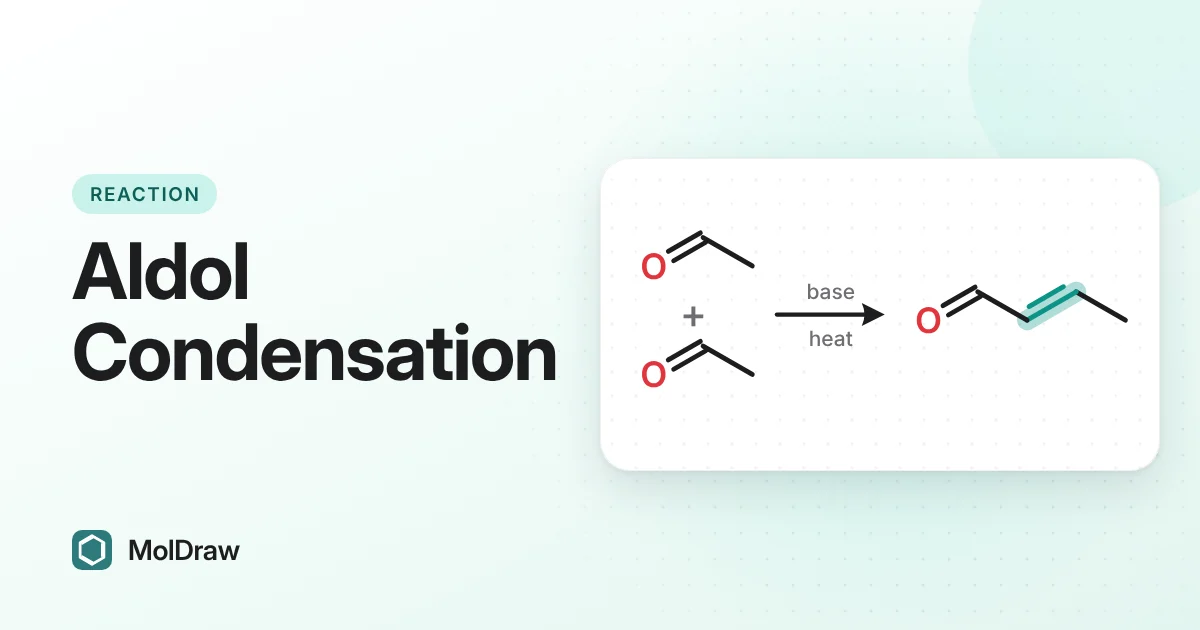
Aldol condensation: two acetaldehyde molecules give crotonaldehyde; the new C=C bond is highlighted.
## Reaction Scheme
aldehyde or ketone + aldehyde or ketone -> alpha,beta-unsaturated carbonylBase or acid catalysis; heat often promotes dehydration.
Primary reaction SMILES: CC=O.CC=O>>C/C=C/C=O
## Key Facts
## Two Common Examples
**Acetaldehyde aldol condensation**
Acetaldehyde can form crotonaldehyde after aldol addition and dehydration.
**Acetone self-condensation**
Acetone can form mesityl oxide under basic conditions after dehydration.
## When to Use MolDraw
Use MolDraw to sketch reactants, products, arrows, and labels for aldol examples, then export the scheme for reports or teaching notes.
The [aldol condensation mechanism template](https://www.moldraw.com/templates/aldol-condensation/) shows enolate formation, addition and dehydration, while the [aldol addition template](https://www.moldraw.com/templates/aldol-addition/) stops at the β-hydroxy carbonyl. The [Claisen condensation](https://www.moldraw.com/reaction/claisen-condensation) is the ester version and gives a β-keto ester.
[Wittig](https://www.moldraw.com/reaction/wittig-reaction)[Grignard](https://www.moldraw.com/reaction/grignard-reaction)[Diels-Alder](https://www.moldraw.com/reaction/diels-alder-reaction)[All reactions](https://www.moldraw.com/reaction/)[Name reaction finder](https://www.moldraw.com/tools/free-chem-tools/name-reaction-finder.html)
---
Name reaction · mechanism
# Azo Coupling Reaction
In azo coupling an arenediazonium ion acts as a weak electrophile towards strongly activated rings — phenoxides and anilines. Attack at the para carbon (ortho if para is blocked) followed by loss of the ring proton gives an azo compound Ar–N=N–Ar′, whose extended conjugation makes it coloured.
[Open full mechanism in MolDraw](https://www.moldraw.com/?template=azo-coupling)[Edit the reaction](https://www.moldraw.com/?reaction=N%23%5BN%2B%5Dc1ccccc1.Oc1ccccc1%3E%3EOc1ccc(cc1)N%3DNc1ccccc1)
[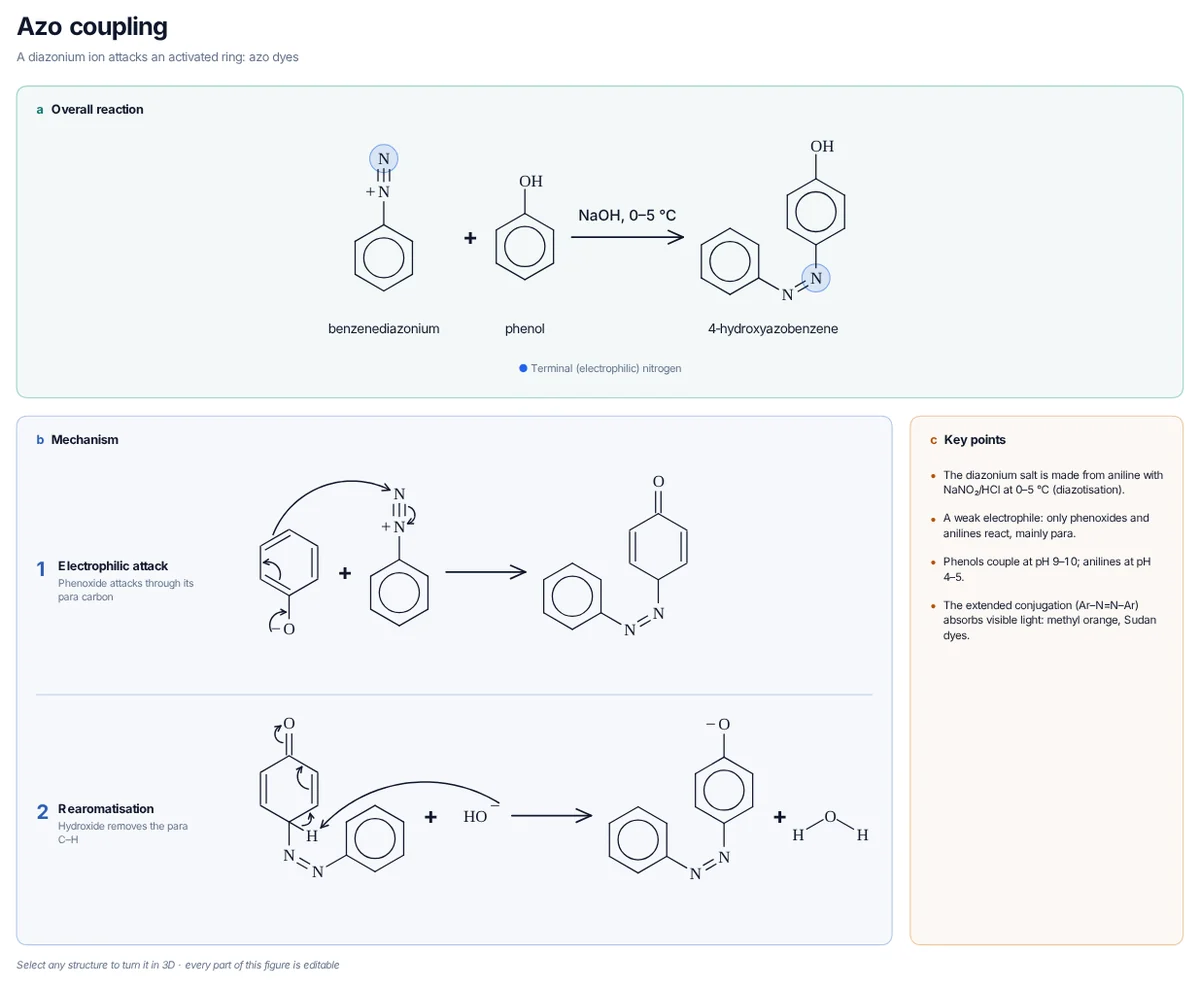](https://www.moldraw.com/?template=azo-coupling)
Azo coupling: overall reaction, every curly-arrow step and key points. Click to open and edit it in MolDraw.
## Overall reaction
C₆H₅N₂⁺ + C₆H₅O⁻ (pH 9–10, 0–5 °C) → p-HO–C₆H₄–N=N–C₆H₅ (orange)
A diazonium ion attacks an activated ring: azo dyes.
## Reagents and conditions
- Benzenediazonium chloride (from aniline, NaNO₂/HCl, 0–5 °C)
- Phenol in NaOH (pH 9–10) or aniline in weak acid (pH 4–5)
## Mechanism step by step
1. **Electrophilic attack.** Phenoxide attacks through its para carbon
2. **Rearomatisation.** Hydroxide removes the para C–H
Each step is checked electron by electron: the curly arrows give exactly the structures drawn.
[Open and edit this mechanism](https://www.moldraw.com/?template=azo-coupling)
## Key points
- The diazonium salt is made from aniline with NaNO₂/HCl at 0–5 °C (diazotisation).
- A weak electrophile: only phenoxides and anilines react, mainly para.
- Phenols couple at pH 9–10; anilines at pH 4–5.
- The extended conjugation (Ar–N=N–Ar) absorbs visible light: methyl orange, Sudan dyes.
The [azo coupling mechanism template](https://www.moldraw.com/templates/azo-coupling/) shows the diazonium ion attacking the para position of phenoxide or aniline. The diazonium salt comes from the [diazotization reaction](https://www.moldraw.com/reaction/diazotization-reaction), and the [Sandmeyer reaction](https://www.moldraw.com/reaction/sandmeyer-reaction) uses the same salt to replace N₂ with Cl, Br or CN.
## For JEE and NEET
- Phenol gives p-hydroxyazobenzene (orange); aniline gives p-aminoazobenzene (aniline yellow); β-naphthol gives an orange-red dye.
- Electrophilic aromatic substitution; the electrophile is the terminal N of Ar–N₂⁺.
- Phenols couple best as phenoxides (pH 9–10); too basic turns the diazonium salt into diazotate.
- Used for dyes and indicators such as methyl orange.
## FAQ
**Why does coupling happen at the para position?**
The para carbon is activated by O⁻ (or NH₂) and is less hindered than ortho; ortho attack occurs only if para is blocked.
**Why is the pH important?**
Phenol must be ionised to phenoxide to be reactive enough, but at very high pH the diazonium ion is converted to an unreactive diazotate.
**Why are azo compounds coloured?**
The –N=N– group links two aromatic rings into one long conjugated system that absorbs visible light.
## Draw it in MolDraw
The button above opens the complete figure — overall reaction, numbered mechanism and key points — as ordinary editable structures. Change substituents, recolour atoms, or export a PNG, SVG or chemfig code for notes and slides. The same figure is in the Templates panel under Name reactions.
[Diazotization Reaction](https://www.moldraw.com/reaction/diazotization-reaction)[Sandmeyer Reaction](https://www.moldraw.com/reaction/sandmeyer-reaction)[Reimer–Tiemann Reaction](https://www.moldraw.com/reaction/reimer-tiemann-reaction)[All reactions](https://www.moldraw.com/reaction/)[Name reaction finder](https://www.moldraw.com/tools/free-chem-tools/name-reaction-finder.html)
---
Name reaction · mechanism
# Baeyer–Villiger Oxidation
The Baeyer–Villiger oxidation inserts an oxygen atom between a carbonyl carbon and one of its neighbours, turning ketones into esters and cyclic ketones into lactones. A peroxyacid adds to the carbonyl to give the Criegee intermediate; the group best able to carry positive charge migrates to oxygen as a carboxylate leaves.
[Open full mechanism in MolDraw](https://www.moldraw.com/?template=baeyer-villiger-oxidation)[Edit the reaction](https://www.moldraw.com/?reaction=CC(%3DO)c1ccccc1%3E%3ECC(%3DO)Oc1ccccc1)
[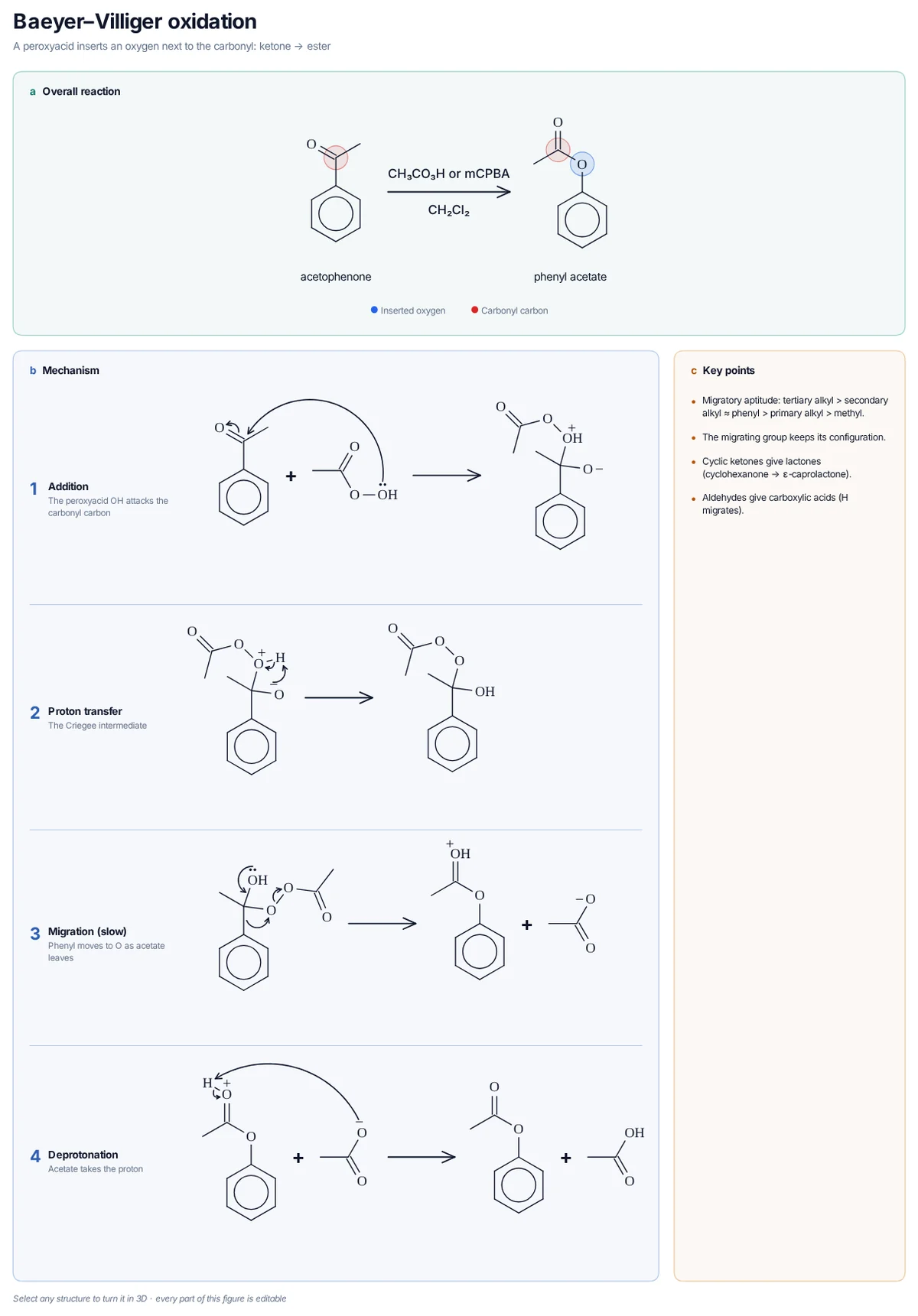](https://www.moldraw.com/?template=baeyer-villiger-oxidation)
Baeyer–Villiger oxidation: overall reaction, every curly-arrow step and key points. Click to open and edit it in MolDraw.
## Overall reaction
Acetophenone + CH₃CO₃H (or mCPBA) → phenyl acetate
A peroxyacid inserts an oxygen next to the carbonyl: ketone → ester.
## Reagents and conditions
- mCPBA, peracetic acid, trifluoroperacetic acid or H₂O₂ with a Lewis acid
- CH₂Cl₂, room temperature
## Mechanism step by step
1. **Addition.** The peroxyacid OH attacks the carbonyl carbon
2. **Proton transfer.** The Criegee intermediate
3. **Migration (slow).** Phenyl moves to O as acetate leaves
4. **Deprotonation.** Acetate takes the proton
Each step is checked electron by electron: the curly arrows give exactly the structures drawn.
[Open and edit this mechanism](https://www.moldraw.com/?template=baeyer-villiger-oxidation)
## Key points
- Migratory aptitude: tertiary alkyl > secondary alkyl ≈ phenyl > primary alkyl > methyl.
- The migrating group keeps its configuration.
- Cyclic ketones give lactones (cyclohexanone → ε-caprolactone).
- Aldehydes give carboxylic acids (H migrates).
The [Baeyer-Villiger mechanism template](https://www.moldraw.com/templates/baeyer-villiger-oxidation/) shows the Criegee intermediate and the shift of a group to oxygen. Peracids also epoxidise alkenes in the [Prilezhaev epoxidation](https://www.moldraw.com/templates/prilezhaev-epoxidation/), and the [Beckmann rearrangement](https://www.moldraw.com/reaction/beckmann-rearrangement) turns a ketone oxime into an amide by a similar shift to nitrogen.
## For JEE and NEET
- Migratory aptitude: 3° alkyl > 2° alkyl ≈ phenyl > 1° alkyl > methyl (H high for aldehydes).
- Acetophenone gives phenyl acetate (phenyl migrates, not methyl).
- Cyclohexanone gives ε-caprolactone.
- The migrating carbon keeps its configuration.
## FAQ
**Which group migrates in the Baeyer–Villiger oxidation?**
The group best able to stabilise positive charge in the transition state: tertiary > secondary ≈ aryl > primary > methyl.
**What is the Criegee intermediate?**
The tetrahedral adduct of the peroxyacid and the ketone, R₂C(OH)–O–O–C(O)R′.
**What does an aldehyde give?**
Usually the carboxylic acid (H migrates); some electron-rich aryl aldehydes give formate esters (Dakin-type).
## Draw it in MolDraw
The button above opens the complete figure — overall reaction, numbered mechanism and key points — as ordinary editable structures. Change substituents, recolour atoms, or export a PNG, SVG or chemfig code for notes and slides. The same figure is in the Templates panel under Name reactions.
[Beckmann Rearrangement](https://www.moldraw.com/reaction/beckmann-rearrangement)[Pinacol–Pinacolone Rearrangement](https://www.moldraw.com/reaction/pinacol-pinacolone-rearrangement)[Hofmann Bromamide Reaction](https://www.moldraw.com/reaction/hofmann-bromamide-reaction)[All reactions](https://www.moldraw.com/reaction/)[Name reaction finder](https://www.moldraw.com/tools/free-chem-tools/name-reaction-finder.html)
---
Name reaction · mechanism
# Beckmann Rearrangement
In the Beckmann rearrangement a ketoxime is converted into an amide by acid (H₂SO₄, PCl₅, SOCl₂, polyphosphoric acid). The OH is made into a leaving group, and the group anti to it moves from carbon to nitrogen as water leaves, giving a nitrilium ion; water adds and tautomerisation gives the amide.
[Open full mechanism in MolDraw](https://www.moldraw.com/?template=beckmann-rearrangement)[Edit the reaction](https://www.moldraw.com/?reaction=ON%3DC1CCCCC1%3E%3EO%3DC1CCCCCN1)
[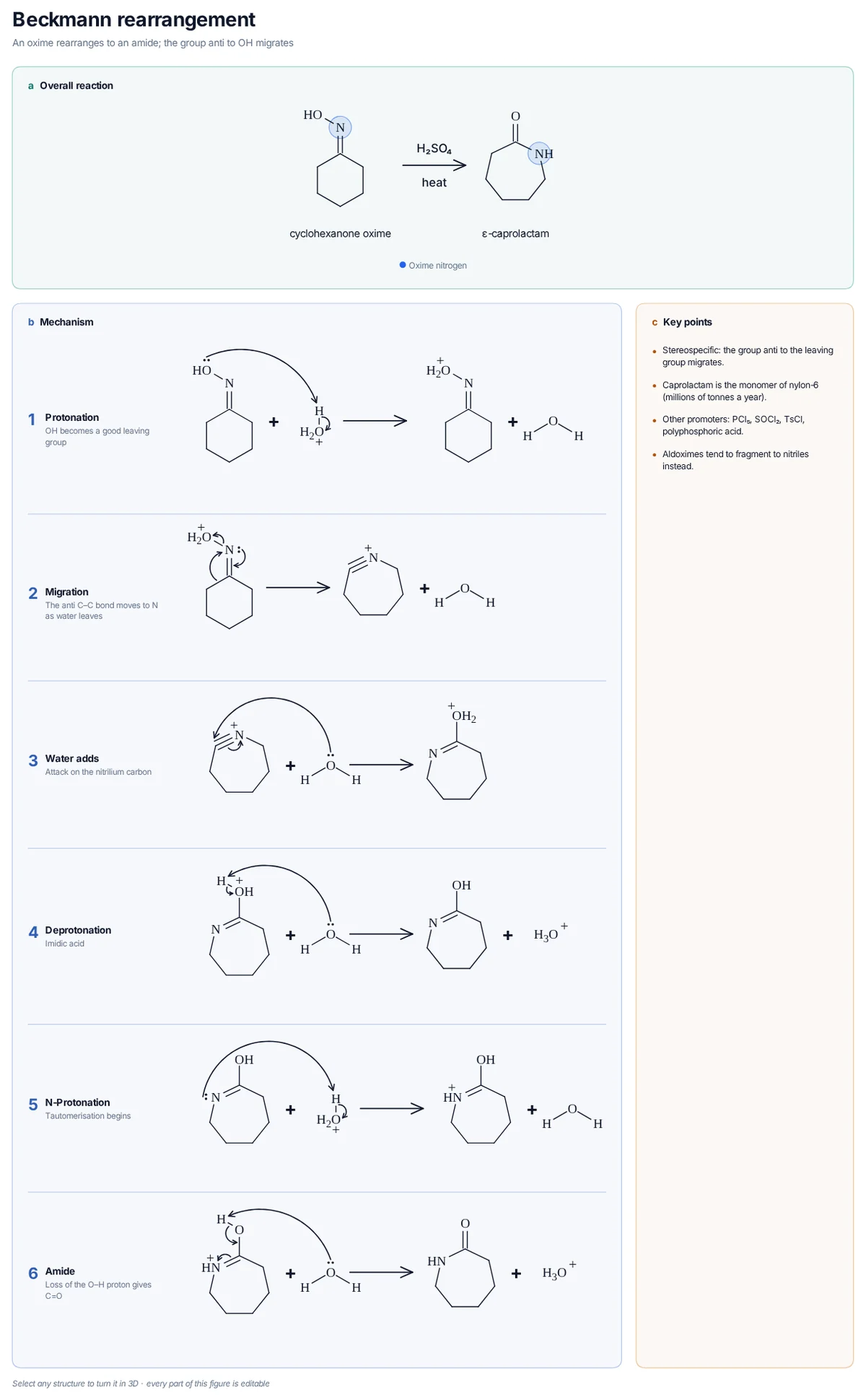](https://www.moldraw.com/?template=beckmann-rearrangement)
Beckmann rearrangement: overall reaction, every curly-arrow step and key points. Click to open and edit it in MolDraw.
## Overall reaction
Cyclohexanone oxime → (H₂SO₄, heat) ε-caprolactam
An oxime rearranges to an amide; the group anti to OH migrates.
## Reagents and conditions
- Conc. H₂SO₄, PCl₅, SOCl₂, TsCl or polyphosphoric acid
- Heat
## Mechanism step by step
1. **Protonation.** OH becomes a good leaving group
2. **Migration.** The anti C–C bond moves to N as water leaves
3. **Water adds.** Attack on the nitrilium carbon
4. **Deprotonation.** Imidic acid
5. **N-Protonation.** Tautomerisation begins
6. **Amide.** Loss of the O–H proton gives C=O
Each step is checked electron by electron: the curly arrows give exactly the structures drawn.
[Open and edit this mechanism](https://www.moldraw.com/?template=beckmann-rearrangement)
## Key points
- Stereospecific: the group anti to the leaving group migrates.
- Caprolactam is the monomer of nylon-6 (millions of tonnes a year).
- Other promoters: PCl₅, SOCl₂, TsCl, polyphosphoric acid.
- Aldoximes tend to fragment to nitriles instead.
The [Beckmann rearrangement template](https://www.moldraw.com/templates/beckmann-rearrangement/) shows the group anti to the leaving group moving to nitrogen as water leaves. The [pinacol-pinacolone rearrangement](https://www.moldraw.com/reaction/pinacol-pinacolone-rearrangement) and the [Curtius rearrangement](https://www.moldraw.com/reaction/curtius-rearrangement) are other 1,2-shifts to an electron-poor atom.
## For JEE and NEET
- Stereospecific: the group anti (trans) to the OH migrates.
- Acetophenone oxime (Ph anti to OH) gives acetanilide.
- Cyclohexanone oxime → caprolactam → nylon-6.
- Intermediate: nitrilium ion, R–C≡N⁺–R′.
## FAQ
**Which group migrates in the Beckmann rearrangement?**
The group anti-periplanar to the leaving group on nitrogen, regardless of its migratory aptitude.
**What is the product from acetophenone oxime?**
For the usual E-oxime (phenyl anti to OH), N-phenylacetamide (acetanilide).
**What is the industrial importance?**
Cyclohexanone oxime is rearranged to ε-caprolactam, the monomer of nylon-6.
## Draw it in MolDraw
The button above opens the complete figure — overall reaction, numbered mechanism and key points — as ordinary editable structures. Change substituents, recolour atoms, or export a PNG, SVG or chemfig code for notes and slides. The same figure is in the Templates panel under Name reactions.
[Hofmann Bromamide Reaction](https://www.moldraw.com/reaction/hofmann-bromamide-reaction)[Pinacol–Pinacolone Rearrangement](https://www.moldraw.com/reaction/pinacol-pinacolone-rearrangement)[Baeyer–Villiger Oxidation](https://www.moldraw.com/reaction/baeyer-villiger-oxidation)[All reactions](https://www.moldraw.com/reaction/)[Name reaction finder](https://www.moldraw.com/tools/free-chem-tools/name-reaction-finder.html)
---
Name reaction · mechanism
# Benzoin Condensation
In the benzoin condensation two molecules of an aromatic aldehyde join to form an α-hydroxy ketone (benzoin) under catalysis by cyanide. Cyanide adds to one aldehyde; the C–H next to C≡N becomes acidic, and the resulting carbanion — a masked acyl anion — attacks a second aldehyde before cyanide is expelled.
[Open full mechanism in MolDraw](https://www.moldraw.com/?template=benzoin-condensation)[Edit the reaction](https://www.moldraw.com/?reaction=O%3DCc1ccccc1.O%3DCc1ccccc1%3E%3EO%3DC(c1ccccc1)C(O)c1ccccc1)
[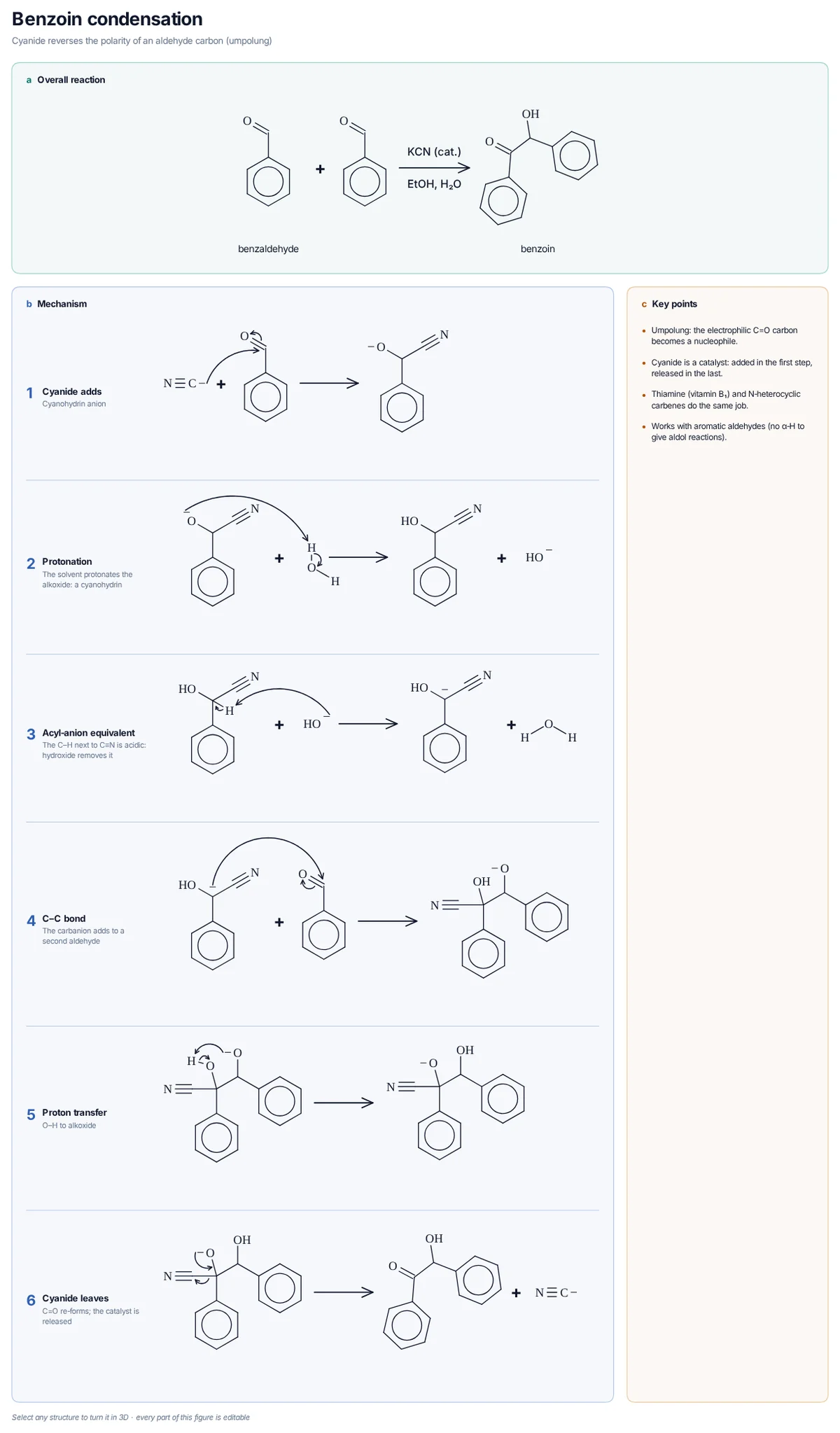](https://www.moldraw.com/?template=benzoin-condensation)
Benzoin condensation: overall reaction, every curly-arrow step and key points. Click to open and edit it in MolDraw.
## Overall reaction
2 C₆H₅CHO → (KCN, aqueous ethanol) C₆H₅CO–CH(OH)C₆H₅
Cyanide reverses the polarity of an aldehyde carbon (umpolung).
## Reagents and conditions
- KCN or NaCN (catalytic) in aqueous ethanol, reflux
- Thiamine (vitamin B₁) or an N-heterocyclic carbene as greener catalysts
## Mechanism step by step
1. **Cyanide adds.** Cyanohydrin anion
2. **Protonation.** The solvent protonates the alkoxide: a cyanohydrin
3. **Acyl-anion equivalent.** The C–H next to C≡N is acidic: hydroxide removes it
4. **C–C bond.** The carbanion adds to a second aldehyde
5. **Proton transfer.** O–H to alkoxide
6. **Cyanide leaves.** C=O re-forms; the catalyst is released
Each step is checked electron by electron: the curly arrows give exactly the structures drawn.
[Open and edit this mechanism](https://www.moldraw.com/?template=benzoin-condensation)
## Key points
- Umpolung: the electrophilic C=O carbon becomes a nucleophile.
- Cyanide is a catalyst: added in the first step, released in the last.
- Thiamine (vitamin B₁) and N-heterocyclic carbenes do the same job.
- Works with aromatic aldehydes (no α-H to give aldol reactions).
The [benzoin condensation template](https://www.moldraw.com/templates/benzoin-condensation/) shows cyanide addition, the proton shift that reverses the polarity of the carbonyl carbon and the attack on a second aldehyde. The first step matches [cyanohydrin formation](https://www.moldraw.com/templates/cyanohydrin-formation/), and the [Cannizzaro reaction](https://www.moldraw.com/reaction/cannizzaro-reaction) is what benzaldehyde does with concentrated NaOH instead.
## For JEE and NEET
- Umpolung: the electrophilic carbonyl carbon is made nucleophilic.
- Cyanide is a catalyst: it adds in the first step and leaves in the last.
- Works with aromatic aldehydes (no α-H).
- Benzoin oxidises to benzil, which undergoes the benzilic acid rearrangement.
## FAQ
**Why is cyanide a good catalyst?**
It is a good nucleophile, it acidifies the neighbouring C–H, and it is a good leaving group at the end.
**What does umpolung mean here?**
Polarity reversal: the normally electrophilic aldehyde carbon acts as a nucleophile while bonded to CN.
**Can aliphatic aldehydes be used?**
Not easily with cyanide; enolisable aldehydes undergo aldol reactions. Thiazolium/NHC catalysts extend the scope.
## Draw it in MolDraw
The button above opens the complete figure — overall reaction, numbered mechanism and key points — as ordinary editable structures. Change substituents, recolour atoms, or export a PNG, SVG or chemfig code for notes and slides. The same figure is in the Templates panel under Name reactions.
[Cannizzaro Reaction](https://www.moldraw.com/reaction/cannizzaro-reaction)[Claisen Condensation](https://www.moldraw.com/reaction/claisen-condensation)[Aldol condensation](https://www.moldraw.com/reaction/aldol-condensation)[All reactions](https://www.moldraw.com/reaction/)[Name reaction finder](https://www.moldraw.com/tools/free-chem-tools/name-reaction-finder.html)
---
Name reaction · mechanism
# Cannizzaro Reaction
In the Cannizzaro reaction an aldehyde without α-hydrogens (HCHO, benzaldehyde, pivalaldehyde) disproportionates in concentrated base: one molecule is oxidised to the carboxylate and another is reduced to the alcohol. Hydroxide adds to one aldehyde, and the tetrahedral anion transfers a hydride to a second aldehyde.
[Open full mechanism in MolDraw](https://www.moldraw.com/?template=cannizzaro-reaction)[Edit the reaction](https://www.moldraw.com/?reaction=O%3DCc1ccccc1.O%3DCc1ccccc1%3E%3EOCc1ccccc1.%5BO-%5DC(%3DO)c1ccccc1)
[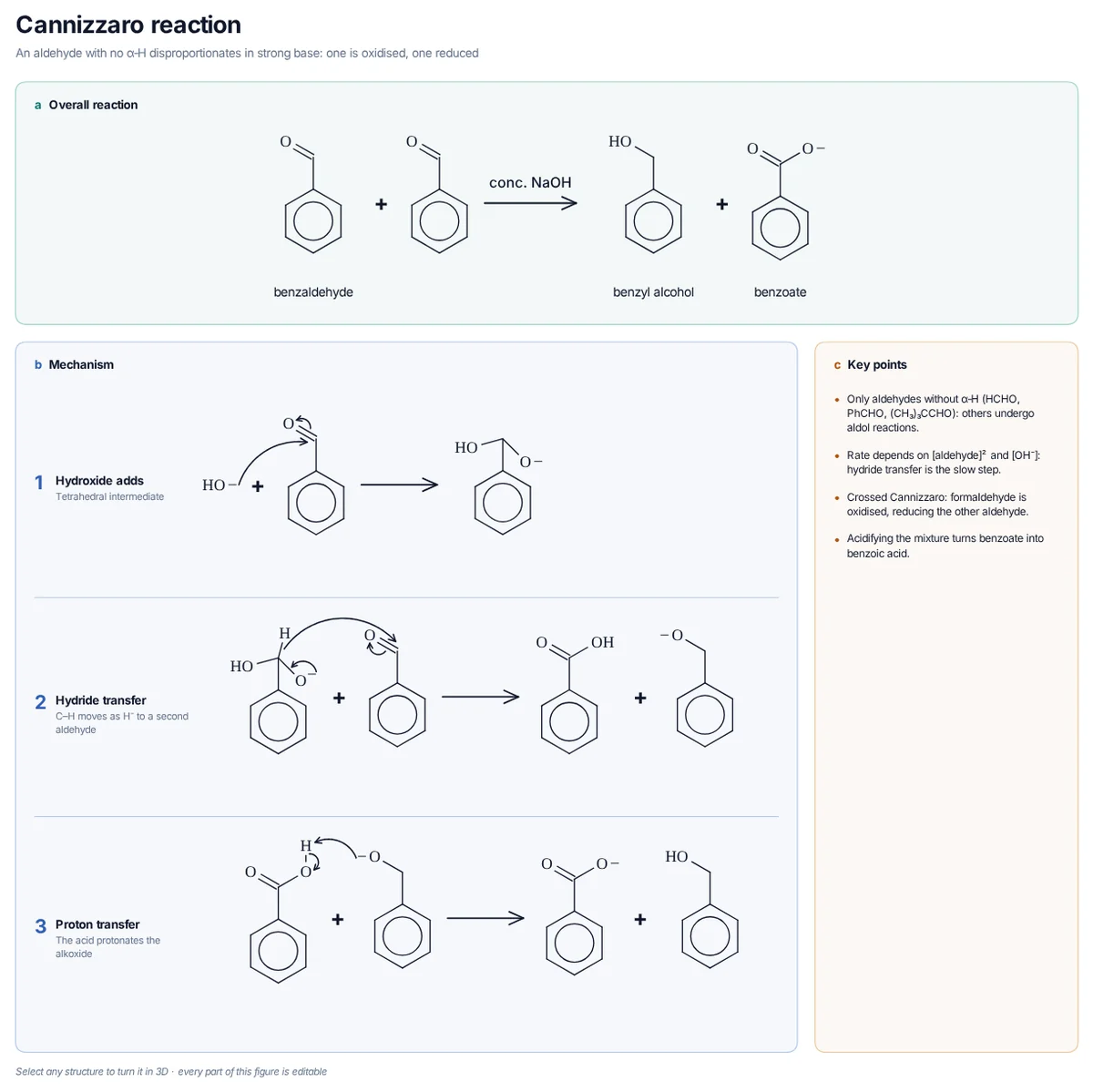](https://www.moldraw.com/?template=cannizzaro-reaction)
Cannizzaro reaction: overall reaction, every curly-arrow step and key points. Click to open and edit it in MolDraw.
## Overall reaction
2 C₆H₅CHO + NaOH (conc.) → C₆H₅CH₂OH + C₆H₅COO⁻Na⁺
An aldehyde with no α-H disproportionates in strong base: one is oxidised, one reduced.
## Reagents and conditions
- Concentrated NaOH or KOH (50%)
- Room temperature or gentle warming
- Acidify to obtain the carboxylic acid
## Mechanism step by step
1. **Hydroxide adds.** Tetrahedral intermediate
2. **Hydride transfer.** C–H moves as H⁻ to a second aldehyde
3. **Proton transfer.** The acid protonates the alkoxide
Each step is checked electron by electron: the curly arrows give exactly the structures drawn.
[Open and edit this mechanism](https://www.moldraw.com/?template=cannizzaro-reaction)
## Key points
- Only aldehydes without α-H (HCHO, PhCHO, (CH₃)₃CCHO): others undergo aldol reactions.
- Rate depends on [aldehyde]² and [OH⁻]: hydride transfer is the slow step.
- Crossed Cannizzaro: formaldehyde is oxidised, reducing the other aldehyde.
- Acidifying the mixture turns benzoate into benzoic acid.
The [Cannizzaro mechanism template](https://www.moldraw.com/templates/cannizzaro-reaction/) shows hydroxide addition and the hydride transfer to a second aldehyde. Aldehydes with α-hydrogens undergo [aldol condensation](https://www.moldraw.com/reaction/aldol-condensation) instead, and benzaldehyde with cyanide gives the [benzoin condensation](https://www.moldraw.com/reaction/benzoin-condensation).
## For JEE and NEET
- Only aldehydes with no α-H; others undergo aldol reactions.
- Hydride transfer (from the tetrahedral intermediate) is the key and slow step.
- Crossed Cannizzaro: HCHO is oxidised to formate and reduces the other aldehyde to its alcohol.
- Intramolecular Cannizzaro: glyoxal → glycolate.
## FAQ
**Why do aldehydes with α-hydrogens not give the Cannizzaro reaction?**
Base removes the α-hydrogen first, so they undergo aldol addition/condensation instead.
**What is crossed Cannizzaro?**
A mixture of formaldehyde and another non-enolisable aldehyde: formaldehyde (the better hydride donor after OH⁻ addition) becomes formate, and the other aldehyde becomes the alcohol.
**Is the hydride free in solution?**
No. It moves directly from the carbon of the tetrahedral anion to the carbonyl carbon of the second aldehyde.
## Draw it in MolDraw
The button above opens the complete figure — overall reaction, numbered mechanism and key points — as ordinary editable structures. Change substituents, recolour atoms, or export a PNG, SVG or chemfig code for notes and slides. The same figure is in the Templates panel under Name reactions.
[Aldol condensation](https://www.moldraw.com/reaction/aldol-condensation)[Iodoform (Haloform) Reaction](https://www.moldraw.com/reaction/iodoform-reaction)[Benzoin Condensation](https://www.moldraw.com/reaction/benzoin-condensation)[All reactions](https://www.moldraw.com/reaction/)[Name reaction finder](https://www.moldraw.com/tools/free-chem-tools/name-reaction-finder.html)
---
Name reaction · mechanism
# Claisen Condensation
The Claisen condensation joins two ester molecules into a β-keto ester. An alkoxide removes an α-hydrogen to form an ester enolate, which adds to the carbonyl of a second ester; the tetrahedral intermediate expels alkoxide. Deprotonation of the doubly activated β-keto ester drives the reaction, and acid work-up gives the neutral product.
[Open full mechanism in MolDraw](https://www.moldraw.com/?template=claisen-condensation)[Edit the reaction](https://www.moldraw.com/?reaction=CC(%3DO)OC.CC(%3DO)OC%3E%3ECOC(%3DO)CC(C)%3DO.CO)[Open Dieckmann (intramolecular) mechanism](https://www.moldraw.com/?template=dieckmann-condensation)
[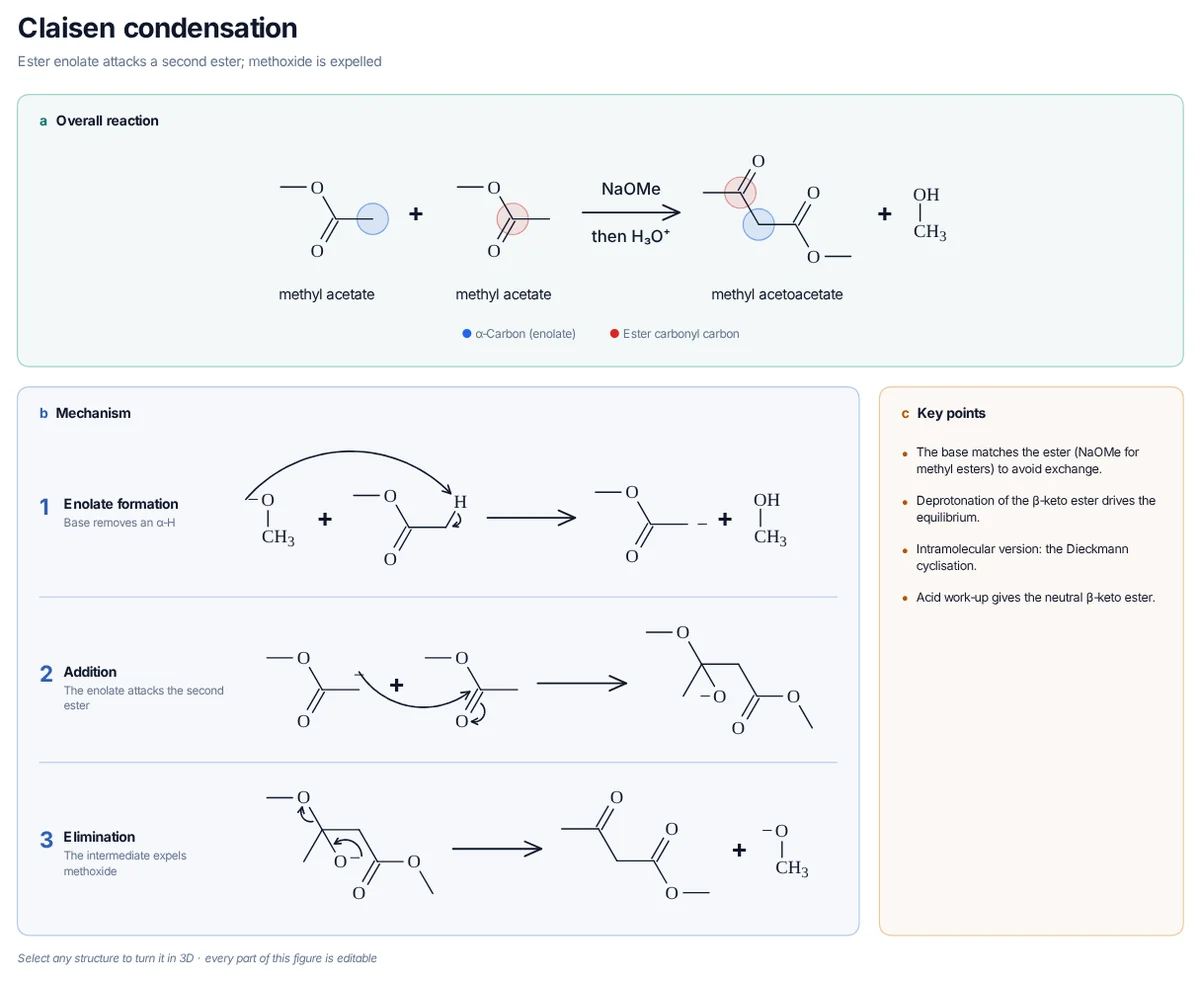](https://www.moldraw.com/?template=claisen-condensation)
Claisen condensation: overall reaction, every curly-arrow step and key points. Click to open and edit it in MolDraw.
## Overall reaction
2 CH₃COOC₂H₅ → (NaOEt, then H₃O⁺) CH₃COCH₂COOC₂H₅ (ethyl acetoacetate) + C₂H₅OH
Ester enolate attacks a second ester; methoxide is expelled.
## Reagents and conditions
- Sodium alkoxide matching the ester (NaOEt for ethyl esters)
- At least one full equivalent of base
- Acid work-up
## Mechanism step by step
1. **Enolate formation.** Base removes an α-H
2. **Addition.** The enolate attacks the second ester
3. **Elimination.** The intermediate expels methoxide
Each step is checked electron by electron: the curly arrows give exactly the structures drawn.
[Open and edit this mechanism](https://www.moldraw.com/?template=claisen-condensation)
## Key points
- The base matches the ester (NaOMe for methyl esters) to avoid exchange.
- Deprotonation of the β-keto ester drives the equilibrium.
- Intramolecular version: the Dieckmann cyclisation.
- Acid work-up gives the neutral β-keto ester.
The [Claisen condensation template](https://www.moldraw.com/templates/claisen-condensation/) shows the ester enolate attack and the loss of alkoxide. The intramolecular version is the [Dieckmann condensation](https://www.moldraw.com/templates/dieckmann-condensation/), and the [aldol condensation](https://www.moldraw.com/reaction/aldol-condensation) is the related reaction of aldehydes and ketones.
## For JEE and NEET
- The ester needs two α-hydrogens for the final deprotonation that drives the equilibrium.
- Ethyl acetate → ethyl acetoacetate (acetoacetic ester).
- Intramolecular version: Dieckmann condensation (five- and six-membered rings).
- Crossed Claisen works when one ester has no α-H (e.g. ethyl benzoate, ethyl formate).
## FAQ
**Why is a full equivalent of base needed?**
The β-keto ester (pKa ≈ 11) is deprotonated by the alkoxide; this irreversible-looking step pulls the unfavourable equilibria over.
**Why must the base match the ester?**
A different alkoxide would cause transesterification and give mixtures of esters.
**Claisen vs aldol?**
Aldol: enolate adds to an aldehyde/ketone (addition). Claisen: enolate adds to an ester and an alkoxide leaves (substitution).
## Draw it in MolDraw
The button above opens the complete figure — overall reaction, numbered mechanism and key points — as ordinary editable structures. Change substituents, recolour atoms, or export a PNG, SVG or chemfig code for notes and slides. The same figure is in the Templates panel under Name reactions.
[Aldol condensation](https://www.moldraw.com/reaction/aldol-condensation)[Iodoform (Haloform) Reaction](https://www.moldraw.com/reaction/iodoform-reaction)[Cannizzaro Reaction](https://www.moldraw.com/reaction/cannizzaro-reaction)[All reactions](https://www.moldraw.com/reaction/)[Name reaction finder](https://www.moldraw.com/tools/free-chem-tools/name-reaction-finder.html)
---
Name reaction · mechanism
# Curtius Rearrangement
In the Curtius rearrangement an acyl azide loses nitrogen on heating while its R group moves from carbon to nitrogen, giving an isocyanate. Alcohols trap the isocyanate as carbamates (Boc and Cbz amines), and water gives the amine with one carbon fewer after loss of CO₂.
[Open full mechanism in MolDraw](https://www.moldraw.com/?template=curtius-rearrangement)[Edit the reaction](https://www.moldraw.com/?reaction=O%3DC(N%3D%5BN%2B%5D%3D%5BN-%5D)c1ccccc1.CO%3E%3ECOC(%3DO)Nc1ccccc1.N%23N)
[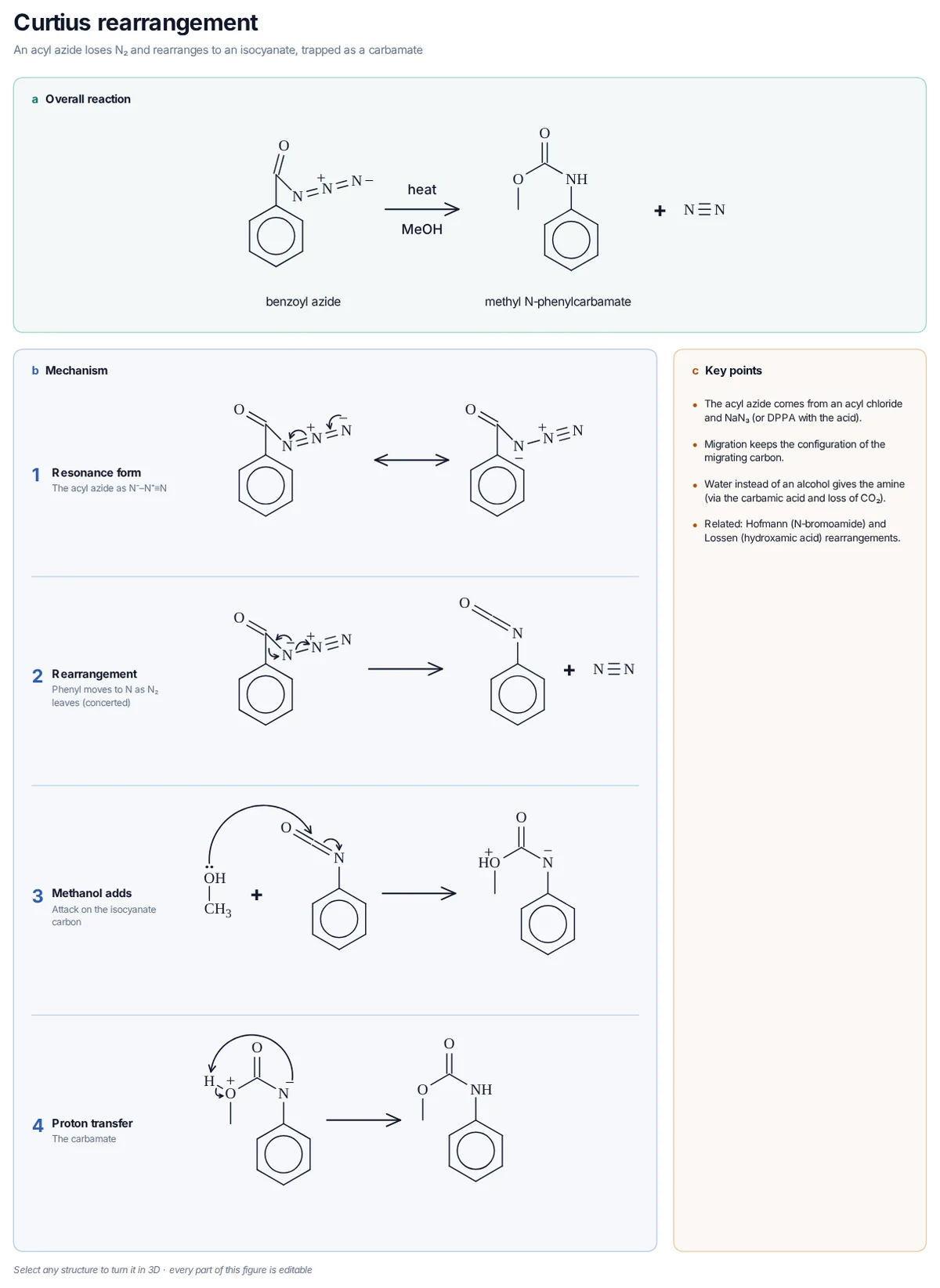](https://www.moldraw.com/?template=curtius-rearrangement)
Curtius rearrangement: overall reaction, every curly-arrow step and key points. Click to open and edit it in MolDraw.
## Overall reaction
R–CON₃ → (heat) R–N=C=O + N₂ → (R′OH) R–NH–COOR′
An acyl azide loses N₂ and rearranges to an isocyanate, trapped as a carbamate.
## Reagents and conditions
- Acyl azide from acyl chloride + NaN₃, or from the acid with DPPA
- Heat (toluene); then an alcohol, amine or water
## Mechanism step by step
1. **Resonance form.** The acyl azide as N⁻–N⁺≡N
2. **Rearrangement.** Phenyl moves to N as N₂ leaves (concerted)
3. **Methanol adds.** Attack on the isocyanate carbon
4. **Proton transfer.** The carbamate
Each step is checked electron by electron: the curly arrows give exactly the structures drawn.
[Open and edit this mechanism](https://www.moldraw.com/?template=curtius-rearrangement)
## Key points
- The acyl azide comes from an acyl chloride and NaN₃ (or DPPA with the acid).
- Migration keeps the configuration of the migrating carbon.
- Water instead of an alcohol gives the amine (via the carbamic acid and loss of CO₂).
- Related: Hofmann (N-bromoamide) and Lossen (hydroxamic acid) rearrangements.
The [Curtius rearrangement template](https://www.moldraw.com/templates/curtius-rearrangement/) shows the acyl azide losing N₂ as the R group moves to nitrogen. The [Hofmann bromamide reaction](https://www.moldraw.com/reaction/hofmann-bromamide-reaction) reaches the same isocyanate from an amide, and the [Beckmann rearrangement](https://www.moldraw.com/reaction/beckmann-rearrangement) is another shift to electron-poor nitrogen.
## For JEE and NEET
- Concerted loss of N₂ with migration; the migrating group keeps its configuration.
- Same isocyanate intermediate as the Hofmann and Lossen rearrangements.
- Water → amine (via carbamic acid, loss of CO₂).
- Acyl azides are potentially explosive.
## FAQ
**Curtius or Hofmann?**
Both give an isocyanate. Hofmann starts from a primary amide with Br₂/NaOH; Curtius from an acyl azide on heating, under neutral conditions.
**What traps the isocyanate?**
Alcohols give carbamates, amines give ureas, water gives the amine after CO₂ loss.
**Does the migrating carbon keep its stereochemistry?**
Yes, migration occurs with retention of configuration.
## Draw it in MolDraw
The button above opens the complete figure — overall reaction, numbered mechanism and key points — as ordinary editable structures. Change substituents, recolour atoms, or export a PNG, SVG or chemfig code for notes and slides. The same figure is in the Templates panel under Name reactions.
[Hofmann Bromamide Reaction](https://www.moldraw.com/reaction/hofmann-bromamide-reaction)[Beckmann Rearrangement](https://www.moldraw.com/reaction/beckmann-rearrangement)[Gabriel Phthalimide Synthesis](https://www.moldraw.com/reaction/gabriel-phthalimide-synthesis)[All reactions](https://www.moldraw.com/reaction/)[Name reaction finder](https://www.moldraw.com/tools/free-chem-tools/name-reaction-finder.html)
---
Name reaction · mechanism
# Diazotization Reaction
Diazotization converts a primary aromatic amine into an arenediazonium salt with sodium nitrite and a mineral acid at 0–5 °C. Nitrous acid forms the nitrosonium ion (NO⁺), the amine attacks it, and a series of proton transfers and loss of water give Ar–N⁺≡N.
[Open full mechanism in MolDraw](https://www.moldraw.com/?template=diazotisation)[Edit the reaction](https://www.moldraw.com/?reaction=Nc1ccccc1%3E%3EN%23%5BN%2B%5Dc1ccccc1)[Open Sandmeyer mechanism](https://www.moldraw.com/?template=sandmeyer-reaction)[Open azo coupling mechanism](https://www.moldraw.com/?template=azo-coupling)
[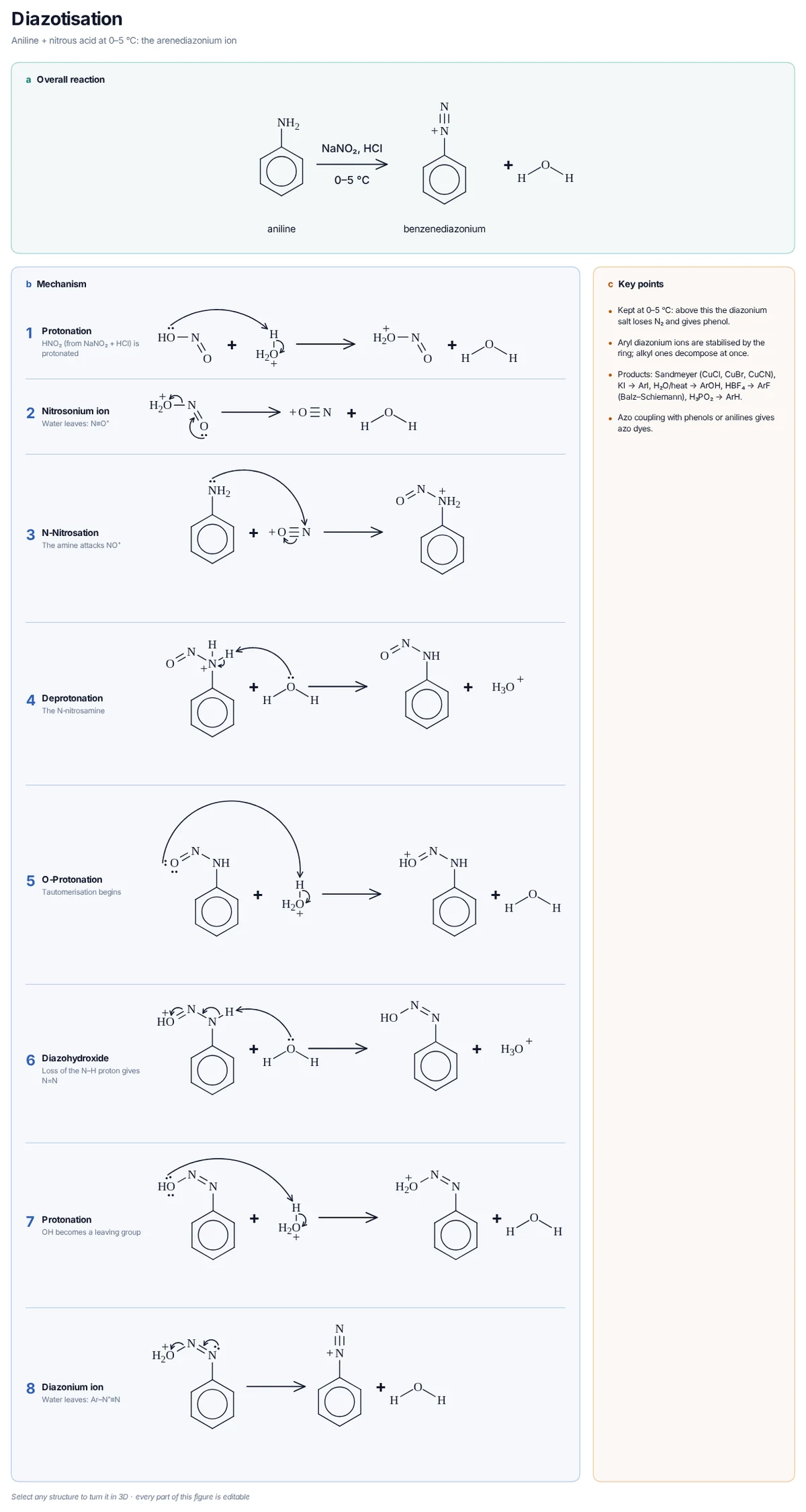](https://www.moldraw.com/?template=diazotisation)
Diazotisation: overall reaction, every curly-arrow step and key points. Click to open and edit it in MolDraw.
## Overall reaction
C₆H₅NH₂ + NaNO₂ + 2 HCl (0–5 °C) → C₆H₅N₂⁺Cl⁻ + NaCl + 2 H₂O
Aniline + nitrous acid at 0–5 °C: the arenediazonium ion.
## Reagents and conditions
- NaNO₂ and HCl (or H₂SO₄), forming HNO₂ in situ
- Ice bath, 0–5 °C
## Mechanism step by step
1. **Protonation.** HNO₂ (from NaNO₂ + HCl) is protonated
2. **Nitrosonium ion.** Water leaves: N≡O⁺
3. **N-Nitrosation.** The amine attacks NO⁺
4. **Deprotonation.** The N-nitrosamine
5. **O-Protonation.** Tautomerisation begins
6. **Diazohydroxide.** Loss of the N–H proton gives N=N
7. **Protonation.** OH becomes a leaving group
8. **Diazonium ion.** Water leaves: Ar–N⁺≡N
Each step is checked electron by electron: the curly arrows give exactly the structures drawn.
[Open and edit this mechanism](https://www.moldraw.com/?template=diazotisation)
## Key points
- Kept at 0–5 °C: above this the diazonium salt loses N₂ and gives phenol.
- Aryl diazonium ions are stabilised by the ring; alkyl ones decompose at once.
- Products: Sandmeyer (CuCl, CuBr, CuCN), KI → ArI, H₂O/heat → ArOH, HBF₄ → ArF (Balz–Schiemann), H₃PO₂ → ArH.
- Azo coupling with phenols or anilines gives azo dyes.
The [diazotisation mechanism template](https://www.moldraw.com/templates/diazotisation/) shows how the nitrosonium ion turns aniline into the diazonium ion. The salt then gives aryl halides and nitriles in the [Sandmeyer reaction](https://www.moldraw.com/reaction/sandmeyer-reaction) and azo dyes in [azo coupling](https://www.moldraw.com/reaction/azo-coupling-reaction).
## For JEE and NEET
- Electrophile: the nitrosonium ion NO⁺.
- Aliphatic primary amines give unstable diazonium ions that lose N₂ at once (alcohols, alkenes).
- Diazonium salts: Sandmeyer (CuX), KI, H₂O/heat (phenol), HBF₄ (Balz–Schiemann), H₃PO₂ (ArH), azo coupling.
- Benzenediazonium is stabilised by resonance with the ring.
## FAQ
**Why must diazotization be done at 0–5 °C?**
Arenediazonium salts lose N₂ when warmed, and the aryl cation reacts with water to give phenol.
**What is the electrophile in diazotization?**
The nitrosonium ion, N≡O⁺, from protonation of HNO₂ and loss of water.
**Why are aryl diazonium salts more stable than alkyl ones?**
The C–N bond to an sp² ring carbon is stronger, an aryl cation is very unstable, and the N₂⁺ group is conjugated with the ring.
## Draw it in MolDraw
The button above opens the complete figure — overall reaction, numbered mechanism and key points — as ordinary editable structures. Change substituents, recolour atoms, or export a PNG, SVG or chemfig code for notes and slides. The same figure is in the Templates panel under Name reactions.
[Sandmeyer Reaction](https://www.moldraw.com/reaction/sandmeyer-reaction)[Azo Coupling Reaction](https://www.moldraw.com/reaction/azo-coupling-reaction)[Hofmann Bromamide Reaction](https://www.moldraw.com/reaction/hofmann-bromamide-reaction)[All reactions](https://www.moldraw.com/reaction/)[Name reaction finder](https://www.moldraw.com/tools/free-chem-tools/name-reaction-finder.html)
---
Organic reaction
# Diels-Alder Reaction
The Diels-Alder reaction is a concerted [4+2] cycloaddition between a conjugated diene and a dienophile, forming cyclohexene frameworks with predictable stereochemical outcomes.
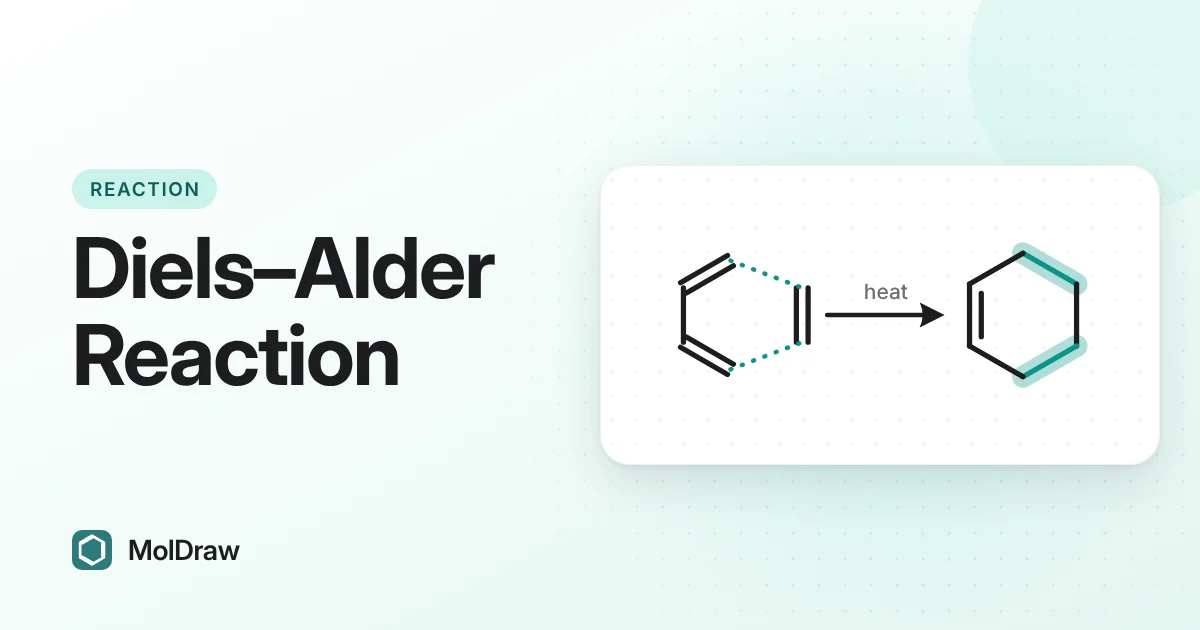
Diels–Alder reaction: a diene and a dienophile form a six-membered ring; the two new C–C bonds are highlighted.
## Reaction Scheme
conjugated diene + dienophile -> cyclohexene derivativeThermal reaction; electron-rich dienes and electron-poor dienophiles are common.
Primary reaction SMILES: C=CC=C.C=CC=O>>O=CC1C=CCCC1
## Key Facts
## Two Common Examples
**Butadiene + ethene**
Classic teaching example forming cyclohexene.
**Cyclopentadiene + maleic anhydride**
Common lab example showing endo selectivity.
## MolDraw Use
Use MolDraw to show diene geometry, dienophile substituents, stereochemistry, and cycloaddition products.
## How It Works
The Diels–Alder reaction is a concerted [4+2] cycloaddition between a conjugated diene and a dienophile (an alkene or alkyne). Six π electrons reorganise in a single step through a cyclic transition state, forming two new C–C σ bonds and a cyclohexene ring. No intermediate is formed, which is why the stereochemistry of the dienophile is kept in the product: a cis dienophile gives cis substituents on the ring.
## Conditions and Scope
- The diene must be able to adopt the s-cis conformation. Cyclopentadiene is locked s-cis and is very reactive.
- Electron-withdrawing groups on the dienophile (C=O, CN, CO2R) and electron-donating groups on the diene speed up the normal-demand reaction.
- With cyclic dienes, the *endo* product is usually favoured under kinetic control (the endo rule).
- Lewis acids can accelerate the reaction and raise selectivity.
The [Diels-Alder mechanism template](https://www.moldraw.com/templates/diels-alder/) shows the three curly arrows of the concerted cycloaddition, and the [endo rule template](https://www.moldraw.com/templates/pericyclic-diels-alder-endo/) shows why the endo adduct forms faster. To draw the arrows yourself, follow the [curly arrow guide](https://www.moldraw.com/blog/arrow-pushing-curly-arrows-guide.html).
## FAQ
**How do I draw it clearly?** Number the diene carbons 1–4 and draw three curved arrows around the ring to show the concerted electron flow. Use wedge and hash bonds on the product to show endo/exo stereochemistry. **What is a retro-Diels–Alder?** The reverse reaction on heating, used for example to crack dicyclopentadiene back to cyclopentadiene.
[Aldol](https://www.moldraw.com/reaction/aldol-condensation)[Wittig](https://www.moldraw.com/reaction/wittig-reaction)[Heck](https://www.moldraw.com/reaction/heck-reaction)[All reactions](https://www.moldraw.com/reaction/)[Name reaction finder](https://www.moldraw.com/tools/free-chem-tools/name-reaction-finder.html)
---
Organic reaction
# Friedel-Crafts Acylation
Friedel-Crafts acylation installs an acyl group onto an aromatic ring through electrophilic aromatic substitution, commonly using an acyl chloride and Lewis acid.
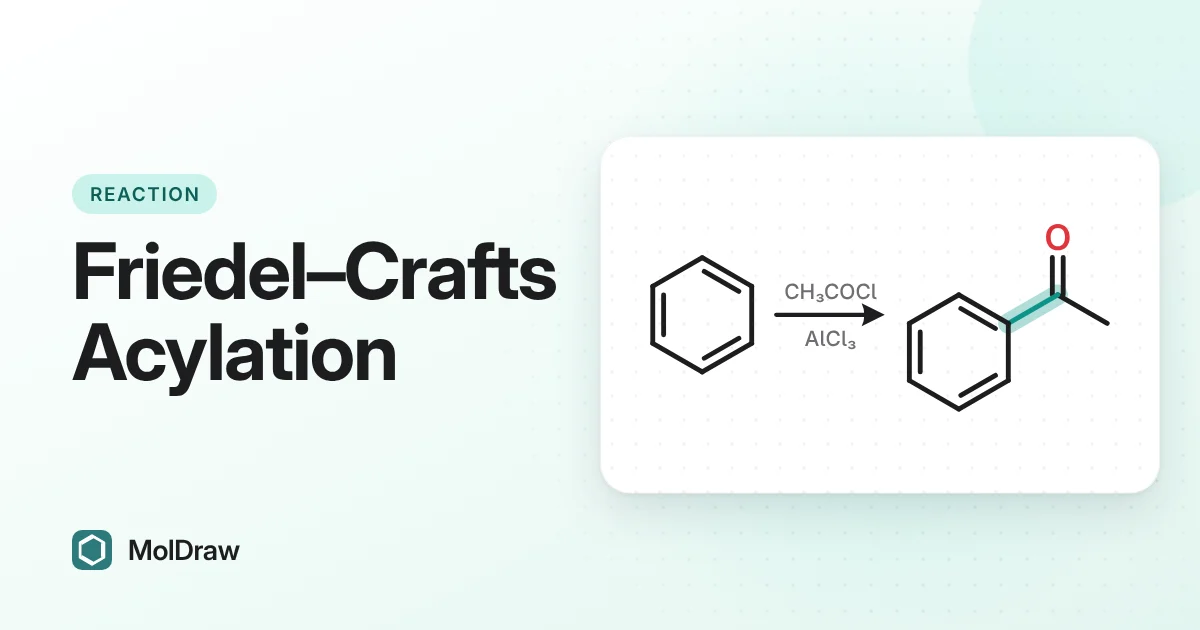
Friedel–Crafts acylation: benzene and acetyl chloride give acetophenone; the new C–C bond is highlighted.
## Reaction Scheme
arene + acyl chloride -> aryl ketoneAlCl3 or another Lewis acid generates the acylium electrophile.
Primary reaction SMILES: c1ccccc1.CC(=O)Cl>>CC(=O)c1ccccc1
## Key Facts
## Two Common Examples
**Benzene + acetyl chloride**
Forms acetophenone under AlCl3 conditions.
**Anisole acylation**
Electron-rich anisole gives mostly para-acylated product.
## MolDraw Use
Draw substituent effects, acyl chloride partners, and product regiochemistry in MolDraw.
## How It Works
Friedel–Crafts acylation is an electrophilic aromatic substitution. A Lewis acid, typically AlCl3, coordinates to an acyl chloride (or anhydride) and generates a resonance-stabilised acylium ion, R–C≡O+. The aromatic ring attacks the acylium ion to form a σ-complex (arenium ion), and loss of a proton restores aromaticity, giving an aryl ketone.
## Conditions and Scope
- More than one equivalent of AlCl3 is usually needed, because the ketone product complexes the Lewis acid; aqueous workup releases it.
- The acyl group deactivates the ring, so the product does not acylate again, unlike Friedel–Crafts alkylation, which tends to over-alkylate.
- The acylium ion does not rearrange, another advantage over alkylation.
- Strongly deactivated rings such as nitrobenzene do not react well.
The [Friedel-Crafts acylation mechanism template](https://www.moldraw.com/templates/friedel-crafts-acylation/) draws each step, and the [acylium ion resonance template](https://www.moldraw.com/templates/resonance-acylium/) shows why this electrophile does not rearrange. The [Friedel-Crafts alkylation](https://www.moldraw.com/reaction/friedel-crafts-alkylation) uses a carbocation instead, which can rearrange and over-alkylate the ring.
## FAQ
**How do I get a straight-chain alkylbenzene?** Acylate first, then reduce the ketone (for example by Clemmensen or Wolff–Kishner reduction), avoiding the carbocation rearrangements of direct alkylation. **Where does the new group go?** Existing substituents direct it: activating groups such as OMe direct ortho/para, with para usually favoured for steric reasons.
[Grignard](https://www.moldraw.com/reaction/grignard-reaction)[Suzuki](https://www.moldraw.com/reaction/suzuki-coupling)[Aldol](https://www.moldraw.com/reaction/aldol-condensation)[All reactions](https://www.moldraw.com/reaction/)[Name reaction finder](https://www.moldraw.com/tools/free-chem-tools/name-reaction-finder.html)
---
Name reaction · mechanism
# Friedel–Crafts Alkylation
Friedel–Crafts alkylation attaches an alkyl group to an aromatic ring using an alkyl halide and a Lewis acid such as AlCl₃. The Lewis acid generates a carbocation (or a polarised complex), the ring attacks it to form an arenium ion, and loss of a proton restores aromaticity.
[Open full mechanism in MolDraw](https://www.moldraw.com/?template=friedel-crafts-alkylation)[Edit the reaction](https://www.moldraw.com/?reaction=c1ccccc1.CC(C)(C)Cl%3E%3ECC(C)(C)c1ccccc1)
[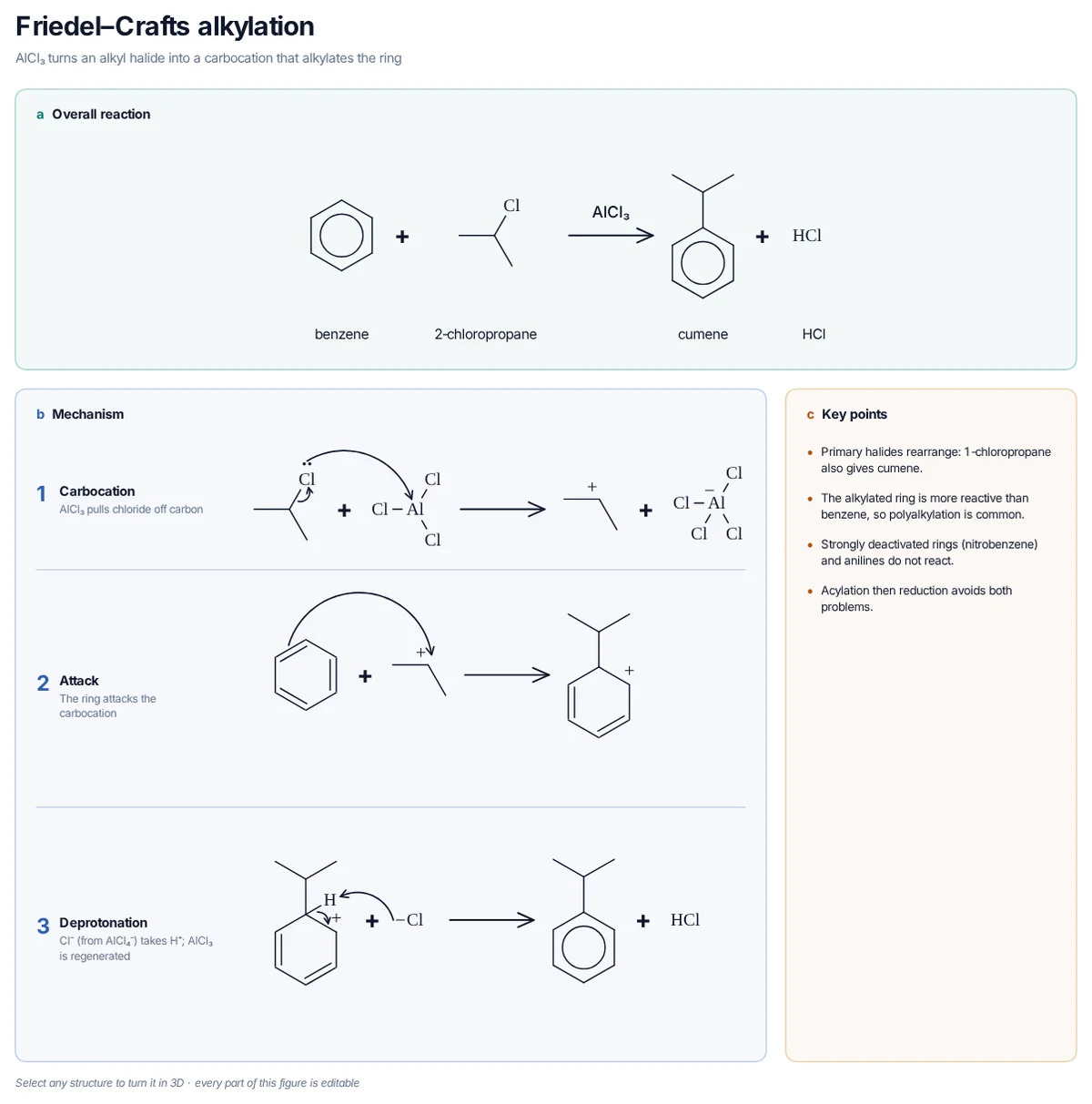](https://www.moldraw.com/?template=friedel-crafts-alkylation)
Friedel–Crafts alkylation: overall reaction, every curly-arrow step and key points. Click to open and edit it in MolDraw.
## Overall reaction
C₆H₆ + (CH₃)₃CCl → (AlCl₃) C₆H₅C(CH₃)₃ + HCl
AlCl₃ turns an alkyl halide into a carbocation that alkylates the ring.
## Reagents and conditions
- Alkyl halide with AlCl₃ or FeCl₃
- Alkenes or alcohols with protic acids also work
## Mechanism step by step
1. **Carbocation.** AlCl₃ pulls chloride off carbon
2. **Attack.** The ring attacks the carbocation
3. **Deprotonation.** Cl⁻ (from AlCl₄⁻) takes H⁺; AlCl₃ is regenerated
Each step is checked electron by electron: the curly arrows give exactly the structures drawn.
[Open and edit this mechanism](https://www.moldraw.com/?template=friedel-crafts-alkylation)
## Key points
- Primary halides rearrange: 1-chloropropane also gives cumene.
- The alkylated ring is more reactive than benzene, so polyalkylation is common.
- Strongly deactivated rings (nitrobenzene) and anilines do not react.
- Acylation then reduction avoids both problems.
The [Friedel-Crafts alkylation template](https://www.moldraw.com/templates/friedel-crafts-alkylation/) shows the carbocation, the σ-complex and the loss of H⁺. [Carbocation rearrangements](https://www.moldraw.com/templates/carbocation-rearrangement/) explain why 1-chloropropane gives isopropylbenzene, and [Friedel-Crafts acylation](https://www.moldraw.com/reaction/friedel-crafts-acylation) avoids that problem.
## For JEE and NEET
- Carbocations rearrange: n-propyl chloride gives mainly isopropylbenzene.
- Polyalkylation: the alkylated product is more reactive than benzene.
- Fails on strongly deactivated rings (nitrobenzene) and on aniline (NH₂ binds AlCl₃).
- Aryl and vinyl halides cannot be used.
## FAQ
**Why does Friedel–Crafts alkylation give rearranged products?**
Primary carbocations (or their complexes) undergo hydride/alkyl shifts to more stable secondary or tertiary cations before attack.
**How can polyalkylation be avoided?**
Use a large excess of the arene, or do Friedel–Crafts acylation and then reduce the ketone (Clemmensen or Wolff–Kishner).
**Why does aniline not react?**
The basic NH₂ group complexes with AlCl₃, putting a positive charge next to the ring and deactivating it.
## Draw it in MolDraw
The button above opens the complete figure — overall reaction, numbered mechanism and key points — as ordinary editable structures. Change substituents, recolour atoms, or export a PNG, SVG or chemfig code for notes and slides. The same figure is in the Templates panel under Name reactions.
[Friedel–Crafts acylation](https://www.moldraw.com/reaction/friedel-crafts-acylation)[Azo Coupling Reaction](https://www.moldraw.com/reaction/azo-coupling-reaction)[Wolff–Kishner Reduction](https://www.moldraw.com/reaction/wolff-kishner-reduction)[All reactions](https://www.moldraw.com/reaction/)[Name reaction finder](https://www.moldraw.com/tools/free-chem-tools/name-reaction-finder.html)
---
Name reaction · mechanism
# Gabriel Phthalimide Synthesis
The Gabriel synthesis makes pure primary amines. Phthalimide is deprotonated (its N–H, between two carbonyl groups, has pKa about 8.3), the anion is alkylated by a primary alkyl halide in an SN2 reaction, and hydrazine (or hydrolysis) then releases the amine. Because the N-alkylphthalimide cannot be alkylated again, no secondary or tertiary amines form.
[Open full mechanism in MolDraw](https://www.moldraw.com/?template=gabriel-synthesis)[Edit the reaction](https://www.moldraw.com/?reaction=O%3DC1NC(%3DO)c2ccccc21.BrCc1ccccc1%3E%3ENCc1ccccc1)
[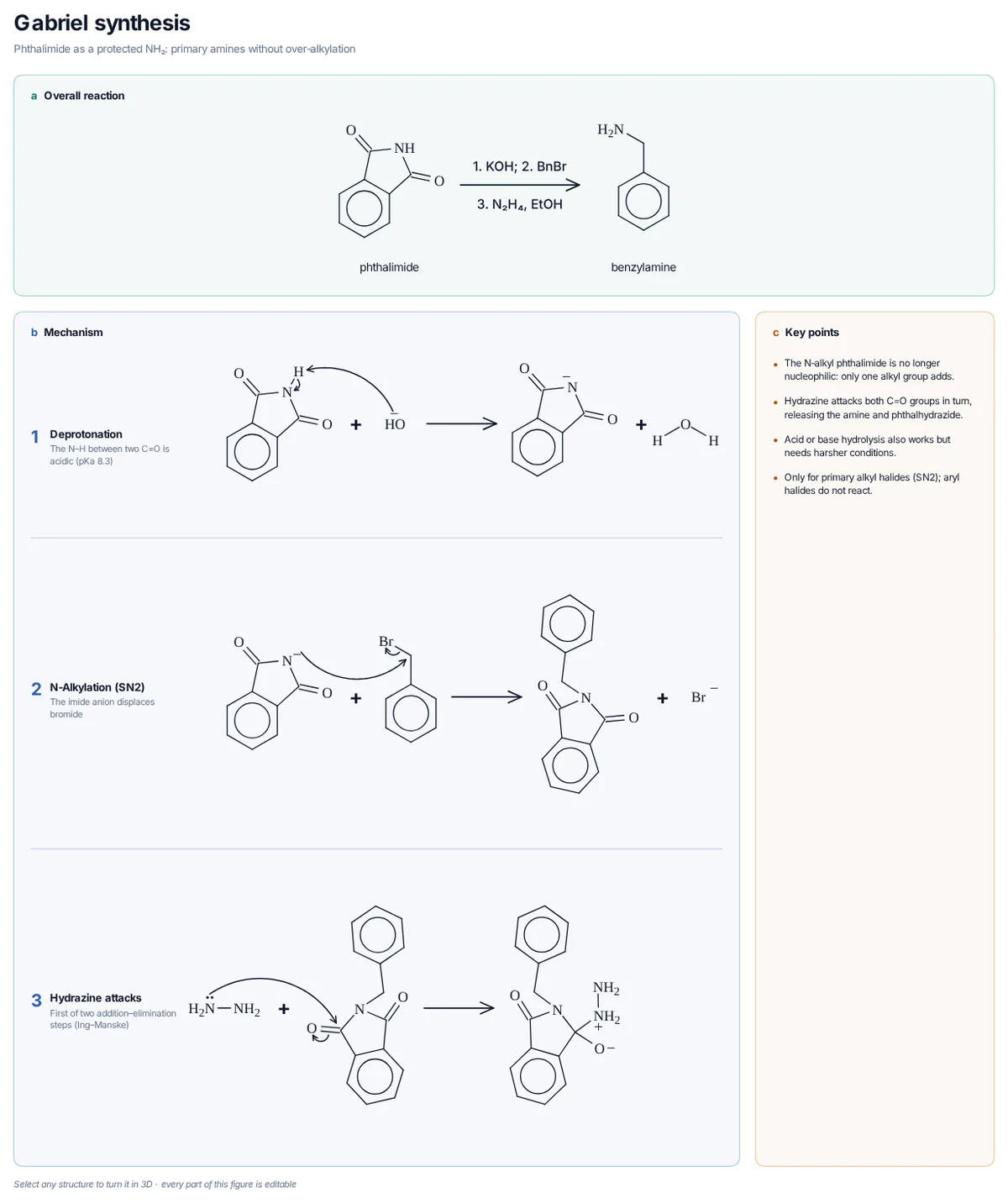](https://www.moldraw.com/?template=gabriel-synthesis)
Gabriel synthesis: overall reaction, every curly-arrow step and key points. Click to open and edit it in MolDraw.
## Overall reaction
Phthalimide → (KOH) potassium phthalimide → (R–X) N-alkylphthalimide → (N₂H₄ or H₃O⁺) R–NH₂
Phthalimide as a protected NH₂: primary amines without over-alkylation.
## Reagents and conditions
- KOH (ethanolic) to form potassium phthalimide
- Primary alkyl halide (SN2), often in DMF
- Hydrazine in ethanol (Ing–Manske) or acid/base hydrolysis
## Mechanism step by step
1. **Deprotonation.** The N–H between two C=O is acidic (pKa 8.3)
2. **N-Alkylation (SN2).** The imide anion displaces bromide
3. **Hydrazine attacks.** First of two addition–elimination steps (Ing–Manske)
Each step is checked electron by electron: the curly arrows give exactly the structures drawn.
[Open and edit this mechanism](https://www.moldraw.com/?template=gabriel-synthesis)
## Key points
- The N-alkyl phthalimide is no longer nucleophilic: only one alkyl group adds.
- Hydrazine attacks both C=O groups in turn, releasing the amine and phthalhydrazide.
- Acid or base hydrolysis also works but needs harsher conditions.
- Only for primary alkyl halides (SN2); aryl halides do not react.
For a longer walk-through, read the [Gabriel synthesis mechanism guide](https://www.moldraw.com/blog/gabriel-phthalimide-synthesis-mechanism.html) or open the [Gabriel synthesis template](https://www.moldraw.com/templates/gabriel-synthesis/). The [Hofmann bromamide reaction](https://www.moldraw.com/reaction/hofmann-bromamide-reaction) is another route to pure primary amines, starting from an amide.
## For JEE and NEET
- Gives only primary amines — no over-alkylation, unlike ammonia + alkyl halide.
- Aryl halides (e.g. chlorobenzene) do not work: they do not undergo SN2.
- Aromatic primary amines (aniline) cannot be made this way.
- Hydrazinolysis by-product is phthalhydrazide.
## FAQ
**Why can aniline not be prepared by Gabriel synthesis?**
The alkylation step is SN2, and aryl halides do not undergo nucleophilic substitution by the phthalimide anion.
**Why is phthalimide acidic?**
The N–H sits between two carbonyl groups, so the anion is delocalised onto both oxygens (pKa ≈ 8.3).
**Why is the Gabriel synthesis preferred over NH₃ + R–X?**
Ammonia gives mixtures of primary, secondary and tertiary amines and quaternary salts; the N-alkylphthalimide stops at one alkyl group.
## Draw it in MolDraw
The button above opens the complete figure — overall reaction, numbered mechanism and key points — as ordinary editable structures. Change substituents, recolour atoms, or export a PNG, SVG or chemfig code for notes and slides. The same figure is in the Templates panel under Name reactions.
[Hofmann Bromamide Reaction](https://www.moldraw.com/reaction/hofmann-bromamide-reaction)[Williamson Ether Synthesis](https://www.moldraw.com/reaction/williamson-ether-synthesis)[Sandmeyer Reaction](https://www.moldraw.com/reaction/sandmeyer-reaction)[All reactions](https://www.moldraw.com/reaction/)[Name reaction finder](https://www.moldraw.com/tools/free-chem-tools/name-reaction-finder.html)
---
Organic reaction
# Grignard Reaction
A Grignard reaction uses an organomagnesium reagent to add a carbon group to electrophiles such as aldehydes, ketones, esters, and carbon dioxide.
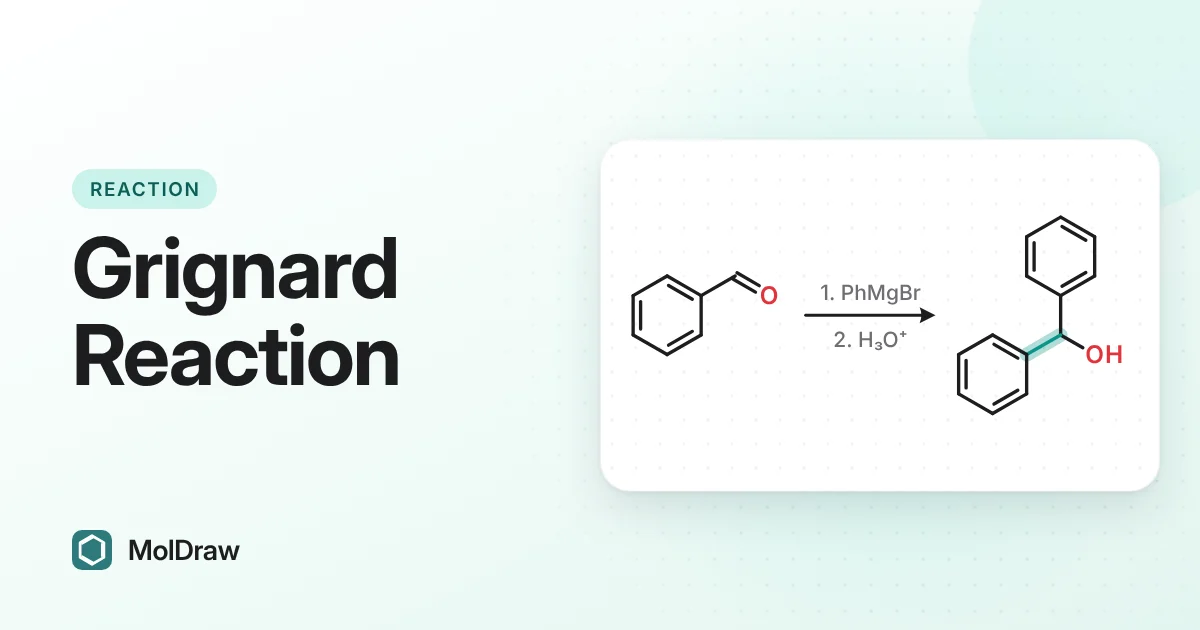
Grignard reaction: PhMgBr adds to benzaldehyde to give diphenylmethanol; the new C–C bond is highlighted.
## Reaction Scheme
R-MgX + carbonyl -> alcohol after workupRequires dry ether or THF; water and acids quench the reagent.
Primary reaction SMILES: C=O.C[Mg]Br>>CCO
## Key Facts
## Two Common Examples
**Methylmagnesium bromide + formaldehyde**
Forms ethanol after protonation.
**Phenylmagnesium bromide + benzaldehyde**
Forms diphenylmethanol after acidic workup.
## MolDraw Use
Use MolDraw to draw the organomagnesium reagent, carbonyl partner, workup arrow, and product.
## How It Works
A Grignard reagent, R–MgX, is made by inserting magnesium metal into a carbon–halogen bond in a dry ether solvent such as diethyl ether or THF. The carbon bonded to magnesium is strongly nucleophilic and basic. It adds to the electrophilic carbon of a carbonyl group, forming a magnesium alkoxide, which is protonated on acidic workup to give an alcohol.
## Conditions and Scope
- **Formaldehyde** gives a primary alcohol; **other aldehydes** give secondary alcohols; **ketones** give tertiary alcohols.
- **Esters** react twice, giving tertiary alcohols with two identical R groups from the Grignard.
- **CO2** gives a carboxylic acid after workup; **epoxides** give alcohols two carbons from the new bond.
- Water, alcohols, and acids destroy the reagent by protonation, so glassware and solvents must be dry.
The [Grignard addition mechanism template](https://www.moldraw.com/templates/grignard-addition/) shows the new C-C bond forming at the carbonyl carbon, and the [Grignard apparatus template](https://www.moldraw.com/templates/setup-grignard/) shows the dry glassware the reagent needs. To turn the same carbonyl into an alkene instead of an alcohol, compare the [Wittig reaction](https://www.moldraw.com/reaction/wittig-reaction).
## FAQ
**Why must the conditions be anhydrous?** R–MgX is a strong base; water converts it to R–H. **How should I draw the scheme?** Show two steps over the arrow: "1. RMgBr, Et2O" and "2. H3O+", which makes clear that the acid is added only after the addition is complete.
[Wittig](https://www.moldraw.com/reaction/wittig-reaction)[Aldol](https://www.moldraw.com/reaction/aldol-condensation)[Friedel-Crafts](https://www.moldraw.com/reaction/friedel-crafts-acylation)[All reactions](https://www.moldraw.com/reaction/)[Name reaction finder](https://www.moldraw.com/tools/free-chem-tools/name-reaction-finder.html)
---
Organic reaction
# Heck Reaction
The Heck reaction forms substituted alkenes by palladium-catalyzed coupling of aryl or vinyl halides with alkenes.
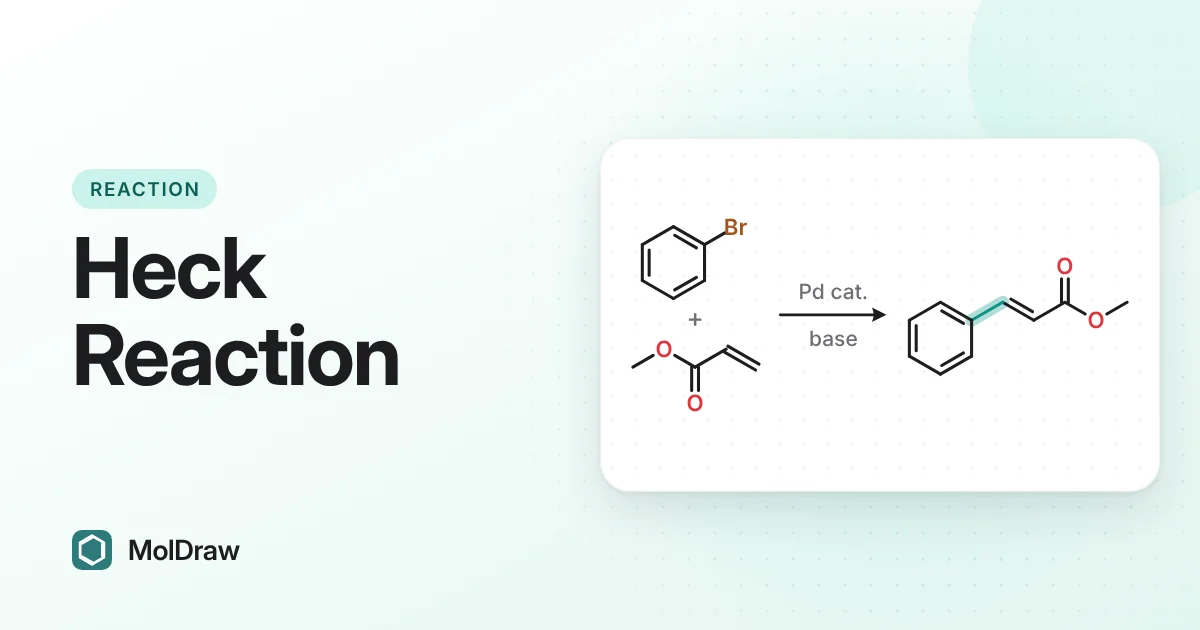
Heck reaction: bromobenzene and methyl acrylate give methyl cinnamate; the new C–C bond is highlighted.
## Reaction Scheme
aryl halide + alkene -> substituted alkenePd catalyst, base, heat; often gives E-alkene products.
Primary reaction SMILES: Brc1ccccc1.C=CC(=O)OC>>COC(=O)C=Cc1ccccc1
## Key Facts
## Two Common Examples
**Bromobenzene + methyl acrylate**
Forms cinnamate-type ester products.
**Aryl iodide + styrene**
Forms stilbene derivatives under Pd/base conditions.
## MolDraw Use
Use MolDraw to communicate regioselectivity, alkene geometry, catalysts, and product structures.
## How It Works
The Heck (Mizoroki–Heck) reaction follows a Pd(0)/Pd(II) catalytic cycle. Pd(0) undergoes oxidative addition into the aryl–halide bond. The alkene coordinates and inserts into the Pd–aryl bond (migratory insertion, syn addition). β-Hydride elimination then releases the substituted alkene, and the base removes HX from the palladium hydride to regenerate Pd(0).
## Conditions and Scope
- Halide reactivity generally follows I > Br ≫ Cl; aryl triflates also work.
- Electron-poor alkenes such as acrylates and styrene react well, and the aryl group usually adds to the less substituted alkene carbon.
- Products are typically the E (trans) alkene.
- Common catalysts include Pd(OAc)2 with phosphine ligands; bases include triethylamine or carbonates.
The [Mizoroki-Heck catalytic cycle template](https://www.moldraw.com/templates/cycle-mizoroki-heck/) shows oxidative addition, alkene insertion, β-hydride elimination and the return to Pd(0). More palladium cycles are in the [catalytic cycle templates](https://www.moldraw.com/templates/catalytic-cycles/), and the [chemical reaction drawer](https://www.moldraw.com/tools/free-chem-tools/chemical-reaction-drawer.html) lays out your own coupling scheme.
## FAQ
**How is it different from Suzuki coupling?** Heck couples an aryl halide with an alkene C–H, with no organometallic partner, while [Suzuki coupling](https://www.moldraw.com/reaction/suzuki-coupling) uses a boronic acid. **How do I show the catalyst?** Write "Pd(OAc)2 (cat.), PPh3, Et3N, heat" above and below the arrow, or draw the catalytic cycle as a loop of arrows for teaching.
[Suzuki](https://www.moldraw.com/reaction/suzuki-coupling)[Wittig](https://www.moldraw.com/reaction/wittig-reaction)[Diels-Alder](https://www.moldraw.com/reaction/diels-alder-reaction)[All reactions](https://www.moldraw.com/reaction/)[Name reaction finder](https://www.moldraw.com/tools/free-chem-tools/name-reaction-finder.html)
---
Name reaction · mechanism
# Hell–Volhard–Zelinsky Reaction
The Hell–Volhard–Zelinsky (HVZ) reaction brominates a carboxylic acid at the α-carbon. Phosphorus tribromide (or red phosphorus + Br₂) turns the acid into the acyl bromide, which enolises far more easily than the acid; the enol attacks bromine, and water finally converts the α-bromo acyl bromide back to the acid.
[Open full mechanism in MolDraw](https://www.moldraw.com/?template=hell-volhard-zelinsky)[Edit the reaction](https://www.moldraw.com/?reaction=CCC(%3DO)O.BrBr%3E%3ECC(Br)C(%3DO)O)
[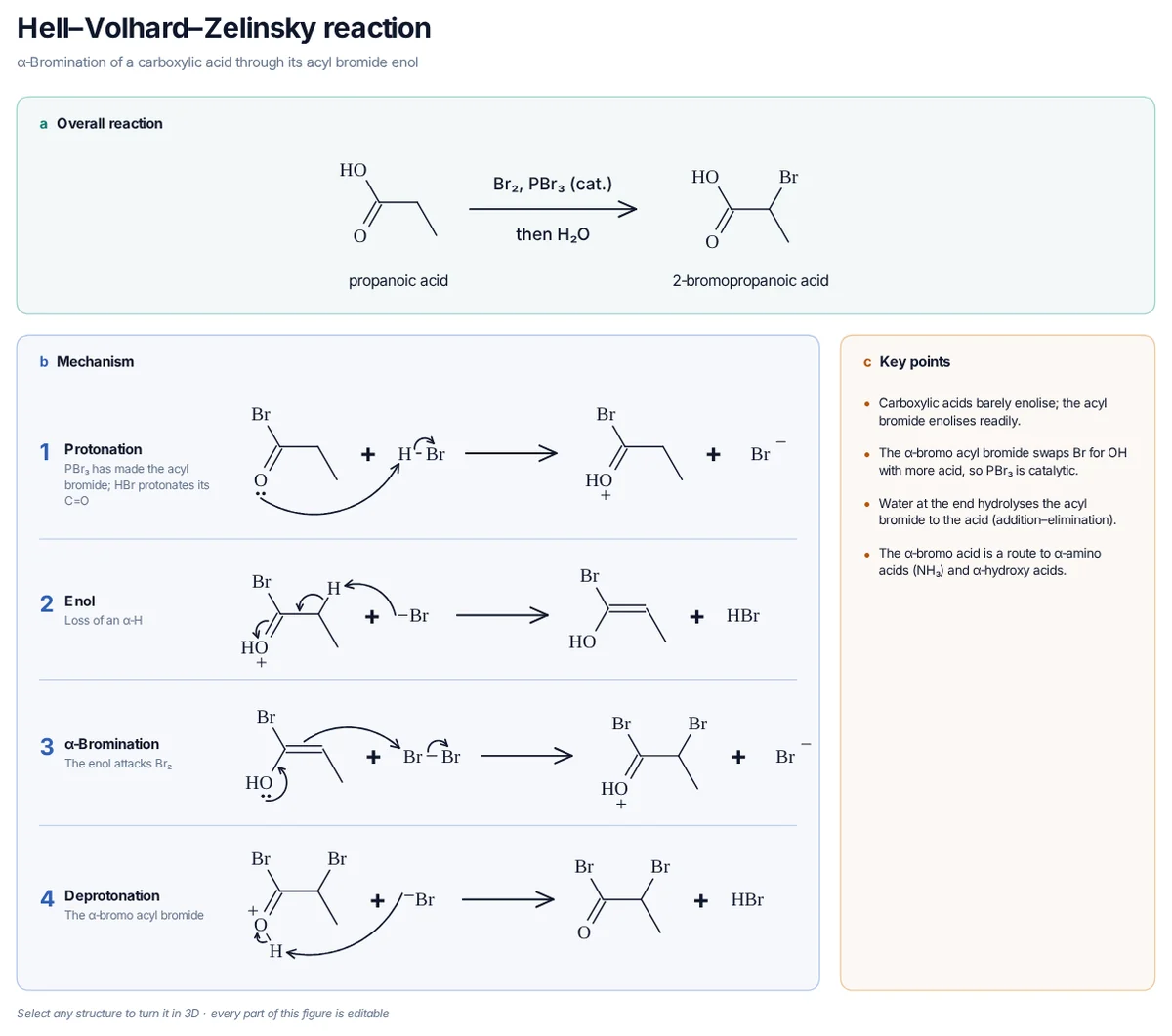](https://www.moldraw.com/?template=hell-volhard-zelinsky)
Hell–Volhard–Zelinsky reaction: overall reaction, every curly-arrow step and key points. Click to open and edit it in MolDraw.
## Overall reaction
R–CH₂–COOH + Br₂ (red P or PBr₃) → R–CHBr–COOH + HBr
α-Bromination of a carboxylic acid through its acyl bromide enol.
## Reagents and conditions
- Br₂ with a catalytic amount of PBr₃ or red phosphorus
- Heat, then water work-up
## Mechanism step by step
1. **Protonation.** PBr₃ has made the acyl bromide; HBr protonates its C=O
2. **Enol.** Loss of an α-H
3. **α-Bromination.** The enol attacks Br₂
4. **Deprotonation.** The α-bromo acyl bromide
Each step is checked electron by electron: the curly arrows give exactly the structures drawn.
[Open and edit this mechanism](https://www.moldraw.com/?template=hell-volhard-zelinsky)
## Key points
- Carboxylic acids barely enolise; the acyl bromide enolises readily.
- The α-bromo acyl bromide swaps Br for OH with more acid, so PBr₃ is catalytic.
- Water at the end hydrolyses the acyl bromide to the acid (addition–elimination).
- The α-bromo acid is a route to α-amino acids (NH₃) and α-hydroxy acids.
The [Hell-Volhard-Zelinsky mechanism template](https://www.moldraw.com/templates/hell-volhard-zelinsky/) shows the acyl bromide, its enol and the α-bromination step. The α-bromo acid reacts with ammonia to give [amino acids](https://www.moldraw.com/templates/library-amino-acids/) such as glycine, and the [iodoform reaction](https://www.moldraw.com/reaction/iodoform-reaction) is another α-halogenation, of methyl ketones in base.
## For JEE and NEET
- Needs at least one α-hydrogen.
- Only the α-position is halogenated (Cl₂ works similarly).
- Products are routes to α-amino acids (NH₃) and α-hydroxy acids (aqueous base).
- Red phosphorus + Br₂ makes PBr₃ in situ.
## FAQ
**Why is PBr₃ needed?**
Carboxylic acids barely enolise. PBr₃ converts the acid to the acyl bromide, whose enol forms readily and reacts with Br₂.
**Does HVZ work on acids without α-hydrogen?**
No — for example, (CH₃)₃CCOOH or benzoic acid do not give HVZ products.
**What is the product from propanoic acid?**
2-Bromopropanoic acid, CH₃CHBrCOOH.
## Draw it in MolDraw
The button above opens the complete figure — overall reaction, numbered mechanism and key points — as ordinary editable structures. Change substituents, recolour atoms, or export a PNG, SVG or chemfig code for notes and slides. The same figure is in the Templates panel under Name reactions.
[Iodoform (Haloform) Reaction](https://www.moldraw.com/reaction/iodoform-reaction)[Gabriel Phthalimide Synthesis](https://www.moldraw.com/reaction/gabriel-phthalimide-synthesis)[Claisen Condensation](https://www.moldraw.com/reaction/claisen-condensation)[All reactions](https://www.moldraw.com/reaction/)[Name reaction finder](https://www.moldraw.com/tools/free-chem-tools/name-reaction-finder.html)
---
Name reaction · mechanism
# Hofmann Bromamide Reaction (Hofmann Rearrangement)
The Hofmann bromamide reaction converts a primary amide into a primary amine with one carbon fewer, using bromine and sodium hydroxide. The amide is N-brominated, the N-bromoamide anion rearranges to an isocyanate as the alkyl group moves from carbon to nitrogen, and the isocyanate is hydrolysed and decarboxylated.
[Open full mechanism in MolDraw](https://www.moldraw.com/?template=hofmann-rearrangement)[Edit the reaction](https://www.moldraw.com/?reaction=CC(N)%3DO%3E%3ECN.O%3DC%3DO)
[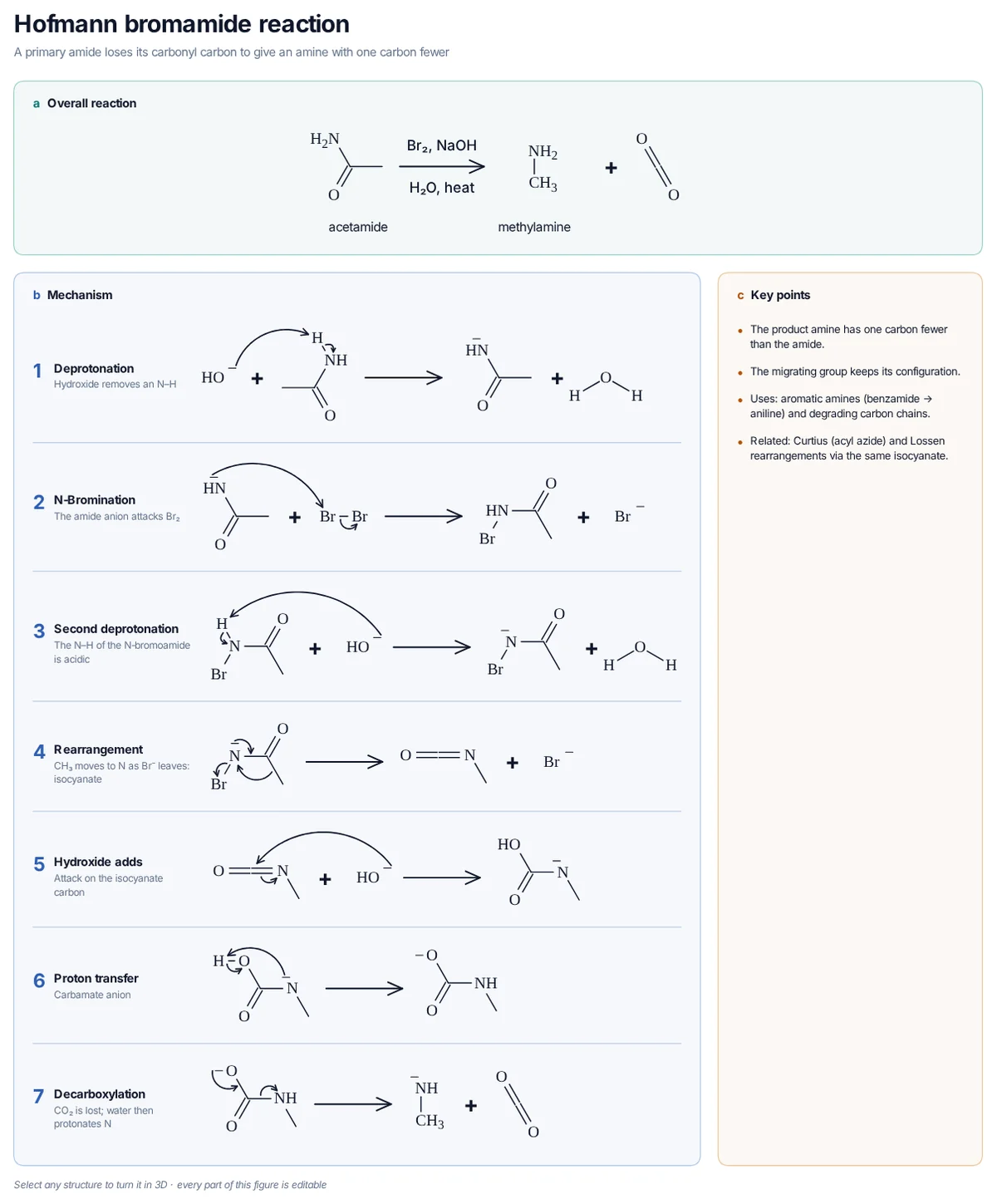](https://www.moldraw.com/?template=hofmann-rearrangement)
Hofmann bromamide reaction: overall reaction, every curly-arrow step and key points. Click to open and edit it in MolDraw.
## Overall reaction
R–CONH₂ + Br₂ + 4 NaOH → R–NH₂ + Na₂CO₃ + 2 NaBr + 2 H₂O
A primary amide loses its carbonyl carbon to give an amine with one carbon fewer.
## Reagents and conditions
- Bromine (Br₂) and aqueous NaOH (or NaOBr)
- Warm, aqueous conditions
## Mechanism step by step
1. **Deprotonation.** Hydroxide removes an N–H
2. **N-Bromination.** The amide anion attacks Br₂
3. **Second deprotonation.** The N–H of the N-bromoamide is acidic
4. **Rearrangement.** CH₃ moves to N as Br⁻ leaves: isocyanate
5. **Hydroxide adds.** Attack on the isocyanate carbon
6. **Proton transfer.** Carbamate anion
7. **Decarboxylation.** CO₂ is lost; water then protonates N
Each step is checked electron by electron: the curly arrows give exactly the structures drawn.
[Open and edit this mechanism](https://www.moldraw.com/?template=hofmann-rearrangement)
## Key points
- The product amine has one carbon fewer than the amide.
- The migrating group keeps its configuration.
- Uses: aromatic amines (benzamide → aniline) and degrading carbon chains.
- Related: Curtius (acyl azide) and Lossen rearrangements via the same isocyanate.
For a longer walk-through, read the [Hofmann bromamide mechanism guide](https://www.moldraw.com/blog/hofmann-bromamide-reaction-mechanism.html) or open the [Hofmann rearrangement template](https://www.moldraw.com/templates/hofmann-rearrangement/). The [Curtius rearrangement](https://www.moldraw.com/reaction/curtius-rearrangement) reaches the same isocyanate from an acyl azide.
## For JEE and NEET
- The product amine has one carbon fewer than the amide (e.g. acetamide → methylamine, benzamide → aniline).
- Intermediate: isocyanate, R–N=C=O; the migrating group keeps its configuration.
- Only primary amides (–CONH₂) react.
- Related rearrangements via the same isocyanate: Curtius (acyl azide) and Lossen (hydroxamic acid).
## FAQ
**Why does the amine have one carbon fewer?**
The carbonyl carbon becomes the carbon of the isocyanate, which is lost as CO₂ (carbonate) after hydrolysis.
**What is the key intermediate?**
The isocyanate R–N=C=O, formed when R migrates from carbon to nitrogen as bromide leaves the N-bromoamide anion.
**What does benzamide give?**
Aniline (C₆H₅NH₂).
## Draw it in MolDraw
The button above opens the complete figure — overall reaction, numbered mechanism and key points — as ordinary editable structures. Change substituents, recolour atoms, or export a PNG, SVG or chemfig code for notes and slides. The same figure is in the Templates panel under Name reactions.
[Gabriel Phthalimide Synthesis](https://www.moldraw.com/reaction/gabriel-phthalimide-synthesis)[Curtius Rearrangement](https://www.moldraw.com/reaction/curtius-rearrangement)[Beckmann Rearrangement](https://www.moldraw.com/reaction/beckmann-rearrangement)[All reactions](https://www.moldraw.com/reaction/)[Name reaction finder](https://www.moldraw.com/tools/free-chem-tools/name-reaction-finder.html)
---
Name reaction · mechanism
# Hydroboration–Oxidation
Hydroboration–oxidation converts an alkene into an alcohol with the OH on the less substituted carbon (anti-Markovnikov) and with syn addition of H and OH. Borane adds H and B across the C=C in a single four-centre step; alkaline hydrogen peroxide then replaces boron by OH with retention of configuration.
[Open full mechanism in MolDraw](https://www.moldraw.com/?template=hydroboration-oxidation)[Edit the reaction](https://www.moldraw.com/?reaction=CC%3DC%3E%3ECCCO)
[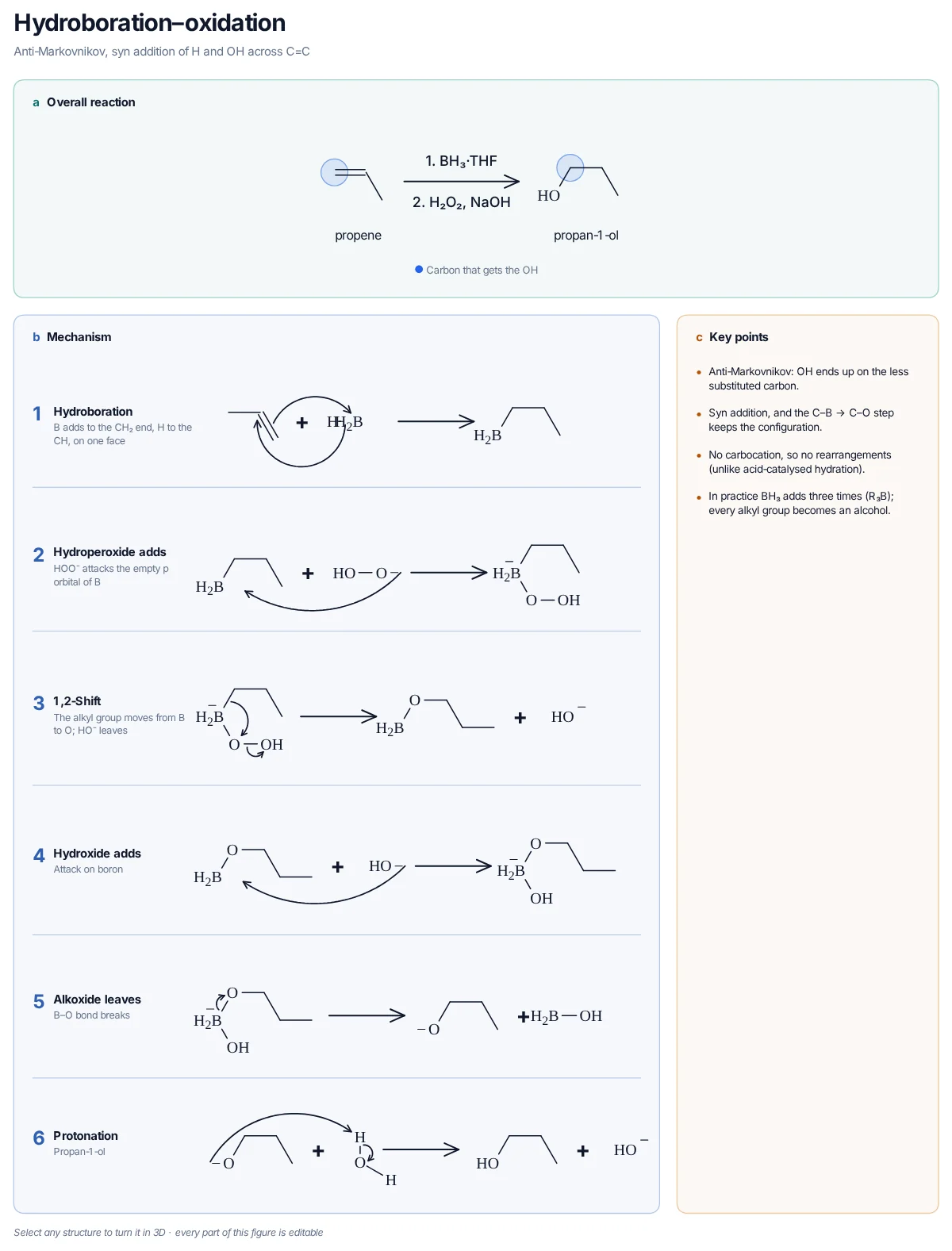](https://www.moldraw.com/?template=hydroboration-oxidation)
Hydroboration–oxidation: overall reaction, every curly-arrow step and key points. Click to open and edit it in MolDraw.
## Overall reaction
CH₃CH=CH₂ → (1. BH₃·THF; 2. H₂O₂, NaOH) CH₃CH₂CH₂OH
Anti-Markovnikov, syn addition of H and OH across C=C.
## Reagents and conditions
- BH₃·THF (or B₂H₆, 9-BBN for higher selectivity)
- H₂O₂ and aqueous NaOH
## Mechanism step by step
1. **Hydroboration.** B adds to the CH₂ end, H to the CH, on one face
2. **Hydroperoxide adds.** HOO⁻ attacks the empty p orbital of B
3. **1,2-Shift.** The alkyl group moves from B to O; HO⁻ leaves
4. **Hydroxide adds.** Attack on boron
5. **Alkoxide leaves.** B–O bond breaks
6. **Protonation.** Propan-1-ol
Each step is checked electron by electron: the curly arrows give exactly the structures drawn.
[Open and edit this mechanism](https://www.moldraw.com/?template=hydroboration-oxidation)
## Key points
- Anti-Markovnikov: OH ends up on the less substituted carbon.
- Syn addition, and the C–B → C–O step keeps the configuration.
- No carbocation, so no rearrangements (unlike acid-catalysed hydration).
- In practice BH₃ adds three times (R₃B); every alkyl group becomes an alcohol.
The [hydroboration-oxidation template](https://www.moldraw.com/templates/hydroboration-oxidation/) shows the syn addition of H-B and the shift that puts OH on carbon. Acid-catalysed [alkene hydration](https://www.moldraw.com/templates/alkene-hydration/) gives the Markovnikov alcohol instead, and the [alkene reactions map](https://www.moldraw.com/templates/rxnmap-alkene/) compares both routes.
## For JEE and NEET
- Anti-Markovnikov: propene gives propan-1-ol (acid-catalysed hydration gives propan-2-ol).
- Syn addition; no carbocation, so no rearrangements.
- The C–B → C–O step keeps the configuration.
- Each BH₃ adds to three alkenes (trialkylborane) before oxidation.
## FAQ
**Why is hydroboration anti-Markovnikov?**
Boron, the larger and electron-poor end of B–H, bonds to the less hindered carbon, and the partial positive charge in the transition state develops on the more substituted carbon.
**Why are there no rearrangements?**
The addition is concerted through a four-centre transition state; no free carbocation forms.
**What does the oxidation step do?**
Hydroperoxide adds to boron, an alkyl group shifts from B to O with retention, and hydrolysis releases the alcohol.
## Draw it in MolDraw
The button above opens the complete figure — overall reaction, numbered mechanism and key points — as ordinary editable structures. Change substituents, recolour atoms, or export a PNG, SVG or chemfig code for notes and slides. The same figure is in the Templates panel under Name reactions.
[Ozonolysis](https://www.moldraw.com/reaction/ozonolysis)[Baeyer–Villiger Oxidation](https://www.moldraw.com/reaction/baeyer-villiger-oxidation)[Williamson Ether Synthesis](https://www.moldraw.com/reaction/williamson-ether-synthesis)[All reactions](https://www.moldraw.com/reaction/)[Name reaction finder](https://www.moldraw.com/tools/free-chem-tools/name-reaction-finder.html)
---
Name reaction · mechanism
# Iodoform (Haloform) Reaction
Methyl ketones (CH₃CO–) and alcohols that oxidise to them (CH₃CH(OH)–) react with iodine and sodium hydroxide to give a yellow precipitate of iodoform, CHI₃. The methyl group is iodinated three times through enolates, then hydroxide attacks the carbonyl and CI₃⁻ leaves as a carbanion, giving a carboxylate one carbon shorter.
[Open full mechanism in MolDraw](https://www.moldraw.com/?template=haloform-reaction)[Edit the reaction](https://www.moldraw.com/?reaction=CC(%3DO)c1ccccc1%3E%3EOC(%3DO)c1ccccc1.IC(I)I)
[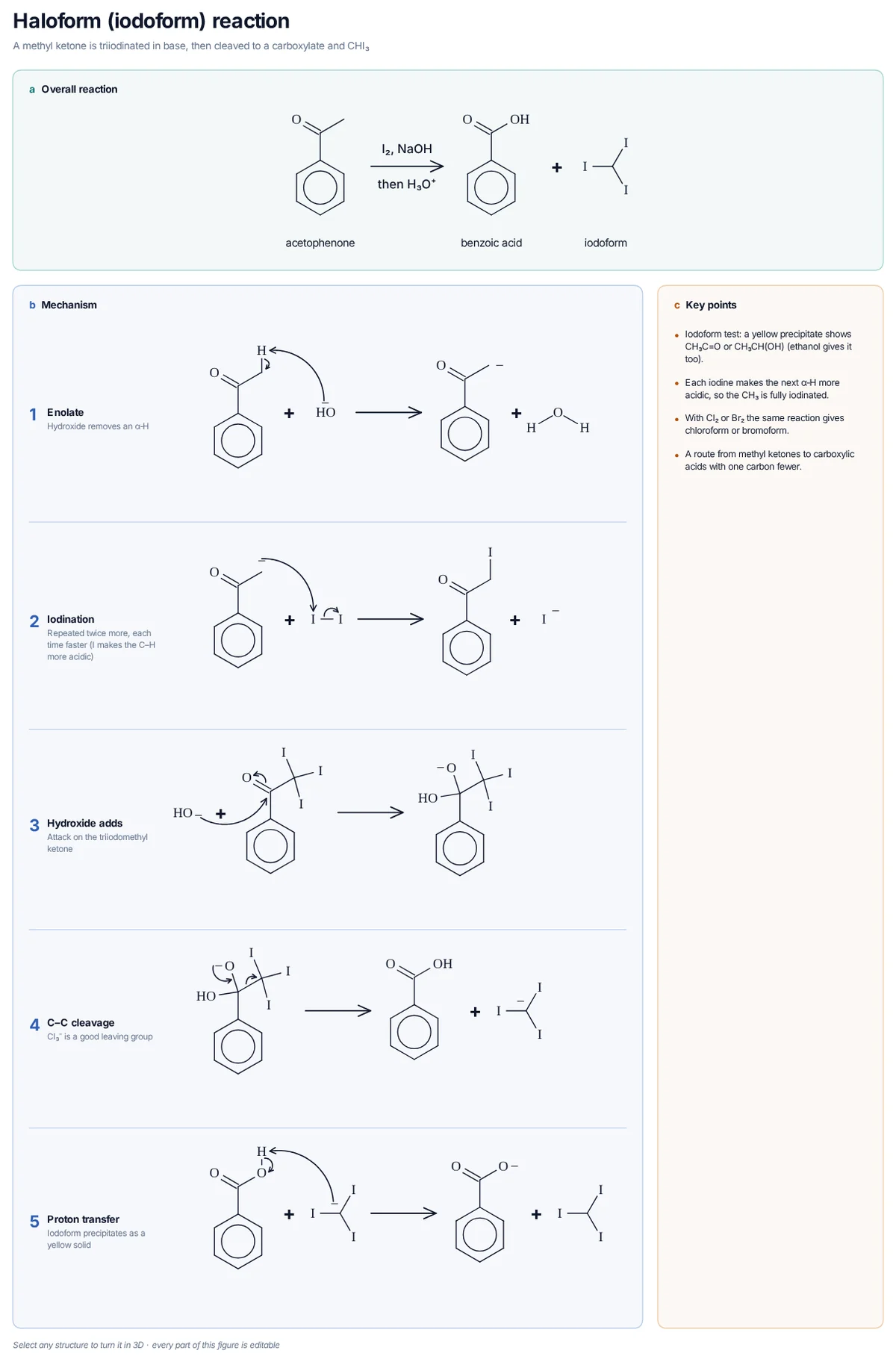](https://www.moldraw.com/?template=haloform-reaction)
Haloform (iodoform) reaction: overall reaction, every curly-arrow step and key points. Click to open and edit it in MolDraw.
## Overall reaction
R–CO–CH₃ + 3 I₂ + 4 NaOH → R–COO⁻Na⁺ + CHI₃↓ + 3 NaI + 3 H₂O
A methyl ketone is triiodinated in base, then cleaved to a carboxylate and CHI₃.
## Reagents and conditions
- I₂ and NaOH (or KI/NaOCl)
- Warm gently; yellow crystals of CHI₃ (m.p. 119 °C, antiseptic smell)
## Mechanism step by step
1. **Enolate.** Hydroxide removes an α-H
2. **Iodination.** Repeated twice more, each time faster (I makes the C–H more acidic)
3. **Hydroxide adds.** Attack on the triiodomethyl ketone
4. **C–C cleavage.** CI₃⁻ is a good leaving group
5. **Proton transfer.** Iodoform precipitates as a yellow solid
Each step is checked electron by electron: the curly arrows give exactly the structures drawn.
[Open and edit this mechanism](https://www.moldraw.com/?template=haloform-reaction)
## Key points
- Iodoform test: a yellow precipitate shows CH₃C=O or CH₃CH(OH) (ethanol gives it too).
- Each iodine makes the next α-H more acidic, so the CH₃ is fully iodinated.
- With Cl₂ or Br₂ the same reaction gives chloroform or bromoform.
- A route from methyl ketones to carboxylic acids with one carbon fewer.
The [haloform reaction template](https://www.moldraw.com/templates/haloform-reaction/) shows the three α-iodinations and the C-C cleavage that releases CHI₃. Each iodination goes through an enolate, drawn in the [enolate resonance template](https://www.moldraw.com/templates/resonance-enolate/), and the [Hell-Volhard-Zelinsky reaction](https://www.moldraw.com/reaction/hell-volhard-zelinsky-reaction) is another α-halogenation, of carboxylic acids.
## For JEE and NEET
- Positive: ethanol, acetaldehyde, acetone, propan-2-ol, butan-2-one, acetophenone, 1-phenylethanol.
- Negative: methanol, propan-1-ol, propanal, benzaldehyde, pentan-3-one, acetic acid.
- Ethanal is the only aldehyde that gives a positive test.
- Each iodination makes the next α-H more acidic, so the CH₃ is fully iodinated.
## FAQ
**Why does ethanol give the iodoform test?**
Iodine/NaOH oxidises ethanol to acetaldehyde, CH₃CHO, which has the CH₃–C=O group.
**Why does the C–C bond break?**
After three iodinations, CI₃⁻ is stabilised by the three iodines and is a good enough leaving group from the tetrahedral intermediate.
**Does acetic acid give the iodoform test?**
No. The carboxylate is not enolised under the conditions.
## Draw it in MolDraw
The button above opens the complete figure — overall reaction, numbered mechanism and key points — as ordinary editable structures. Change substituents, recolour atoms, or export a PNG, SVG or chemfig code for notes and slides. The same figure is in the Templates panel under Name reactions.
[Hell–Volhard–Zelinsky Reaction](https://www.moldraw.com/reaction/hell-volhard-zelinsky-reaction)[Cannizzaro Reaction](https://www.moldraw.com/reaction/cannizzaro-reaction)[Aldol condensation](https://www.moldraw.com/reaction/aldol-condensation)[All reactions](https://www.moldraw.com/reaction/)[Name reaction finder](https://www.moldraw.com/tools/free-chem-tools/name-reaction-finder.html)
---
Name reaction · mechanism
# Kolbe–Schmitt Reaction (Kolbe Reaction)
In the Kolbe–Schmitt reaction (often called the Kolbe reaction in Indian syllabuses) sodium phenoxide is heated with carbon dioxide under pressure. The ring carbon ortho to O⁻ attacks CO₂, the dienone tautomerises back to an aromatic ring, and acid work-up gives salicylic acid — the industrial route to aspirin.
[Open full mechanism in MolDraw](https://www.moldraw.com/?template=kolbe-schmitt)[Edit the reaction](https://www.moldraw.com/?reaction=%5BO-%5Dc1ccccc1.O%3DC%3DO%3E%3EOC(%3DO)c1ccccc1O)
[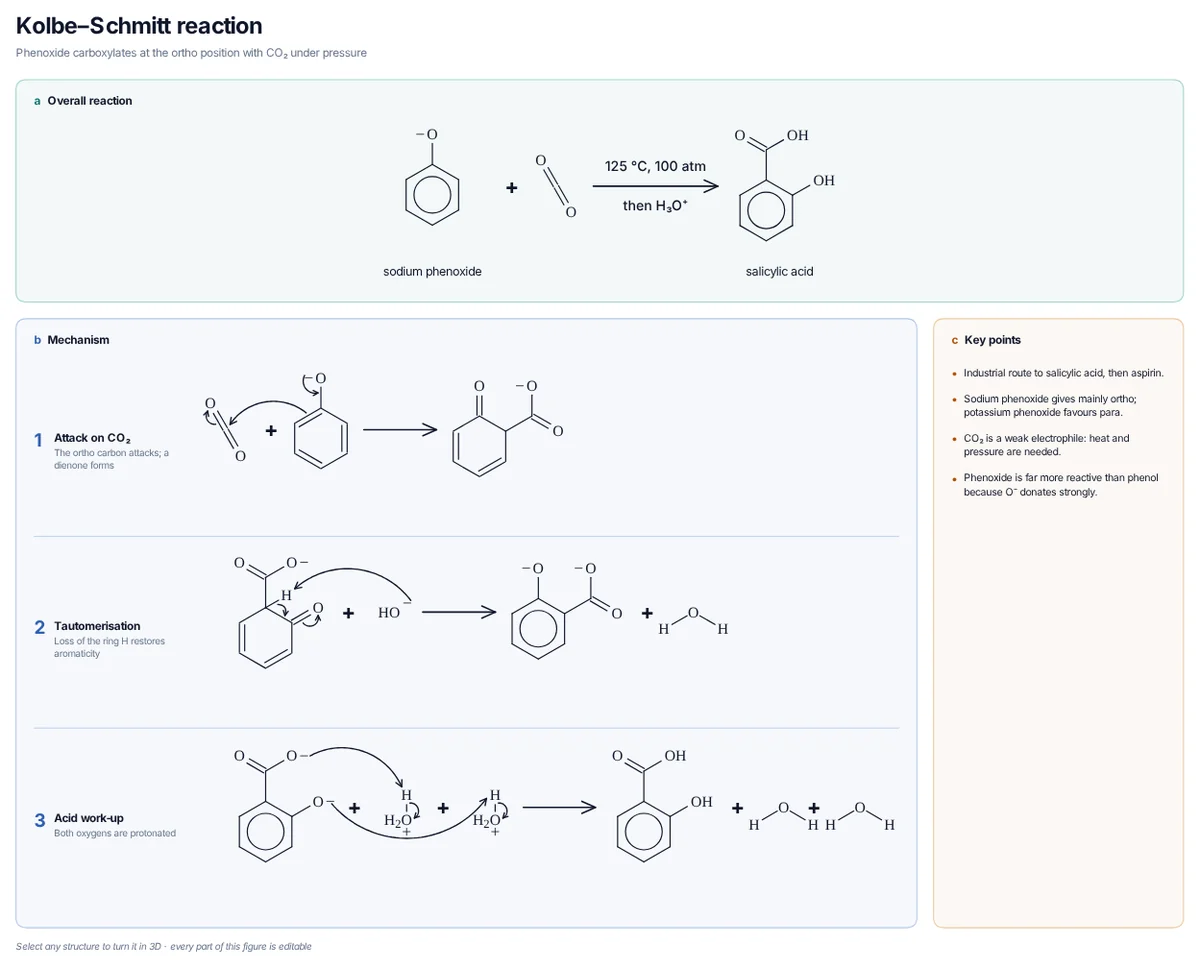](https://www.moldraw.com/?template=kolbe-schmitt)
Kolbe–Schmitt reaction: overall reaction, every curly-arrow step and key points. Click to open and edit it in MolDraw.
## Overall reaction
Sodium phenoxide + CO₂ (4–7 atm or more), 125 °C, then H₃O⁺ → salicylic acid
Phenoxide carboxylates at the ortho position with CO₂ under pressure.
## Reagents and conditions
- Dry sodium phenoxide (phenol + NaOH)
- CO₂ under pressure, about 125 °C
- Acid work-up (H₃O⁺)
## Mechanism step by step
1. **Attack on CO₂.** The ortho carbon attacks; a dienone forms
2. **Tautomerisation.** Loss of the ring H restores aromaticity
3. **Acid work-up.** Both oxygens are protonated
Each step is checked electron by electron: the curly arrows give exactly the structures drawn.
[Open and edit this mechanism](https://www.moldraw.com/?template=kolbe-schmitt)
## Key points
- Industrial route to salicylic acid, then aspirin.
- Sodium phenoxide gives mainly ortho; potassium phenoxide favours para.
- CO₂ is a weak electrophile: heat and pressure are needed.
- Phenoxide is far more reactive than phenol because O⁻ donates strongly.
For a longer walk-through, read the [Kolbe-Schmitt mechanism guide](https://www.moldraw.com/blog/kolbe-schmitt-reaction-mechanism.html) or open the [Kolbe-Schmitt mechanism template](https://www.moldraw.com/templates/kolbe-schmitt/). The [Reimer-Tiemann reaction](https://www.moldraw.com/reaction/reimer-tiemann-reaction) also attacks phenoxide at the ortho position, using dichlorocarbene to give salicylaldehyde.
## For JEE and NEET
- Phenoxide, not phenol, reacts: O⁻ makes the ring far more nucleophilic.
- Sodium phenoxide gives mainly ortho (salicylic acid); potassium phenoxide at higher temperature favours para.
- Salicylic acid + acetic anhydride → aspirin (acetylsalicylic acid).
- Do not confuse with Kolbe electrolysis (carboxylate salts → alkanes at the anode).
## FAQ
**Why does phenol need to be converted to phenoxide?**
CO₂ is a weak electrophile. The negative oxygen donates strongly into the ring, so only phenoxide is nucleophilic enough to attack it.
**What is the product of the Kolbe reaction?**
Salicylic acid (2-hydroxybenzoic acid) after acidification; the sodium salt forms first.
**What is the difference between Kolbe and Kolbe–Schmitt?**
They are usually the same reaction (Schmitt added the pressure conditions). Kolbe electrolysis is a different reaction.
## Draw it in MolDraw
The button above opens the complete figure — overall reaction, numbered mechanism and key points — as ordinary editable structures. Change substituents, recolour atoms, or export a PNG, SVG or chemfig code for notes and slides. The same figure is in the Templates panel under Name reactions.
[Reimer–Tiemann Reaction](https://www.moldraw.com/reaction/reimer-tiemann-reaction)[Williamson Ether Synthesis](https://www.moldraw.com/reaction/williamson-ether-synthesis)[Azo Coupling Reaction](https://www.moldraw.com/reaction/azo-coupling-reaction)[All reactions](https://www.moldraw.com/reaction/)[Name reaction finder](https://www.moldraw.com/tools/free-chem-tools/name-reaction-finder.html)
---
Name reaction · mechanism
# Michael Addition
The Michael addition is the conjugate (1,4-) addition of a stabilised carbanion — a malonate, β-keto ester or nitroalkane anion — to the β-carbon of an α,β-unsaturated carbonyl compound. The enolate formed is then protonated to give a 1,5-dicarbonyl compound.
[Open full mechanism in MolDraw](https://www.moldraw.com/?template=michael-addition)[Edit the reaction](https://www.moldraw.com/?reaction=CCOC(%3DO)CC(%3DO)OCC.C%3DCC(C)%3DO%3E%3ECCOC(%3DO)C(CCC(C)%3DO)C(%3DO)OCC)
[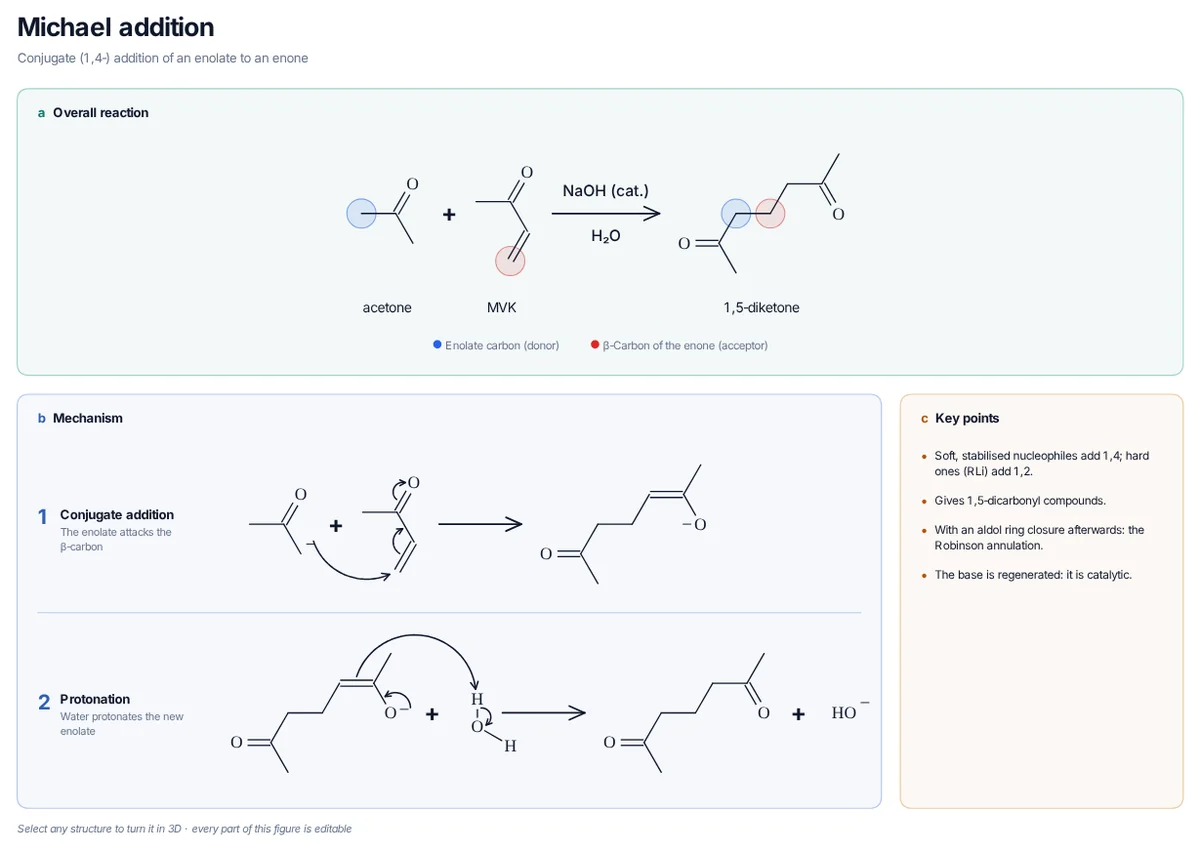](https://www.moldraw.com/?template=michael-addition)
Michael addition: overall reaction, every curly-arrow step and key points. Click to open and edit it in MolDraw.
## Overall reaction
CH₂(COOEt)₂ + CH₂=CHCOCH₃ → (NaOEt) (EtOOC)₂CH–CH₂CH₂COCH₃
Conjugate (1,4-) addition of an enolate to an enone.
## Reagents and conditions
- Catalytic base (NaOEt, Et₃N, DBU) with a stabilised donor
- Acceptors: enones, acrylates, acrylonitrile, nitroalkenes
## Mechanism step by step
1. **Conjugate addition.** The enolate attacks the β-carbon
2. **Protonation.** Water protonates the new enolate
Each step is checked electron by electron: the curly arrows give exactly the structures drawn.
[Open and edit this mechanism](https://www.moldraw.com/?template=michael-addition)
## Key points
- Soft, stabilised nucleophiles add 1,4; hard ones (RLi) add 1,2.
- Gives 1,5-dicarbonyl compounds.
- With an aldol ring closure afterwards: the Robinson annulation.
- The base is regenerated: it is catalytic.
The [Michael addition template](https://www.moldraw.com/templates/michael-addition/) shows the enolate adding to the β-carbon of the enone. In the [Robinson annulation](https://www.moldraw.com/templates/robinson-annulation/), a Michael addition is followed by an intramolecular [aldol condensation](https://www.moldraw.com/reaction/aldol-condensation) that closes a six-membered ring.
## For JEE and NEET
- Soft, stabilised nucleophiles add 1,4; hard ones (RLi, RMgX) tend to add 1,2.
- Organocuprates (R₂CuLi) also add 1,4.
- Michael + intramolecular aldol = Robinson annulation.
- Product: a 1,5-dicarbonyl compound.
## FAQ
**Why does the nucleophile attack the β-carbon?**
Conjugation with C=O makes the β-carbon electrophilic, and soft stabilised carbanions prefer this orbital-controlled site.
**Michael donor vs acceptor?**
The donor is the stabilised carbanion (malonate, acetoacetate); the acceptor is the α,β-unsaturated carbonyl or nitrile.
**How is it related to the Robinson annulation?**
The Robinson annulation is a Michael addition followed by an intramolecular aldol condensation that closes a six-membered ring.
## Draw it in MolDraw
The button above opens the complete figure — overall reaction, numbered mechanism and key points — as ordinary editable structures. Change substituents, recolour atoms, or export a PNG, SVG or chemfig code for notes and slides. The same figure is in the Templates panel under Name reactions.
[Aldol condensation](https://www.moldraw.com/reaction/aldol-condensation)[Claisen Condensation](https://www.moldraw.com/reaction/claisen-condensation)[Diels–Alder reaction](https://www.moldraw.com/reaction/diels-alder-reaction)[All reactions](https://www.moldraw.com/reaction/)[Name reaction finder](https://www.moldraw.com/tools/free-chem-tools/name-reaction-finder.html)
---
Name reaction · mechanism
# Mitsunobu Reaction
The Mitsunobu reaction converts an alcohol into an ester (or ether, imide, azide) with clean inversion at the alcohol carbon. Triphenylphosphine adds to DEAD, the betaine deprotonates the acidic nucleophile, the alcohol attacks phosphorus to form an alkoxyphosphonium ion, and the carboxylate displaces triphenylphosphine oxide by SN2.
[Open full mechanism in MolDraw](https://www.moldraw.com/?template=mitsunobu-reaction)[Edit the reaction](https://www.moldraw.com/?reaction=C%5BC%40%40H%5D(O)CC.OC(%3DO)c1ccccc1%3E%3ECC%5BC%40H%5D(C)OC(%3DO)c1ccccc1)
[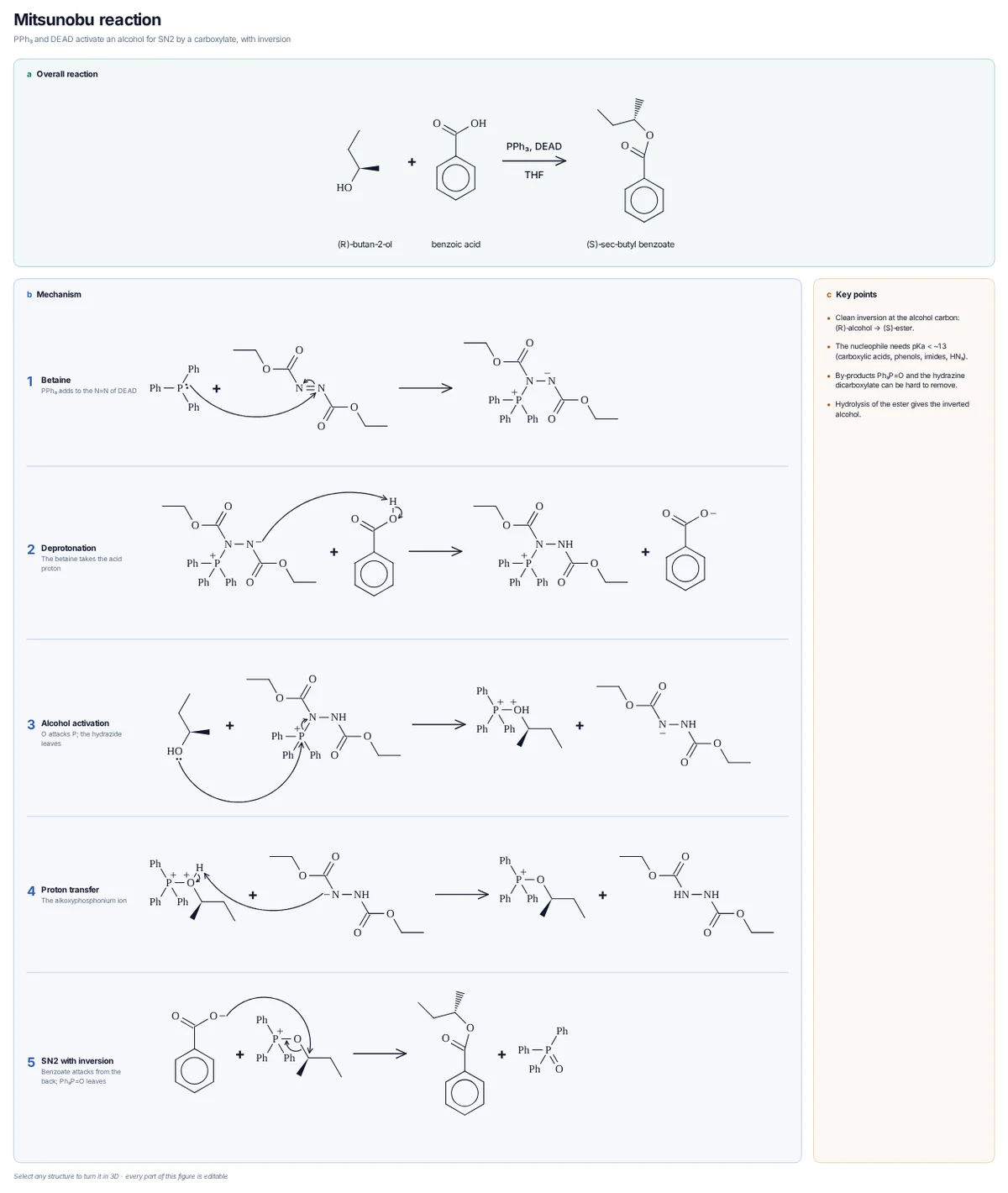](https://www.moldraw.com/?template=mitsunobu-reaction)
Mitsunobu reaction: overall reaction, every curly-arrow step and key points. Click to open and edit it in MolDraw.
## Overall reaction
(R)-butan-2-ol + PhCOOH → (PPh₃, DEAD, THF) (S)-sec-butyl benzoate
PPh₃ and DEAD activate an alcohol for SN2 by a carboxylate, with inversion.
## Reagents and conditions
- PPh₃ and DEAD (or DIAD)
- Acidic nucleophile (pKa below about 13): carboxylic acid, phenol, imide, HN₃
- THF, 0 °C to room temperature
## Mechanism step by step
1. **Betaine.** PPh₃ adds to the N=N of DEAD
2. **Deprotonation.** The betaine takes the acid proton
3. **Alcohol activation.** O attacks P; the hydrazide leaves
4. **Proton transfer.** The alkoxyphosphonium ion
5. **SN2 with inversion.** Benzoate attacks from the back; Ph₃P=O leaves
Each step is checked electron by electron: the curly arrows give exactly the structures drawn.
[Open and edit this mechanism](https://www.moldraw.com/?template=mitsunobu-reaction)
## Key points
- Clean inversion at the alcohol carbon: (R)-alcohol → (S)-ester.
- The nucleophile needs pKa < ~13 (carboxylic acids, phenols, imides, HN₃).
- By-products Ph₃P=O and the hydrazine dicarboxylate can be hard to remove.
- Hydrolysis of the ester gives the inverted alcohol.
The [Mitsunobu mechanism template](https://www.moldraw.com/templates/mitsunobu-reaction/) shows how PPh₃ and DEAD activate the alcohol before the nucleophile attacks. That last step is an [SN2 substitution](https://www.moldraw.com/templates/sn2-substitution/) with inversion, and the [Williamson ether synthesis](https://www.moldraw.com/reaction/williamson-ether-synthesis) is a simpler SN2 route to ethers.
## For JEE and NEET
- Inversion of configuration at the alcohol carbon.
- Ph₃P=O formation drives the reaction.
- Hydrolysing the ester gives the inverted alcohol.
- Tertiary alcohols do not react (SN2).
## FAQ
**Why does the Mitsunobu reaction invert the stereocentre?**
The last step is an SN2 backside attack of the nucleophile on the carbon bonded to the O–P⁺Ph₃ leaving group.
**Why must the nucleophile be acidic?**
It must protonate the betaine; weakly acidic partners leave the hydrazide anion to compete as the nucleophile.
**What are the by-products?**
Triphenylphosphine oxide and diethyl hydrazine-1,2-dicarboxylate.
## Draw it in MolDraw
The button above opens the complete figure — overall reaction, numbered mechanism and key points — as ordinary editable structures. Change substituents, recolour atoms, or export a PNG, SVG or chemfig code for notes and slides. The same figure is in the Templates panel under Name reactions.
[Williamson Ether Synthesis](https://www.moldraw.com/reaction/williamson-ether-synthesis)[Gabriel Phthalimide Synthesis](https://www.moldraw.com/reaction/gabriel-phthalimide-synthesis)[Swern Oxidation](https://www.moldraw.com/reaction/swern-oxidation)[All reactions](https://www.moldraw.com/reaction/)[Name reaction finder](https://www.moldraw.com/tools/free-chem-tools/name-reaction-finder.html)
---
Name reaction · mechanism
# Ozonolysis
Ozonolysis cleaves a carbon–carbon double bond into two carbonyl groups. Ozone adds across the C=C (1,3-dipolar cycloaddition) to give the primary ozonide, which breaks into a carbonyl compound and a carbonyl oxide; these recombine to the secondary ozonide, which is reduced (Me₂S, Zn/H₂O) to aldehydes and ketones.
[Open full mechanism in MolDraw](https://www.moldraw.com/?template=ozonolysis)[Edit the reaction](https://www.moldraw.com/?reaction=CC%3DCC%3E%3ECC%3DO.CC%3DO)
[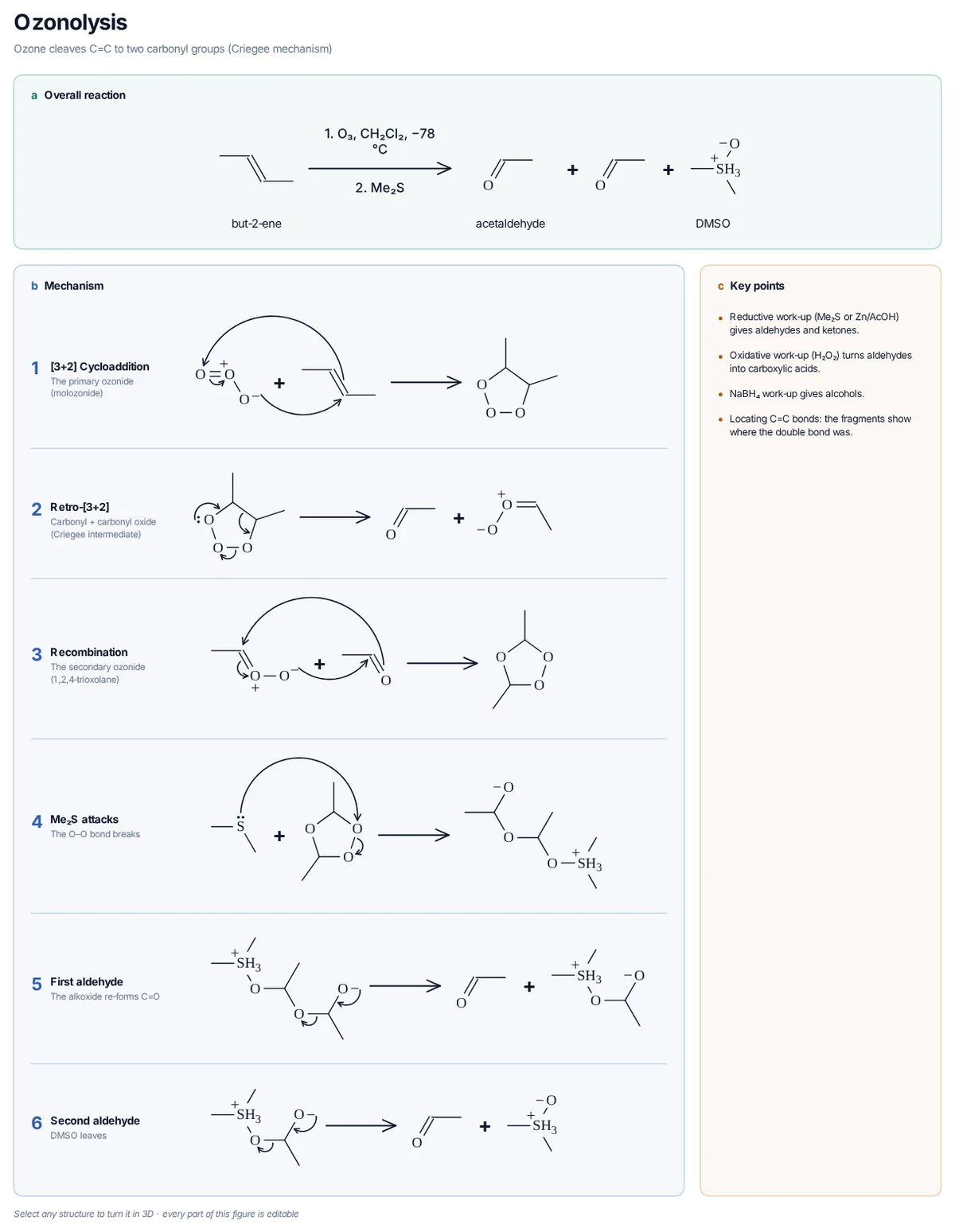](https://www.moldraw.com/?template=ozonolysis)
Ozonolysis: overall reaction, every curly-arrow step and key points. Click to open and edit it in MolDraw.
## Overall reaction
CH₃CH=CHCH₃ → (1. O₃, −78 °C; 2. Me₂S or Zn/H₂O) 2 CH₃CHO
Ozone cleaves C=C to two carbonyl groups (Criegee mechanism).
## Reagents and conditions
- O₃ in CH₂Cl₂ or MeOH at −78 °C
- Reductive work-up: Me₂S, Zn/AcOH or Zn/H₂O, PPh₃
- Oxidative work-up: H₂O₂ (gives carboxylic acids)
## Mechanism step by step
1. **[3+2] Cycloaddition.** The primary ozonide (molozonide)
2. **Retro-[3+2].** Carbonyl + carbonyl oxide (Criegee intermediate)
3. **Recombination.** The secondary ozonide (1,2,4-trioxolane)
4. **Me₂S attacks.** The O–O bond breaks
5. **First aldehyde.** The alkoxide re-forms C=O
6. **Second aldehyde.** DMSO leaves
Each step is checked electron by electron: the curly arrows give exactly the structures drawn.
[Open and edit this mechanism](https://www.moldraw.com/?template=ozonolysis)
## Key points
- Reductive work-up (Me₂S or Zn/AcOH) gives aldehydes and ketones.
- Oxidative work-up (H₂O₂) turns aldehydes into carboxylic acids.
- NaBH₄ work-up gives alcohols.
- Locating C=C bonds: the fragments show where the double bond was.
The [ozonolysis mechanism template](https://www.moldraw.com/templates/ozonolysis/) shows the molozonide, its rearrangement to the ozonide and the reductive workup. The [ozone resonance template](https://www.moldraw.com/templates/resonance-ozone/) shows why O₃ acts as a 1,3-dipole, and the [alkene reactions map](https://www.moldraw.com/templates/rxnmap-alkene/) places ozonolysis next to other alkene reactions.
## For JEE and NEET
- Use the products to locate the C=C: join the two C=O carbons with a double bond.
- Reductive work-up keeps aldehydes; oxidative work-up turns them into acids.
- A terminal =CH₂ gives formaldehyde.
- Cyclic alkenes give one dicarbonyl compound.
## FAQ
**What is the difference between reductive and oxidative work-up?**
Reductive (Zn/H₂O, Me₂S) gives aldehydes and ketones; oxidative (H₂O₂) oxidises any aldehyde to a carboxylic acid.
**What is an ozonide?**
The 1,2,4-trioxolane formed when the carbonyl oxide and carbonyl fragments recombine; it is explosive and is not isolated.
**What does but-2-ene give?**
Two molecules of acetaldehyde (ethanal) with a reductive work-up.
## Draw it in MolDraw
The button above opens the complete figure — overall reaction, numbered mechanism and key points — as ordinary editable structures. Change substituents, recolour atoms, or export a PNG, SVG or chemfig code for notes and slides. The same figure is in the Templates panel under Name reactions.
[Hydroboration–Oxidation](https://www.moldraw.com/reaction/hydroboration-oxidation)[Baeyer–Villiger Oxidation](https://www.moldraw.com/reaction/baeyer-villiger-oxidation)[Iodoform (Haloform) Reaction](https://www.moldraw.com/reaction/iodoform-reaction)[All reactions](https://www.moldraw.com/reaction/)[Name reaction finder](https://www.moldraw.com/tools/free-chem-tools/name-reaction-finder.html)
---
Name reaction · mechanism
# Pinacol–Pinacolone Rearrangement
Pinacol (2,3-dimethylbutane-2,3-diol) rearranges in acid to pinacolone (3,3-dimethylbutan-2-one). One OH is protonated and leaves as water, a methyl group shifts to the cationic carbon, and the new cation — stabilised by the neighbouring oxygen — loses a proton to form the C=O.
[Open full mechanism in MolDraw](https://www.moldraw.com/?template=pinacol-rearrangement)[Edit the reaction](https://www.moldraw.com/?reaction=CC(C)(O)C(C)(C)O%3E%3ECC(%3DO)C(C)(C)C.O)
[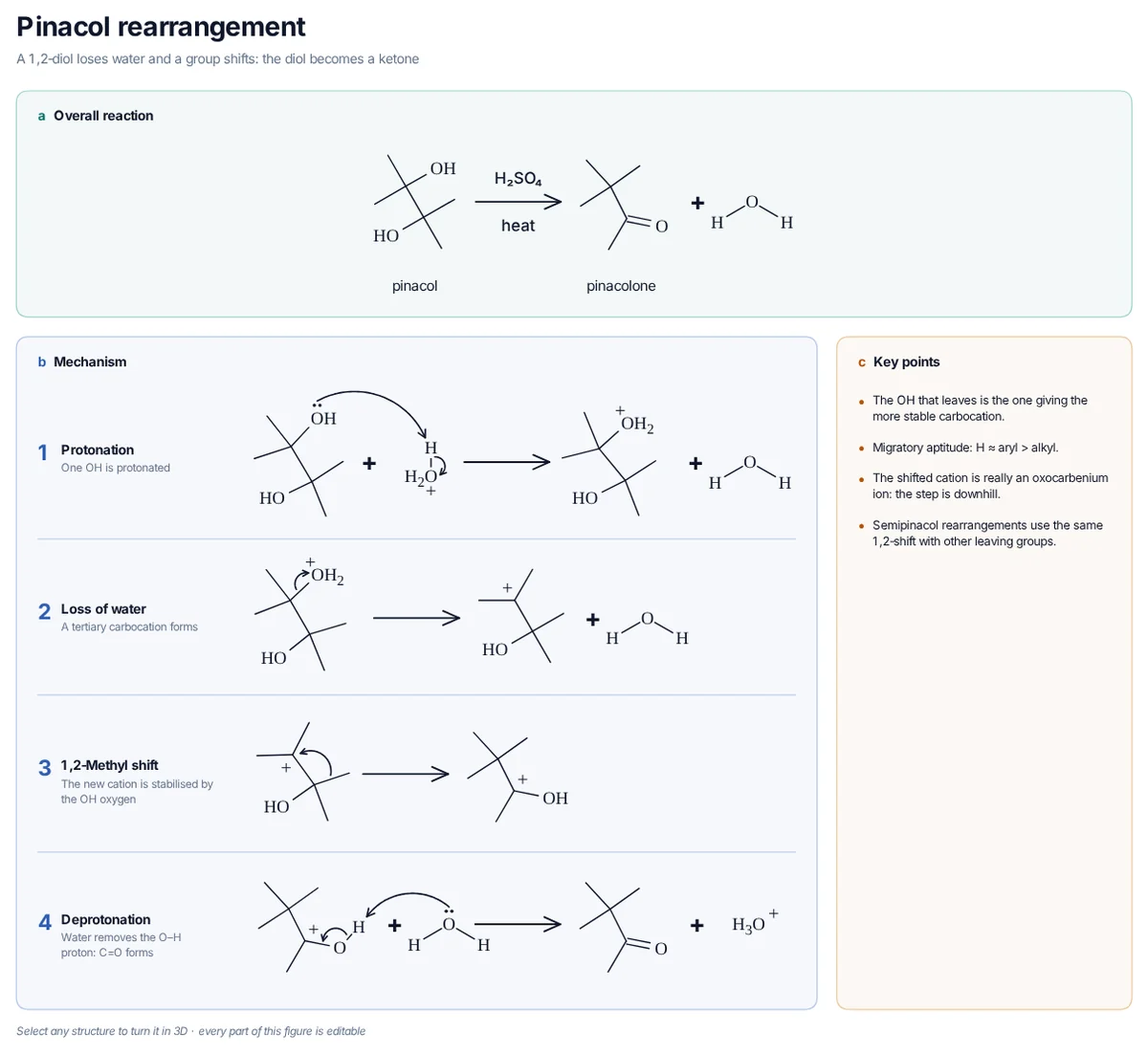](https://www.moldraw.com/?template=pinacol-rearrangement)
Pinacol rearrangement: overall reaction, every curly-arrow step and key points. Click to open and edit it in MolDraw.
## Overall reaction
(CH₃)₂C(OH)–C(OH)(CH₃)₂ → (H₂SO₄) CH₃COC(CH₃)₃ + H₂O
A 1,2-diol loses water and a group shifts: the diol becomes a ketone.
## Reagents and conditions
- Conc. or dilute H₂SO₄ (or other strong acids)
- Heat
## Mechanism step by step
1. **Protonation.** One OH is protonated
2. **Loss of water.** A tertiary carbocation forms
3. **1,2-Methyl shift.** The new cation is stabilised by the OH oxygen
4. **Deprotonation.** Water removes the O–H proton: C=O forms
Each step is checked electron by electron: the curly arrows give exactly the structures drawn.
[Open and edit this mechanism](https://www.moldraw.com/?template=pinacol-rearrangement)
## Key points
- The OH that leaves is the one giving the more stable carbocation.
- Migratory aptitude: H ≈ aryl > alkyl.
- The shifted cation is really an oxocarbenium ion: the step is downhill.
- Semipinacol rearrangements use the same 1,2-shift with other leaving groups.
The [pinacol rearrangement template](https://www.moldraw.com/templates/pinacol-rearrangement/) shows protonation, loss of water and the 1,2-methyl shift. The same kind of shift appears in other [carbocation rearrangements](https://www.moldraw.com/templates/carbocation-rearrangement/), and the [Beckmann rearrangement](https://www.moldraw.com/reaction/beckmann-rearrangement) is a related 1,2-shift to nitrogen.
## For JEE and NEET
- The OH that leaves is the one that gives the more stable carbocation.
- Migratory aptitude (general): H ≈ aryl > alkyl; p-anisyl > phenyl > p-chlorophenyl.
- Driving force: the oxocarbenium ion/C=O formed is more stable than the first carbocation.
- Unsymmetrical diols: decide the cation first, then the migrating group.
## FAQ
**Why does the methyl group shift?**
After the shift the positive charge sits next to OH, whose lone pair stabilises it (an oxocarbenium ion), which then loses H⁺ to form the ketone.
**What is pinacolone?**
3,3-Dimethylbutan-2-one, (CH₃)₃C–CO–CH₃ (tert-butyl methyl ketone).
**Which group migrates first?**
Generally hydride or aryl before alkyl; electron-rich aryl groups migrate fastest.
## Draw it in MolDraw
The button above opens the complete figure — overall reaction, numbered mechanism and key points — as ordinary editable structures. Change substituents, recolour atoms, or export a PNG, SVG or chemfig code for notes and slides. The same figure is in the Templates panel under Name reactions.
[Beckmann Rearrangement](https://www.moldraw.com/reaction/beckmann-rearrangement)[Baeyer–Villiger Oxidation](https://www.moldraw.com/reaction/baeyer-villiger-oxidation)[Claisen Condensation](https://www.moldraw.com/reaction/claisen-condensation)[All reactions](https://www.moldraw.com/reaction/)[Name reaction finder](https://www.moldraw.com/tools/free-chem-tools/name-reaction-finder.html)
---
Name reaction · mechanism
# Reimer–Tiemann Reaction
The Reimer–Tiemann reaction turns phenol into salicylaldehyde (2-hydroxybenzaldehyde) with chloroform and aqueous sodium hydroxide. The electrophile is dichlorocarbene, :CCl₂, made from chloroform by the base; phenoxide attacks it mainly at the ortho carbon, and hydrolysis of the CHCl₂ group gives the aldehyde.
[Open full mechanism in MolDraw](https://www.moldraw.com/?template=reimer-tiemann)[Edit the reaction](https://www.moldraw.com/?reaction=Oc1ccccc1.ClC(Cl)Cl%3E%3EO%3DCc1ccccc1O)
[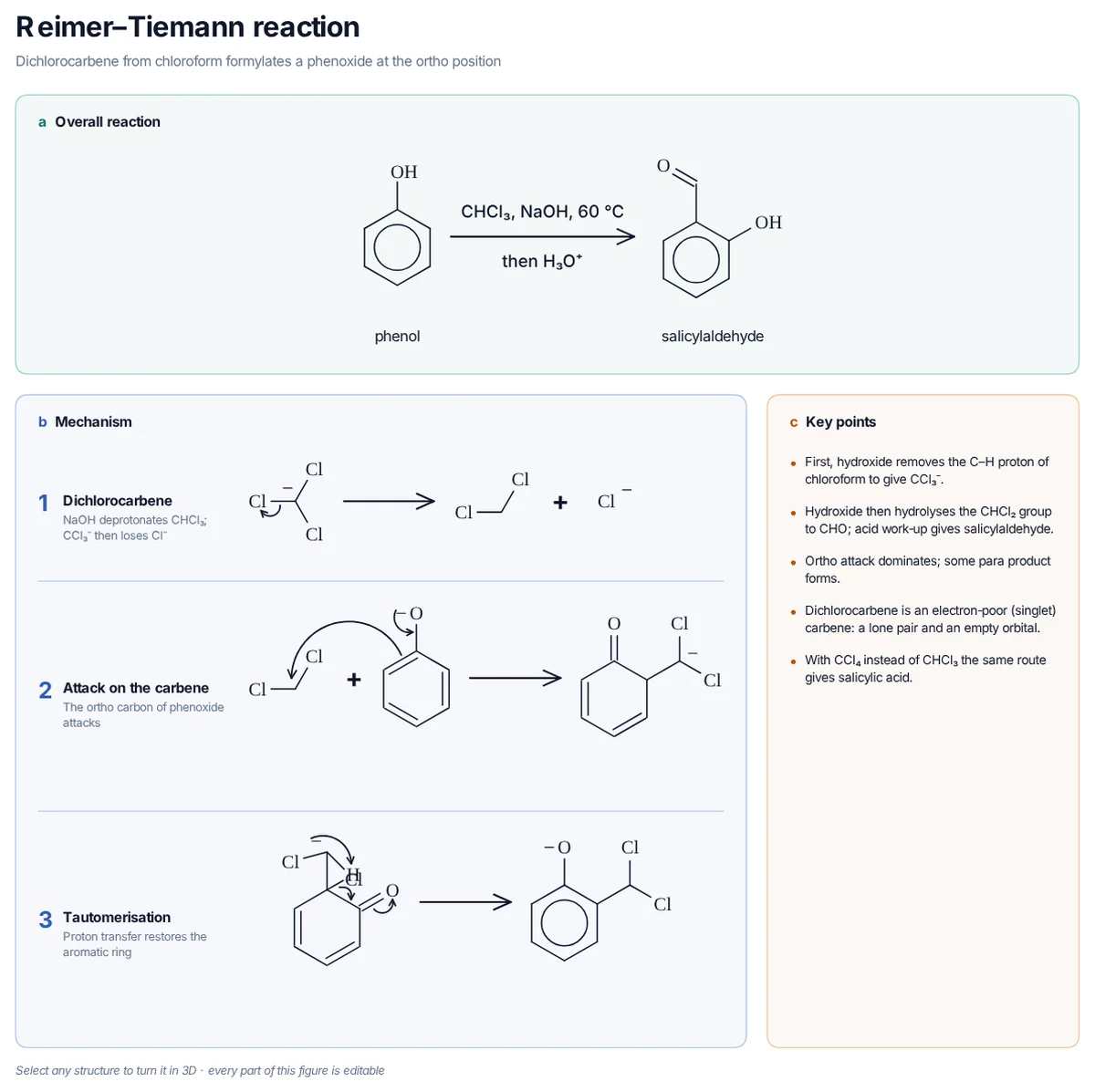](https://www.moldraw.com/?template=reimer-tiemann)
Reimer–Tiemann reaction: overall reaction, every curly-arrow step and key points. Click to open and edit it in MolDraw.
## Overall reaction
Phenol + CHCl₃ + NaOH (aq), 60–70 °C, then H₃O⁺ → salicylaldehyde
Dichlorocarbene from chloroform formylates a phenoxide at the ortho position.
## Reagents and conditions
- Chloroform (CHCl₃) and aqueous NaOH or KOH
- 60–70 °C, two-phase mixture with vigorous stirring
- Acid work-up (dilute HCl) to free the phenol and aldehyde
## Mechanism step by step
1. **Dichlorocarbene.** NaOH deprotonates CHCl₃; CCl₃⁻ then loses Cl⁻
2. **Attack on the carbene.** The ortho carbon of phenoxide attacks
3. **Tautomerisation.** Proton transfer restores the aromatic ring
Each step is checked electron by electron: the curly arrows give exactly the structures drawn.
[Open and edit this mechanism](https://www.moldraw.com/?template=reimer-tiemann)
## Key points
- First, hydroxide removes the C–H proton of chloroform to give CCl₃⁻.
- Hydroxide then hydrolyses the CHCl₂ group to CHO; acid work-up gives salicylaldehyde.
- Ortho attack dominates; some para product forms.
- Dichlorocarbene is an electron-poor (singlet) carbene: a lone pair and an empty orbital.
- With CCl₄ instead of CHCl₃ the same route gives salicylic acid.
For a longer walk-through, read the [Reimer-Tiemann mechanism guide](https://www.moldraw.com/blog/reimer-tiemann-reaction-mechanism.html) or open the [Reimer-Tiemann mechanism template](https://www.moldraw.com/templates/reimer-tiemann/). The [Kolbe-Schmitt reaction](https://www.moldraw.com/reaction/kolbe-schmitt-reaction) also attacks phenoxide at the ortho position, using CO₂ to give salicylic acid.
## For JEE and NEET
- Electrophile: dichlorocarbene (:CCl₂), formed by α-elimination — CHCl₃ + OH⁻ → CCl₃⁻ → :CCl₂ + Cl⁻.
- Main product is ortho (salicylaldehyde); some para-hydroxybenzaldehyde forms.
- With CCl₄ instead of CHCl₃ the product is salicylic acid.
- The carbene is singlet: an empty p orbital (electrophilic) and a lone pair.
## FAQ
**What is the electrophile in the Reimer–Tiemann reaction?**
Dichlorocarbene, :CCl₂. Hydroxide removes the acidic proton of chloroform to give CCl₃⁻, which loses chloride (α-elimination).
**Why is the ortho product major?**
The phenoxide oxygen and the ortho carbon are close to the sodium counter-ion and the carbene in the two-phase system, and the ortho intermediate is stabilised by the neighbouring O⁻; para attack also happens but is minor.
**How does the CHCl₂ group become CHO?**
Hydroxide replaces the two chlorines (via a chlorohydrin) and the gem-diol loses water, giving the aldehyde; acidification gives neutral salicylaldehyde.
## Draw it in MolDraw
The button above opens the complete figure — overall reaction, numbered mechanism and key points — as ordinary editable structures. Change substituents, recolour atoms, or export a PNG, SVG or chemfig code for notes and slides. The same figure is in the Templates panel under Name reactions.
[Kolbe–Schmitt Reaction](https://www.moldraw.com/reaction/kolbe-schmitt-reaction)[Williamson Ether Synthesis](https://www.moldraw.com/reaction/williamson-ether-synthesis)[Cannizzaro Reaction](https://www.moldraw.com/reaction/cannizzaro-reaction)[All reactions](https://www.moldraw.com/reaction/)[Name reaction finder](https://www.moldraw.com/tools/free-chem-tools/name-reaction-finder.html)
---
Name reaction · mechanism
# Sandmeyer Reaction
The Sandmeyer reaction replaces the diazonium group of an arenediazonium salt by Cl, Br or CN using the copper(I) salt. Copper(I) gives one electron to the diazonium ion, nitrogen gas is lost to leave an aryl radical, and the radical takes the halogen from copper(II), regenerating copper(I). The diazonium salt is made first from aniline, NaNO₂ and HCl at 0–5 °C.
[Open full mechanism in MolDraw](https://www.moldraw.com/?template=sandmeyer-reaction)[Edit the reaction](https://www.moldraw.com/?reaction=N%23%5BN%2B%5Dc1ccccc1%3E%3EClc1ccccc1.N%23N)[Open diazotisation mechanism](https://www.moldraw.com/?template=diazotisation)
[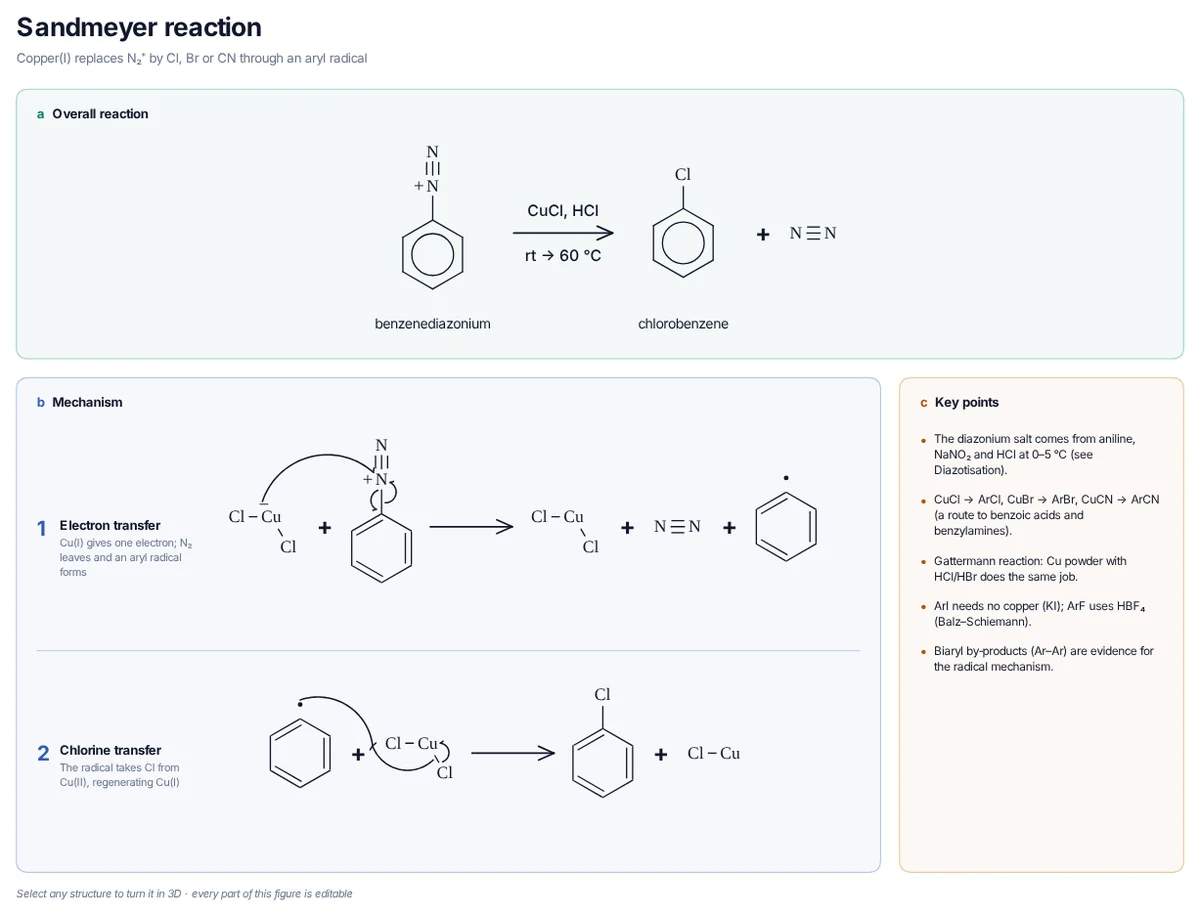](https://www.moldraw.com/?template=sandmeyer-reaction)
Sandmeyer reaction: overall reaction, every curly-arrow step and key points. Click to open and edit it in MolDraw.
## Overall reaction
C₆H₅NH₂ → (NaNO₂, HCl, 0–5 °C) C₆H₅N₂⁺Cl⁻ → (CuCl/HCl) C₆H₅Cl + N₂
Copper(I) replaces N₂⁺ by Cl, Br or CN through an aryl radical.
## Reagents and conditions
- Diazotisation: NaNO₂ + HCl, 0–5 °C
- CuCl/HCl → ArCl; CuBr/HBr → ArBr; CuCN/KCN → ArCN
- Warm gently after adding the copper(I) salt
## Mechanism step by step
1. **Electron transfer.** Cu(I) gives one electron; N₂ leaves and an aryl radical forms
2. **Chlorine transfer.** The radical takes Cl from Cu(II), regenerating Cu(I)
Each step is checked electron by electron: the curly arrows give exactly the structures drawn.
[Open and edit this mechanism](https://www.moldraw.com/?template=sandmeyer-reaction)
## Key points
- The diazonium salt comes from aniline, NaNO₂ and HCl at 0–5 °C (see Diazotisation).
- CuCl → ArCl, CuBr → ArBr, CuCN → ArCN (a route to benzoic acids and benzylamines).
- Gattermann reaction: Cu powder with HCl/HBr does the same job.
- ArI needs no copper (KI); ArF uses HBF₄ (Balz–Schiemann).
- Biaryl by-products (Ar–Ar) are evidence for the radical mechanism.
For a longer walk-through, read the [Sandmeyer reaction mechanism guide](https://www.moldraw.com/blog/sandmeyer-reaction-mechanism.html) or open the [Sandmeyer mechanism template](https://www.moldraw.com/templates/sandmeyer-reaction/). The diazonium salt itself comes from the [diazotization reaction](https://www.moldraw.com/reaction/diazotization-reaction).
## For JEE and NEET
- Sandmeyer uses Cu(I) salts; the Gattermann reaction uses copper powder with HCl or HBr.
- ArI is made with KI alone (no copper); ArF by the Balz–Schiemann reaction (HBF₄, heat).
- Diazonium salts must be kept at 0–5 °C; warming in water gives phenol.
- H₃PO₂ (or ethanol) replaces N₂⁺ by H (deamination).
## FAQ
**What is the role of copper in the Sandmeyer reaction?**
Copper(I) transfers one electron to the diazonium ion; after N₂ leaves, the aryl radical takes Cl, Br or CN from copper(II), so copper(I) is regenerated (catalytic in principle).
**What is the difference between Sandmeyer and Gattermann reactions?**
Both convert diazonium salts to aryl halides. Sandmeyer uses CuCl/CuBr; Gattermann uses copper powder and the halogen acid, usually in lower yield.
**Why is diazotisation done at 0–5 °C?**
Arenediazonium salts decompose on warming, losing N₂ and reacting with water to give phenols.
## Draw it in MolDraw
The button above opens the complete figure — overall reaction, numbered mechanism and key points — as ordinary editable structures. Change substituents, recolour atoms, or export a PNG, SVG or chemfig code for notes and slides. The same figure is in the Templates panel under Name reactions.
[Azo Coupling Reaction](https://www.moldraw.com/reaction/azo-coupling-reaction)[Hofmann Bromamide Reaction](https://www.moldraw.com/reaction/hofmann-bromamide-reaction)[Gabriel Phthalimide Synthesis](https://www.moldraw.com/reaction/gabriel-phthalimide-synthesis)[All reactions](https://www.moldraw.com/reaction/)[Name reaction finder](https://www.moldraw.com/tools/free-chem-tools/name-reaction-finder.html)
---
Organic reaction
# Suzuki Coupling
Suzuki coupling, also called Suzuki-Miyaura coupling, forms carbon-carbon bonds between organoboron reagents and aryl or vinyl halides under palladium catalysis.
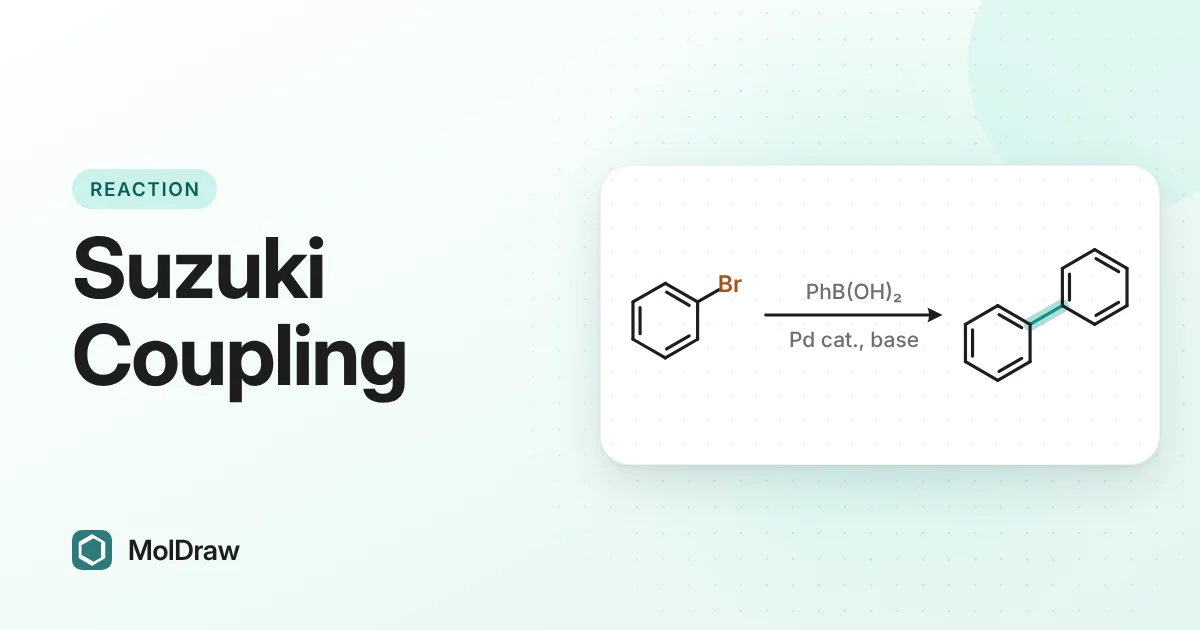
Suzuki coupling: bromobenzene and phenylboronic acid give biphenyl; the new aryl–aryl bond is highlighted.
## Reaction Scheme
aryl halide + boronic acid -> biarylPd catalyst, base, often aqueous organic solvent.
Primary reaction SMILES: B(O)(O)c1ccccc1.Brc1ccccc1>>c1ccc(-c2ccccc2)cc1
## Key Facts
## Two Common Examples
**Bromobenzene + phenylboronic acid**
Forms biphenyl under Pd/base conditions.
**Aryl bromide + heteroaryl boronic acid**
Common in medicinal chemistry library synthesis.
## MolDraw Use
Sketch the halide, boronic acid, catalyst, base, and coupled product for reports or retrosynthesis notes.
## How It Works
Suzuki–Miyaura coupling joins an organoboron compound (usually an aryl boronic acid or boronate ester) with an aryl or vinyl halide using a palladium catalyst and a base. The cycle has three steps: oxidative addition of the halide to Pd(0), transmetalation in which the organic group moves from boron to palladium (assisted by the base), and reductive elimination that forms the new C–C bond and regenerates Pd(0).
## Conditions and Scope
- It is widely used to make biaryls, a common motif in pharmaceuticals and materials.
- Boronic acids are generally air-stable, and the boron by-products are relatively easy to remove.
- Typical bases include K2CO3, Na2CO3, or K3PO4; reactions often run in mixtures of an organic solvent and water.
- Many functional groups are tolerated, including esters, ketones, and nitriles.
For each palladium step, open the [Suzuki-Miyaura catalytic cycle template](https://www.moldraw.com/templates/cycle-suzuki-miyaura/). The [Heck reaction](https://www.moldraw.com/reaction/heck-reaction) uses a similar Pd(0)/Pd(II) cycle with an alkene partner, and the [chemical reaction drawer](https://www.moldraw.com/tools/free-chem-tools/chemical-reaction-drawer.html) lays out your own coupling scheme.
## FAQ
**Why is a base needed?** It activates the boron species (forming a boronate) so transmetalation can occur. **Example:** bromobenzene + phenylboronic acid gives biphenyl. In MolDraw, draw both partners, a straight arrow with "Pd(PPh3)4, K2CO3" above it, and highlight the new C–C bond with a colour.
[Heck](https://www.moldraw.com/reaction/heck-reaction)[Grignard](https://www.moldraw.com/reaction/grignard-reaction)[Friedel-Crafts](https://www.moldraw.com/reaction/friedel-crafts-acylation)[All reactions](https://www.moldraw.com/reaction/)[Name reaction finder](https://www.moldraw.com/tools/free-chem-tools/name-reaction-finder.html)
---
Name reaction · mechanism
# Swern Oxidation
The Swern oxidation turns primary alcohols into aldehydes and secondary alcohols into ketones without over-oxidation or heavy metals. DMSO is activated by oxalyl chloride at −78 °C (releasing CO₂, CO and chloride), the alcohol adds to sulfur, triethylamine forms a sulfur ylide, and an intramolecular elimination gives the carbonyl compound and dimethyl sulfide.
[Open full mechanism in MolDraw](https://www.moldraw.com/?template=swern-oxidation)[Edit the reaction](https://www.moldraw.com/?reaction=CCCO%3E%3ECCC%3DO)
[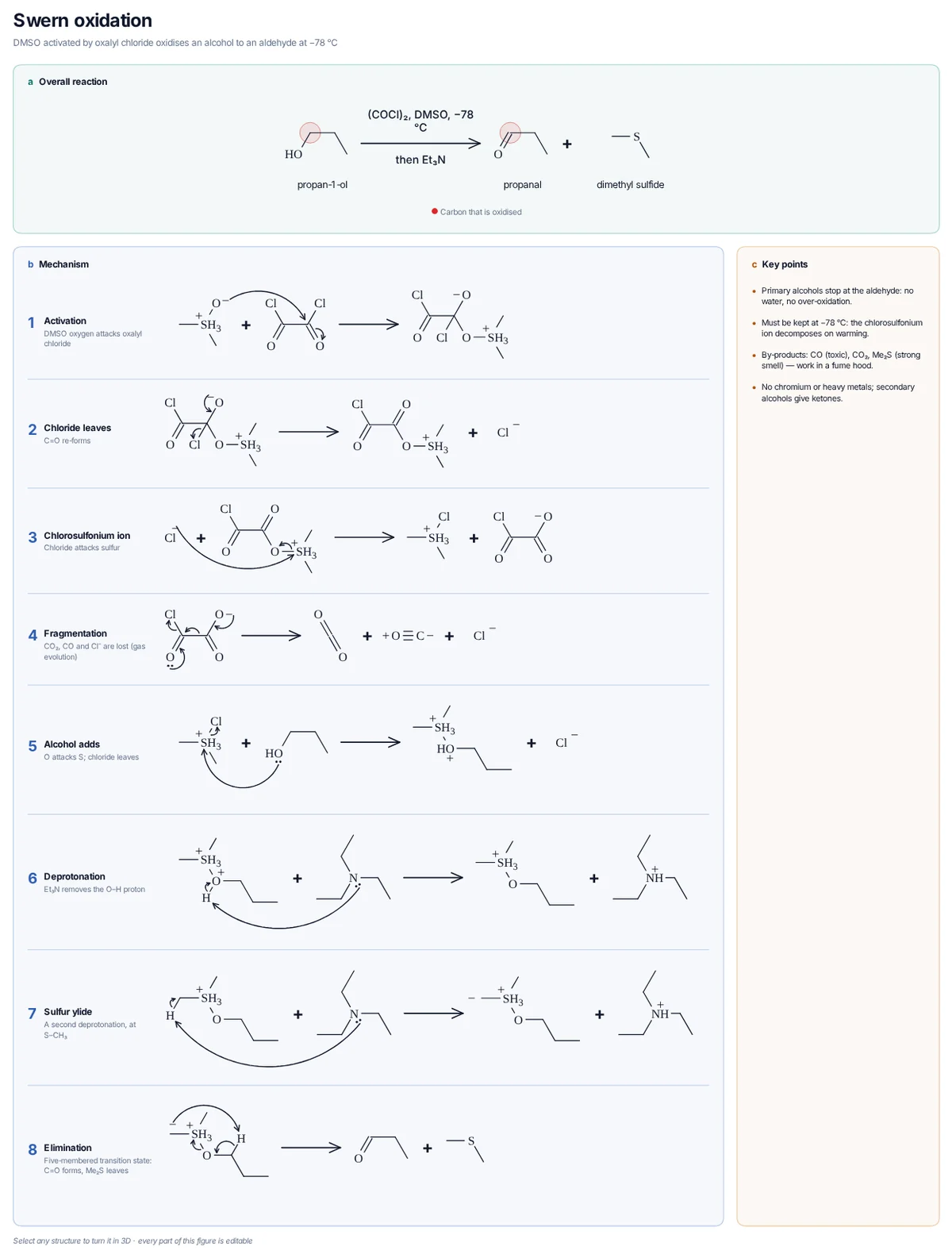](https://www.moldraw.com/?template=swern-oxidation)
Swern oxidation: overall reaction, every curly-arrow step and key points. Click to open and edit it in MolDraw.
## Overall reaction
RCH₂OH → (1. (COCl)₂, DMSO, −78 °C; 2. Et₃N) RCHO + Me₂S + CO + CO₂
DMSO activated by oxalyl chloride oxidises an alcohol to an aldehyde at −78 °C.
## Reagents and conditions
- Oxalyl chloride and DMSO in CH₂Cl₂ at −78 °C
- Then the alcohol, then triethylamine; warm to room temperature
## Mechanism step by step
1. **Activation.** DMSO oxygen attacks oxalyl chloride
2. **Chloride leaves.** C=O re-forms
3. **Chlorosulfonium ion.** Chloride attacks sulfur
4. **Fragmentation.** CO₂, CO and Cl⁻ are lost (gas evolution)
5. **Alcohol adds.** O attacks S; chloride leaves
6. **Deprotonation.** Et₃N removes the O–H proton
7. **Sulfur ylide.** A second deprotonation, at S–CH₃
8. **Elimination.** Five-membered transition state: C=O forms, Me₂S leaves
Each step is checked electron by electron: the curly arrows give exactly the structures drawn.
[Open and edit this mechanism](https://www.moldraw.com/?template=swern-oxidation)
## Key points
- Primary alcohols stop at the aldehyde: no water, no over-oxidation.
- Must be kept at −78 °C: the chlorosulfonium ion decomposes on warming.
- By-products: CO (toxic), CO₂, Me₂S (strong smell) — work in a fume hood.
- No chromium or heavy metals; secondary alcohols give ketones.
The [Swern oxidation template](https://www.moldraw.com/templates/swern-oxidation/) shows the chlorosulfonium ion, the sulfur ylide and the loss of dimethyl sulfide. The [oxidising agents guide](https://www.moldraw.com/templates/rxnmap-oxidants/) compares Swern with PCC, Dess-Martin and Jones reagent, and a ketone made this way can go on to the [Baeyer-Villiger oxidation](https://www.moldraw.com/reaction/baeyer-villiger-oxidation).
## For JEE and NEET
- Stops at the aldehyde (no water present).
- Needs −78 °C until the base is added.
- By-products: dimethyl sulfide (smell), CO (toxic) and CO₂.
- Alternatives: PCC, Dess–Martin periodinane.
## FAQ
**Why does the Swern oxidation not over-oxidise to the acid?**
No water is present, so the aldehyde cannot form a hydrate that would be oxidised further.
**What is the role of triethylamine?**
It deprotonates the alkoxysulfonium ion to a sulfur ylide, which removes the C–H through a five-membered transition state.
**Why −78 °C?**
The activated DMSO species decomposes above about −60 °C.
## Draw it in MolDraw
The button above opens the complete figure — overall reaction, numbered mechanism and key points — as ordinary editable structures. Change substituents, recolour atoms, or export a PNG, SVG or chemfig code for notes and slides. The same figure is in the Templates panel under Name reactions.
[Baeyer–Villiger Oxidation](https://www.moldraw.com/reaction/baeyer-villiger-oxidation)[Hydroboration–Oxidation](https://www.moldraw.com/reaction/hydroboration-oxidation)[Cannizzaro Reaction](https://www.moldraw.com/reaction/cannizzaro-reaction)[All reactions](https://www.moldraw.com/reaction/)[Name reaction finder](https://www.moldraw.com/tools/free-chem-tools/name-reaction-finder.html)
---
Name reaction · mechanism
# Williamson Ether Synthesis
The Williamson ether synthesis makes ethers by an SN2 reaction between an alkoxide (or phenoxide) and a methyl or primary alkyl halide. The example here deprotonates phenol with hydroxide and methylates the phenoxide with iodomethane to give anisole.
[Open full mechanism in MolDraw](https://www.moldraw.com/?template=williamson-ether-synthesis)[Edit the reaction](https://www.moldraw.com/?reaction=Oc1ccccc1.CI%3E%3ECOc1ccccc1)
[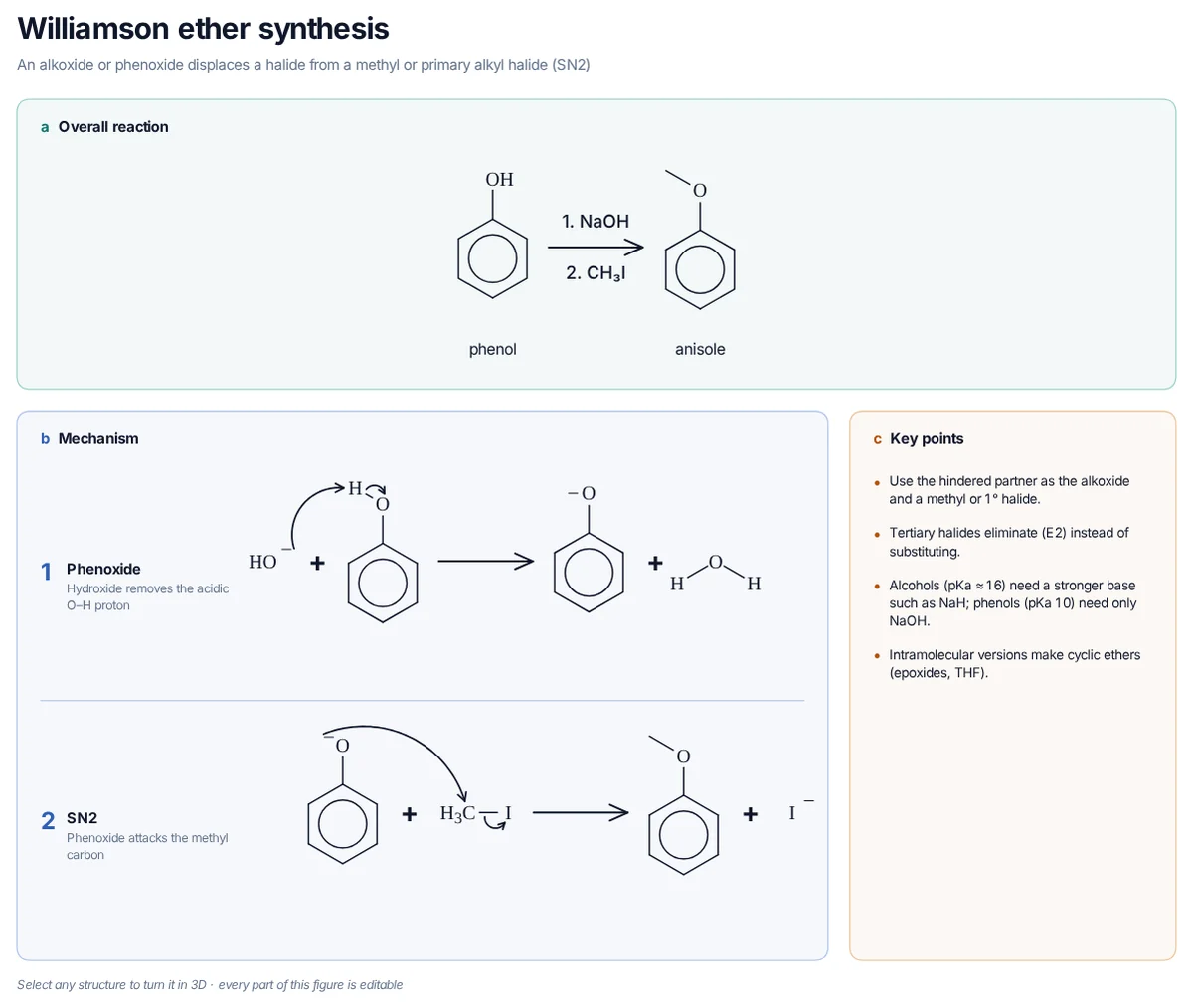](https://www.moldraw.com/?template=williamson-ether-synthesis)
Williamson ether synthesis: overall reaction, every curly-arrow step and key points. Click to open and edit it in MolDraw.
## Overall reaction
R–O⁻ Na⁺ + R′–X → R–O–R′ + NaX (R′ = methyl or primary)
An alkoxide or phenoxide displaces a halide from a methyl or primary alkyl halide (SN2).
## Reagents and conditions
- Base: NaH or Na for alcohols; NaOH or K₂CO₃ is enough for phenols
- Methyl or primary alkyl halide (or tosylate)
- Polar aprotic solvent (DMF, DMSO, acetone) speeds the SN2
## Mechanism step by step
1. **Phenoxide.** Hydroxide removes the acidic O–H proton
2. **SN2.** Phenoxide attacks the methyl carbon
Each step is checked electron by electron: the curly arrows give exactly the structures drawn.
[Open and edit this mechanism](https://www.moldraw.com/?template=williamson-ether-synthesis)
## Key points
- Use the hindered partner as the alkoxide and a methyl or 1° halide.
- Tertiary halides eliminate (E2) instead of substituting.
- Alcohols (pKa ≈ 16) need a stronger base such as NaH; phenols (pKa 10) need only NaOH.
- Intramolecular versions make cyclic ethers (epoxides, THF).
For a longer walk-through, read the [Williamson ether synthesis guide](https://www.moldraw.com/blog/williamson-ether-synthesis-mechanism.html) or open the [Williamson mechanism template](https://www.moldraw.com/templates/williamson-ether-synthesis/). The key step is an [SN2 substitution](https://www.moldraw.com/templates/sn2-substitution/), so primary alkyl halides work best.
## For JEE and NEET
- Put the bulky group on the alkoxide and use a methyl/primary halide.
- Tertiary halides give alkenes (E2) instead of ethers: tert-butyl methyl ether is made from (CH₃)₃CO⁻ + CH₃Br, not CH₃O⁻ + (CH₃)₃CBr.
- Aryl halides cannot be the electrophile: make aryl ethers from phenoxide + alkyl halide.
- Mechanism is SN2: inversion at the carbon attacked.
## FAQ
**Why can di-tert-butyl ether not be made by Williamson synthesis?**
Any combination needs a tertiary halide, which undergoes E2 elimination with the strongly basic alkoxide.
**Which combination gives anisole?**
Sodium phenoxide + iodomethane (or dimethyl sulfate). Methoxide + bromobenzene does not react.
**What is the mechanism of the Williamson synthesis?**
A one-step SN2 backside attack of the alkoxide oxygen on the carbon bearing the halide.
## Draw it in MolDraw
The button above opens the complete figure — overall reaction, numbered mechanism and key points — as ordinary editable structures. Change substituents, recolour atoms, or export a PNG, SVG or chemfig code for notes and slides. The same figure is in the Templates panel under Name reactions.
[Gabriel Phthalimide Synthesis](https://www.moldraw.com/reaction/gabriel-phthalimide-synthesis)[Kolbe–Schmitt Reaction](https://www.moldraw.com/reaction/kolbe-schmitt-reaction)[Reimer–Tiemann Reaction](https://www.moldraw.com/reaction/reimer-tiemann-reaction)[All reactions](https://www.moldraw.com/reaction/)[Name reaction finder](https://www.moldraw.com/tools/free-chem-tools/name-reaction-finder.html)
---
Organic reaction
# Wittig Reaction
The Wittig reaction converts aldehydes or ketones into alkenes using a phosphonium ylide. It is one of the most searched named reactions for alkene synthesis.
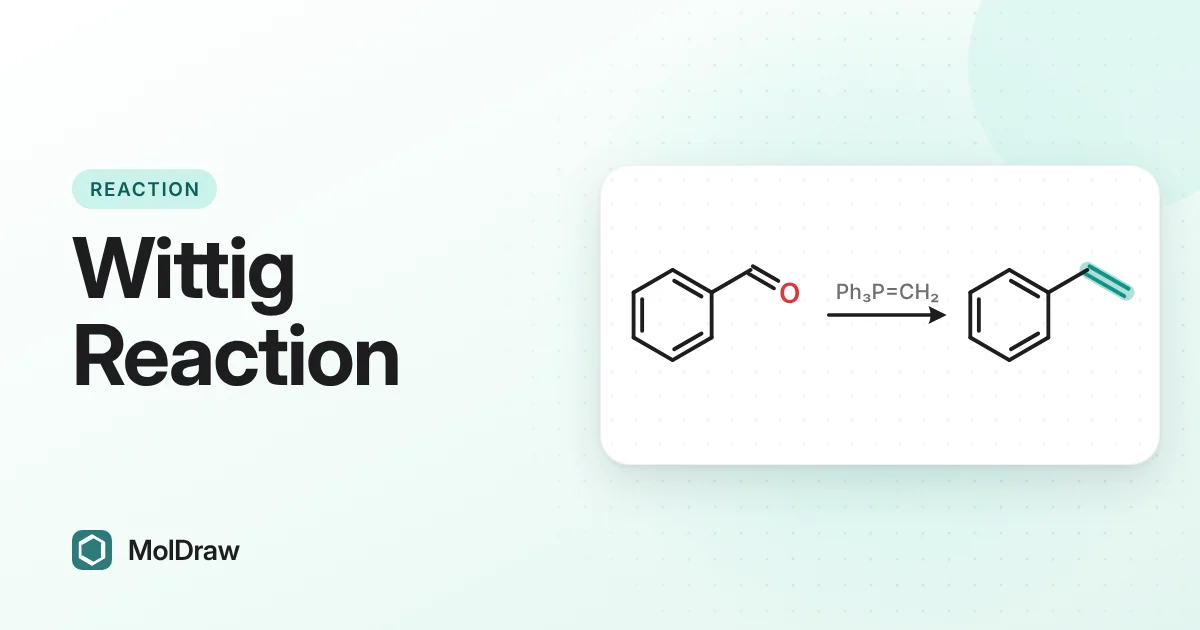
Wittig reaction: benzaldehyde and Ph3P=CH2 give styrene; the new C=C bond is highlighted.
## Reaction Scheme
aldehyde or ketone + phosphonium ylide -> alkeneOften run in ether, THF, or hydrocarbon solvents depending on ylide stability.
Primary reaction SMILES: O=Cc1ccccc1.C=P(c1ccccc1)(c1ccccc1)c1ccccc1>>C=Cc1ccccc1
## Key Facts
## Two Common Examples
**Benzaldehyde to styrene**
Benzaldehyde plus methylene ylide gives styrene.
**Cyclohexanone olefination**
Cyclohexanone can be converted to methylenecyclohexane.
## MolDraw Use
Open the reaction in MolDraw to edit reactant labels, add conditions, or export a clean scheme.
## How It Works
The Wittig reaction converts an aldehyde or ketone into an alkene. A phosphonium salt, made from triphenylphosphine and an alkyl halide, is deprotonated by a strong base to give a phosphorus ylide (Ph3P=CHR). The ylide adds to the carbonyl to form a four-membered oxaphosphetane, which breaks down to the alkene and triphenylphosphine oxide. The very strong P=O bond formed drives the reaction.
## Conditions and Scope
- **Non-stabilised ylides** (R = alkyl) tend to give Z-alkenes.
- **Stabilised ylides** (R = ester, ketone, nitrile) tend to give E-alkenes.
- The C=C forms exactly where the C=O was, so there is no ambiguity about double-bond position, unlike elimination reactions.
- The Horner–Wadsworth–Emmons variant uses phosphonate carbanions and usually gives E-alkenes with water-soluble by-products.
The [Wittig mechanism template](https://www.moldraw.com/templates/wittig-reaction/) shows the ylide attack, the oxaphosphetane and the loss of Ph3P=O. The [Horner-Wadsworth-Emmons template](https://www.moldraw.com/templates/horner-wadsworth-emmons/) covers the phosphonate variant that favours E-alkenes, and the [Grignard reaction](https://www.moldraw.com/reaction/grignard-reaction) turns the same carbonyl into an alcohol.
## FAQ
**Example:** benzaldehyde + Ph3P=CH2 gives styrene and Ph3P=O. **How do I draw it?** Show the ylide in both resonance forms if you are teaching the mechanism, draw the oxaphosphetane intermediate in brackets, and show E or Z geometry explicitly on the product.
[Aldol](https://www.moldraw.com/reaction/aldol-condensation)[Grignard](https://www.moldraw.com/reaction/grignard-reaction)[Heck](https://www.moldraw.com/reaction/heck-reaction)[All reactions](https://www.moldraw.com/reaction/)[Name reaction finder](https://www.moldraw.com/tools/free-chem-tools/name-reaction-finder.html)
---
Name reaction · mechanism
# Wolff–Kishner Reduction
The Wolff–Kishner reduction converts the C=O of an aldehyde or ketone into CH₂. The carbonyl compound forms a hydrazone with hydrazine; strong base at about 200 °C then removes N–H protons, the molecule loses nitrogen gas, and the carbanion is protonated.
[Open full mechanism in MolDraw](https://www.moldraw.com/?template=wolff-kishner-reduction)[Edit the reaction](https://www.moldraw.com/?reaction=CC(%3DO)c1ccccc1%3E%3ECCc1ccccc1)
[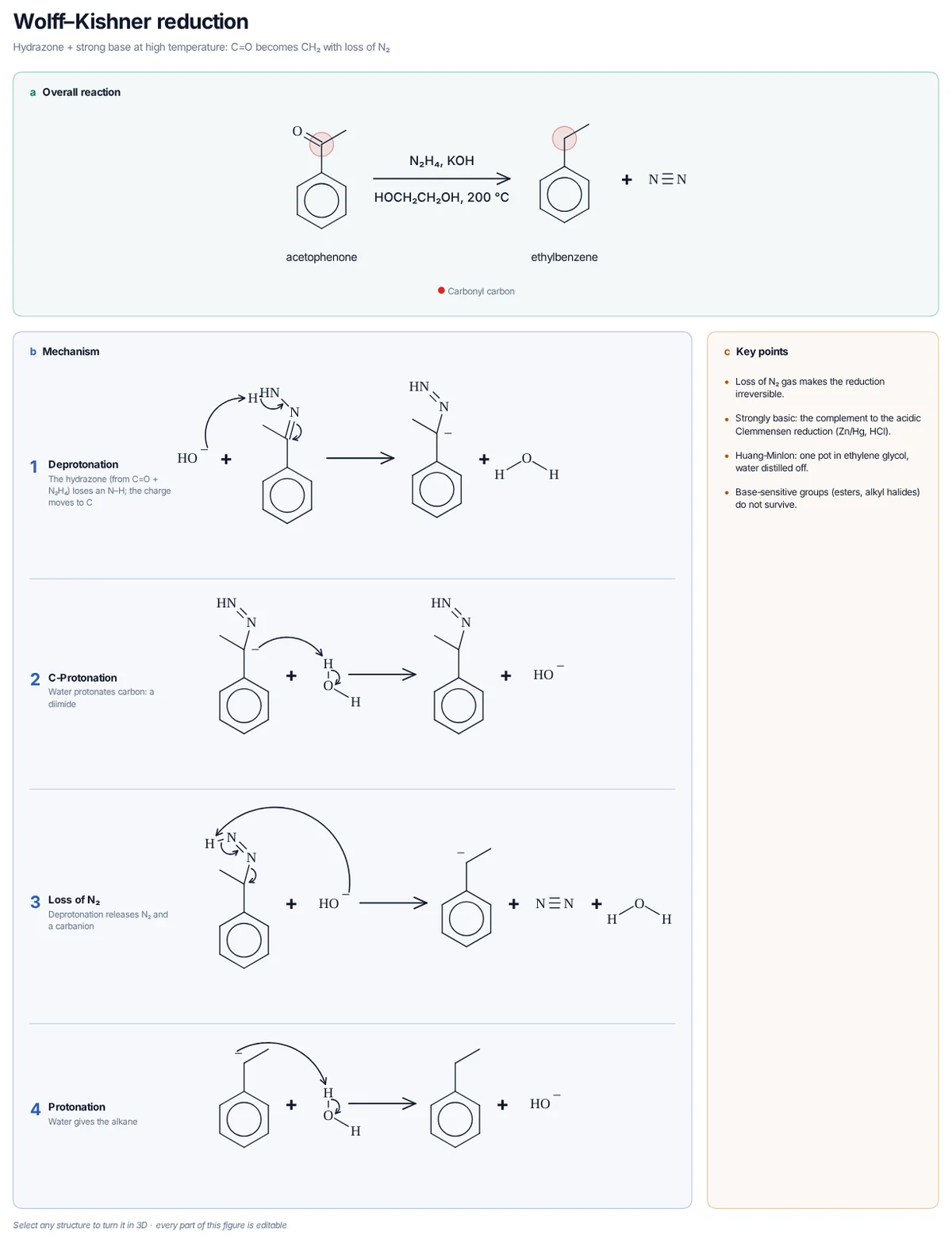](https://www.moldraw.com/?template=wolff-kishner-reduction)
Wolff–Kishner reduction: overall reaction, every curly-arrow step and key points. Click to open and edit it in MolDraw.
## Overall reaction
R₂C=O + N₂H₄ → R₂C=NNH₂ → (KOH, 200 °C) R₂CH₂ + N₂
Hydrazone + strong base at high temperature: C=O becomes CH₂ with loss of N₂.
## Reagents and conditions
- Hydrazine hydrate (N₂H₄·H₂O)
- KOH or NaOH in ethylene glycol, about 200 °C (Huang-Minlon)
## Mechanism step by step
1. **Deprotonation.** The hydrazone (from C=O + N₂H₄) loses an N–H; the charge moves to C
2. **C-Protonation.** Water protonates carbon: a diimide
3. **Loss of N₂.** Deprotonation releases N₂ and a carbanion
4. **Protonation.** Water gives the alkane
Each step is checked electron by electron: the curly arrows give exactly the structures drawn.
[Open and edit this mechanism](https://www.moldraw.com/?template=wolff-kishner-reduction)
## Key points
- Loss of N₂ gas makes the reduction irreversible.
- Strongly basic: the complement to the acidic Clemmensen reduction (Zn/Hg, HCl).
- Huang-Minlon: one pot in ethylene glycol, water distilled off.
- Base-sensitive groups (esters, alkyl halides) do not survive.
The [Wolff-Kishner mechanism template](https://www.moldraw.com/templates/wolff-kishner-reduction/) shows the hydrazone, the proton shifts and the loss of N₂. The first step follows the same path as [imine formation](https://www.moldraw.com/templates/imine-formation/), and the [Clemmensen reduction](https://www.moldraw.com/templates/clemmensen-reduction/) makes the same C=O to CH₂ change in acid.
## For JEE and NEET
- Basic conditions: use it for acid-sensitive molecules; Clemmensen (Zn–Hg, HCl) is the acidic alternative.
- Loss of N₂ gas drives the reaction.
- Huang-Minlon: one pot, water and excess hydrazine distilled off to reach 200 °C.
- Esters and alkyl halides are attacked by the strong base.
## FAQ
**Wolff–Kishner or Clemmensen?**
Both reduce C=O to CH₂. Choose Wolff–Kishner for acid-sensitive substrates and Clemmensen for base-sensitive ones.
**Why is a high temperature needed?**
Deprotonation of the diimide and loss of N₂ have a high barrier; ethylene glycol (b.p. 197 °C) allows the temperature.
**What is the role of hydrazine?**
It forms the hydrazone (R₂C=N–NH₂), whose N–H protons and N=N bond provide the route to lose N₂.
## Draw it in MolDraw
The button above opens the complete figure — overall reaction, numbered mechanism and key points — as ordinary editable structures. Change substituents, recolour atoms, or export a PNG, SVG or chemfig code for notes and slides. The same figure is in the Templates panel under Name reactions.
[Iodoform (Haloform) Reaction](https://www.moldraw.com/reaction/iodoform-reaction)[Cannizzaro Reaction](https://www.moldraw.com/reaction/cannizzaro-reaction)[Aldol condensation](https://www.moldraw.com/reaction/aldol-condensation)[All reactions](https://www.moldraw.com/reaction/)[Name reaction finder](https://www.moldraw.com/tools/free-chem-tools/name-reaction-finder.html)
---
# Get a Quick AI Estimate of NMR, Mass and UV-Vis Spectra with the Spectroscopy Plugin
Published: 15 Oct 2026 · Author: Scidart Academy · Reading time: ~6 min
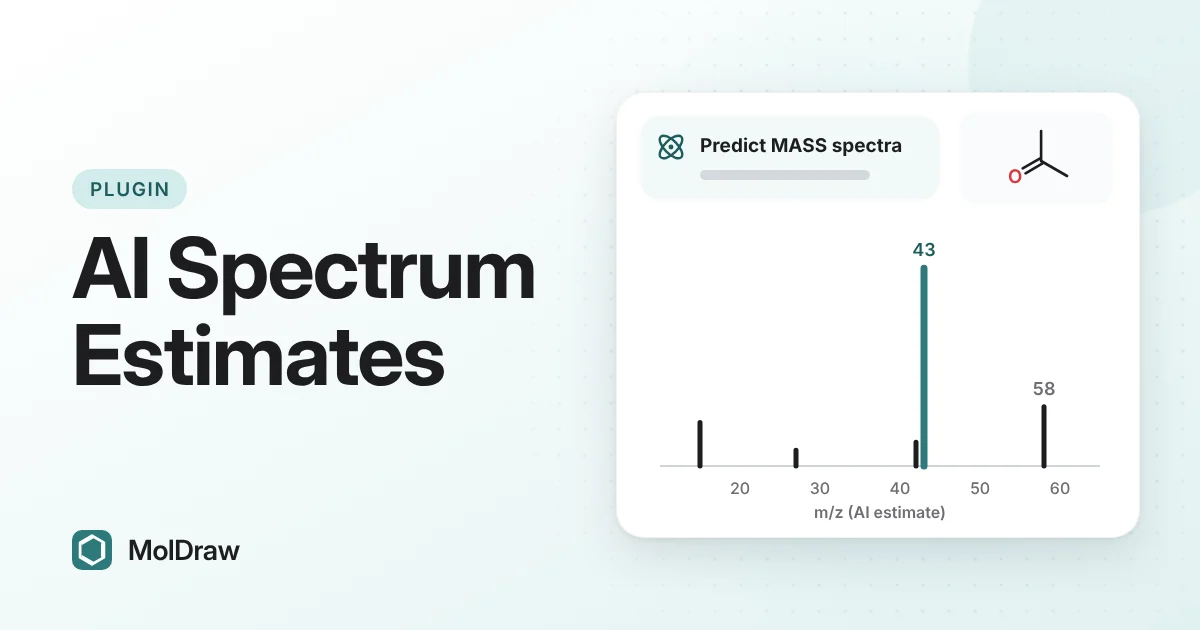
The AI spectroscopy plugin returns a quick spectrum estimate, here acetone's EI mass spectrum.
**Short answer:** Install **Spectroscopy** from Settings › Plugins and add a Gemini API key in Settings › AI. Draw a molecule, then choose **Predict NMR**, **Predict MASS spectra** or **Predict UV** from the Chemistry menu, or ask the AI chat. You get a chart, a peak table and notes. Treat the numbers as AI estimates and check them against real spectra.
## Why predict a spectrum before you measure one?
Spectroscopy problems start with a structure and a question: what should its spectrum look like? A rough prediction tells you where to look and what to expect. It also helps you explain why a signal appears where it does.
Each technique answers a different question:
- **NMR** shows the chemical environments of nuclei. In a 1H spectrum, the chemical shift (in ppm) reflects the electronic surroundings of each hydrogen, the integral reflects how many hydrogens give the signal, and the splitting reflects neighbouring hydrogens. A 13C spectrum shows the distinct carbon environments.
- **EI mass spectrometry** hits the molecule with energetic electrons. This removes an electron and forms a radical cation, the molecular ion. Its m/z gives the molecular mass, and the fragment peaks show which bonds break. The tallest peak is the base peak, set to 100.
- **UV-Vis** measures light absorbed by chromophores such as conjugated π systems and carbonyl groups. More conjugation usually moves the absorption maximum (λmax) to longer wavelength.
The Spectroscopy plugin sends your structure to an AI language model and shows its answer. The values are estimates, not measured data. They are good for learning and discussion. They are not a reference.
## What the plugin gives you
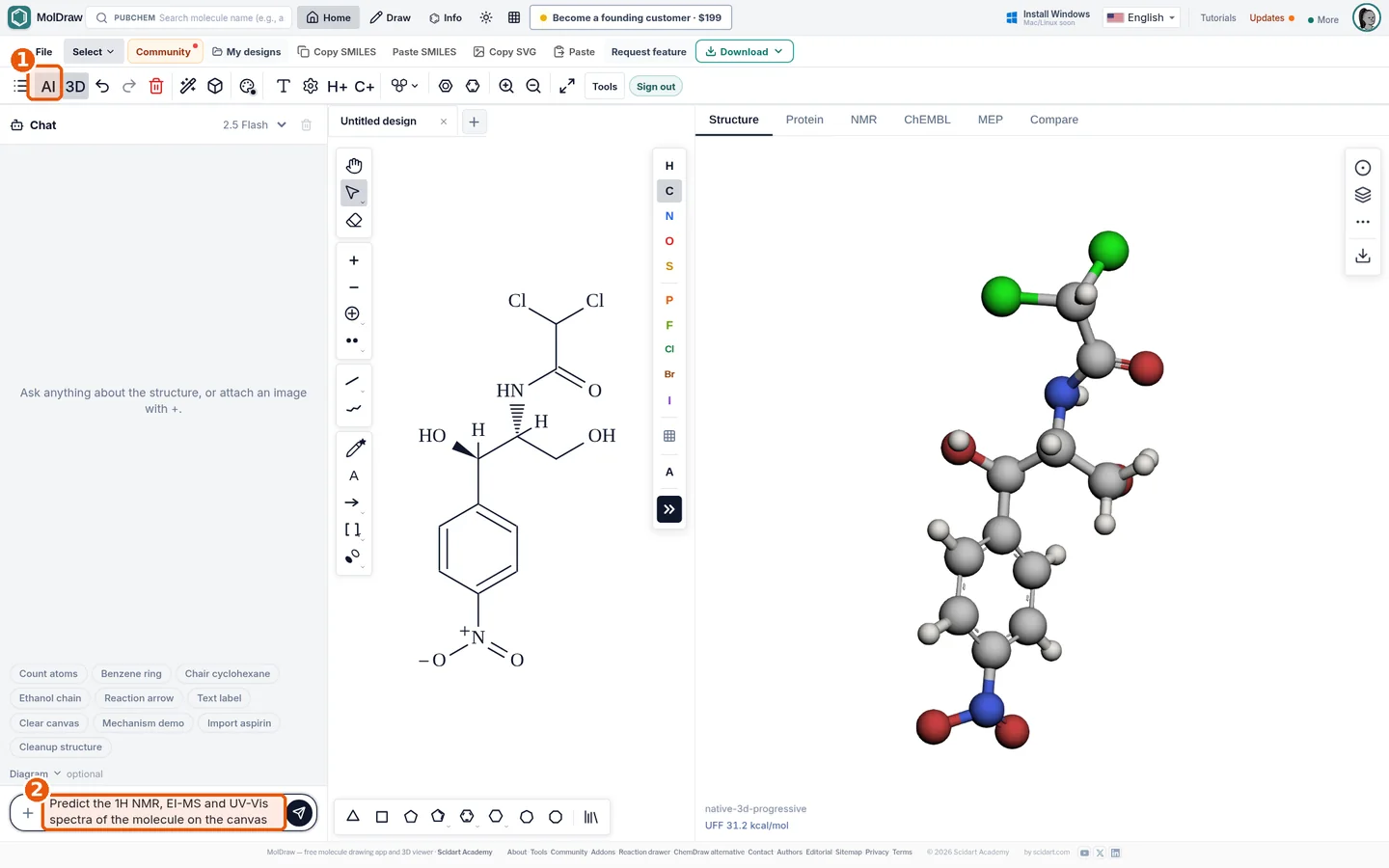
Ask the AI chat for a spectrum of the structure on the canvas. Callout 1 is the AI chat button, callout 2 the prompt box.
| Spectra | 1H and 13C NMR, EI mass spectrum and UV-Vis absorption. |
| --- | --- |
| Result window | A title, the formula and molecular weight, a stick chart of the peaks, a peak table, notes and a disclaimer. |
| Export | **Download PNG** saves the chart. **Download CSV** saves the table. |
| Needs | A free MolDraw account to install it, your own Gemini API key and an internet connection. |
## How to install the Spectroscopy plugin
1. Open the [MolDraw editor](https://www.moldraw.com/) and sign in. A free account is enough.
2. Click **Settings** (the gear), then **Plugins**.
3. Click **Install** next to Spectroscopy.
4. Open **Settings** › **AI** and paste a Gemini API key. MolDraw stores the key only in your browser.
Without a key, the plugin shows the message "Spectroscopy requires AI. Add a Gemini API key in Settings → AI."
## How to predict a spectrum
### From the Chemistry menu
1. Draw the molecule, or paste a SMILES.
2. Open the **Chemistry** menu in the toolbar and choose **Spectroscopy**.
3. Pick **Predict NMR** (1H), **Predict MASS spectra** (EI) or **Predict UV**.
4. The result window opens with the chart, table and notes.
5. Use **Download PNG** or **Download CSV** to keep the result.
### From the AI chat
1. Click the **AI** button to open the AI chat.
2. Type a request, for example "Predict the 13C NMR spectrum of the molecule on the canvas".
3. Ask follow-up questions, such as "Why is the base peak at m/z 43?"
To focus on one part of a larger structure, select those atoms first. MolDraw still sends the whole structure, but asks the model to treat the selection as the fragment of interest.
## Ways to use it in class and in the lab
- **Practice problems:** predict a spectrum, export the chart as PNG and ask students to assign each peak. Then show a real spectrum and discuss where the estimate was off.
- **Pre-lab preparation:** before you record a spectrum, get a rough idea of where the main signals should fall.
- **After the measurement:** open your real data next to the prediction. [Reference and integrate an NMR spectrum](https://www.moldraw.com/blog/nmr-spectrum-viewer-guide.html) in the browser. [Check a mass spectrum against its formula and isotope pattern](https://www.moldraw.com/blog/mass-spectrum-viewer-guide.html). [Find λmax and ε in a UV-Vis spectrum](https://www.moldraw.com/blog/uv-vis-spectrum-viewer-guide.html).
- **Before and after a reaction:** predict spectra for the starting material and the expected product. Note which signals should appear or disappear, then look for them in your data.
- **Explaining fragments:** use the chat to ask why a fragment forms. Check the molecular ion with the [exact mass calculator](https://www.moldraw.com/tools/free-chem-tools/exact-mass-calculator.html).
## Tips and honest limits
- Treat every value as an estimate. Compare it with experimental spectra in SDBS or NIST, or with a second prediction from the [NMR Analyser plugin](https://www.moldraw.com/blog/nmr-analyser-plugin-predict-nmr-spectra.html).
- The formula and molecular weight in the result window also come from the model. Compare them with the Formula and MW values in MolDraw's status bar.
- The chart draws simple sticks with the x axis increasing from left to right. Printed NMR spectra usually run from high to low ppm. Read exact positions from the table.
- A language model can give slightly different numbers if you run the same request again.
- The model sees only the SMILES and molfile of your drawing. Check stereochemistry, charges and hydrogens before you ask.
Learn to read the plots first: see [how to read an NMR spectrum](https://www.moldraw.com/guides/how-to-read-nmr-spectrum/) and [how to read a mass spectrum](https://www.moldraw.com/guides/how-to-read-mass-spectrum/).
## Questions and answers
### Does the Spectroscopy plugin cost money?
No. The plugin is free. Predictions use your own Gemini API key, which has a free tier from Google, and you need a free MolDraw account to install plugins.
### Are the predicted spectra accurate enough for a lab report?
No. They are plausible estimates from a language model, useful for learning and explaining. Confirm every value with experimental spectra, for example from SDBS or NIST, before you rely on it.
### Which spectra can it predict?
1H and 13C NMR, electron ionisation (EI) mass spectra and UV-Vis absorption bands.
### How is it different from the NMR Analyser plugin?
NMR Analyser is a dedicated NMR tool with 1H, 13C and 2D experiments, and it does not need a Gemini key. Spectroscopy asks an AI model for NMR, mass and UV-Vis estimates. Running both gives you two independent views of the same structure.
## More MolDraw plugins and guides
[Spectroscopy plugin docs](https://www.moldraw.com/docs/plugins/ai-spectroscopy-plugin-predict-nmr-ms-and-uv-vis/) [NMR Analyser](https://www.moldraw.com/blog/nmr-analyser-plugin-predict-nmr-spectra.html) [How to read an IR spectrum](https://www.moldraw.com/guides/how-to-read-ir-spectrum/) [Symmetry and point groups](https://www.moldraw.com/blog/symmetry-plugin-point-groups-3d.html) [All plugins](https://www.moldraw.com/docs/plugins/moldraw-plugins-overview-and-how-to-install/)
Last updated: October 15, 2026
---
# Aromaticity and Hückel’s 4n + 2 Rule Explained, with a Free Checker
Published: 19 Oct 2026 · Author: Scidart Academy · Reading time: ~7 min
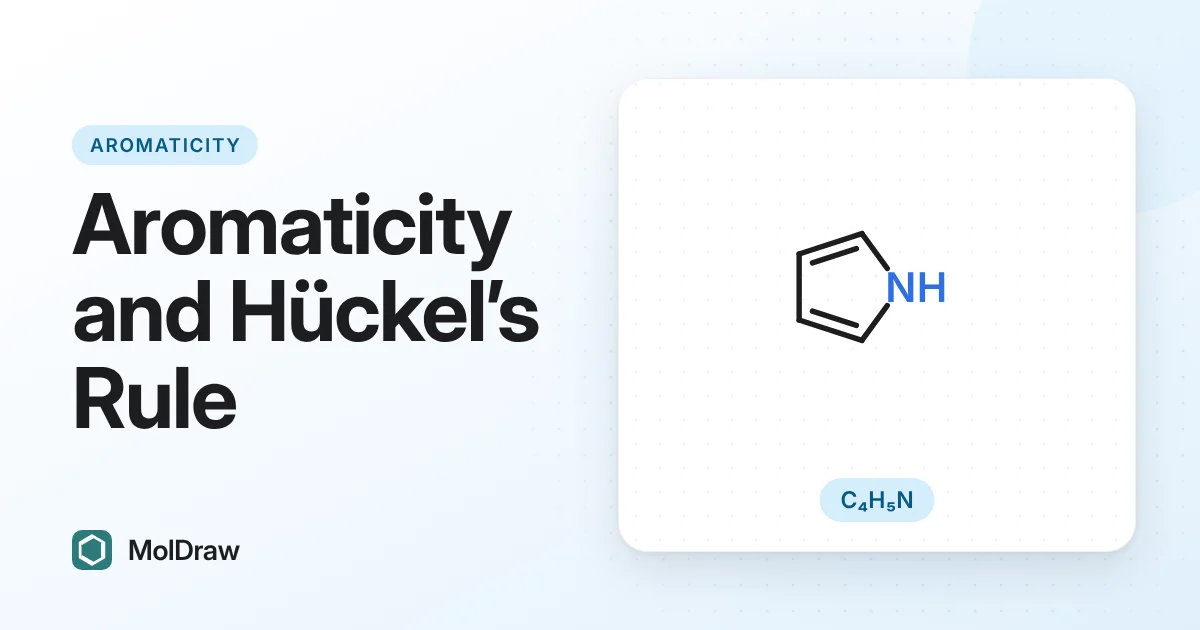
Pyrrole is aromatic: four carbon π electrons plus the nitrogen lone pair make 6.
**Short answer:** A ring is **aromatic** if it is cyclic, planar, fully conjugated and has **4n + 2 π electrons** (2, 6, 10, 14, 18). It is **antiaromatic** if it passes the first three tests but has **4n** π electrons (4, 8, 12). If it fails any of the first three tests it is **non-aromatic**. Benzene (6) is aromatic, cyclobutadiene (4) is antiaromatic and cyclohexane is non-aromatic. The free [MolDraw aromaticity checker](https://www.moldraw.com/tools/free-chem-tools/aromaticity-checker.html) applies these tests to any ring and explains each π electron.
## What aromaticity is
Aromatic compounds are rings with a closed loop of delocalised π electrons that makes them much more stable than expected. Benzene is about 150 kJ/mol more stable than a ring of three isolated C=C bonds. Aromatic rings resist addition reactions and prefer substitution.
**Hückel’s rule** (Erich Hückel, 1931) predicts which rings are aromatic. A ring must pass four tests:
1. **Cyclic:** the π system forms a closed ring.
2. **Fully conjugated:** every ring atom has a p orbital. One sp³ atom breaks the loop.
3. **Planar:** the ring can lie flat so the p orbitals overlap.
4. **4n + 2 π electrons:** n = 0, 1, 2 … gives 2, 6, 10, 14, 18.
A flat, fully conjugated ring with 4n π electrons is **antiaromatic** and is less stable than an open-chain analogue.
## How to count π electrons
| Atom in a ring C=C or C=N | 1 π electron. Example: each carbon of benzene, the N of pyridine. |
| --- | --- |
| N, O or S with a lone pair and no double bond | 2 π electrons from one lone pair. Example: pyrrole N–H, furan O, thiophene S. |
| Carbanion C⁻ | 2 π electrons. Example: cyclopentadienyl anion. |
| Carbocation C⁺ or three-bonded B | 0 π electrons, but an empty p orbital keeps the ring conjugated. Example: tropylium. |
| sp³ carbon (CH₂) | No p orbital. The ring is non-aromatic. Example: cyclopentadiene. |
The key distinction is where a heteroatom lone pair sits. In **pyridine** the nitrogen is already in a C=N bond and gives 1 π electron; its lone pair points out of the ring in an sp² orbital and is not counted. In **pyrrole** the nitrogen has no double bond, so its lone pair occupies the p orbital and gives 2. In **furan**, oxygen has two lone pairs: one is in the π system, the other lies in the ring plane.
## How to use the aromaticity checker
1. Open the [aromaticity checker](https://www.moldraw.com/tools/free-chem-tools/aromaticity-checker.html).
2. Draw a ring in the editor, or paste a SMILES string into the box and press **Check aromaticity**. Use `[nH]` for a pyrrole-type nitrogen and brackets for ring ions, such as `[CH-]1C=CC=C1`.
3. Or press an example: **Benzene**, **Cyclobutadiene**, **Cyclooctatetraene**, **Pyridine**, **Pyrrole**, **Furan**, **Thiophene**, **Imidazole**, **Cyclopentadienyl anion**, **Tropylium cation**, **Cyclopropenyl cation**, **Naphthalene**, **Azulene**, **[18]Annulene** or **Cyclopentadiene**.
4. The drawing shades each ring green (aromatic), red (antiaromatic) or grey (non-aromatic) and writes the π electrons each atom gives. A × marks an atom with no p orbital.
5. Each ring card lists the four tests with Yes or No, the π electron sum, the value of n and the verdict. Open **π electrons from each atom** to see the reason for every atom.
6. Fused rings get an extra card for the whole fused ring system.
## Worked examples
### 1. Benzene, C₆H₆
Six sp² carbons in three C=C bonds: 6 × 1 = 6 π electrons. 6 = 4(1) + 2, so n = 1. Cyclic, flat, fully conjugated: **aromatic**.
### 2. Pyrrole, C₄H₄NH
Four carbons in two C=C bonds give 4. The N–H nitrogen has no double bond, so its lone pair is in the p orbital and gives 2. Total 6 = 4(1) + 2: **aromatic**. Imidazole has one pyrrole-type N (2) and one pyridine-type N (1), also 6.
### 3. Cyclopentadiene and its ions
Cyclopentadiene, C₅H₆, has an sp³ CH₂: **non-aromatic**. Removing H⁺ gives the cyclopentadienyl anion with 4 + 2 = 6 π electrons: **aromatic**. This makes cyclopentadiene unusually acidic, pKa about 16. Removing H⁻ gives the cation with 4 π electrons: **antiaromatic**.
### 4. Cyclobutadiene and cyclooctatetraene
Cyclobutadiene has 4 = 4(1) π electrons in a flat ring: **antiaromatic**. Cyclooctatetraene has 8 = 4(2) but puckers into a tub: **non-aromatic**. Add two electrons and the cyclooctatetraene dianion (10 π electrons) becomes flat and aromatic.
### 5. Naphthalene and azulene
Both are C₁₀H₈ with 10 π electrons over a fused system. 10 = 4(2) + 2: **aromatic**. In azulene, each ring alone has an odd count (5 and 7) because the shared bond is counted twice, so judge the fused system as a whole.
### 6. [18]Annulene
An 18-membered ring with nine C=C bonds: 18 = 4(4) + 2. The ring is large enough to be nearly flat, so it is **aromatic**. [10]Annulene also fits 4n + 2 but cannot be flat, so it is non-aromatic.
## Summary table
| Benzene | 6 π electrons, n = 1: aromatic |
| --- | --- |
| Pyridine | 6 (lone pair not counted): aromatic |
| Pyrrole, furan, thiophene | 6 (one lone pair counted): aromatic |
| Cyclopropenyl cation | 2, n = 0: aromatic |
| Cyclopentadienyl anion | 6: aromatic |
| Tropylium cation | 6: aromatic |
| Naphthalene, azulene | 10, n = 2: aromatic |
| [18]Annulene | 18, n = 4: aromatic |
| Cyclobutadiene | 4, 4n: antiaromatic |
| Cyclopentadienyl cation | 4, 4n: antiaromatic |
| Cyclooctatetraene | 8, tub-shaped: non-aromatic |
| Cyclopentadiene | sp³ CH₂: non-aromatic |
## Common mistakes
- Counting the pyridine lone pair, which gives 8 instead of 6.
- Counting both lone pairs of furan or thiophene.
- Calling cyclooctatetraene antiaromatic. It is non-aromatic because it is not flat.
- Missing an sp³ ring atom, as in cyclopentadiene or cycloheptatriene.
- Treating n as the number of rings or double bonds. It is only the whole number that makes 4n + 2 fit.
- Applying the rule ring by ring in azulene instead of to the whole fused system.
## Exam tips (JEE, NEET, AP, A-level)
- Run the four tests in order. If test 2 fails (an sp³ atom), stop: the ring is non-aromatic.
- **JEE and NEET** often ask which ion is aromatic: C₃H₃⁺, C₅H₅⁻ and C₇H₇⁺ are aromatic; C₃H₃⁻, C₅H₅⁺ and C₇H₇⁻ are antiaromatic.
- **Stability and acidity questions:** a reaction that creates an aromatic ring is favoured, which explains the acidity of cyclopentadiene and the stability of the tropylium ion.
- **Basicity questions:** pyridine is a base because its lone pair is not in the π system; pyrrole is a very weak base because its lone pair is.
- **AP and A-level** answers should name the π electron count and the value of n, for example "6 π electrons, 4n + 2 with n = 1".
The equal C–C bonds of benzene come from its two Kekulé structures, which the [resonance structure generator](https://www.moldraw.com/tools/free-chem-tools/resonance-structure-generator.html) draws with curly arrows. To draw benzene, naphthalene and other fused rings, see [drawing benzene and fused rings](https://www.moldraw.com/docs/drawing/how-to-draw-benzene-cyclohexane-and-fused-rings/).
## Sources
- E. Hückel, "Quantentheoretische Beiträge zum Benzolproblem I. Die Elektronenkonfiguration des Benzols und verwandter Verbindungen", *Z. Phys.* 1931, 70, 204–286, [doi:10.1007/BF01339530](https://doi.org/10.1007/BF01339530)
- J. McMurry, *Organic Chemistry*, OpenStax, 2023, section 15.2, [Structure and Stability of Benzene](https://openstax.org/books/organic-chemistry/pages/15-2-structure-and-stability-of-benzene)
- J. McMurry, *Organic Chemistry*, OpenStax, 2023, section 15.4, [Aromatic Ions](https://openstax.org/books/organic-chemistry/pages/15-4-aromatic-ions)
## Questions and answers
### What are the four rules for aromaticity?
An aromatic ring is cyclic, planar and fully conjugated (every ring atom has a p orbital), and it has 4n + 2 π electrons, where n is 0 or a positive whole number. All four must hold.
### What does n mean in 4n + 2?
n is just a whole number (0, 1, 2, 3 …) that makes the count fit. It is not the number of rings or atoms. Benzene has 6 π electrons, so 4n + 2 = 6 gives n = 1.
### Is pyridine or pyrrole more basic, and why?
Pyridine is much more basic. Its lone pair lies in the ring plane and is not part of the aromatic sextet, so it is free to take a proton. Pyrrole’s lone pair is part of its 6 π electrons, and protonating it would destroy the aromaticity.
### Why is cyclobutadiene antiaromatic?
It is cyclic, flat and fully conjugated, but it has 4 π electrons, which is 4n with n = 1. Rings with 4n π electrons are destabilised, so cyclobutadiene is very reactive and exists only at very low temperature.
### Why is cyclooctatetraene not antiaromatic?
It has 8 π electrons, but the eight-membered ring is large enough to bend into a tub shape. The p orbitals no longer overlap all the way round, so the molecule is non-aromatic.
### Is tropylium aromatic?
Yes. The cycloheptatrienyl cation, C7H7+, has three C=C bonds (6 π electrons) and one carbocation with an empty p orbital (0). 6 = 4n + 2 with n = 1, so it is aromatic and unusually stable for a carbocation.
### Is azulene aromatic?
Yes. Azulene is a fused 5- and 7-membered ring system with 10 π electrons around its perimeter. 10 = 4n + 2 with n = 2. It is a blue aromatic hydrocarbon with a dipole moment of about 0.8 D.
## Related tools
[Formal charge and hybridization calculator](https://www.moldraw.com/tools/free-chem-tools/formal-charge-hybridization-calculator.html) [Aromaticity checker](https://www.moldraw.com/tools/free-chem-tools/aromaticity-checker.html) [Bond polarity and dipole checker](https://www.moldraw.com/tools/free-chem-tools/bond-polarity-dipole-checker.html) [Resonance structure generator](https://www.moldraw.com/tools/free-chem-tools/resonance-structure-generator.html) [Functional group identifier](https://www.moldraw.com/tools/free-chem-tools/functional-group-identifier.html) [Lewis structure generator](https://www.moldraw.com/tools/free-chem-tools/lewis-structure-generator.html) [SMILES to NMR](https://www.moldraw.com/tools/free-chem-tools/smiles-to-nmr.html)
## Related guides
[Formal charge and hybridization guide](https://www.moldraw.com/blog/formal-charge-hybridization-guide.html) [Bond polarity and dipole moment guide](https://www.moldraw.com/blog/bond-polarity-dipole-moment-guide.html) [How to add lone pairs in MolDraw](https://www.moldraw.com/blog/how-to-add-lone-pair-in-moldraw.html) [Electrostatic potential maps](https://www.moldraw.com/blog/mep-plugin-electrostatic-potential-map.html) [Point groups in 3D](https://www.moldraw.com/blog/symmetry-plugin-point-groups-3d.html) [Free chemistry tools and calculators](https://www.moldraw.com/blog/free-chemistry-tools-and-calculators.html) [Guide to all free MolDraw tools](https://www.moldraw.com/blog/moldraw-all-free-chemistry-tools-guide.html)
Last updated: October 19, 2026
---
# Curly Arrows and Arrow Pushing: The Rules, the Patterns and How to Practise
Published: 19 Oct 2026 · Author: Scidart Academy · Reading time: ~8 min
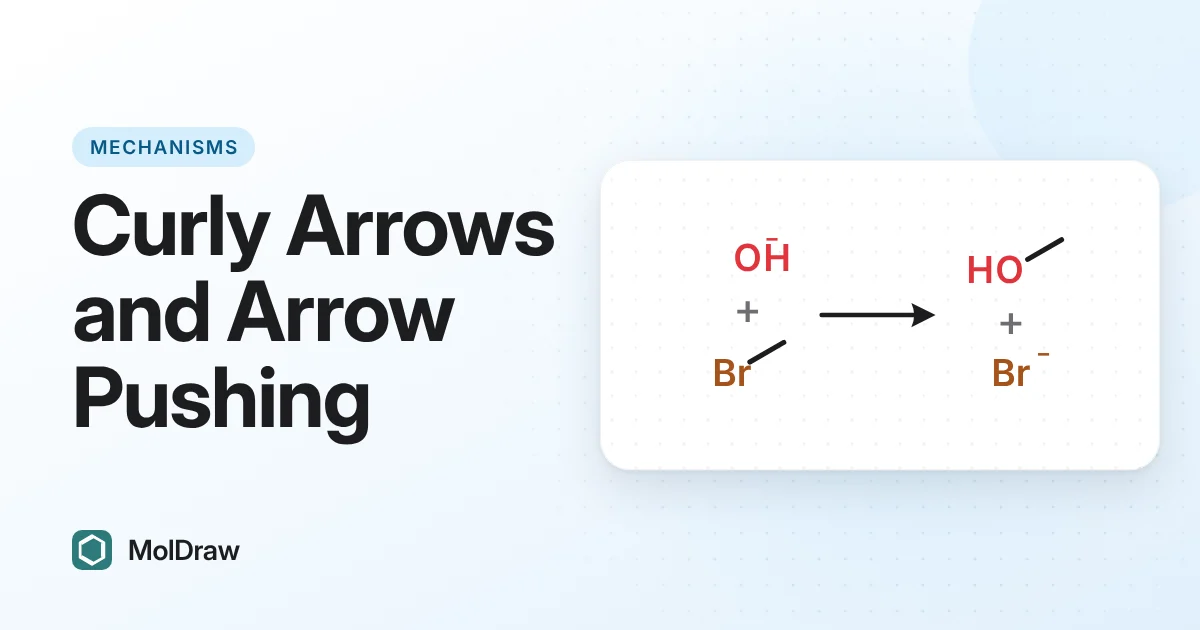
Two curly arrows describe the whole SN2 step: one makes the C–O bond, one breaks the C–Br bond.
**Short answer:** A curly arrow shows a pair of electrons moving. It **starts at the electrons**: a lone pair, a π bond or a σ bond. It **ends where they go**: on an atom, as a new lone pair, or between two atoms, as a new bond. A fish-hook arrow moves one electron. To practise, open the free [arrow-pushing mechanism practice](https://www.moldraw.com/tools/free-chem-tools/arrow-pushing-mechanism-practice.html), tap where each arrow starts and ends, and press **Check answer**.
## What arrow pushing is
**Arrow pushing** is the way chemists show how a reaction happens, one step at a time. Each curly arrow moves electrons. Bonds form where electron pairs arrive between atoms, and bonds break where pairs leave.
A **nucleophile** is an electron-rich species that gives a pair of electrons, such as HO⁻, NH₃, CN⁻ or a C=C π bond. An **electrophile** is an electron-poor species that accepts a pair, such as a carbocation, the carbon of C=O, H⁺ or NO₂⁺. Arrows always run from the nucleophile to the electrophile.
## The rules
1. **Arrows move electrons, not atoms.** A full arrow (two-sided head) moves two electrons. A fish-hook (one-sided head) moves one.
2. **The tail sits on electrons.** Start at a lone pair, a π bond or a σ bond. Never start at a positive charge, an empty orbital or a bare H atom.
3. **The head shows where the electrons go.** Ending on an atom makes a lone pair. Ending between two atoms makes a bond.
4. **Keep octets.** C, N and O can hold at most eight electrons. If a pair arrives at an atom that is already full, another arrow must move a pair away from it in the same step.
5. **Charges follow the arrows.** An atom that uses its lone pair to make a bond becomes one unit more positive. An atom that gains a lone pair becomes one unit more negative.
6. **Total charge is conserved.** Add up the charges before and after. They must match.
Formal charge = valence electrons − non-bonding electrons − number of bonds. Use it to check every atom after you draw the arrows.
## Full arrows and fish-hooks
| Full curly arrow | Moves an electron pair. Used for polar reactions: acids and bases, nucleophiles and electrophiles, SN1, SN2, E1, E2, additions and eliminations. |
| --- | --- |
| Fish-hook arrow | Moves one electron. Used for radical reactions. Breaking a bond evenly (homolysis) needs two fish-hooks, one to each atom. |
| Reaction arrow (→) | Separates starting materials from products. Not a curly arrow. |
| Resonance arrow (↔) | Joins two drawings of the same species. No reaction takes place. |
## Common arrow patterns
Almost every mechanism is built from a few patterns.
| Proton transfer | Base lone pair → H; H–A bond → A. Example: HO⁻ + HCl → H₂O + Cl⁻. |
| --- | --- |
| Nucleophilic attack | Lone pair or π bond → electrophilic atom. Example: water + (CH₃)₃C⁺. |
| Loss of a leaving group | C–X bond → X. Example: (CH₃)₃C–Br → (CH₃)₃C⁺ + Br⁻. |
| SN2 | Nucleophile → C and C–X → X, at the same time. |
| Addition to C=O | Nucleophile → C and C=O π → O. |
| E2 | Base → β-H, C–H → C–C (new π bond), C–X → X. |
| Carbocation shift | C–H or C–C bond → the neighbouring C⁺. |
| Pericyclic | Arrows in a closed loop, as in the Diels–Alder reaction. |
| Radical | Fish-hooks, one electron per arrow. |
## How to use the practice tool
1. Open the [arrow-pushing mechanism practice](https://www.moldraw.com/tools/free-chem-tools/arrow-pushing-mechanism-practice.html).
2. Choose a **Level** (Intro, Intermediate or Advanced) and a **Reaction type**, or leave both on all.
3. Read the equation and the line that says how many arrows to draw.
4. Tap the start of an arrow: a pair of dots (lone pair), a bond, or a single dot (unpaired electron). Then tap the atom or bond where the electrons go.
5. For radical steps, press **Fish-hook (1 e⁻)** before drawing.
6. Press **Check answer**. Each wrong arrow gets its own message. Remove it with ×, or use **Undo** or **Clear**.
7. Press **Hint** if you are stuck, or **Show answer** to see the correct arrows in orange, the product and why. Then press **Next step**.
Arrows can be drawn in any order. The tool also accepts equivalent drawings, such as a lone-pair arrow that ends on the bond it forms rather than on the atom. Your progress is saved in your browser; **Reset progress** clears it.
## Worked examples
### 1. SN2: hydroxide and bromomethane
HO⁻ + CH₃Br → CH₃OH + Br⁻. Arrow 1 goes from a lone pair on O⁻ to the carbon. Arrow 2 goes from the C–Br bond to bromine. Oxygen goes from −1 to 0, and bromine from 0 to −1. One arrow alone would give carbon five bonds, so both are needed.
### 2. E2: hydroxide and bromoethane
Arrow 1: O⁻ lone pair to a hydrogen on the carbon next to C–Br. Arrow 2: that C–H bond into the C–C bond, which becomes the π bond. Arrow 3: the C–Br bond to bromine. The product is ethene, water and bromide. The second arrow ends on the bond, not on the carbon atom.
### 3. Aldol addition
The enolate CH₂=CH–O⁻ attacks acetaldehyde. Arrow 1: the O⁻ lone pair re-forms C=O. Arrow 2: the C=C π bond attacks the aldehyde carbon, making the new C–C bond. Arrow 3: the aldehyde C=O π bond moves to its oxygen, giving an alkoxide.
### 4. Radical chlorination of methane
Cl• + CH₄ → HCl + •CH₃ uses three fish-hooks. One electron from Cl• and one from the C–H bond pair up as the H–Cl bond. The other C–H electron stays on carbon as the methyl radical.
### 5. 1,2-hydride shift
A secondary carbocation next to a C–H becomes tertiary. One arrow goes from the C–H bond to the positive carbon. The hydrogen moves with its two electrons, as hydride. If the arrow ended on the C–C bond instead, it would describe an elimination.
## Summary table
| Step | **Arrows · charge change** |
| --- | --- |
| Proton transfer | 2 · base gains +1, acid’s A gains −1 |
| SN1 ionisation | 1 · C becomes +, leaving group − |
| SN2 | 2 · nucleophile +1, leaving group −1 |
| Addition to C=O | 2 · O becomes − |
| E2 | 3 · leaving group −1 |
| Enolate formation | 3 · O becomes − |
| Electrophilic aromatic substitution | 2 to attack, 2 to lose H⁺ |
| Diels–Alder | 3 in a ring · no charges |
| Radical abstraction | 3 fish-hooks · no charges |
## Common mistakes
- **Backwards arrows.** Drawing from the electrophile to the nucleophile, or from H⁺ to the base.
- **Starting at a + charge.** A carbocation has no electrons to give.
- **Too many bonds.** Attacking a full carbon without pushing a pair away gives a five-bond carbon.
- **Breaking the wrong bond of C=O.** In additions, only the π bond moves to oxygen.
- **Vague arrow heads.** An arrow that stops halfway does not say whether a bond or a lone pair forms.
- **Full arrows in radical steps,** or fish-hooks in polar steps.
- **Forgetting to update charges.** Recount every atom that an arrow touched.
## Exam tips
- Draw all lone pairs on the atoms that react. Examiners look for the tail on a lone pair.
- Start each arrow exactly on the lone pair or the bond, and end it exactly on the atom or bond.
- Write the charges on every intermediate. Missing charges often cost a mark.
- For SN2, show attack from the side opposite the leaving group.
- For E2, draw the H and the leaving group anti-periplanar.
- Check the stability of any carbocation you make, and look for a hydride or methyl shift.
- Learn the patterns, not single reactions. Most exam mechanisms combine three or four of them.
To draw these mechanisms for notes or slides, see [drawing curved-arrow and fish-hook mechanisms](https://www.moldraw.com/docs/reactions/how-to-draw-curved-arrow-mechanisms-and-fishhook-arrows/). The [resonance structure generator](https://www.moldraw.com/tools/free-chem-tools/resonance-structure-generator.html) applies the same arrow rules to resonance contributors.
## Questions and answers
### What does a curly arrow mean in chemistry?
A curly arrow shows a pair of electrons moving during a reaction step. The tail is where the electrons are now, and the head is where they end up. Atoms do not follow the arrow; only electrons do.
### Can a curly arrow start from a positive charge?
No. A positive charge means an atom is short of electrons, so it has none to give. Arrows point toward positive centres, such as a carbocation or the δ+ carbon of C=O, never away from them.
### When do I use a fish-hook arrow?
Use a fish-hook, with a one-sided head, when a single electron moves. This happens in radical reactions: homolysis of Cl₂ or Br₂ in light, hydrogen abstraction by a halogen radical, and radical addition to alkenes. Breaking one bond evenly needs two fish-hooks.
### Why does the arrow go from the nucleophile to the electrophile?
The nucleophile is electron-rich and provides the electron pair that forms the new bond. The electrophile is electron-poor and accepts it. Since arrows follow electrons, they always run from nucleophile to electrophile, and from a bond to the leaving group.
### How many arrows does each mechanism step need?
As many as the electron pairs that move. Loss of a leaving group needs one. SN2 and addition to C=O need two. E2 and enolate formation need three. The Diels–Alder reaction needs three arrows in a ring. A Michael addition from an enolate needs four.
### How do I check my arrows are right?
Apply each arrow and redraw the product. Every atom should keep a sensible octet, the formal charges should follow from the arrows, and the total charge must not change. The free MolDraw arrow-pushing practice does this check for you on 35 real steps.
### What is the difference between a curly arrow and a resonance arrow?
A curly arrow moves electrons within or between structures. A double-headed straight arrow (↔) links resonance structures, which are two drawings of the same molecule, not a reaction. The curly arrows drawn on a resonance form show how to get from one drawing to the next.
## Related tools
[Arrow-pushing mechanism practice](https://www.moldraw.com/tools/free-chem-tools/arrow-pushing-mechanism-practice.html) [Resonance structure generator](https://www.moldraw.com/tools/free-chem-tools/resonance-structure-generator.html) [Name reaction finder](https://www.moldraw.com/tools/free-chem-tools/name-reaction-finder.html) [Lewis structure generator](https://www.moldraw.com/tools/free-chem-tools/lewis-structure-generator.html) [Chemical reaction drawer](https://www.moldraw.com/tools/free-chem-tools/chemical-reaction-drawer.html) [Batch chemical converter](https://www.moldraw.com/tools/free-chem-tools/batch-chemical-converter.html)
## Related guides
[MolScript: write mechanisms as text](https://www.moldraw.com/blog/molscript-reaction-mechanism-language.html) [MolScript mechanism gallery](https://www.moldraw.com/blog/molscript-gallery.html) [Mechanism samples with curly arrows](https://www.moldraw.com/blog/chemfig-mechanism-samples.html) [How to add lone pairs in MolDraw](https://www.moldraw.com/blog/how-to-add-lone-pair-in-moldraw.html) [Williamson ether synthesis mechanism](https://www.moldraw.com/blog/williamson-ether-synthesis-mechanism.html) [Aldol condensation](https://www.moldraw.com/reaction/aldol-condensation) [Michael addition](https://www.moldraw.com/reaction/michael-addition/) [Diels–Alder reaction](https://www.moldraw.com/reaction/diels-alder-reaction) [Friedel–Crafts acylation](https://www.moldraw.com/reaction/friedel-crafts-acylation) [Grignard reaction](https://www.moldraw.com/reaction/grignard-reaction) [Batch convert SMILES in a CSV](https://www.moldraw.com/blog/batch-convert-smiles-csv-guide.html)
**Free printable worksheet:** [Curved Arrow Mechanism Worksheet](https://www.moldraw.com/education/materials/curved-arrow-mechanism-worksheet/). Customise the questions, then download an A4 PDF with an answer key.
Last updated: October 19, 2026
---
# CAS Number to SMILES Converter
**In short:** Enter a CAS Registry Number such as 50-00-0 or 64-17-5 and resolve PubChem SMILES, IUPAC name, formula, molecular weight, and CID. It is free, works in your web browser and needs no download.
Enter a CAS Registry Number and resolve the matching compound record to SMILES, IUPAC name, formula, molecular weight, and PubChem CID.
**Quick answer:** Type a CAS number such as **50-00-0**, **64-17-5**, or **7732-18-5**. The tool searches PubChem synonyms and returns the best matching SMILES record.
CAS Registry Number
### Examples
SMILES output appears here.
## Input and output formats
| | Input: CAS Registry Number | Output: SMILES |
| --- | --- | --- |
| Full name | CAS Registry Number | SMILES (Simplified Molecular Input Line Entry System) |
| What it holds | A number given to a substance by Chemical Abstracts Service. It holds no structure itself, so it is looked up. | Atoms, bonds, rings, charges and stereo as one line of text. No coordinates. |
| File or form | Text like 50-78-2 | .smi or plain text |
## CAS Number Lookup Notes
CAS numbers are registry identifiers, not structure strings. This converter resolves a CAS number through public PubChem synonym records, then reads the associated SMILES and chemical metadata.
- Use the hyphenated CAS format, for example **64-17-5**.
- If a CAS number has multiple salts, mixtures, or supplier variants, verify the returned compound.
- For drawing, use the related CAS to Structure tool.
[CAS to Structure](https://www.moldraw.com/tools/free-chem-tools/cas-number-to-structure.html) [SMILES to Structure](https://www.moldraw.com/tools/free-chem-tools/smiles-to-structure.html) [CID to SMILES](https://www.moldraw.com/tools/free-chem-tools/cid-to-smiles-converter.html)
## Related chemistry tools
[InChI to SMILES Converter](https://www.moldraw.com/tools/free-chem-tools/inchi-to-smiles-converter.html)[InChIKey to SMILES Converter](https://www.moldraw.com/tools/free-chem-tools/inchikey-to-smiles-converter.html)[SMILES Notation Guide](https://www.moldraw.com/tools/free-chem-tools/smiles-notation-guide.html)[Structure to SMILES Converter](https://www.moldraw.com/tools/free-chem-tools/structure-to-smiles-converter.html)[IUPAC Name to SMILES Converter](https://www.moldraw.com/tools/free-chem-tools/iupac-name-to-smiles-converter.html)
Last updated: October 11, 2026
---
MolDraw Snip · Chrome extension
# MolDraw Snip privacy policy
Last updated 26 November 2026. Applies to the MolDraw Snip extension for Chrome and other Chromium browsers.
[← MolDraw Snip](https://www.moldraw.com/chrome-addon) · [Site privacy policy](https://www.moldraw.com/pages/privacy-policy.html)
## In short
MolDraw Snip only looks at a page when you start a capture. You sign in with your MolDraw account. The small image you select is sent to MolDraw, which passes it to Mathpix to recognise the structure and sends the result back. Images of successful scans are not stored. If a scan fails or finds no structure, MolDraw keeps that image privately for 30 days so the MolDraw team can fix recognition problems, then deletes it. MolDraw keeps a count of your scans for your plan's monthly allowance, and keeps the recognised structures in your scan history so you can find them again; you can delete them at any time. There are no ads, no analytics in the extension, and your data is never sold.
## What the extension accesses
- **A screenshot of the visible tab**, taken only when you click *Capture molecule*, press the shortcut or use the right-click menu. It is cropped to the box you drag, and the rest of the screenshot is discarded.
- **Your MolDraw sign-in.** You can sign in inside the extension popup with your MolDraw email and password. They are sent once, over HTTPS, to MolDraw's account service (Supabase Auth) to check them; the extension never stores your password. That sign-in is exchanged for the extension's own access token and then ended. With Continue with Google, the sign-in happens on moldraw.com and the extension only receives its token.
- **Your settings**: where to open structures (moldraw.com or a local editor) and whether to open them automatically.
It does not read page text, form fields, cookies, passwords or browsing history, and it does nothing on pages where you do not start a capture.
## Where data goes
- **MolDraw.** The cropped image is sent over HTTPS to `www.moldraw.com` with your extension token. MolDraw checks your plan and allowance and forwards the image to Mathpix. MolDraw does not keep images of successful scans. Images of failed scans are kept privately for 30 days, visible only to the MolDraw team, and then deleted.
- **Mathpix.** Mathpix receives the cropped image only, without your name or email, and returns the recognised structure. Mathpix handles it under the [Mathpix privacy policy](https://mathpix.com/privacy). MolDraw asks Mathpix not to use the images to improve its service.
- **Opening a result.** The recognised structure (molfile, InChI or SMILES, not the image) is put into a moldraw.com link. Molfiles go in the part of the URL after `#`, which browsers do not send to the server. Using moldraw.com is covered by the [site privacy policy](https://www.moldraw.com/pages/privacy-policy.html).
- Nothing is sent anywhere else.
## What is stored
- **In your browser:** the extension token, your plan summary and small previews of your last 10 captures in local extension storage on this device only (not synced), and your settings in Chrome's extension storage. Signing out or removing the extension deletes the token.
- **At MolDraw, per scan:** the time, the image size in bytes, whether it succeeded, how long it took and whether the result was a molecule or a reaction. This is used for your monthly allowance, abuse limits and support. The image is never stored.
- **Your scan history:** for each successful scan, the recognised structure (SMILES, molfile and InChI), the recognition confidence, the website's host name (for example `pubs.acs.org`, never the full address) and any name you give it. Only you can see it, in the extension's scan history and with your MolDraw account. You can rename, delete one or delete all of your scans from the history page; MolDraw keeps your newest 2,000.
- **At MolDraw, per sign-in:** a one-way hash of the extension token, its creation and last-used time, and the browser's user-agent string, so you can be signed out and stolen tokens can be revoked. Tokens expire after 90 days.
- On pages that block in-page capture, such as some PDFs, the screenshot is held briefly in local extension storage so the crop tab can show it. It is deleted as soon as the crop tab opens.
- Deleting your MolDraw account deletes its scan records, scan history and tokens.
## Permissions and why they are needed
- `activeTab`: take the screenshot of the tab you are capturing, only after you start a capture.
- `scripting`: show the drag-to-select box on that tab.
- `identity`: open the Google sign-in window (Continue with Google) and receive the sign-in result.
- `storage`: remember your sign-in and settings.
- `contextMenus`: add “Capture molecule with MolDraw” to the right-click menu.
- Access to `www.moldraw.com`: send the cropped image to MolDraw for recognition and read your plan and remaining scans.
## Limited use
MolDraw Snip's use of the data it receives complies with the [Chrome Web Store User Data Policy](https://developer.chrome.com/docs/webstore/program-policies/limited-use), including the Limited Use requirements. The data is used only to turn your selection into a structure, to keep your scan history for you and to apply your plan’s limits. It is not used for advertising, is not sold, and is not read by people.
## Contact
Questions about this policy: [contact MolDraw](https://www.moldraw.com/pages/contact.html). If this policy changes, the date above is updated.
---
# MolDraw Community Guidelines
Effective date: May 26, 2026
The MolDraw Community exists for helpful, safe chemistry drawing discussions, learning, product feedback, and research workflows.
## What Belongs Here
- Chemical structure drawing questions, editor tips, export workflows, 3D visualization, spectra tools, and teaching use cases.
- Bug reports, feature requests, screenshots, and constructive feedback about MolDraw.
- General educational chemistry discussion that is safe, lawful, and appropriate for students, educators, and researchers.
## Not Allowed
- Instructions, recipes, optimization, or troubleshooting for illegal drug synthesis or controlled-substance production.
- Explosives, incendiaries, weaponization, harmful/toxic misuse, poisoning, or instructions that enable injury or property damage.
- Unsafe lab instructions that omit necessary controls, PPE, waste handling, or legal/compliance requirements.
- Medical, clinical, diagnostic, dosage, or treatment advice. The community is not a medical advice service.
- Harassment, hate, threats, sexual content, spam, impersonation, or sharing private personal information.
- Copyrighted, confidential, or proprietary content that you do not have permission to share.
## Posting and Uploads
- Keep posts clear, specific, and relevant to chemistry drawing or MolDraw workflows.
- Only upload images that you have the right to share and that do not contain private or sensitive information.
- Do not upload malicious files, misleading screenshots, or content intended to bypass moderation.
## Reporting and Moderation
Use the Report button on posts, comments, or feature requests if you see spam, abuse, privacy issues, unsafe chemistry, illegal activity, weaponization, or medical advice.
MolDraw admins may hide, remove, review, or restrict content and accounts to protect the community. Moderation decisions prioritize safety, legal compliance, and usefulness for students and researchers.
---
# Editorial Guidelines
## Accuracy
Content should prioritize chemistry accuracy, clear notation, and practical reproducibility where possible.
## Transparency
When features rely on AI predictions or third-party services, that dependency should be clearly disclosed.
## Maintenance
Outdated references and deprecated workflow guidance should be revised as product functionality evolves.
---
MolDraw MCP
# Privacy, security, and connector notes
The remote MCP server is an agent interface to MolDraw. It is not a second MolDraw application.
[← Back to MolDraw](https://www.moldraw.com/) · [Site privacy policy](https://www.moldraw.com/pages/privacy-policy.html)
## What the server does
An MCP client connects to `https://mcp.moldraw.com/mcp` over Streamable HTTP. The user signs in with their existing MolDraw account through OAuth 2.1 (PKCE). The same endpoint works for every MCP client.
## What is stored
- **Accounts** stay in the existing Supabase Auth project. MCP sign-in counts toward normal monthly active users. There is no separate MCP auth charge.
- **Working molecules** created through MCP tools are stored as owner-scoped JSON in Redis. Default lifetime is 7 days (`MCP_DOCUMENT_TTL_SECONDS=604800`). They are not written to a special MCP table in Supabase.
- **Share tokens** for “open in MolDraw” links use the same Redis TTL.
- **Chat transcripts are not stored.** The server only sees tool calls and structure data.
- Permanent saved designs continue to use the existing MolDraw project storage when the user saves in the editor.
## Security
- OAuth 2.1 with PKCE and dynamic client registration on Supabase Auth.
- Access tokens are verified with the Supabase JWKS (asymmetric keys).
- Every molecule document is checked against the signed-in user id.
- Write tools are annotated separately from read tools.
- Per-user rate limiting (default 120 calls / minute).
## Example prompts
**Draw caffeine.**
**Change the methyl group at position 7 to ethyl.**
**Give me the SMILES, then export SVG.**
## Connect and submit
1. Point any MCP client at `https://mcp.moldraw.com/mcp`.
2. Complete MolDraw sign-in and consent.
3. For directory review: create a test account, attach this privacy page, a 512px logo (`/favicon.svg` or the site mark), and the three example prompts above.
4. Support: [contact](https://www.moldraw.com/pages/contact.html).
---
# Privacy Policy
Effective date: October 30, 2026
## Data Handling
MolDraw runs primarily in your browser. Molecular data you draw is processed client-side unless you use optional external services.
Analytics and support tools may collect basic technical data such as browser/device information to improve reliability and user support.
## Accounts and Community Data
If you create an account, MolDraw may store your email address, profile name, designation, avatar choice, admin status, role, karma score, and timestamps needed to operate account-based features.
Community posts, comments, feature requests, upvotes, reports, public profile details, uploaded images, and moderation status labels may be stored and displayed publicly depending on the feature. Do not post private, confidential, medical, or sensitive personal information in public community areas.
## Sign in with Google
If you choose "Continue with Google", Google shares your name, email address, and profile picture URL with MolDraw (scopes: openid, email, profile). MolDraw uses your email to identify your account and your name as your initial profile name. MolDraw does not use your Google profile picture as your avatar, does not request access to your Gmail, Drive, contacts, or other Google data, and does not sell or share Google user data. You can remove MolDraw's access at any time from your Google Account permissions, and you can delete your MolDraw account from your dashboard.
MolDraw's use of information received from Google APIs adheres to the [Google API Services User Data Policy](https://developers.google.com/terms/api-services-user-data-policy), including the Limited Use requirements.
## Desktop App: Local Models and AI Agent Connector
The MolDraw desktop app can optionally download local models when you choose to use a feature that needs one. Models are downloaded on demand from MolDraw's public GitHub Releases and run on your own computer. The structures and other inputs you give a local model are processed on your device and do not leave it. Downloaded models are stored in the app's data folder on your computer and can be removed at any time.
The desktop app also offers an optional AI agent connector (Model Context Protocol, MCP). It listens only on your own computer (localhost), and you choose which AI apps may connect to it. MolDraw does not send your drawings anywhere through the connector: it only answers requests from the AI apps you have connected. What a connected AI app sends to its own provider is governed by that app's privacy terms, not this policy.
Signing in is optional in the desktop app. Offline drawing and local models work without an account; if you sign in, the desktop app uses the same account data described above. Google sign-in opens in your web browser rather than inside the app.
## Image Uploads and Supabase Storage
Images uploaded to feature requests, posts, or replies may be stored using Supabase storage and may be served from public storage URLs so they can be displayed in the community.
Reports and moderation records may be stored to help admins review abuse, spam, unsafe chemistry content, illegal activity, privacy issues, and other violations of the Community Guidelines.
## External Services
- PubChem lookups for compound search.
- Optional AI integrations when enabled by the user.
- Supabase for authentication, profiles, community records, feature requests, reports, and image storage.
- Analytics services such as Piqo and PostHog when enabled for usage, reliability, and product improvement.
- Support tools such as Charla when enabled for user support.
- Hosting and analytics services for performance monitoring.
## Moderation and Safety
Admins may review community content and reports, moderate unsafe or prohibited content, and retain limited records needed to enforce the Terms, prevent abuse, and protect users.
---
# Terms of Service
Effective date: May 26, 2026
## Use of Service
MolDraw is provided as-is for educational, research, and general chemistry drawing use. You are responsible for validating scientific outputs before critical usage.
## Accounts and Community Content
Some MolDraw features, including community posting, comments, upvotes, feature requests, image uploads, profile details, and dashboard access, require a user account. Public community posts, comments, feature requests, usernames, avatars, karma, uploaded images, and moderation status labels may be visible to other users and search engines.
You are responsible for content you submit. By posting in the MolDraw Community, you grant MolDraw permission to display, store, moderate, and use that content for operating and improving the community.
## Acceptable Use
- Do not attempt to disrupt service availability.
- Do not misuse external integrations connected through the app.
- Respect third-party licenses for integrated tools and libraries.
- Do not post instructions, recipes, optimization, or troubleshooting for illegal drug synthesis or controlled-substance production.
- Do not post explosive, incendiary, weaponization, harmful/toxic misuse, poisoning, or unsafe lab instructions.
- Do not provide medical, clinical, diagnostic, dosage, or treatment advice.
- Do not harass others, spam, impersonate people, or share private personal information.
## Moderation and Reports
MolDraw may review reports, remove or hide content, change feature request status, restrict accounts, or preserve moderation records when needed for safety, legal compliance, spam prevention, or community quality.
Community rules are explained in the [Community Guidelines](https://www.moldraw.com/pages/community-guidelines.html), which are part of these Terms.
## Uploads and External Services
Uploaded images and community data may be stored through Supabase storage and database services. Analytics and support tools may be used to understand reliability, usage, abuse prevention, and product improvements.
---